How-to: VMware Player Modification

VMware
Last week the free VMware player was released. It lets you run virtual machines, but not create them. [Faileas] contributed today’s how-to for creating your own virtual machines.

Programs required to carry out hack:

  1. Copy of VMware Player

  2. Browser appliance or another virtual machine(browser appliance is the smallest one, by size, and thus I am using that)

  3. Notepad or other text editor

  4. ISO image or CD/floppy of FreeDOS (I’m using the ripcord distribution) or MSDOS 7.1 would work as well, but i haven’t tried it yet.

  5. Replacement OS (must have SCSI HDD support)

Continue reading “How-to: VMware Player Modification”

PCI Simplified

pci

Even though PCI is really common it usually doesn’t see experimentation by amateurs because of its high performance nature. ChaN decided to build a system to demonstrate that PCI is within the reach of hobbyists. He does this with just 1 GAL, 2 identity comparators, and 4 latches. To pull this off a couple design rules have to be violated. For example: There is no configuration register so the target address has to be set with DIP switches. Something you would never see in real life. ChaN has been posting electronics projects for quite a few years and his site is well worth further investigation.

[thanks BoomBox]

Continue reading “PCI Simplified”

HOW-TO: Folding@Home Competitively

folding

UPDATE: For troubleshooting your F@H setup head to the unofficial Team Hack-A-Day forum.

After announcing the Hack-A-Day Folding Team last week it has become one of the fastest gaining teams. [BillytheImpaler] put together this great guide for not only getting started with folding, but also getting the best folding performance out of your machine. Read on and join the team so we can break into the top 1000!

From Wikipedia

Folding@home is a distributed computing project designed to perform computationally intensive simulations of protein folding. The project’s goal is to add greater understanding to protein folding, misfolding, aggregation, and related diseases. Such diseases include BSE (mad cow), Creutzfeldt-Jakob disease, Alzheimer’s, Parkinson’s, among others.

Folding@home does not rely on powerful supercomputers for its processing; instead, the primary contributors to the Folding@home project are many thousands of personal computer users who have installed a small client program. The client runs in the background, and makes use of the CPU when it is not busy. In most modern personal computers, the CPU is rarely used to its full capacity at all times; the Folding@home client takes advantage of this unused processing power.

Continue reading “HOW-TO: Folding@Home Competitively”

-100degC Cascading CPU Cooler

cooler

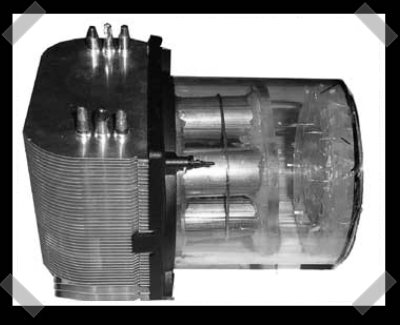
From a thermodynamics standpoint this project is damn near pornographic. The goal is to cool both the CPU and GPU down to -100 degrees Celsius using a dual evaporator cascade system. The project is fully documented starting with making the CPU/GPU blocks and polishing them to 0.005 microns. Next step is the case build up followed by a ton of brazing. He got everything assembled and pressure tested with only a few bugs. Right now they’re troubleshooting the system. They can get one of the heat exchangers down to -48.9degC, but not both. I’m sure they’ll get through this. Head over and check out the beautiful work they’ve done so far.

[thanks weirdguy0101]

Continue reading “-100degC Cascading CPU Cooler”

HOW-TO: SSH HTTP Proxy Setup

putty config

We’ve been linking to a couple proxy options in the links posts recently and [tom] thought it would be a good idea to write up how to use Privoxy. In [tom]’s case he wanted to route all of his internet surfing at work through an encrypted tunnel to his home machine. The guide is Windows based, but it won’t be to hard to translate to your OS of choice. It starts by setting up an OpenSSH server and new user on the home machine. Then Privoxy is installed. Next PuTTY is used to establish the secure tunnel from the work machine. The last step is to configure the browser to use the proxy. You can use this for IM too. You may not need this at work or school, but it should offer you some decent protection if you’re out using open access points.

Continue reading “HOW-TO: SSH HTTP Proxy Setup”