

Linux Fu: The USB WiFi Dongle Exercise

The TX50U isn’t very Linux-friendly

If you’ve used Linux for a long time, you know that we are spoiled these days. Getting a new piece of hardware back in the day was often a horrible affair, requiring custom kernels and lots of work. Today, it should be easier. The default drivers on most distros cover a lot of ground, kernel modules make adding drivers easier, and dkms can automate the building of modules for specific kernels, even if it isn’t perfect.

So ordering a cheap WiFi dongle to improve your old laptop’s network connection should be easy, right? Obviously, the answer is no or this would be a very short post.

Plug and Pray

The USB dongle in question is a newish TP-Link Archer TX50U. It is probably perfectly serviceable for a Windows computer, and I got a “deal” on it. Plugging it in caused it to show up in the list of USB devices, but no driver attached to it, nor were any lights on the device blinking. Bad sign. Pro tip: lsusb -t will show you what drivers are attached to which devices. If you see a device with no driver, you know you have a problem. Use -tv if you want a little more detail.

The lsusb output shows the devices as a Realtek, so that tells you a little about the chipset inside. Unfortunately, it doesn’t tell you exactly which chip is in use.

Continue reading “Linux Fu: The USB WiFi Dongle Exercise”

USB On The Teensy 3 From The Ground Up

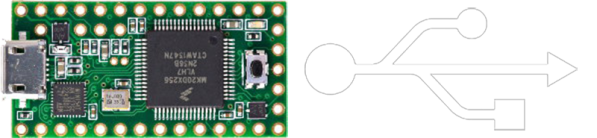
When implementing USB on a microcontroller, most people are going to reach for V-USB if they’re using an AVR, one of Microchip’s USB libraries if a PIC is involved, or any number of the USB libraries for various ARM processors. [Kevin] had a different idea. As a challenge to himself, he wrote a USB device driver for the Teensy 3.1 microcontroller board, getting as close to the bare metal as he could get.

Writing a USB device driver first required a literature review. There are a few peculiarities in the Freescale K20 family of microcontrollers – the one found in the Teensy 3.1 – that dictate the need for a specific memory layout, using several clocks, and handling all the USB descriptors. [Kevin] started with the clocks, every last one of which must be enabled. The clock is generated by the Multipurpose Clock Generator from a 16MHz crystal, PLL’ed to the frequencies the USB module needs, and sent out over the System Integration Module.

Following the flowcharts and sequences found in the Freescale reference guide told [Kevin] exactly what needed to be done with the startup sequence, and offered a few suggestions on what needed to be done to set up all the interrupts. [Kevin] spent an incredible amount of time documenting, programming, and smashing his head against the keyboard for this tutorial, but he does give everyone a great opportunity to learn from his struggles.

While [Kevin] has a mostly complete USB device driver, his work is far from done. That’s alright, because this project wasn’t meant to be a full-featured driver; it’s still missing real error handling, strings in the configuration, and a real VID/PID. That’s alright, it’s still a great exercise in building something from scratch, especially something that very few people have built successfully.

Oh, blatant Hackaday Store plug for the Teensy 3.1.






