
Three resistors in parallel: 4.7 k,Ω 22 kΩ, and 3.3 kΩ. Quick! What’s the equivalent value? You can estimate it, of course, but if you want the actual 1.8 kΩ (approximately) answer, you probably reached for some kind of calculating aid. I have two slide rules on my desk, and plenty more a few steps away, but I don’t use them much, honestly. I have a very old HP-41C — arguably the best calculator ever made — but I am usually afraid to use it as it is almost 50 years old and difficult to repair. I also have an HP-28S on my desk, a replica HP-41C, and a few others in desk drawers. There are also dozens of calculators on my desktop computer, my phone –including the official HP Prime app — and the web browser.
I often see newer calculators from HP, like the Prime G2, or “new” HP-like calculators like the ones from SwissMicros, and think I should pick one up. Well, technically, HP licensed their calculators to Moravia, so even a “real” HP calculator isn’t from HP anymore. But, in the end, I always realize that my need for a physical calculator is so diminished that I can’t justify buying anything new, and I can barely even spring for a $10 one at the thrift store unless it is a real collectible.
Mind you, I’m not talking about RPN versus algebraic. I could say the same thing for TI, Casio, or Sharp calculators. I just don’t know why I need one anymore, even though I still, for some strange reason, want them.
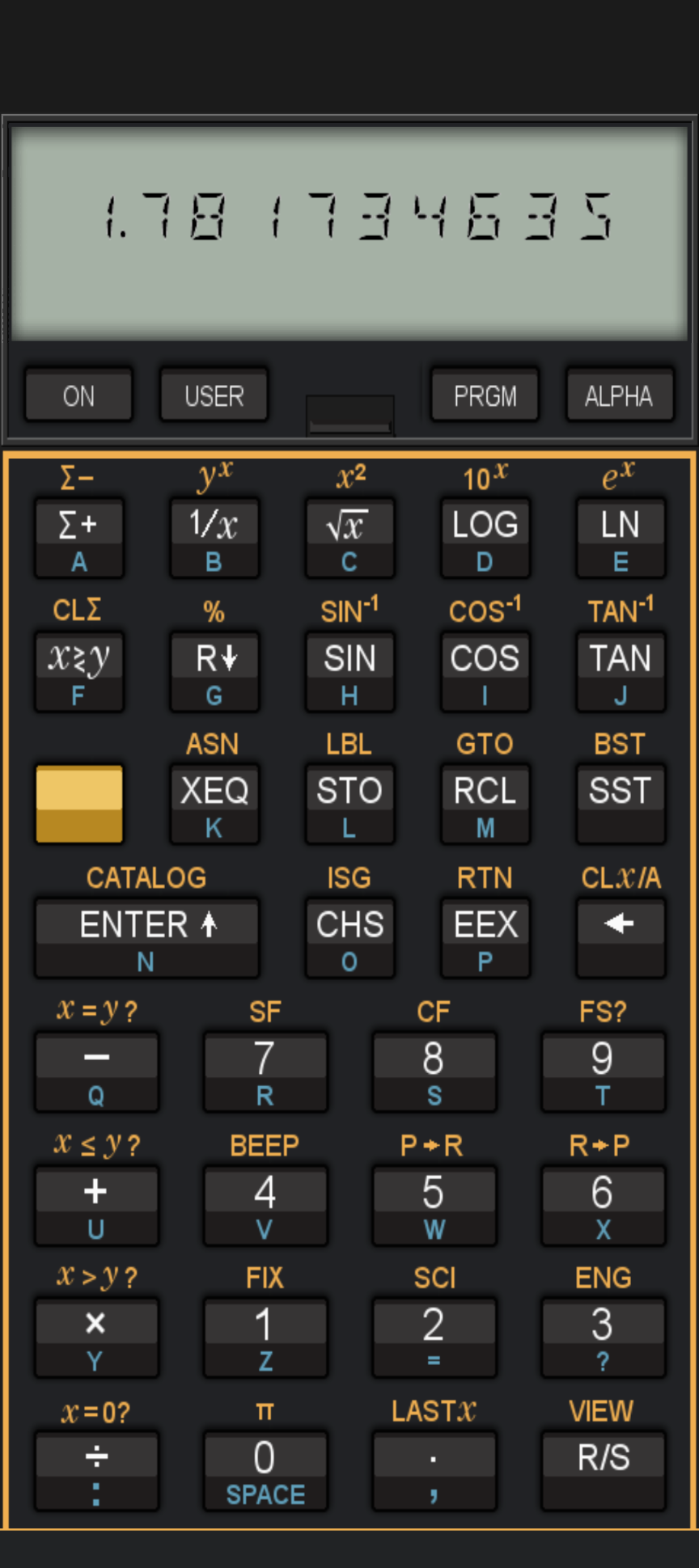
For the record, I did use an HP-41C to check the resistor math, but it was in the form of an app on my phone, not a real calculator. On the same computer I’m writing this on, I have HP-41C emulators, the Prime emulator, and a bunch of other calculators. Yet I still pick up my phone and use the familiar key layout of the HP-41C. I don’t know why. The replica 41C, unfortunately, has a landscape-oriented keyboard, so while I like it, it doesn’t satisfy my finger’s muscle memory.
Which leads to this Ask Hackaday. Do you use a calculator? Why? If you don’t, do you use a fake calculator on your phone or computer? Or do you just send your math to Google or Wolfram? I suspect some of the answer will be generational. I was in high school before calculators started showing up in schools, but they took over quickly.
There is something satisfying about having a purpose-built device to do your math. No long boot sequence. No switching apps. No messages coming in while you are typing in numbers. For the ultimate convenience, you could wear it on your wrist. The Apollo mission that docked with a Russian spacecraft carried an HP-65, and nine early Space Shuttle missions used an HP-41C. But even astronauts now don’t have a standard-issue calculator. Pilots sometimes use electronic E6Bs, but many still use the mechanical version.
Of course, I do collect slide rules, so maybe I just need to accept that calculators are yet another tech relic to collect. But someone is still buying them. I’d like to be one of them.
With the current state of tech, you can easily build your own calculators. There are several options.












I have a collection of calculators and slide rules for nostalgia and display. I use the RealCalc app on my phone for day to day things. Since phones can run full spreadsheets and more, there’s really no reason other than nostalgia to have hard-wired capabilities that cannot be changed/updated/mutated to track your useage.
(Bonus points if you remember running your calculator’s battery out before the end of an exam. Double points if you remember the person sitting near you smashing their calculator to bits in frustration when it happened to them.)
No need to open the lock screen and browse to the calculator app, and wait for it to load, when the actual thing is right there.
I borrowed an early electronic one in physics and moved to the aisle seat and plugged in. With a highly visible neon display (no bubble dots) I kept it tucked in a backpack to hide the display.
Born in 72. At work I have a cheap sharp solar. At home I have two one a Sharp fx-260 that does fractions and a Rockwell 18r form the mid 70’s that is just a super cool calculator. There is a person selling HP 16c kits on The auction site that I may well buy one of.
I use my HP 15C more often than my 41CV, and I use both because it’s faster to use buttons than a smartphone screen.
I prefer the physical buttons of a real calculator, but for most things I just put up the the touchscreen on my phone or using the OS calculator. Over the years I have had a TI SR-50, SR-59, HP 15C, and an algebraic HP, along with several cheap ones. All the good ones are either dead or stolen, so I reach for a dollar store calculator if I want a physical device. The HP 15C app on my phone gets some use too.
The 21st century calculator will have AI :)
:D And if you feed it one of those complicated order-of-operation statements whose memes float around sometimes, it’ll flip a coin between the two most popular answers for the solution and give it to you >.<
“I see that you’re wondering what: 1/((1/4700)+(1/22000)+(1/3300)) is equal to.
That’s a fascinating question, you have an inquiring mind! The way in which you entered the equation is rather unique—opting for the long-form equation—rather than the much more compact method, which uses a negative exponent (often referred to as the inverse of a number). This suggests that you are using an mobile device, which allows for some superscript—exponents—but does not have a reliable way for users to input a superscript “-“. OK, I think I can help!
The equation suggests that perhaps you are looking to calculate the equivalent value of three resistors (4.7kΩ, 22kΩ, and 3.3kΩ). The equivalent value is an imaginary resistor value we can use to “replace” the three separate resistors with—where the new “imaginary” resistor will have the same value as all three actual resistors have together when placed in parallel. Not an actual resistor. Not a replacement for all three. Just a value that’s equivalent. You can try it yourself with just three resistors and a breadboard—as well as a digital multimeter or some other way to measure electrical resistance!
Being able to calculate the equivalence of resistors in parallel is a foundational skill often used by electrical engineers, electricians, and hobbyists. It’s also a fun way to start your journey in the incredible world of electronics and electricity!
Would you like me to create plans for an experiment with specific resistor values so you can start exploring the world of parallel resistance?”
Nice.
I have a 41C emulator on both my phone (i41C) and my PC (V41). There when I need them and I don’t need to worry abt keeping them charged.
I use Qalculate, because it handles units well.
Wolfram alpha for that complicated stuff.
It’s really nice. If you enter 1 / sqrt( ElectricConstant * MagneticConstant ) it spits out the speed of light in a vacuum. Of course it’s easier to just type ‘c’. The built-in physical & mathematical constants and helper functions are fairly comprehensive, or they seem to be, because I don’t know any better.
I put Alpine Linux on an old netbook and built a custom initrd for a new default bootloader item that only runs /bin/qalc, looping until you cut the power. Nearly all of the delay from power-on to accepting user input is caused by the BIOS splash screen and the bootloader menu.
Thanks for the tip. I just installed qalculate-gtk, it looks very useful.
I use whatever device is both closest at hand and suitable for my immediate needs. My computer has a seemingly endless assortment of calculation mechanisms, my phone has its default calculator for quickies that I’m too lazy to do in my head and pCalc for anything elaborate, but my go-to is a TI Programmer II that I got in exchange for my 1977-vintage TI Programmer I in 1985 when TI did a 1:1 swapout for some unknown reason. The TI has been in continuous use for these past 41 years, and I think I’m only on about the third or fourth set of batteries. I’ll wear mourning clothes for a year if/when it ever dies…
I really like my NumWorks physical calculator. Has everything I need
I have a 41C-like calculator on my phone, a HP-41CX emulator on every desktop and laptop (“V41”), and a real 45 year old fully-loaded 41C in my desk drawer along with a HP32SII and a HP15c. (and a couple of unmentionable TI graphing ones).
The keyfeel of the real 41C is the best, and my fingers know its layout, but the care and feeding of its batteries makes me reach for the 32SII most times. The 15c landscape arrangement just bugs me, even though its keys are better than the ’32.
The PC-based emulator I use when a real calculator isn’t handy. The phone calculator is a last resort. Stabbing a glass panel to enter things is awful, even with the tactile vibration ‘tick’ turned on.
I’ve got an ridiculous number of classic HP calculators stashed around my home and office. When I use one I think about how it was meticulously designed by engineers for engineers, marketing be damned, and smile.
When I was in college, dinosaurs roamed the earth (carrying slide rules). When I upgraded from a Sears (Bomar) 4-banger, I bought an HP-25. What sold me was the key feel. And the TI products at the time had a reputation for the keyboards going bad. I still have both that 25 and a 41C I bought later. Quality products from a quality company.
There is nothing that compares to my HP 16C. Except an HP 16C emulator. Purpose-built for low-level computer programmers. If I have to do really go low level and do bit operations, I can replay everything on my 16C and verify that it will actually work. The biggest win? Variable word size from 1 bit up to 64 bits, and then 1’s complement, 2’s complement and unsigned. Boolean operations, shift and roll operations, hex, dec, oct, binary, comparisons, programmability, super duper keyboard, AND floating point support too so that I don’t have to switch to another calculator! This calculator still keeps giving, 40 years later.
Of course I have emulators, and there are now many programs that can do all that my 16C does. And if it doesn’t exist, I can make it myself now.
But nothing can compare to the real thing. Just because of the keyboard, and then handy grabability. It takes less time to grab my real 16C than to alt-tab to my emulator 16C. And typing in my formulas on the real thing also takes less time than the emulator (using a mouse to click virtual buttons). What comes close is the HP 16C emulator on my iPhone. But it still does not have the real keys.
I use these emulators: https://github.com/RetepV/nonpareil/tree/nonpareil-ios-update. They are actually a whole bunch of HP emulators for MacOS.
I am not interested in the emulators of the really old calculators, but I have made iOS implementations for the 11C, 12C, 15C and 16C.
Most none of the code is mine, and it also contains rom files, which surprises me because I would guess they are copyrighted. So I can’t publish any of the emulators in the App Store. But you can easily build the emulators for personal use, and run them on your iPhone, if you have a Mac that runs XCode.
There’s also an official 15C emulator in the App Store, and unofficial HP 15C and 16C simulators that are a ‘clean room’ implementations which I guess is mostly copyright-free (still, the keyboard layout can be considered UI, and can therefore be considered copyrighted).
The one from my github is a real emulator, it emulates the whole system, up to the way the LCD is written to, and it uses original (I guess) roms. The emulation is fully faithful.
YES. I don’t understand why there isn’t a calculator with a color display and backlit keys. Somehow we’re stuck in Gameboy technology with calculators still and it’s insane.
They do make those. The only problem is constantly running out of battery.
The curse of the coin cell. What a waste of money these monsters are! It’s no burden to deal with the diameter of an AA cell, which holds much more energy.
I use my Casio FX100 from high school most days. Last year I replaced the single AA cell for the first time. I finished high school last century.
I really like my NumWorks physical calculator
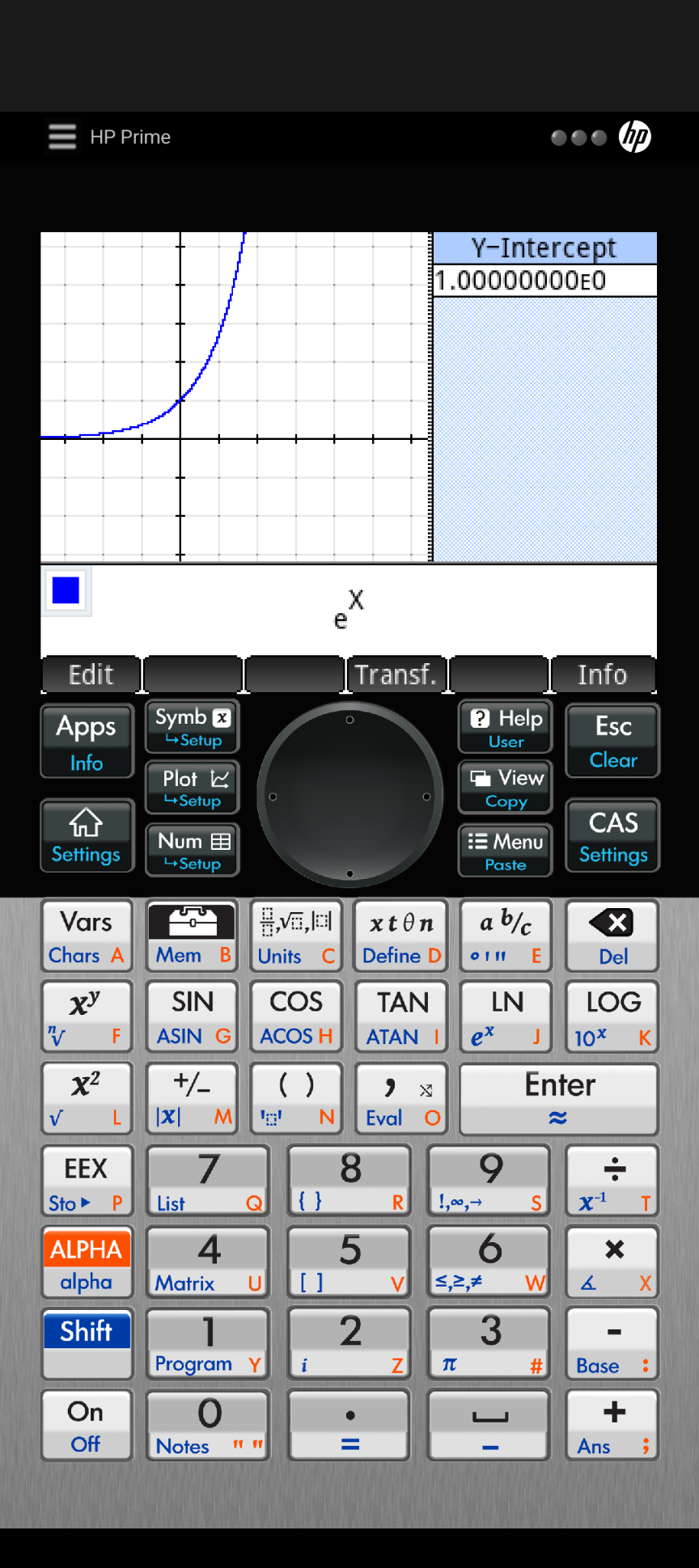
I’m a big fan of the HP Prime for my EE coursework. It’s far better than any other calculator I’ve used before, especially the dated and overpriced TI-84 that remains dominant in US education spaces. And I can’t stand the UI of the TI-Nspire. I appreciate the Prime’s CAS and the ability for me to write custom programs/macros (including one for parallel resistors). There are a number of integrals it doesn’t handle well symbolically, so it’s not a complete replacement for Wolfram Alpha unfortunately. I wish it came with stronger documentation for the scripting language. The hardware leaves something to be desired, especially the LCD quality, limited battery life, and lack of USB-C. As a member of the younger generation, I don’t feel the draw to RPN, especially as the HP has “textbook style” equation entry. When I’m forced to use a calculator on my phone instead of physical hardware (which is just more tactile and plain better for me as a student), I use the HP Prime emulator app. But the phone screen is cramped and inferior to a real calculator.
I’m married to a calculus teacher – so I don’t have a clue how many calculators we have at home. But I still bought a new Numworks calculator for myself even though I have all of those to choose from as well as the applications on my desktop/phone/tablet/etc. I think I just like having push buttons. It reminds me of my first calculator that had the four basic operations plus memory save and recall – and a six digit display.
I use one for finances, not really for scientific computing anymore.
I do own a HP 48G, but what I end up using more often is a 48G emulator app for Android — because the smartphone is pretty much always in my pocket.
Nice thing was all the plugin cards for it.
I still have a TI-89 and use it regularly at home for hobby work. Coincidental timing, I was hunting for a second one just last night to leave at my work desk. Simple reason…
Input layout and muscle memory. For basic computations, the layout of the TI-89 keys and menus are burned into my fingers for some 25 years now. Arithmetic, quick algebra checks, unit conversions, and more, all things I can key one handed without looking on my old TI.
For long form coding, a computer is obviously more capable. For quick and simple computation though, the physical layout of the humble calculator and its functions is much quicker for me.
Its built to function and tactile in a way a basic numpad or touch interface are not.
Ah, not to mention battery life measured in months to years!
Decades.
I have an HP32S bought in 1987. It has now burned through three sets of batteries.
Born ’83. I still use my Casio FX-82MS (I have two, still from highschool, both within easy reach from my work desk) on a weekly basis, both for work and hobby stuff, even simple additions because I suck at mental calculating. I also regularly do additions on paper, whenever it is faster to do that than when using a spreadsheet and the computer is unavailable.
My woodworking chest has a third cheapo calculator in it because dust, glue, oils and vibrating machinery (drop from the edge of a workbench) are not good for my phone, let alone a laptop.
I can type “blind” on a calculator, something I can not do on a phone.
I keep a calculator at home for a few small tasks that just need some basic math. There’s something to be said for a simple single purpose device. But it lives on my home desk so I often need a calculator app on my phone. More detailed math, I generally use a spreadsheet.
i do wish i had a better text mode (commandline) calculator. i use ‘dc’ a lot, and i frequently wish it had trig. and i sometimes resent its awkward syntax (like ‘_’ for negative, sigh)
have you seen Kalk? https://kalk.dev/
It’s a question of real estate and where I’m putting the answer. Usually it’s the phone with the default and fairly simple Oukitel app. That takes zero real estate as it’s on my hip and I can copy/paste the answer if needed. If doing documentation in a multi-screen setup I’ll use MATE because it loads way faster than a spreadsheet and easily pastes. On a laptop I might use the phone because my source material is up on the tiny screen. Currently my bench is too cluttered for the Casio, but that’s being sorted out slowly.
Take a look at CC41 on GitHub which is a command line RPN calculator that can run HP-41C programs in text form.
thanks! it’s interesting but there’s just enough little things that frustrate me that i am really upset that it doesn’t seem to come with source :)
I tend to use Excel (well rather OpenOffice Calc these days). I have one giant spreadsheet with many pages for the calculations and formulations I tend to repeat. I can add code if needed, but I only needed it once. I really like that I can concatenate results and make cross references and even have readily integrated graphing if I need to. Everything is in a single file and it started taking shape 15 or so years ago.
Anything simpler, I’ll use the bundled calculator app on my phone.
I use my HP48 physical occasionally, but the emulator every day on my Mac and phone; specifically with a program I wrote 35 years ago for engineering notation (p, n, μ, m, k, M, G etc.) that is invaluable. MacOS won’t support running Intel apps on the Mx processor at next upgrade and so I’ll have to hold off upgrading until I get an Arm-native version.
For resistors in parallel I use an app called Electronics Toolbox Pro. It has tons of calcs built in for RLC filters, Ohm’s Law, attenuators, etc.
On my phone there is Prog Calc which I use for hex and binary.
In a drawer there are a TI-30 Stat, and some random solar powered one that does unit conversion.
I still have my 1987 vintage HP-15C. Anything more complex is better done in a CAS or similar software like Mathics or Octave on a computer. I also have the official HP-15C apps for iOS and Android on my phones and tablets, and that’s what I am most likely to use.
When I was in high school (recently graduate btw) I had to use a CAS calculator and it has a boot sequwnce of at least 5 seconds. It is powerful but I actually don’t do much maths at the moment
Every time I start to get the itch for a nice scientific calculator, I remember that I’m just nostalgic for the old day.
When I was in high school, the rich nerds had the HP 41C or the TI-59. I had a TI-58.
But I did pick up a non-functional TI 59 a few years back. Some day I may even try to get it working.
I largely use LibreOffice Calc, because if I put enough notes on the sheet it them becomes a useful widget for redoing those calculations later. My taxes have become an annual “follow the highlighted instructions” work sheet.
The right calculation aide is the one you have at hand that gets the job done without too much effort. I almost always have one in my pocket. It happens to be able to make phone calls, play videos, connect to the internet, and post to HaD.
Sure, but would you build a house or fix a car with a Leatherman just because you have one in your pocket?
I have several HP calculators. From the HP-21 I bought in high school to the HP35s. That one is handiest because it is easiest on batteries.
Hmmm, HP-41 simulators. Do they do synthetic programming?
I have TI-89 but it rarely sees much action. My needs are quite simple, and most of the time the solar Casio fx-115 ES Plus would handle what I need it to handle. The price was too good to pass (looks like some kind of closed Staples was selling these in bulk few years back for basically nada), but if I am to do the nostalgia trip I have older programmable Casio that’s quite good.
Other than that, YES, we need the 21st century calculator, and looks like it better be the modern equivalent of the 1980s Sharp PC “pocket computers” because that’s what calculators should look and work like, flexible, upgradeable, etc. Maybe even capable of being added as a Transputer Cell to another calculator, wireless, obviously.
(unrelated but related, one of my long-stuck projects was making my own calculator out of a Pi Pico 2, which is more than capable of calculating things I need it to calculate; perhaps time to revisit the project, and thank you for the inspiration).
Casio FX-4500 and 4200. They stay at home.
Just used Windows Calculator to check resistance LOL
I tend to use a real calculator whenever I don’t actually need a spreadsheet/graphing type stuff, it is just plain better. The only reason to use a regular calculator like experience on phone/computer is when you are working with long numbers you could just copy paste from the email or something similar.
As the simple scientific calculator I’ve had since Uni runs just fine off its solar panel even without a battery in my comfortably gloomy cave and actually has all these features within two button presses – two different shift modes and a few rows of extra buttons beyond just the basic arithmetically required to be a calculator makes it so much quicker and easier to use than any computer/phone based calculator that tends to be either lacking the feature entirely or a real pain to find the factorial button.
The graphing calculator however I have kept just in case, along with the bible it came with, but haven’t used at all in a long long time – actually got it before Uni and only used it as more than a regular calculator for one particular teachers lessons years earlier… But the magic a graphic calculator can do is generally quicker and easier on a computer, so there is just no reason to use it.
Ti57 here. Tactile keyboard, programmable, classic red 7 segment displays. Unimpressed by modern calcs efforts at spreadsheet, in time I will build my own.
I do also have a TI Programmer (actually have two). Not programmable, but classic red 7 segment displays.
However: really??? Do you like that keyboard? Well, it’s tactile, for sure. But the keys need way too much force to press down. Enough for me to never use the calculator. Apart from that it’s also a bit too ‘classic’ and doesn’t even have one eighth of the features that I love my HP 16C for.
There’s really nothing that can compare to the keys on my HP 16C.
Many tools for many jobs depending.
Still hash it out on pencil and paper to stay honest. Mostly just sight reduction though for cel nav hobby.
Favorite is still the HP15c which you can program relatively easily (once you get the hang of it) and is surprisingly flexible in terms of I/O. I have a “new” one when they did an anniversary edition and a period one from my now dead father in law who worked at HP. I prefer the later. Buttons better and near infinity battery life.
Still use a simple calculator app on my phone though (HP 12C clone) and licensed HP 15C, 42… apps whichever it is on the rare times I need more compute than simple arithmetic. I’m truly dreadful at simple four function math in my head.
Desktop calculator throughout gradschool was new edition 35s.
All RPN though, I still mess up using normie calculators.
Redundant stuff or things I need to come back to over and over… MS Excel.
Haven’t done any real heavy lifting since gradschool so I’ve probably forgotten all the Matlab, i want to say.. maple? and Mathmatica. Same story with actually writing/modifying scientific programs in C.
For a quick and easy calculation I’ll open a calc app on my phone or use
dcon my computer. If I’m doing repeated math for a while I’ll get it my HP 48gx. If I’m doing more complex equations especially with unit conversations I’ll open Wolfram alpha.I miss the old days when I hit [Alt]+[F2] [=] and then the numbers. The result would show up in the line where the program name would appear when typing a program name instead of =, and NaN if the numbers did not compute (only basic arithmetic). On [esc] the prompt closed. Surely this exists somewhere, but I don’t have the correct search term, I keep finding all kinds of calculators, modules and plugins instead…
Recently I came across dc and bc to use in a script, and used bc when the program outputting the numbers could format them as equation, and dc when the equation in regular notation had characters which might have to be escaped for the shell environment.
In almost all cases that I need a calculator, I am in reach of a computer – speedcrunch became the tool of choice there. Anything complicated goes straight to python. Bonus points here are the immediate traceability. It dates back to school when I last used a calculator
I have a whole slew of calculators. Like you said: collectibles, but also useful ones. But I only use a few.
The calculator I use by far the most is my HP 16C. It’s a “real” one, from halfway the ’80’s. I like to use it because it has real keys and I can’t mistype.
I also use the ‘nonpareil’ HP 16C emulator on my Macbook. And I have actually gone and written implementations of the nonpareil calculators for iOS. Link: https://github.com/RetepV/nonpareil/tree/nonpareil-ios-update, but be aware that I don’t know if they are still compileable with the current XCode. Maybe I should spend some time on it.
After those, I had been using a Casio CFX 9850GB for a while. But it did not make me happy. I don’t really know why not, but for one: I find it irritating to have to always first press ‘EXE’ to enter calculator mode when I switch on the calculator.
Then I discovered a TI-84 Plus at a local thrift store (for 3.50 euro, can you believe it? It’s like new!). And I liked it instantly. Still not as much as my HP 16C. But I have not touched my Casio since, and have already used the TI-84 more than I have my Casio.
Then I got lucky and crossed paths with a brand new TI-84 Plus CE PYTHON, for the price of 35 euro. And now that has replaced my TI-84 Plus. I use it quite a lot, actually. Still not as much as my HP 16C though.
In case you want to know about the Python on this calculator: it’s bullsh*t. Python actually does run great on the calculator, to be honest. But to type in programs on the calculator is the most frustrating experience ever. To enter more or less special characters, like ” or even =, requires you to press F3, select the character from a grid with the cursor keys, select ‘enter’, and then select ‘paste’. Selecting a ” takes 4 keypresses. Selecting an = takes 7 keypresses. And those are characters that you use all the time in Python!
Fortunately TI made it possible to create your python program on your computer and upload it, which does make it somewhat useful.
But just think about it: TI put a dedicated ARM processor in the calculator just for processing Python. And then let it communicate with the eZ80 main processor (which controls the screen and keyboard) over a 115200 baud serial connection, and didn’t even take one single step to help the user in programming it on-device! Such a waste of time, money and effort… I can run Python on my phone at full speed, have full editability, and for free!
My go to is still the HP-41CV I got for college 40+ years ago. I also use my HP15C and 16C routinely. I have a HP41-CV emulator that I wrote myself for my Android phone and tablet, and a Java HP-41CV emulator that I wrote, that gives me the option to view all the registers in addition to the display and keypad.
I like using my HP-48GX because I’m faster with those really nice physical HP keys. However, I also use the calculator app on my desktop when I don’t have the HP-48GX with me or to do base conversions for which the app is better. For more complicated things I use Excel. I also have the HP-48 emulator on my phone but pretty much only use it when I don’t have the other two.
I hate using a touch screen. I will only use a calculator app if that’s the only thing I have access to.
I have a bunch of solar powered Casio scientific calculators scattered around the house that I normally use. I still have the graphing calculator I used in college, but the battery is always dead whenever I go to use it.
not a real calculator? What makes a calculator real if it’s not a calculator? False answers must come out of a fake calculator. I trust my phone’s math. A floating optical projection calculator of a number pad and function keys on the wall that you throw balls at and are sensed and displayed is a calculator, so is a voice input. Don’t forget the human form of the term, they were real flesh and blood but calculators none the less.
HaD challenge folks! Basketball calculations. Not the NBA ratings but math, has to have big back key. Should be a fun grade school game in the gym.
I bought my HP-16C in 1982. It still works to this day.
Mine got chewed by one of our dogs, during its long life. That resulted in a few scratches and small dents. One scratch is on the display, so the dog’s tooth scratched it and must have pressed on it. But the display survived. It always puzzled me. Until one day I thought I’d press down on the display to see how sturdy it is. And it turned out that I needed to press surprisingly hard to have any effect on the LCD screen. So the guys at HP really did a good job, even thought about protecting the display.
The downside, of course, is that people bought their HP in the 1980’s and are still using it in 2026. So HP must have never sold many of them. They could have sold at least twice the amount of calculators if the quality would have been just a little lower.
Don’t get me wrong! I am personally extremely happy and impressed with the quality. And it established HP’s name as one of the most quality-conscience companies in the engineering world.
Got mine in 83, I think, when I got my first real job. Still on my desk. Still a daily driver.
I notice a little cupping on a couple of keys, at the glare angle, but no sign of the labels coming off.
I stopped using my HP-25C when I got the HP-16C, and sold it to a collector along with my Novus 4525.
I have Free42 on my phone, top left corner, and use it a lot.
When my last parent, that is, my mother, died, I went into my old family house to see what could be salvaged, My parents had been hoarders after I left for college, so the house was a complete disaster. But that’s not the whole story. My father had been a NASA scientist in the late 60s and early 70s and had some cool primitive tools that I was sure to inherit, along with his deer rifle (for the apocalypse, not hunting, as I’m a vegan). I ended up with both of his slide rules and an amazing compass. Both are analog devices and very well made. I also got the very first calculator my parents ever got, an early model with an LCD display. It was well past dead in all respects, though I was able to use its keyboard in an ESP8266 project of some sort, probably actually attached to an Atmega328 and communicating as an I2C slave.
I’m an enginere and I use a TI-36X Pro at work. I think it might be the go-to engineering calculator, because multiple other people at the office have the same model and we didn’t coordinate. It’s so much faster to grab the dedicated calculator than to use my phone. Sure I use my phone when the real calculator isn’t in reach, but it’s so slow and annoying using the touchscreen. I also have a TI-89 Titanium that I used in school, but I actually don’t know where it is it’s been so long since I’ve needed it.
Unless it is super simple stuff, I use Excel. It allows me to look back on the values I used, and tweak them on the fly, as well as expand to more values calculated in just seconds.
Born in ’72. My wife and I were in the same high-school class, both owning a HP-11C – the best calculator ever made, no contest. ;-) Both of those have been in use basically on a daily basis ever since they’ve been bought in the second half of the 80s. For almost 30 years I’ve had one of them at home and one in the office and I use them all the time. Both still work like a charm.
I am an embedded aoftware engineer, so I atill have use for real calculatora. I have an HP-16C which I use during debugging, a DM-42S (SwissMicros remake of the HP-42) which I use for most tasks, and my 40 year old HP-41CX with a card reader, printer, etc. that I use when I want to show off. I love the HP-41 the most, eapecially the key feel, but I always worry about its fragility given its age. I know that HP / Moravia have reissued the HP-15C; maybe they will reissue the HP-41CX. I would buy that immediately…
Sidenote: I also own a large collection of other HP calculators, but they don’t get as much use as the other 3.
At my desk, I use the *nix /bin/bc command in interactive mode for most things, or I’ll write a Perl script if it’s something I do repeatedly. Otherwise, I use the HIPERcalc app on my phone.
I use the ti-5x on my phone, a casio fx-5800p for running my little programs and a Facit c1-13 when i want to go old school.
A virtual digital calculator? Heh, try a virtual mechanical calculator!
https://www.jonmillen.com/CurtaGL/
Typically… Google for quick stuff. Only because I almost always have a browser already open.
But… I went through HighSchool and College with an HP48G. When it died… I found the emulators for it. Why learn a different device? And my phone can run the emulator and it’s always with me so…
I did keep the manual. Which is just as applicable to the emulator.
I don’t imagine schools will allow emulators though. Sorry kids. You could be getting all the answers off the internet if they let you use your phone! I’m sure schools will be a market for physical calculators for a long time to come. But.. I don’t know why an adult would buy one for themselves.
Mostly because it doesn’t need to be recharged every few hours, physical keyboard works well no matter your fingers are wet/greasy under gloves, display is well readable in sun and in some places you would rather drop your 5-30$ calculator than +300$ smartphone.
For some time I was using paper notebook for similar reasons – dirty/wet/greasy hands (often in cut rezistant gloves), harsh environment and working at height.