
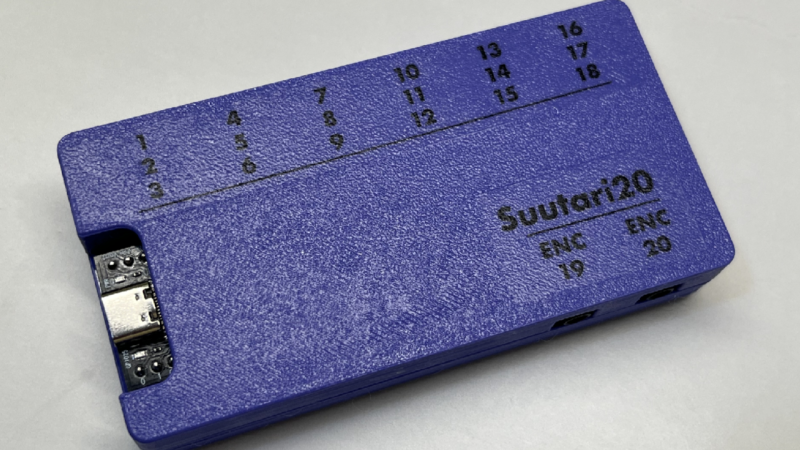
The introduction of the ATmega32U4 microcontroller, with its integrated USB controller, made a lot of hardware tasks much simpler than they were before. One of the arenas it revolutionized was custom keyboards, making it much easier to build not only standard mechanical keyboards, but keyboards of all kinds of shapes and layouts and custom macro keyboards as well. This trend has continued on for the better part of the past decade with other microcontrollers beyond the 32U4 now available as well, but this modular macro keypad takes it to a new level by keeping that simplicity but also keeping costs down.
The suutari20, as it is called by its creator [Squalius] is able to achieve these aims by using 3.5 mm jacks commonly found in audio equipment. Each jack can support up to three keys, with the hub ultimately able to support 18 different keys. Those can include analog devices as well, such as volume knobs or jog controllers. The macro pad is powered by an RP2040 microcontroller from a Raspberry Pi Pico and uses QMK firmware, so those already familiar with custom keyboard programming will have no problem getting started.
From there, all that’s needed is a case, in this example a 3D printed one, and the commodity audio hardware to plug everything in to. It enables whatever functions can be thought of in a macro pad, and although the design focuses on simplicity and cost, this macro pad takes the concept to the extreme with modular keys that each have their own microcontroller built-in.












For many tasks AutoHotkey hotstrings is the hot stuff.
https://www.autohotkey.com/docs/v2/Hotstrings.htm
Another pro-tip: if you want additional keys, ones not duplicated on your keyboard, the USB HID standard still has all 24 function keys. F13 to F24 are available for use, along with ctrl/alt modifiers for a total of 36 key codes.
There’s certainly a place to duplicate a keyboard key on a macro pad for convenience, but also a place for new bindings when you don’t want to give up an existing key.
192-12 = 180 unique keys if you use control alt shift gui + F13-F24
Thanks. Would never have thought about using these codes. Very handy.
Nice!
AHK is simply fantastic.
° ² ³ ‽ R$ € are all commonly used by me but not on my board.
I’m an extremely new learner on these things… Naturally, I’d love much more content from you ranging from very basic to to more advanced. It might be over my head it seems but some part of me retains what I’m seeing and really my imagination seems to grow! The hardware buttons were nice to see and you asked if we’d like to see more of them; definitely! I’m such a curious person!
Anything that can replace the Elgato and Razer monopoly with something better is a win. I adore the modular nature. I already can imagine binding pedals to undo and having an encoder for brush size and opacity. Absolutely a win for artists especially with its cross platform support.
For fancy macro pads with screens like Elgato has, there are a lot of interesting options coming out of China the last couple years. The ones being marketed under the Ajazz name are probably the most common. They aren’t as high resolution as the Elgato, but they aren’t as high priced either. As for the software side, there’s OpenDeck, which is cross-platform, and can even use Elgato plugins.