Twittering Teddy Bear

This may be the deathblow that kills Nabaztag: using text-to-speech software, this animatronic bear speaks a Twitter stream aloud and in real time.

The gurus at My Home 2.0 made the bear talk by replacing its integrated circuit board with an Arduino loaded with custom software. A Bluetooth audio adapter was added as a channel for the bear’s voice, and a circuit with an H bridge chip was added to address power issues. The Arduino translates the income audio signal into movement. From there the process moved to the computer that feeds the bear audio data, they parse the Twitter stream and use OSX’s built in “say” command to generate the voice stream that’s sent to the bear via Bluetooth.

Giant Fabric Keyboard


[ladyada] pointed us in the direction of this giant fabric keyboard built by [Maurin Donneaud]. The construction of it looks fairly simple, like the buttons used in [fbz]’s WiFi detecting backpack strap, but on a larger scale. We’ll take you through its construction, pictures and all, after the break.

Continue reading “Giant Fabric Keyboard”

Twittering From The Command Line

Twitter users often have trouble explaining just exactly what the service is for. The site specifically asks “What are you doing right now?” A simple interface and multiple ways to update means people have started hooking it to different real world objects… objects that aren’t reporting what they had for lunch. After the break, we’ll cover a couple devices that have interfaced Twitter to the real world and how you can update from your command line.

Continue reading “Twittering From The Command Line”

Arduino Beer Brewing


[Yuri] spent some time building a computer controlled, arduino interfaced beer brewing rig. A cooler serves as a mash tun, while the arduino controls a steam source that’s used to raise the temperature of the mash as desired. A java app talks to the arduino to set the temperature parameters and monitor the steam boiler. You can catch a nice video walkthrough of the setup, see some screen shots of his java interface.

Arduino + Nunchuck +espresso = Awesome


Remember the voltage detector that I mentioned a while back? [Tim] hasn’t put up quite enough info to make me happy, but definitely enough to make me jealous. He updated his NES controlled Silvia to become a Wii nunchuck controlled (via Arduino) Silvia. That said, his last couple of blog posts have me questioning just how much espresso he’s been drinking. Theoretically, he could actually program the Silvia to refuse shots to people who are too jittery.

Wii Nunchuck Arduino Pan And Tilt Camera

[youtube=http://www.youtube.com/watch?v=MD_-YnFZFP8&hl=en]
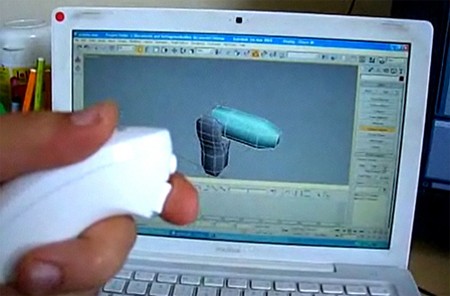
I found this while looking for a teardown of a Wii Nunchuck remote since they’re cheap and include a 3 axis accelerometer. I mentioned an interface board the other day, but the responsiveness of the interface in this video grabbed my attention. If you like it, you should check out this [via] Nunchuck Arduino RF controlled robot. You can find details on that bot here. The accelerometer itself only runs about $10, but it’s a pretty small SMD part.