[Quinn] Resurrects An Amplifier That Experienced Death-by-capacitor

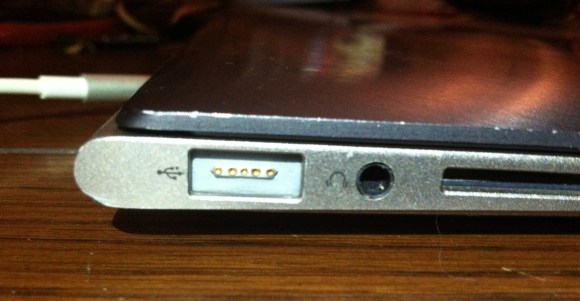
[Quinn Dunki] is adding wireless audio to all of the rooms in her home. She’s going with Airplay, snatching up used or refurbished Airport Express units because of their ability to work with both her existing WiFi and the Airplay protocol. The last piece in the puzzle is to get an Amp and she chose the small unit seen above. The problem is that it was dead on arrival and she couldn’t get the company to respond to her issue. So she cracked it open and fixed it right up.

The offenders are the three electrolytic capacitors at the top of the picture. She took some close-up images of each and you can’t miss the fact that they’re blown out. These are often among the higher price-per-unit parts and manufactures try to pinch the penny as much as possible. Add to it the heat in a small enclosure like this one and you’ve got a failure. [Quinn] dug through her junk bin but the size of the replacement had to be a perfect match so she ended up putting in a parts order. The new caps fit and work perfectly as you can hear in the clip after the break.

Continue reading “[Quinn] Resurrects An Amplifier That Experienced Death-by-capacitor”

Send Your Nexus 7 Back… To Tighten One Screw?

It seems that some of the Nexus 7 models have an assembly issue that makes the bezel uneven with the screen. It’s just in one spot but your shiny new toy shouldn’t have this kind of problem. Of course it comes as no surprise that Google wants you to send it back for service. What is a surprise is that the fix involves tightening just one screw. Now we can’t stand for shipping something round trip when it comes to this low-skill fix. Luckily neither can [Baddspella]. He shows us just how easy it is to repair the Nexus 7 yourself.

The only tools you need are a guitar pick (or other thin plastic prying device) and a very small Phillips screwdriver. Starting at the top of the tablet he uses the plastic pick to pry off the back of the case. This exposes the screws which hold the bezel in place. Find the loose one, and give the screwdriver a turn. Now just snap the back cover in place and you’re done. We’ve embedded the video after the break for your convenience.

It’s super simple…. so don’t be afraid to crack that thing open.

Continue reading “Send Your Nexus 7 Back… To Tighten One Screw?”

Reworking The Electronics For Better Computer Speaker Audio

[Michael Chen] liked the sound he was getting out of these Corsair SP2200 computer speakers, with one big exception. They were giving off some unpleasant crackling sounds. He figured this might be as easy as replacing a faulty potentiometer, but soon found out the fix was going to be more complicated than that. All said and done he ended up reworking the design of the speakers’ amplifier board.

The hardest part was identifying the problem. Once he had cracked open the case he found the volume potentiometer was working correctly by testing it with a multimeter. Next he inspected the board for bad solder joints but didn’t really find any. The breakthrough came when he realized that the crackling was also happening when he used headphones. With that discovery he started making a few more observations and realized that the crackling didn’t happen when the volume knob was all the way up or all the way down. There was an impedance issue between that potentiometer and the amplifier circuit. He rerouted the signal flow on the board to use the headphone amp as a filter and it fixed the problem. Fittingly, he’s entered this project into the Instructables Fix & Improve contest.

Recovering From A Seagate HDD Firmware Bug

Hard drive firmware is about the last place you want to find a bug. But that turned out to be the problem with [BBfoto’s] Seagate HDD which he was using in a RAID array. It stopped working completely, and he later found out the firmware has a bug that makes the drive think it’s permanently in a busy state. There’s a firmware upgrade available, but you have to apply it before the problem shows its face, otherwise you’re out of luck. Some searching led him to a hardware fix for the problem.

[Brad Garcia] put together the tutorial which illustrates the steps needed to unbrick the 7200.11 hard drive with the busy state bug. The image in the lower right shows the drive with a piece of paper between the PCB and the connectors which control the head. This is necessary to boot the drive without it hanging due to the bug. From there he issues serial commands to put it into Access Level 2, then removes the cardboard for the rest of the fix.

In the tutorial [Brad] uses a serial-TTL converter. [BBfoto] grabbed an Arduino instead, using it as a USB-ttl bridge.

Make Your Own Custom IPhone Back Glass

[Jake von Slatt] is at it again; putting his own artistic spin on ordinary items. This time around it’s the glass on the back of an iPhone. It kept breaking and after a few replacements he wanted to try to replace the glass with a piece of etched brass. But part way through that experiment, he figured out how to use toner transfer to develop these stunning custom iPhone glass back plates.

The first step is to source the correct replacement back for your phone. These are made of two parts, the glass and a plastic backer. By carefully heating and wedging the two parts with some popsicle sticks he was able to separate the pieces. Next, he cleans and buffs the glass, preparing it for the artwork he is about to apply. Toner transfer paper, just like that used for PCB resist, is used to print and adhere a design to the underside of the glass. From there he hand paints over the black outline to achieve the results seen above.

It takes time and patience, but shouldn’t be any harder than etching a circuit board.

[Todd] Literally Debugs This Printing Calculator

This printing calculator is a thrift store find. [Todd Harrison] picked it up for a measly $3, and it still works! But the device is about twenty years old and he thinks it’s time to clean up the aging hardware.

After cracking open the case he digs out some of the stuff that has made its way inside. This includes a few dried up moths (debugging complete). While everything is open he gives a tour of the components. The calculator has a VFD which is definitely worth the price tag of the unit even if you just want to reuse the display in another project. But that’s not all. The printing head would be a fun thing to play with as well. We could see using this in projects similar to some of the thermal printer hacks we’ve seen.

When put back together, and given a new ink ribbon, the unit is ready for another 10-years of holding down one corner of your desk. Don’t miss [Todd’s] tear-down and clean-up video after the break.

Continue reading “[Todd] Literally Debugs This Printing Calculator”

A Look Inside What Makes Cruise Control Work

[Todd Harrison] took a look inside the business end of the cruise control system from his 1994 Jeep Grand Cherokee. We were a bit surprised at how the system operates. The parts seen in the image above make up the throttle control, using a trio of solenoids to vary the level of vacuum inside the device.

We categorized this as a repair hack, but [Todd] is just rubbernecking and doesn’t have any real plan to fix the system. It’s been on the fritz for ten years and this piece may not even be the culprit. But we’re still satisfied because he gives us a look at the system which uses the amber-colored stoppers on the three solenoids to plug three different sizes of weep holes. The unit is a vacuum enclosure where a throttle wire connects to a rubber diaphragm and adjust engine speed as the diaphragm moves. The vehicle’s computer actuates the three solenoids, allowing leakage to vary the level of vacuum, thereby keeping the throttle at just the right level. Neat!

Continue reading “A Look Inside What Makes Cruise Control Work”