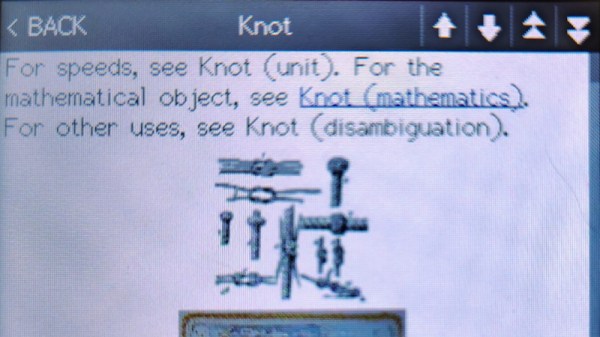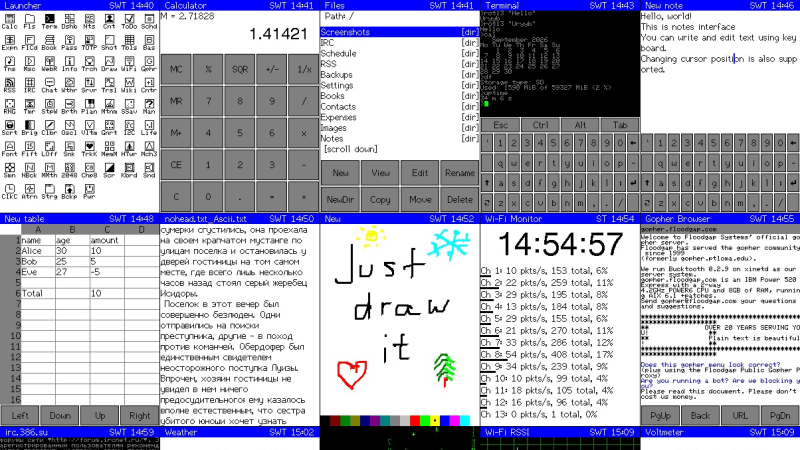
A grid of screenshots of various applications on the CYD PDA

Cheap Yellow Display Dreams Of PDA

Everybody loves the Cheap Yellow Display (CYD) ESP32 dev boards, so why not treat yours to a little PDA? That’s right: turn it into a Portable Digital Assistant and relive the glory days of Palm with this project from [sau412].

For those readers who are too young to remember, a PDA was basically a phoneless and cameraless smart-phone, and devices running Palm Corporation’s Palm OS ruled the roost for most of the 90s and early 2000s. [sau412] hasn’t written an emulator or port of Palm OS; rather he’s created his own firmware for the ESP32-based CYD that is inspired by the PDAs of yore, and has many features you’d have expected back in the day. That includes a Gopher browser, to let you check out the undying alternative to the World Wide Web. There isn’t a general-purpose web browser, but there are RSS and Wikipedia readers, and what else do you need? At least you won’t end up doomscrolling.

There are also a passel of games and a BASIC interpreter, and the usual practical things like a calendar, calculator and contact list. Everything from ebook readers to translators, all of it by [sau421]. If you’ve got a CYD kicking around, you could do worse than give it a little PDA. Using the web-based flasher, we had it up and running in five minutes or so, but without an SD card we couldn’t test all the apps.

This is hardly the first ESP32 PDA  that we’ve featured, but leaning into the CYD means it’s the simplest project to replicate.  If you’re jonesing for the original Palm OS experience on more modern hardware, Pumpkin OS can get you going on x86 or ARM.
 

Your CYD Is Now A Telly

The Cheap Yellow Display is an all-in-one ESP32 board with a touchscreen, that’s as the name suggests, cheap. It’s appeared in a great many projects since it emerged from the depths of AliExpress, and today thanks to [Nickm324] it takes the turn of becoming a mini TV.

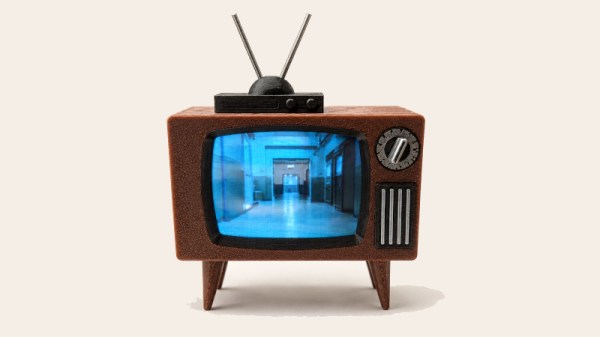
The tiny TV project world is one of successive developers building on previous works to deliver their own refinements on the idea, so this one borrows heavily from an earlier ESP32 project. Its twist on the idea is a single button interface using the CYD’s BOOT button. It supports a range of “channels” of which each one is a different piece of media played from the SD card. As far as we can see it’s only able to play synchronised .mjpeg and audio files, probably a shortcoming of the older ESP32 found on the CYD. The photo features a rather cutesy retro 3D printed TV case which annoyingly isn’t linked from the repository at the time of writing.

It’s a nice idea, and the CYD makes it as easy as possible with minimal wiring. Yes it’s a novelty, but we’re guessing there could be many non-novelty applications for it too. It’s certainly not the first such project we’ve seen, here’s an earlier one.

A Cheap And Easy Control Screen For Home Assistant

Home Assistant is a great way to rig up and manage your smart home and its many and varied devices. You can of course control the system from your smartphone or a computer, but you might like to have a dedicated interface too. In that regard, [Max Gramser]’s project may come in handy.

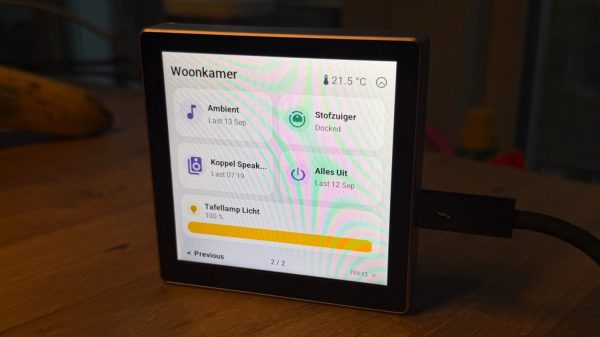
At heart, it’s a Home Assistant control screen that you can lay out yourself. It’s intended to run on ESP32 hardware. Most specifically, it’s built to run on the Cheap Yellow Display which combines an ILI9341 display with an XPT2046 resistive touchscreen, or a Guition ESP32-S3-4848S040, which has a ST7701S RGB display combined with a capacitive GT911 touchscreen. You merely need to load the firmware on to one of these units, and you’ll have a configurable and customizable touchscreen interface for your own Home Assistant setup.

The GUI used is clean, attractive, and flexible. You can have it display weather, time, and date widgets, populate the screen with buttons for activating lights and appliances, or even command a compatible robot vacuum. Whatever you might want to do with Home Assistant, you can almost certainly create a quick control for it on the display so it’s always on the wall, ready to go when you need it.

If you’ve always dreamed of your house having a futuristic control panel like we used to dream of in the 1980s, well… now it’s a reality. You just need to drop a few bucks on a touchscreen ESP32 rig and you’re ready to go. There’s plenty more you can do with a Cheap Yellow Display, too, so don’t hesitate to check out some of the previous builds we’ve featured with it!

Wikipedia On A Cheap Yellow Display

The Cheap Yellow Display (CYD) is a board carrying a slightly older ESP32 variant, a display with a resistive touchscreen, an SD card, and not much else. It’s often used for straightforward microcontroller applications that need a user interface, but that’s not the limit of its possibilities. [Alun Morris] has a CYD on which you can brows an entire offline Wikipedia.

The trick is to take the offline Wikipedia builds from the Kiwix project, and process them further into a custom format suited for a browser firmware on the ESP32. A modern SD card can hold so much data that a full Wikipedia is well within its abilities even with images included.

We like this idea, because it takes the knowledge away from the center of the network to its edge. We expect to see it gaining a following among enthusiasts for offline living, because all that knowledge without a network can only be useful. If you recognize [Alun]’s work, it might be because of his ESP32 web browser.

ESP-Osito Eschews Retrocomputing For Modern Code On Modern, Equivalent Hardware

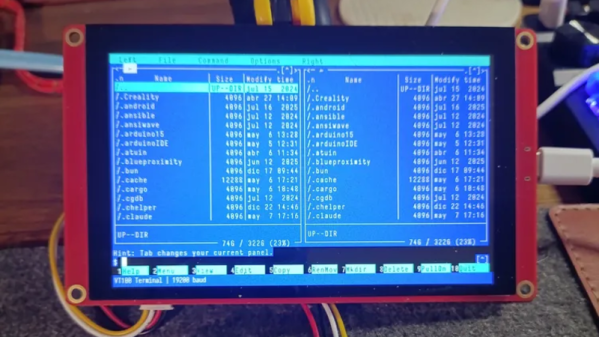
If you’re of a certain vintage, you have probably looked at some of the microcomputers on the market these days and thought “that would have been a decent workstation back in the day!”. We certianly have, and so did [Roberto Alsina]. Rather than allow himself to contemplate his age and threfore rapidly approaching mortailty, [Roberto] wrote a useful operating system called ESP-Osito for the Cheap Yellow Display, which he refers to as “the cheapest computer”. He’s not wrong, and it’s certainly a better use of time than an existential crisis.

He explains some of his reasoning behind the project in an accompanying blog post, but on the project page he compares it to a Palm Pilot– it’s on quick, apps load quick, and the API is simple enough for easy app creation in a few hundred lines of C, unlike certain pocket computers we won’t name. Sure, there’s no multitasking, but when apps jump from SD card to run in memory in microseconds, who cares? Saving the current state of the app back to SD means the experience is virtually identical from a user perspective anyway.

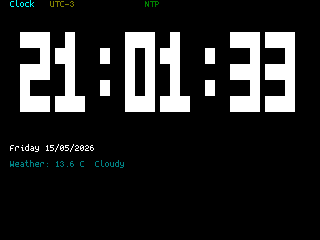
DOS knew what time it was, but how many of us wasted phone time for weather reports?

As this is a one-man show for now, the app store won’t quite rival your smart phone– but there’s everything you’d expect on the 90s-era computer this has the horsepower of: a serial terminal, a text editor, a file explorer, a calculator, a clock, but also some things that aren’t so retro. The clock app gives weather info via futuristic wireless networking, the reader app takes Markdown text, and the chat app connects to an LLM somewhere instead of your friends on IRC. The blackberry keyboard option gives it a feel of a slightly different vintage. You can also play snake, because no computer is complete without games. The OS and all its applications are released under the MIT license on GitHub, and [Roberto] is actively looking for collaborators.

If you doubt the workstation comparison at the start of this article, this CYD runs Macintosh System 3 via a 68k emulator. That’s got old-school cred, but there’s something great about having retro constraints with modern code on modern hardware. In that way, ESP-Osito is similar to the 3D graphics engine behind this Wipeout clone.

Win95-Tracker-CYD Is A Cheap Yellow Mod Tracker With I2S

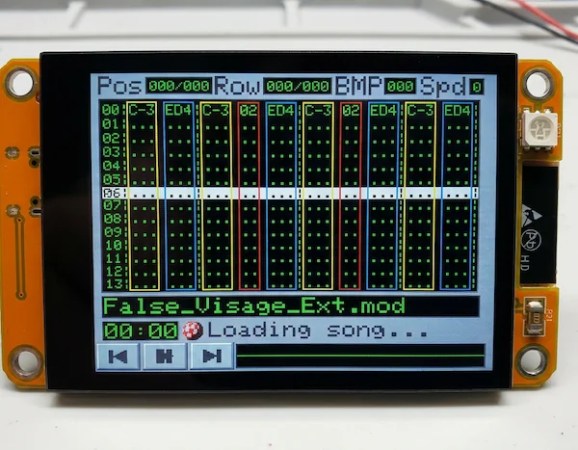
The Cheap Yellow Display is a great little module to start a project with, but it wouldn’t necessarily be our first choice for an audio device. That’s because the PWM on the ESP32 isn’t exactly going to put out hi-fi, and the I2C pins needed for the I2S audio protocol aren’t broken out on the CYD board. That didn’t stop [ivans805] AKA [Ill-Town-5623]– he wanted a mod tracker, he had a CYD board, and necessity is the mother of invention.

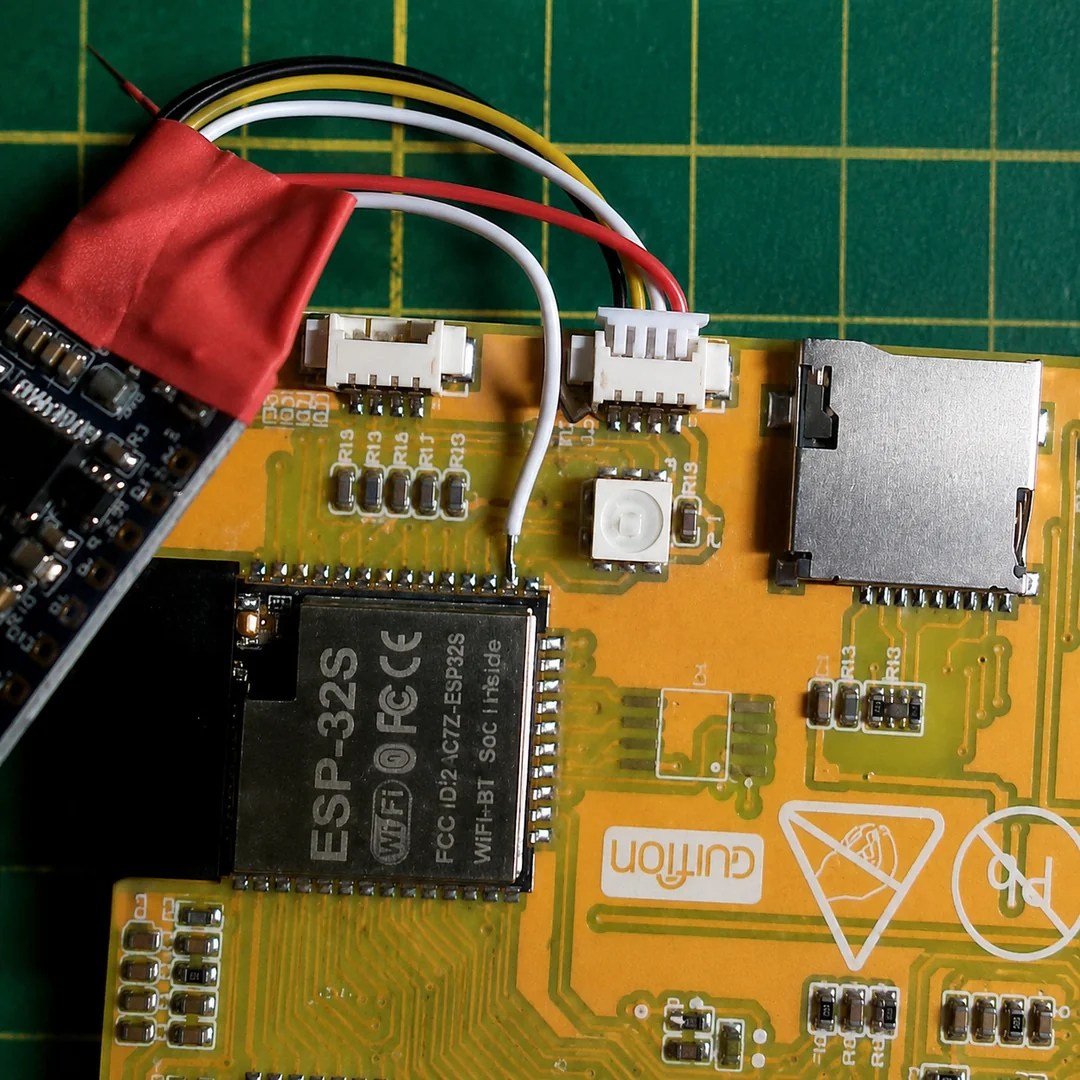
It isn’t exactly a ground-breaking hack: he’s just tossed a bodge wire to the pin he needs on the ESP32, and run it to the I2S sound module. Still, in this era of endless modules it’s nice to see someone hacking what they have rather than running to AliExpress or somewhere else for a part that has everything the project needs built in.

The bodge wire is how you know it’s a hack.

What really caught our eye when we saw this project on the ESP32 subreddit was the aesthetics. It might be called “Win95-Tracker-CYD” but that interface just screams “Amiga” to us– look at that Boing Ball! Given where MOD files come from, that’s perfect. The UI was made with Lopaka.app, which we haven’t seen before but appears to be a sort of WYSIWYG editor for embedded device interfaces.

While you don’t need an ESP32 to play mod files– the diminutive CH32 can manage the task— there’s no arguing the CYD could make a nice little player. If you actually wanted to push its limits, you might try a 3D engine instead,

ESP32 Weather Display Runs Macintosh System 3

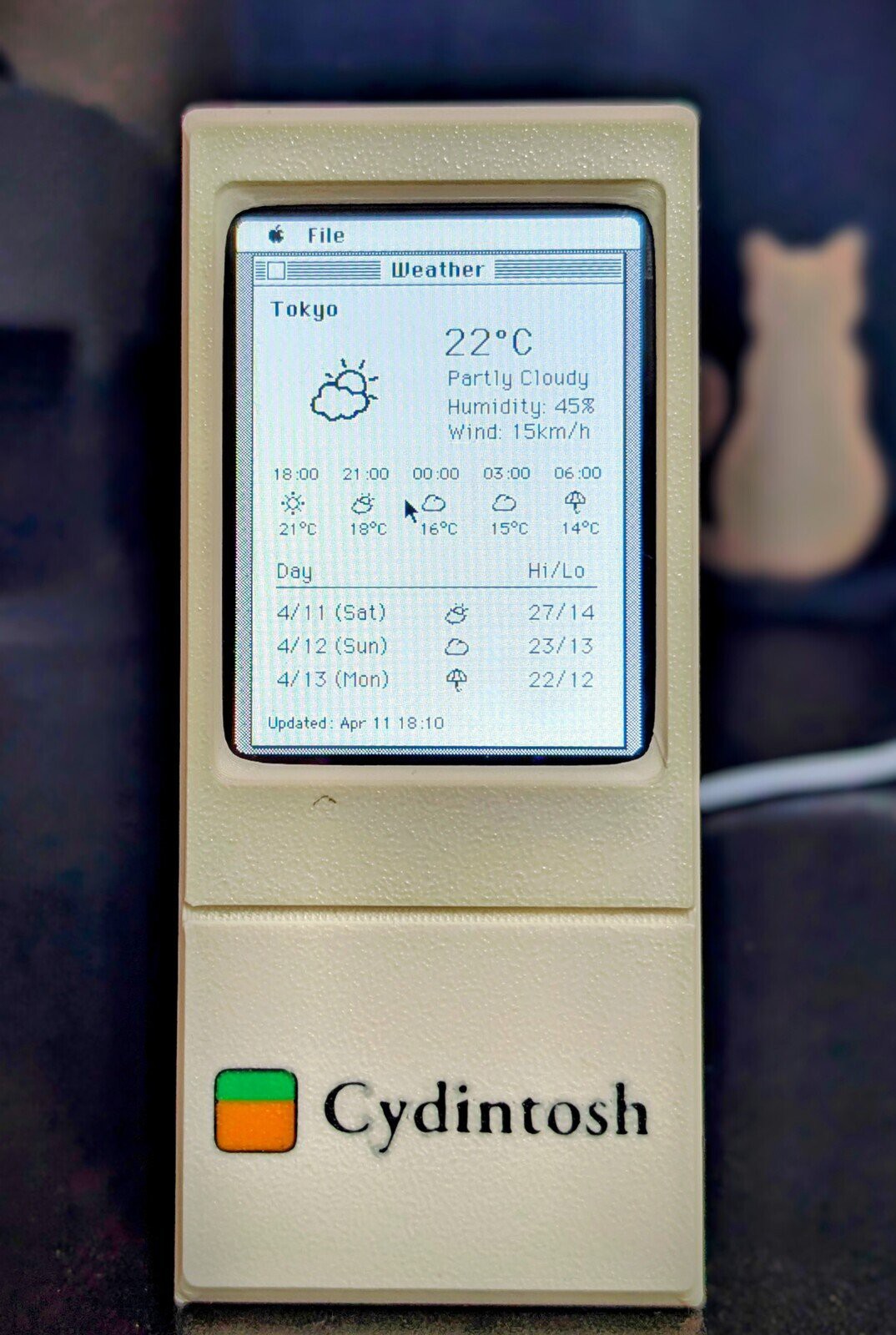
It seems like everybody takes their turn doing an ESP32-based weather display, and why not? They’re cheap, they’re easy, and you need to start somewhere. With the Cheap Yellow Display (CYD) and modules like it, you don’t even need to touch hardware! [likeablob] had the CYD, and he’s showing weather on it, but the Cydintosh is a full Macintosh Plus Emulator running on the ESP32.

Honey, I stretched the Macintosh!

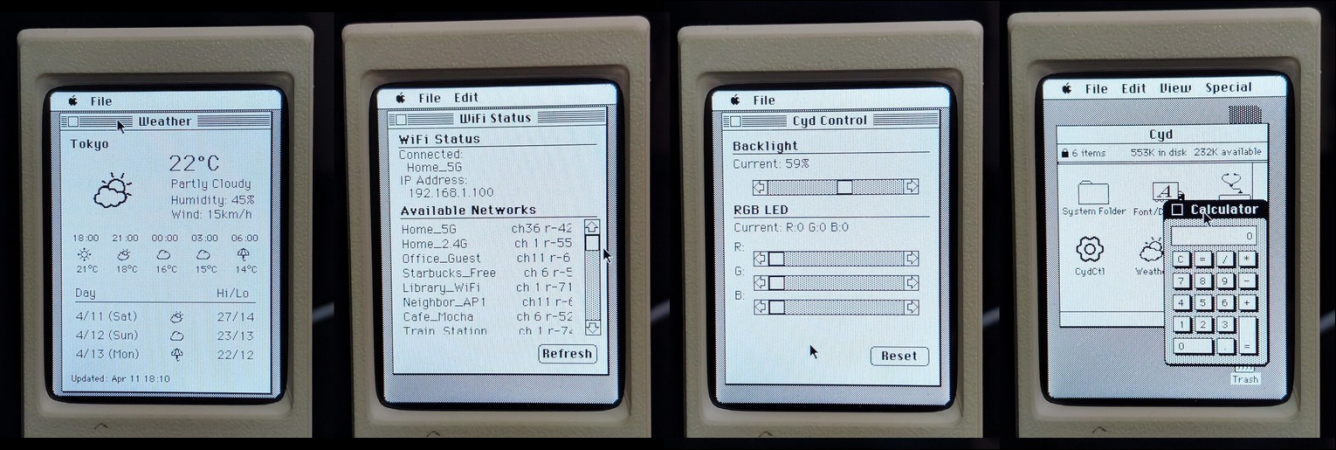
The weather app is his own creation, written with the Retro68k cross-compiler, but it looks like something out of the 80s even if it’s getting its data over WiFi. The WiFi connection is, of course, thanks to the whole thing running on an ESP32-S3. Mac Plus emulation comes from [evansm7]’s Micro Mac emulator, the same one that lives inside the RP2040-based PicoMac that we covered some time ago. Obviously [likeablob] has added his own code to get the Macintosh emulator talking to the ESP32’s wireless hardware, with a native application to control the wifi connection in System 3.3. As far as the Macintosh is concerned, commands are passed to the ESP32 via memory address 0xF00000, and data can be read back from it as well. It’s a straightforward approach to allow intercommunication between the emulator and the real world.

The touchpad on the CYD serves as a mouse for the Macintosh, which might not be the most ergonomic given the Macintosh System interface was never meant for touchscreens, but evidently it’s good enough for [likeablob]. He’s built it into a lovely 3D printed case, whose STLs are available on the GitHub repository along with all the code, including the Home Assistant integration.