Linux Fu: Speak Up!

Apparently, people hate typing. As every movie and TV show suggests, the future is talking to computers. There was a time when speech recognition was complex and not very good. But these days, even our lowly phones can do a pretty good job of speech recognition. Of course, one problem is that your phone probably isn’t actually doing the speech recognition. It sends it to the big business of your choice to interpret. I’ve been using Handy, a speech recognition system that works well for me. I’ve also looked at some that didn’t.

After all, it is sometimes nice to dictate to your computer, and it would be even nicer if you could keep your data local. On Windows, oddly enough, there is a well-developed speech feature that, as far as I can tell, almost no one talks about or uses. One video estimates that 99% of users don’t use it. Linux, of course, has many options, but historically, these have been difficult to set up or finicky.

Of course, the good news is that many of the Linux tools are open source and the models are quite good. That means other people have had the freedom to fork the tools and make them easier to use, at least in theory. The licensing of the models themselves may be different, but those will be hard to modify, anyway and they generally work well. The biggest problems on Linux isn’t the technology itself, but the tremendous variety of systems and setups.

Suppose you want to write a speech-to-text program. Will it work on ARM? What desktops will it integrate with? Can it use a GPU? What kind? What about specialized instructions in some CPUs? Then there’s the forced input situation; typing into arbitrary programs once you know what the user said. On X11, it is easy, but Wayland needs different handling.

A Shortcut

I’ve thought about using my phone with KDE Connect, which is an excellent program. It can let you use your phone as a keyboard and mouse for your Linux computer. Unfortunately, it is aimed at character-at-a-time input, and I’ve never found a way to make it work with voice.

Besides, the phone is beaming all the data to “the cloud.” You probably type things you’d rather not broadcast to the ether.

I had looked at Speech Note before, but it is sort of a speech recognition notepad. I didn’t find it seamless, and it didn’t work well on my system anyway. Vocalinux looks nice, but a quick test kept complaining that my Intel extensions were not available. Makes sense, since I have an AMD CPU. Even though the documentation said it should work, I was never able to get it to work.

The Easy Way

Turns out the application that worked readily on my machine was Handy. Keep in mind, Handy is just another tool that uses one of several models out there, along with other open-source tools. You might need to install some tools to deal with your system like xdotool or dotool, but they are probably already installed anyway. That isn’t to minimize the value of Handy. It is — well — Handy. You don’t have to load and configure models, set up a bunch of system-level hooks, or install a bunch of libraries. You install it, and it works.

You can configure it. The best model for you, for example, may depend on your machine and the languages you speak. You can configure the hotkeys and how the app types into your computer. But it does all the work of downloading and configuration. Continue reading “Linux Fu: Speak Up!” →
Belting Out The Audio

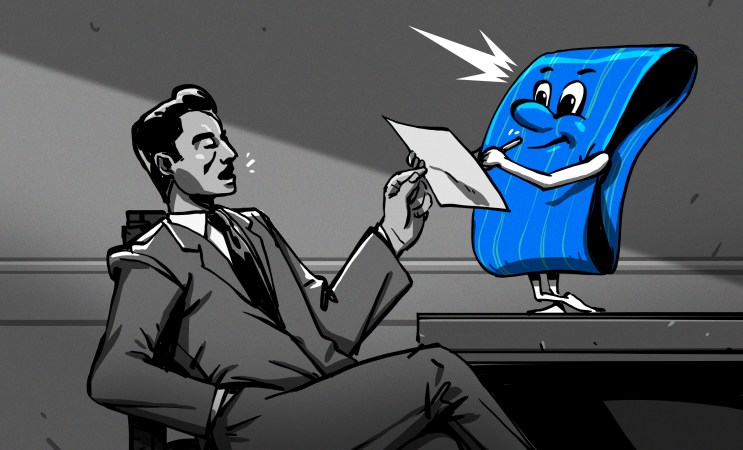
Today, it is hard to imagine a world without recorded audio, and for the most part that started with Edison’s invention of the phonograph. However, for most of its history, the phonograph was a one-way medium. Although early phonographs could record with a separate needle cutting into foil or wax, most record players play only records made somewhere else. The problem is, this cuts down on what you can do with them. When offices were full of typists and secretaries, there was the constant problem of telling the typist what to type. Whole industries developed around that problem, including the Dictaphone company.

The issue is that most people can talk faster than others can write or type. As a result, taking dictation is frustrating as you have to stop, slow down, repeat yourself, or clarify dubious words. Shorthand was one way to equip a secretary to write as fast as the boss can talk. Steno machines were another way. But the dream was always a way to just speak naturally, at your convenience, and somehow have it show up on a typewritten page. That’s where the Dictaphone company started.

Continue reading “Belting Out The Audio” →

Cursive Out Loud: Dealing With Dragons

When we last left this broadening subject of handwriting, cursive, and moveable type, I was threatening to sing the praises of speech-to-text programs. To me, these seem like the summit of getting thoughts committed to what passes for paper these days.

A common thread in humanity’s tapestry is that we all walk around with so much going on in our heads, and no real chance to get it out stream-of-consciousness style without missing a word — until we start talking to each other. I don’t care what your English teacher told you — talking turns to writing quite easily; all it takes is a willingness to follow enough of the rules, and to record it all in a readable fashion.

But, alas! That suggests that linear thinking is not only possible, but that it’s easy and everyone else is already doing it. While that’s (usually) not true, simply thinking out loud can get you pretty far down the road in a lot of mental vehicles. You just have to record it all somehow. And if your end goal is to have the words typed out, why not skip the the voice recorder and go the speech-to-text route?

Continue reading “Cursive Out Loud: Dealing With Dragons” →

The Voice Recognition Typewriter

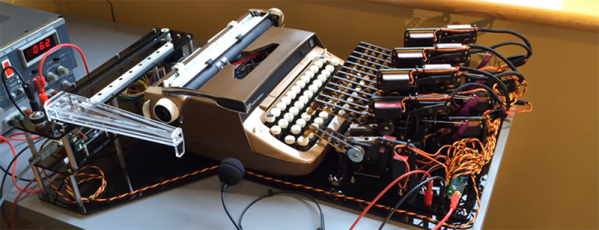
Typewriters with voice recognition have existed for over one hundred years; they were called secretaries. Robots are taking all the jobs now, and finally dictation and typing is a job that can be handled by a computer. [Zip Zaps] used an old Smith Corona typewriter to automate the process of turning dictation into print. Like a secretary hunched over an anachronistic IBM Selectric in the first season of Mad Men, this robot will take dictation and accept the overt sexism of a 1960s Manhattan ad agency.

Instead of the machinations of a few biological actuators, this typewriter is controlled with an array of servos driven by Pololu Maestro servo controller. There are twelve servos that move a small actuator down onto the keys, and another twelve servos that move the others above the correct row of the keyboard. The carriage return lever is actuated by a stepper motor, linear rail, and giant plastic lever.

While a robot that can use a typewriter is impressive, the real trick is getting it to take dictation. [Zip Zaps] used the built-in voice recognition found in Windows for this, streaming characters over a serial port to the Arduino-based electronics.

Does it work? Yes, surprisingly it does. Is it useful? Well, typewriters naturally have a cleaner, more analog tone about them, and you can’t replicate the typing experience of an old Smith Corona typewriter with a digital format. This build is just the natural extension of what digital electronics are capable of these days, and we look forward to seeing someone with this amazing device in our local Starbucks.

Continue reading “The Voice Recognition Typewriter” →