Zip-Drive Emulator Puts Big Disks Back On LPT

Iomega’s Zip drives filled an interesting niche back in the 1990s. A magnetic disk that was physically floppy-sized, but much larger in capacity– starting at 100 MB, and reaching 750 MB by the end–they never quite had universal appeal, but never really went away until flash memory chased them out of the marketplace in the early 2000s. While not everyone is going to miss them, some of us still think it’s a better form factor than having a USB stick awkwardly protruding from a computer, or microSD cards that are barely large enough to see with the naked eye. [Minh Danh] is one of those who still has affection for Zip drives, and when his parallel port Zip 100 drive started to give up the ghost last year, he decided to do something bold: reverse engineer it, and produce an emulator. First software, and then in hardware.
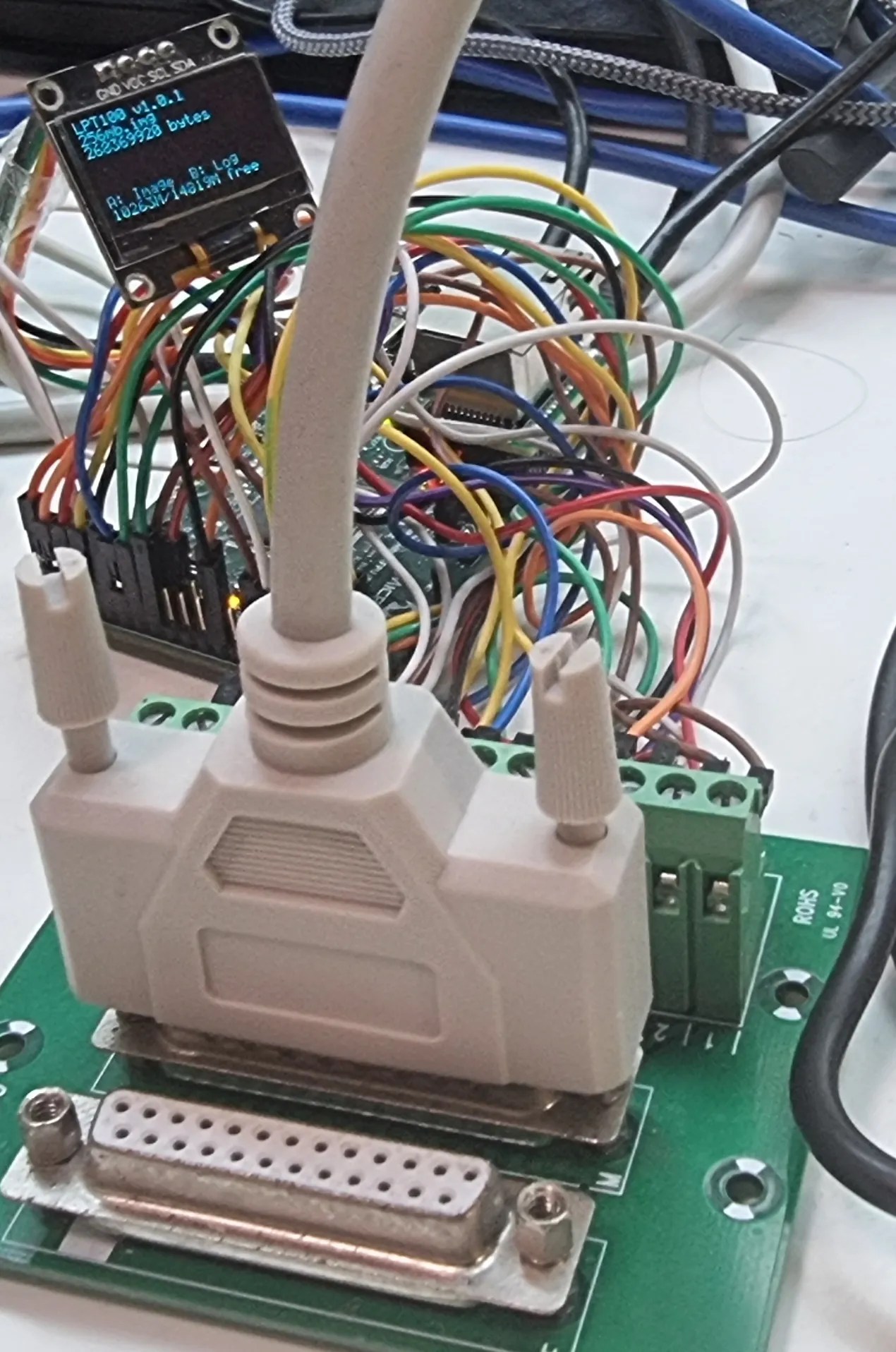
It’s not the prettiest-ever prototype, but lots of great things start with a mess of wires.

The first was to create a virtual zip drive that could run on a virtual machine and be accessed with DOS or Windows up to XP. The next task was to move that functionality onto a microcontroller to create something like a GoTek floppy emulator for LPT Zip drives that he’s calling the LPT100. Yes, Zip drives were built for ATAPI, SCSI, FireWire and USB, too, but [Minh]’s was on the parallel port and that’s what he wanted to replace, so the LPT interface is what set out to recreate.

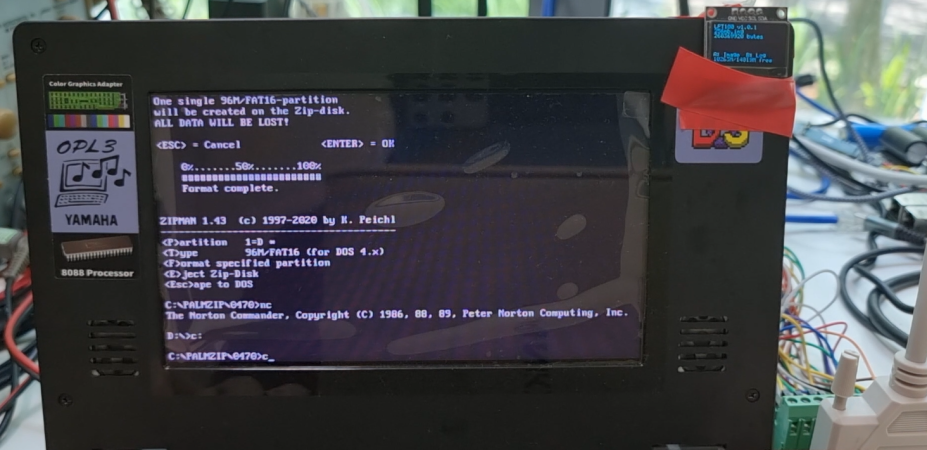
It works, too, though took more guts than was expected– the 8-bit PIC18F4680 he started with just wasn’t up to the task. He moved up to a 32-bit PIC, the PIC32MZ2048EFH144 to be specific, which proved adaquate when testing with his Book 8088, a new DOS PC from 2023. Iomega’s official driver won’t run on an 8088, but the PALMZIP utility does and was able to transfer files, though only at the slow nibble rate due to limitations with the Book8088’s LPT hardware. Watch it in action below.

Alas, moving up to the Pocket386, it seemed the PIC just could not keep up. [Minh] says he’s thinking of moving to the faster Teensy 4.1, which sounds like a good idea. Considering the Teensy can be configured to serve as a drop-in replacement for a 68000, bit-banging the bus at 7.8 MHz, we’d think it should handle anything a parallel port can throw at it.

Thanks to [Minh Danh] for the tip!

Continue reading “Zip-Drive Emulator Puts Big Disks Back On LPT”
PicoGUS Adds CD-ROM Emulation To ISA Bus

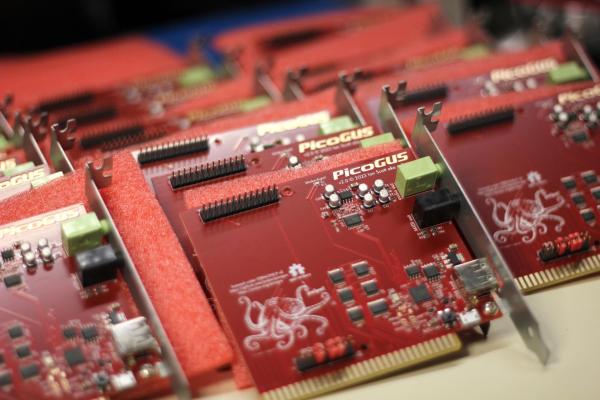
Everything fails eventually, but moving parts fail fastest of all– and optical drives seemingly more than others, at least in our experience. Even when they work, vintage drives often have trouble with CD-R, and original media isn’t always easy to find. That’s why it’s so wonderful that [polpo]’s RP2040 ISA card, the PicoGUS 2.0, now supports CD-ROM emulation.

We covered PicoGUS when it first appeared as an ISA sound card,  and make no mistake, it can still emulate sound cards for retro-PC beeps and boops. It’s not just the Gravis Ultrasound (GUS) from which the project took its name, but Sound Blaster 2.0, MPU-401 for MIDI, Tandy 3-voice, and CMS/GameBlaster are all soft options. Like most sound cards back in the day, PicoGUS provides game port support as well.

Continue reading “PicoGUS Adds CD-ROM Emulation To ISA Bus”

Save Data From Old Scopes With A GPIB Disk Emulator

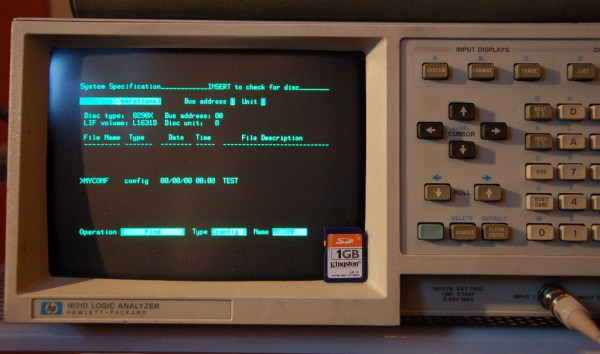
If you still use old test equipment on a regular basis, you probably have been frustrated by the lack of options for pulling data off these aging devices. Many higher-end devices are equipped with GPIB ports, which are general purpose buses for communicating with a variety of obsolete peripherals. Since GPIB disk drives aren’t too common (or practical) these days, [Anders] made a GPIB adapter that emulates a disk drive and stores data to an SD card.

[Anders] designed a PCB with a PIC microcontroller that plugs into a GPIB port. The PIC emulates a disk drive using the AMIGO protocol or the SS/80 protocol, which can be selected in a configuration file on the SD card. Most test equipment supports one of these two protocols, so his adapter should work with pretty much any GPIB-equipped kit.

Data is saved to a single image file on the SD card, which is encoded in a native HP disk format. The image file can be opened on Windows and Linux with some utilities that [Anders] mentioned on his project page. If you have any old test equipment withGPIB lying around and want to build your own, the schematic and source code are up on his site or [Anders] is selling bare boards.

Now if it’s a protocol converter that you need we’ve seen those in a couple of different varieties.

USB Apple ][ Disk Emulator

One of the most commonly frustrating things about having an old Apple ][ lying around in your basement or attic is the lack of software. While at one time in the late 80s you may have had your own copy of Oregon Trail, that disk is either lost or non-functional, and it’s pretty hard to get new disk images onto 5 1/4″ disks.

To solve this problem for himself, [Eric] came up with an Apple disk emulator. A project like this has been done many, many times over the last few decades, but [Eric] put his own twist on it: he doesn’t use a microcontroller. Instead, he used a simple USB FTDI device to talk to the Apple disk drive.

The FTDI device in question is a UM232H chip that takes a USB connection and turns it into an SPI bus. Of course the Apple ][ disk doesn’t speak SPI, so [Eric] needed to do a little logic conversion with a 74LS251 multiplexer and a 74LS161 counter.

In the video after the break, you can see [Eric] loading Apple disk images on a IIc from his new Intel Mac. It’s a neat build, but it’s not done yet: [Eric] plans on adding a microcontroller with an SD card, allowing just about every Apple ][ game every made to fit in your pocket. Yes, [Eric]’s project is quite similar to the A][ pocket serial host we saw just a bit ago, but this will hopefully have a lower component count.

Continue reading “USB Apple ][ Disk Emulator”