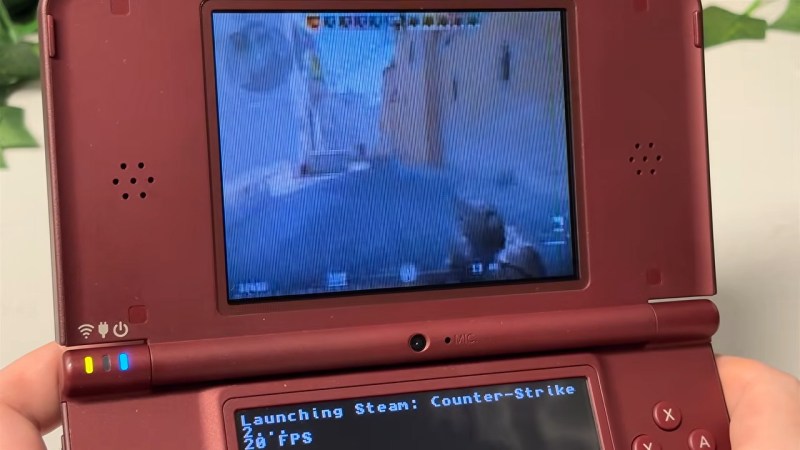
Haiku Isn’t Just For X86 Anymore, Boots On ARM In QEMU

Ever since it was called OpenBeOS, Haiku has targeted the x86 platform. That makes good sense: it’s hard enough maintaining a niche system on ubiquitous hardware. But x86 isn’t the only game in town anymore. Apple’s doing very well on ARM, Linux runs on oodles of ARM SBCs, and even Windows uh, exists, on that architecture, so why not Haiku? That’s what [smrobtzz] figured, and thanks to his work you can now run Haiku on ARM, in QEMU.

There’s no image available as yet — you still need to bootstrap your own from a working system, and ironically that system cannot be Haiku. [smrobtzz] apparently used MacOS, which makes sense as his ultimate goal is apparently to go where only Aishi Linux has gone before and boot Haiku on his M1 MacBook. There had been previous efforts to get Haiku going on Raspberry Pi hardware, which seems logical considering how lightweight the operating system is, but they’re apparently nowhere near booting either. QEMU is a good start.

Interestingly, according to the ports page, Haiku is “functional” on both RISC V QEMU and the now-discontinued HiFive Unmatched SBC. We don’t seem to have covered it, but that milestone happened five year ago. Given how most RISC V boards currently available are a bit slow for modern desktop Linux, Haiku would likely be a breath of fresh air. The BeOS-descended system might be single user, but it’s snappy.

We reported a couple of years back that Haiku was daily-drivable on x86 ,it’s only gotten better since then, assuming you choose the right hardware. Hardware support is always the hard part about alternative OSes, but Haiku users are absolutely spoiled compared to fans of MorphOS, which still only runs on G4 or G5 PowerPC, and even then not only some hardware.

Hacking Fermentation For Infinite Pickles From Pass-thru Bioreactor

Home-fermented foods are great– they’re healthier, more flavourful, and cheaper than store-bought alternatives. What they aren’t is convenient: you need to prep a big batch of veggies, let it sit, and then you have to store the excess pickles. If you’re not careful, you end up with ancient, over-fermented pickles at the bottom of the crock, or worse– run out of pickles! Surely a fate worse than death. [Cody] at Cody’s Lab has a solution: a continous-flow fermentation process that keeps just the right supply of pickles coming at all times. Our grandmothers who kept a crock for months in the cold room or root cellar might be confused, but this hack brings pickles into the Just-In-Time framework of the 21st century.

Specifically this is for lactic acid fermentation, the type that gets you kosher dills, saurkraut and kimchi along with a whole mess of other tangy, tasty vegetable treats. Vinegar pickles are a whole other thing. It’s done in a brine, as the lactic acid bacteria are salt tolerant in a way that most things that would rot your food and/or make you sick would not. You can reuse the brine over and over, which is what [Cody] is doing: he crafts a U-shaped crock out of old glass bottles and a couple of pickle jars. He cuts the jars into angled pipe segments that are held together with aquarium sealant, which is apparently food safe. It holds water and looks surprisingly good, in that it isn’t hideous.

The bioreactor gets loaded up with veggies on one end, plus lots of salt and spices to taste, plus some cultured brine from an old batch to kickstart everything. The starter isn’t necessary; it just gets things going faster. The initial packing is the hardest: after filling it the first time, one needs only press new veggies in at one end, while removing tasty treats at the other. A special packing tool [Cody]makes helps with that, but he plans on adding a larger feed side. Thanks to that kickstart, the pickles were ready to try after about a week– which means his tube is a bit long, for his desired dwell time. If you like more fermentation to your pickles, then you might like this size.

May be the first time pickles have been featured on Hackaday without turning them into LEDs. We’ve featured plenty of fermentation projects, with automation to help make the best brew or a build for better tempeh, but not a lot of vegetables.

Thanks to [cam72cam] for the tip!

Continue reading “Hacking Fermentation For Infinite Pickles From Pass-thru Bioreactor”

Four Choppers And A Blimp: The Bizarre Piasecki Helistat

Over two decades after it was last deflated, detached from its gondola, and crated up at Lakehurst, the gas bag of an N-class ZPG-2W blimp was broken out and dusted off for what might have been the most bizarre afterlife in aviation history: as a key building block for the U.S. Forest Service’s Piasecki PA-97 Helistat.

Just look at it! It’s an antique blimp gas bag, four war-surplus helicopters pulled from the boneyard, and a whole maze of aluminum tubing. That the U.S. Forest Service, of all agencies, was the one building what amounts to the airship version of an X-plane is also weird enough to be called bizarre. Getting Frank Piasecki to design this thing, a man who did as much as almost anyone else to kill the airship, might be considered ironic, but to stay on theme, I’ll call it bizarre.

If you’re not already a quadrotor-blimp afficionado, we have some explaining to do.

Continue reading “Four Choppers And A Blimp: The Bizarre Piasecki Helistat”

They Weren’t Joking: Gentoo WAS Ported To GNU Hurd

Long ago, in the aftermath of the UNIX wars, three kernels emerged from the rubble: BSD, Linux, and Hurd. BSD, being UNIX, was held back by legal wrangling in the aftermath of the wars, and that allowed Linux to pull ahead to a pole position it still enjoys to this day. BSD has its following, of course, but Hurd? GNU Hurd seemed destined to languish… until April 1st, 2026, when the Gentoo Linux distribution was ported to the Free Software Foundation’s kernel.

It turns out, they weren’t actually joking. The joke part was that they were moving fully to the Hurd kernel, away from Linux– you can absolutely still run Gentoo with the Linux kernel, and make no mistake, that’s still the default and best-supported option. Options are good, though, and the Gentoo team has decided that it’s time to add some options to the kernel space, and give the Hurd some time in the sun.

Unlike the Linux kernel, which follows closely the monolithic UNIX framework– and the BSD-Unix kernel, which is Unix–GNU Hurd is a microkernel architecture, based originally on the Mach kernel. In that, it’s rather like MacOS. Unlike MacOS, given its roots in the Free Software Foundation, GNU Hurd is 100% free and open source. There are advantages to a microkernel architecture– it keeps drivers out of kernel space so a dodgy WiFi adapter can’t crash your system, for example– but the big disadvantage is, of course, drivers. Both Linux and BSD drivers can be ported, but that takes work and many of them have not been.

Still, now that Microsoft has become a major contributor to the Linux kernel, we could see a lot of the old-school Linux users who talk about “win-doze” and still spell Microsoft with a dollar sign being tempted to join the Hurd. If that appeals to you and you’re not into Gentoo, Debian has quietly let you install with the Hurd kernel for years now. It’s either that or embrace BSD and escape the chaos vortex.

The big three aren’t the only POSIX kernels out there, of course– there’s even one written entirely in Rust, for the die hard rustaceans amongst you.

ESP32 Weather Display Runs Macintosh System 3

It seems like everybody takes their turn doing an ESP32-based weather display, and why not? They’re cheap, they’re easy, and you need to start somewhere. With the Cheap Yellow Display (CYD) and modules like it, you don’t even need to touch hardware! [likeablob] had the CYD, and he’s showing weather on it, but the Cydintosh is a full Macintosh Plus Emulator running on the ESP32.

Honey, I stretched the Macintosh!

The weather app is his own creation, written with the Retro68k cross-compiler, but it looks like something out of the 80s even if it’s getting its data over WiFi. The WiFi connection is, of course, thanks to the whole thing running on an ESP32-S3. Mac Plus emulation comes from [evansm7]’s Micro Mac emulator, the same one that lives inside the RP2040-based PicoMac that we covered some time ago. Obviously [likeablob] has added his own code to get the Macintosh emulator talking to the ESP32’s wireless hardware, with a native application to control the wifi connection in System 3.3. As far as the Macintosh is concerned, commands are passed to the ESP32 via memory address 0xF00000, and data can be read back from it as well. It’s a straightforward approach to allow intercommunication between the emulator and the real world.

The touchpad on the CYD serves as a mouse for the Macintosh, which might not be the most ergonomic given the Macintosh System interface was never meant for touchscreens, but evidently it’s good enough for [likeablob]. He’s built it into a lovely 3D printed case, whose STLs are available on the GitHub repository along with all the code, including the Home Assistant integration.

Who Had “New OS For The Z80” On Their 2026 Bingo Card?

Some might say the venerable Z80 doesn’t need another operating system, but [Scott Baker] obviously disagrees. He has come up with a brand new, from scratch OS called NostOS for the Z80-based RC2014 homebrew retrocomputer. [Scott] describes it as CP/M-like, but it’s not CP/M– in fact, it’s totally incompatible with CP/M–and has a few tricks of its own up its sleeve.

As you might expect of an operating system for this vintage of hardware, it is “rommable” — that is, designed to run from read-only-memory, and fit inside 64kB. It of course supports banking memory to go higher than that 16 bit limit, and natively supports common serial devices, along with the good old WD37C65 floppy controller to get some spinning rust into the game. Of course if you don’t have floppies you can plug in a compact flash card– try that with CP/M– or, interestingly Intel Bubble Memory. [Scott] has a soft-spot for bubble memory, which at one point seemed poised to replace both hard drives and RAM at the same time. We also appreciate that he included drivers for vacuum fluorescent displays, another forgotten but very cool technology. Back in the day, this operating system would have enabled a very cool little computer, especially when you take his implementation of text-to-speech with the SP0256A-AL2 chip. Fancy a game of talking Zork? Yes, he ported Zork, and yes, it talks.

The whole thing is, of course, open-source, and available on [Scott]’s GitHub. Unlike too many open-source projects, the documentation is top-notch, to the point that we could picture getting it in a three-ring binder with a 5 1/4 floppy on the inside cover. If you like video, we’ve embedded [Scott]’s walkthrough but his blog and the docs on GitHub have everything there and more if you’re not into rapidly-flickering-pixels as an information exchange medium.

[Scott] isn’t wedded to Zilog, for the record; this OS should run on an Intel 8080, perhaps like the one in the Prompt 80 he restored last year. 

Thanks to [Scott Baker] for the tip!

Continue reading “Who Had “New OS For The Z80” On Their 2026 Bingo Card?”

2026 Green Powered Challenge: Solar Powered Pi Hosts Websites In RAM

If you started with computers early enough, you’ll remember the importance of the RAMdisk concept: without a hard drive and with floppies slow and swapping constantly, everything had to live in RAM. That’s not done much these days, but [Quackieduckie]’s solar powered Pi Zero W web server has gone back to it to save its SD card.

Sustainability and low power is the name of the game. Starting with a Pi Zero W means low power is the default; a an SLS-printed aluminum case that doubles as the heat sink– while looking quite snazzy–saves power that would otherwise be used for cooling. The STLs are available through the project page if you like the look and have a hankering for passively cooled Pi. Even under load [Quackieduckie] reports temperatures of just 29.9°C,  less than a degree over idle.

The software stack is of course key to a server, and here he’s using Alpine Linux running in “diskless mode”– that’s the equivalent of what us oldsters would think of as the RAMdisk. That’s not that unusual for servers, but we don’t see it much on these pages. It’s a minimal setup to save processing, and thus electrical power, with only a handful of services kept running: lighttpd, a lightweight webserver, and duckiebox, a python-based file server, along with SSHD and dchron; together they consume 27 MB of RAM, leaving the rest of the 512 MB DDR2 the Pi comes with to quickly serve up websites without the overhead of SD card access.

As a webserver, [Quackieduckie] tested it with 50 simultaneous connections, which would be rather a lot for most small, personal web sites, and while it did slow down to an average 1.3s per response that’s perfectly usable and faster than we’d have expected from this hardware. While the actual power consumption figures aren’t given, we know from experience it’s not going to be drawing more than a watt or so. With a reasonably sized battery and solar cell– [Quackieduckie] suggests 20W–it should run until the cows come home.

This isn’t the first solar-powered web server we’ve seen, but this one was submitted for the 2026 Green Powered Challenge, which runs until April 24th.