Remotely Unlocking An Encrypted Hard Disk

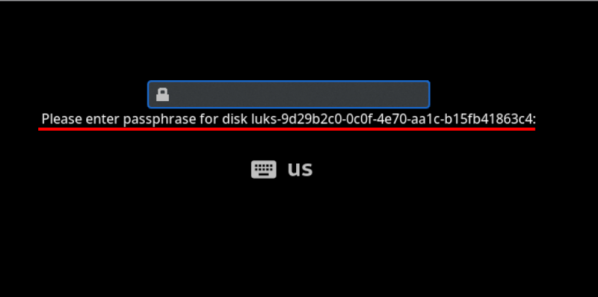
Can you remotely unlock an encrypted hard disk? [Jyn] needed to unlock their home server after it rebooted even if they weren’t home. Normally, they used Tailscale to remote in, but you can’t use tailscale to connect to the machine before the hard drive decrypts, right? Well, you can, sort of, and [Jyn] explains how.

The entertaining post points out something you probably knew, but never thought much about. When your Linux box boots, it starts a very tiny compressed Linux in RAM. On [Jyn’s] machine using Arch, this is the initramfs.

That’s not news, but because it is an actual limited Linux system (including systemd), you can add tools to it. In this case, adding dropbear (an ssh server) and Tailscale to the limited boot-time Linux.

Continue reading “Remotely Unlocking An Encrypted Hard Disk”

Breaking Disk Encryption With RAM Dumps


If you haven’t gotten a chance yet, do watch the video of this attack. It’s does a good job explaining the problem. Full drive encryption stores the key in RAM while the computer is powered on. The RAM’s stored data doesn’t immediately disappear when powered off, but fades over time. To recover the keys, they powered off the computer and booted from a USB disk that created an image of the RAM. You can read more about the attack here.

How can you reduce this threat? You can turn off USB booting and then put a password on the BIOS to prevent the specific activity shown in the video. Also, you can encrypt your rarely used data in a folder on the disk. They could still decrypt the disk, but they won’t get everything. I don’t think this problem will truly be fixed unless there is a fundamental change in hardware design to erase the RAM and even then it would probably only help computers that are powered off, not suspended.

The potential for this attack has always been talked about and I’m glad to see someone pull it off. I’m hoping to see future research into dumping RAM data using a USB/ExpressCard with DMA access.