Turning A Junk Laptop Screen Into A Portable Monitor

Sure, you can buy a portable monitor off your favorite e-tailer, but with perfectly fine displays in devices like laptops being tossed out every single day, why not repurpose those instead? That’s what [ScuffedBits] recently did with the panels  pulled from some old laptops.

A good question with any such salvaged panel is just how practical it is to still use them, with disqualifying features being things like passive-matrix TFTs as well as the use of CCFL backlighting as with one of the three panels demonstrated in the video.

Looking up the model number of a panel on a site like panelook.com will tell you the display technology, resolution and other important details before you decide to commit to using it. If it’s using a LED backlight and at least Low-Voltage Differential Signaling (LVDS) but ideally eDP you can likely find a cheap driver board for it that has all the requisite inputs like HDMI and power.

The hardest part is probably the case for the panel, as they’re rather thin and fragile. Here [ScuffedBits] opted to 3D print two different types of cases, with the second variant probably being the best version as it protects most of the panel. Installing these is quite easy: slide the panel into the first half, then add the second half of the case to close it up. Permanently keeping the case in place was left as an exercise to a future [ScuffedBits], while demonstrating why it’s definitely the hardest part of repurposing an old laptop display.

Continue reading “Turning A Junk Laptop Screen Into A Portable Monitor”
This Is Not A Laptop, It’s A KVM Combo

A spare monitor and keyboard are handy things to have around, but they’re a bit of a hassle. They are useful for hardware development, plugging in to headless servers, or firing up a Raspberry Pi or similar single-board computer (SBC). If that’s something you do and portability and storage space are important to you, then you may be interested in the CrowView Note.

I got an opportunity to test and provide feedback on an early version of this unusual device, which is functionally a portable spare monitor plus keyboard (and touchpad) without the bulk and extra cables. Heck, it’s even giving me ideas as the guts of a Cyberdeck build. Let’s take a look.

What It Is

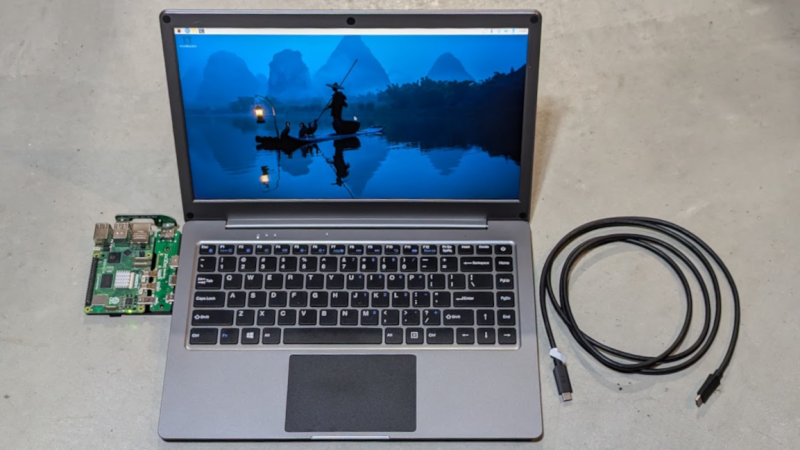
It really looks like a laptop, but it’s actually a 14″ 1920 x 1280 monitor and USB keyboard in a laptop form factor.

There is also an integrated trackpad, speakers and mic, and a rechargeable battery. That makes it capable of providing its own power, and it can even function as a power bank in a pinch. There’s an HDMI input on one side, and on the other is a full-featured USB-C port that accepts video input via the DisplayPort altmode.

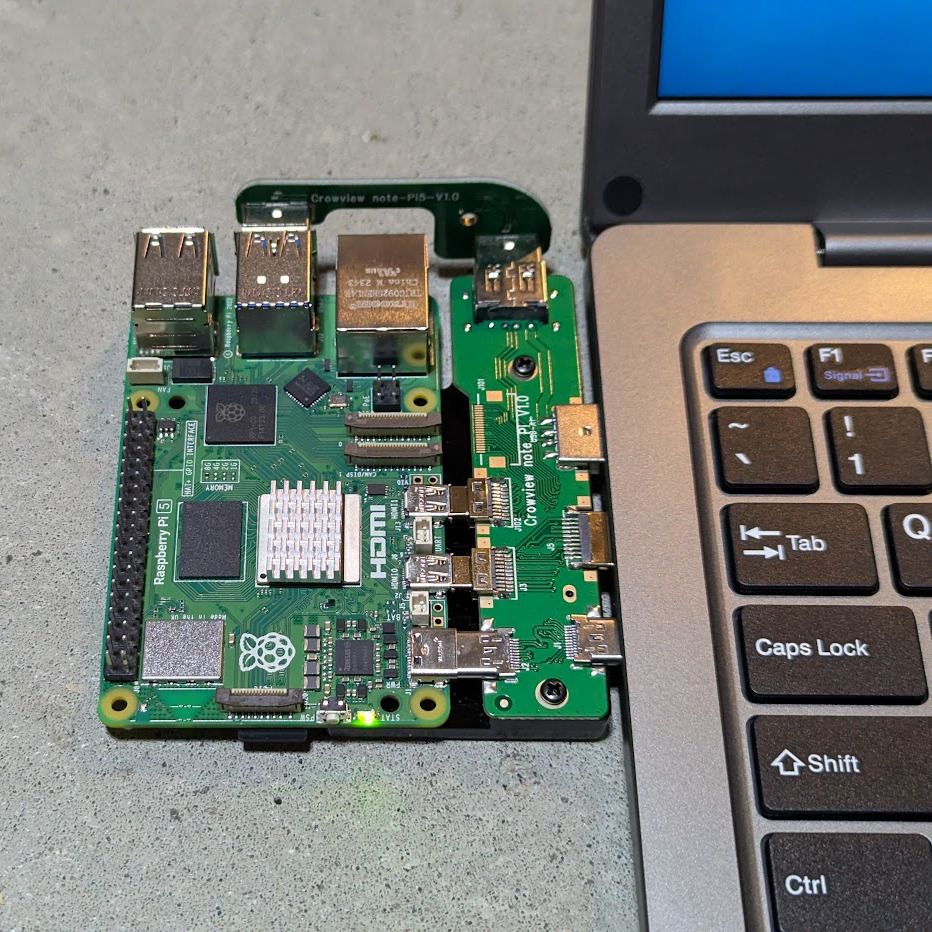
Pictured here is a Raspberry Pi 5 with optional PCB adapter to eliminate cables. The three ports (HDMI in, USB-C 5 V out, and USB-A for peripherals) provide all the board needs.

The CrowView Note is a pretty useful device for a workbench where one is often plugging hardware in for development or testing, because there’s no need to manage a separate monitor, keyboard, and mouse.

It is not a laptop, but attaching an SBC like a Raspberry Pi makes it act like one. The three ports conveniently located on the left-hand side (HDMI in, USB-C out for power to the SBC, and USB-A in for peripherals like keyboard and trackpad) are all that are needed in this case. Elecrow offers a “cable eliminator” PCB adapters to make the process of connecting a Raspberry Pi 5 or a Jetson Nano as simple as possible. The result is something that looks and works just like a laptop.

Well, almost. The SBC will still be a separate piece of hardware, whether connected by cables or by one of Elecrow’s PCB adapters. The result is OK for bench work, but especially in the case of the PCB adapter, not particularly rugged. Still, it’s a nice option and makes working on such boards convenient and cable-free.

Continue reading “This Is Not A Laptop, It’s A KVM Combo”