Behold A 60 Hz Refresh Rate E-ink Monitor

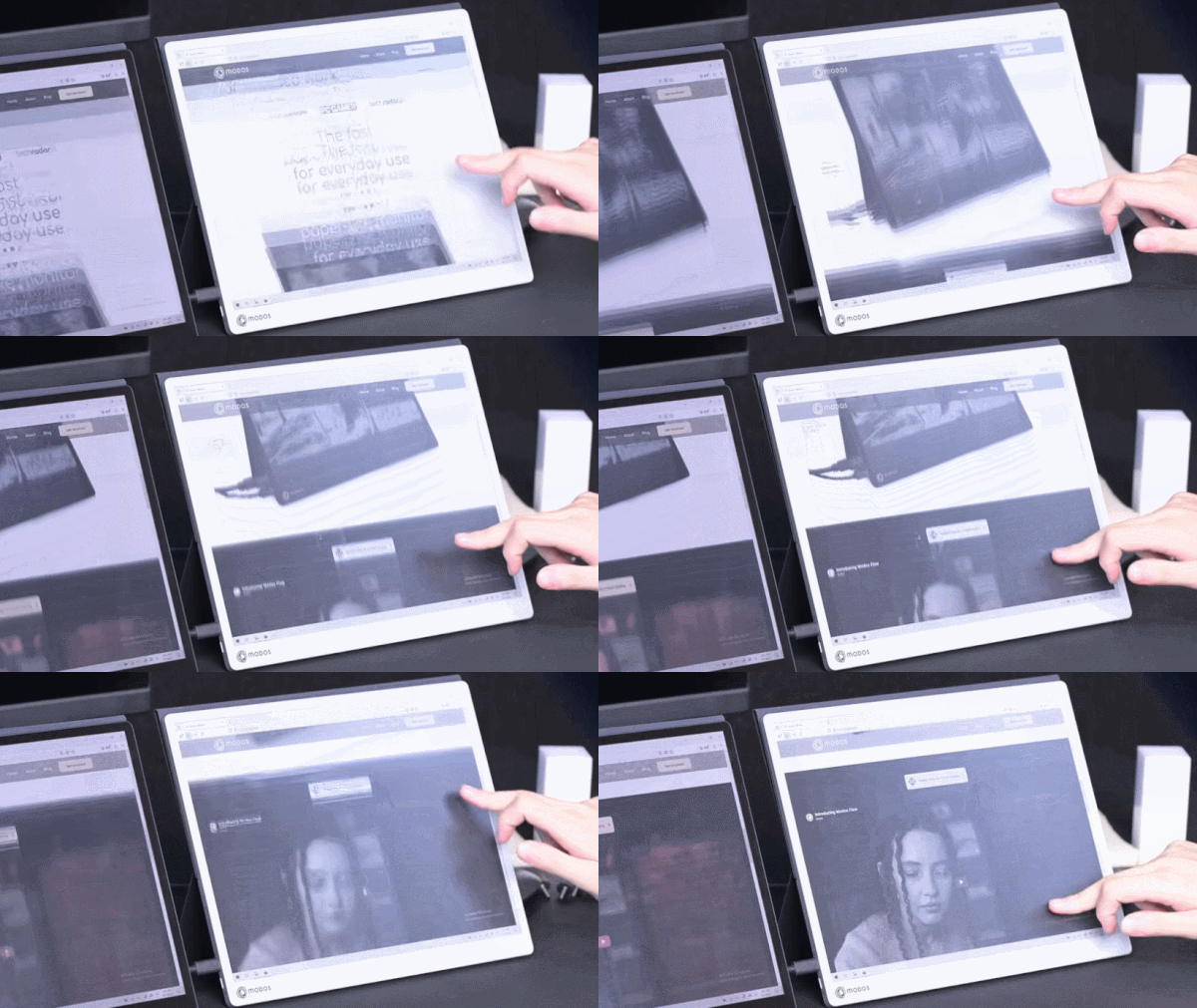
E-ink displays have a number of advantages over other display types, but their refresh rate isn’t one of them. But what exactly makes them slow? According to [Wenting Zhang], it’s not an inherent limitation of the technology. It’s mainly the controller, and this limitation can be overcome to create a high-resolution 60 Hz refresh rate E-ink display, totally suitable for use as a computer monitor.

The reason E-ink displays are so slow is simple. For a long time, they existed for only one purpose: to be screens for e-readers. They had to work on devices that were generally low power, with limited interfaces and slow processors. Accommodating these factors was the primary driver behind the high latency and slow refresh rates associated with these displays.

It was actually the limited interface options rather than the slow refresh that initially led to a custom controller, because [Wenting] wanted to use an E-ink display on a laptop build. But it quickly became apparent that a custom controller could do considerably more than E-ink was known for.

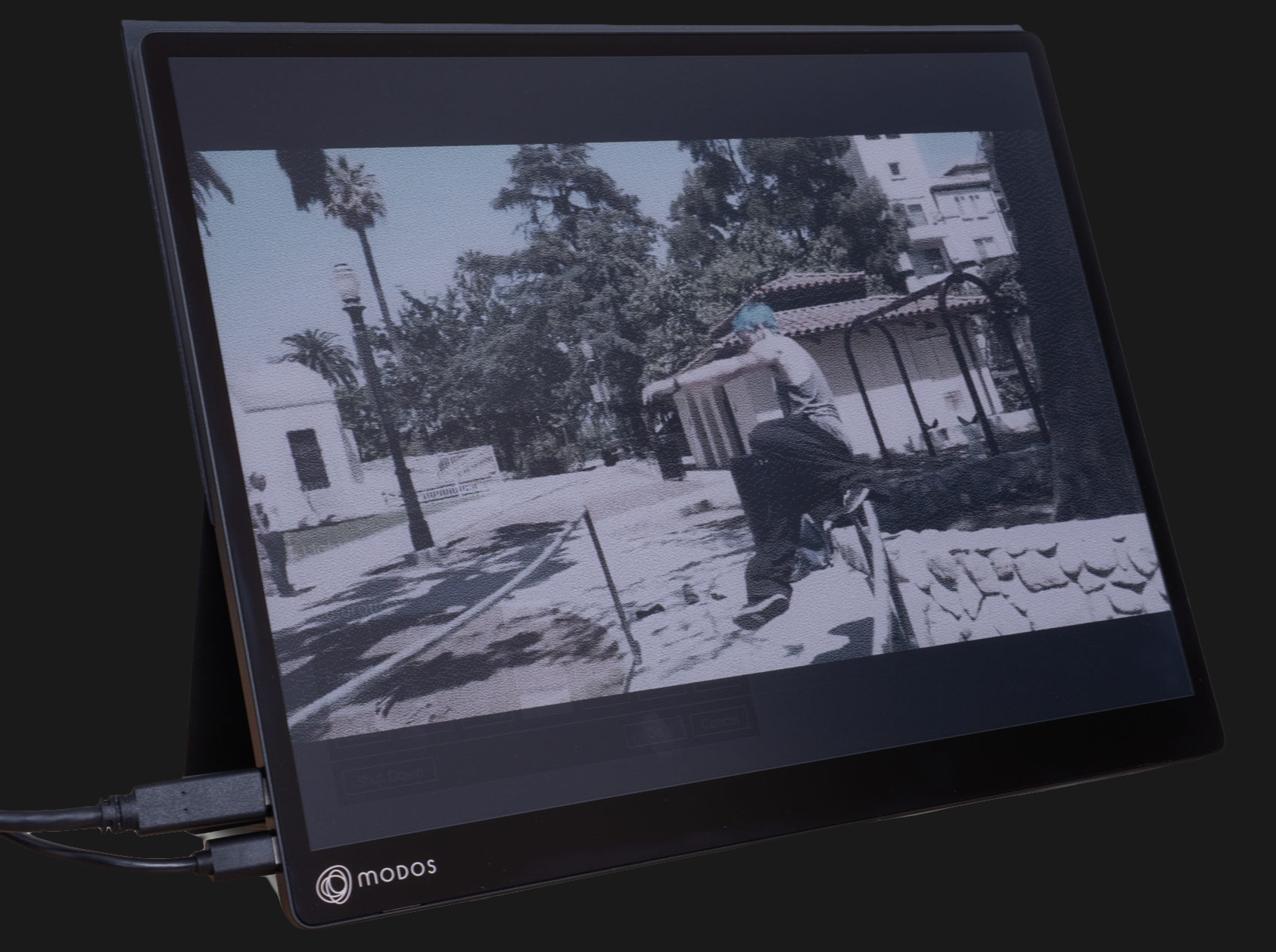
Initial tests with fast refresh rates were so positive that it led to a Hackaday Supercon 2024 talk on how to make E-ink go fast, and more recently has culminated in the Modos Flow, a fully open-source, user-repairable 13.3″ portable E-ink monitor.

The development path from proof of concept to finished product has been a long one for [Wenting]. Not only did a lot of optimization and feature work need to be crafted from scratch in order to effectively balance appearance with responsiveness in different display modes, but the usual hassles of development and bad timing were also in full force. On top of it were wasteful vendor shenanigans, as well.

Check out the story in the video, embedded just below. If you’d like to buy one, there are monochrome and color versions offered through Crowd Supply.

Continue reading “Behold A 60 Hz Refresh Rate E-ink Monitor”

Tiny, Hackable Telepresence Robot For Under $100? Meet Goby

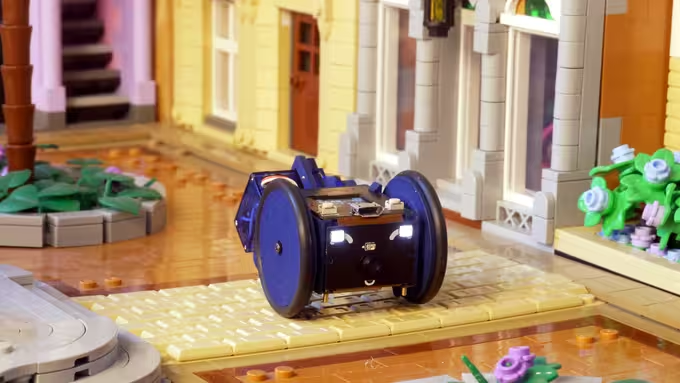
[Charmed Labs] are responsible for bringing numerous open-source hardware products to fruition over the years, and their latest device is an adorably small robotic camera platform called Goby, currently crowdfunding for its initial release. Goby has a few really clever design features and delivers a capable (and hackable) platform for under 100 USD.

Goby embraces its small size, delivering what its creators dub “tinypresence” — or the feeling of being there, but on a very small scale. Cardboard courses, LEGO arenas, or even tabletop gaming scenery hits different when experienced from a first-person perspective. Goby is entirely reprogrammable with nothing more than a USB cable and the Arduino IDE, while costing less than most Arduino starter kits.

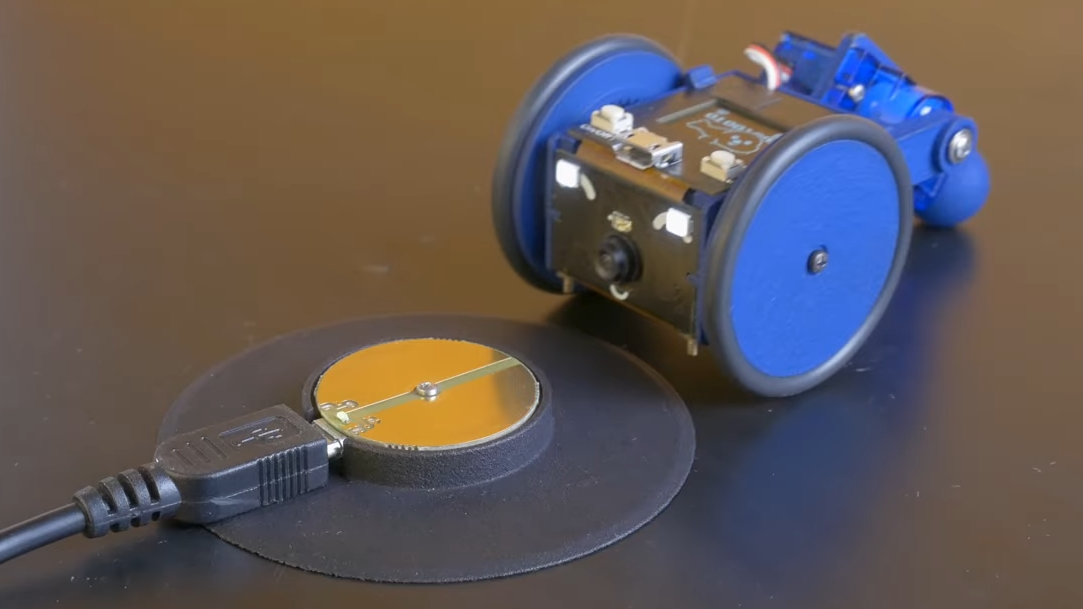
Recharging happens by driving over the charger, then pivoting down so the connectors (the little blunt vampire fangs under and to each side of the camera) come into contact with the charger.

One of the physical features we really like is the tail-like articulated caster at the rear. Flexing this pivots Goby up or down (and can even flip Goby completely over), allowing one to pan and tilt the view without needing to mount the camera on a gimbal. It also comes into play for recharging; Goby simply moves over the disc-shaped charger and pivots down to make contact.

At Goby‘s heart is an ESP32-S3 and OmniVision OV2640 camera sensor streaming a live video feed (and driving controls) with WebRTC. Fitting the WebRTC stack onto an ESP32 wasn’t easy, but opens up possibilities beyond just media streaming.

Goby is set up to make launching an encrypted connection as easy as sharing a URL or scanning a QR code. The link is negotiated between bot and client with the initial help of an external server, and once a peer-to-peer connection is established, the server’s job is done and it is out of the picture. [Charmed Labs]’s code for this functionality — named BitBang — is in beta and destined for an open release as well. While BitBang is being used here to make it effortless to access Goby remotely, it’s more broadly intended to make web access for any ESP32-based device easier to implement.

As far as tiny remote camera platforms go, it might not be as small as rebuilding a Hot Wheels car into a micro RC platform, but it’s definitely more accessible and probably cheaper, to boot. Check it out at the Kickstarter (see the first link in this post) and watch it in action in the video, embedded just below the page break.

Continue reading “Tiny, Hackable Telepresence Robot For Under $100? Meet Goby

The TimeChi Never Shipped, But You Can Build One From Scratch

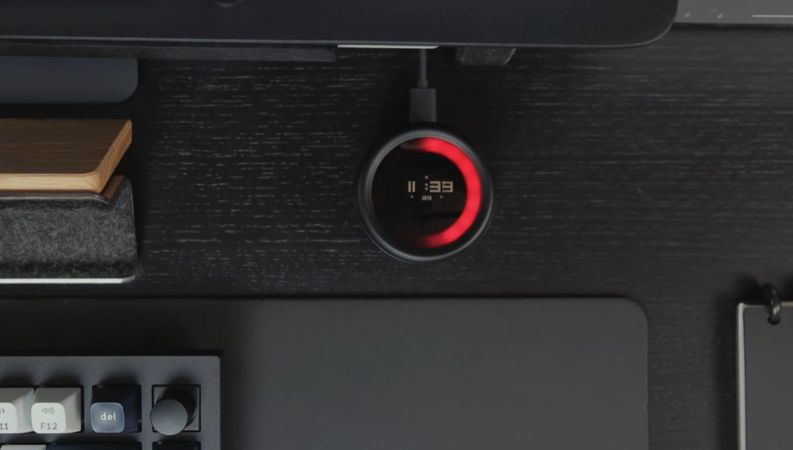
What do you do when a crowdfunded product you really liked gets cancelled? Naturally, you take the idea and build your own version of it. That’s what [Salim Benbouziyane] did when the TimeChi project on Kickstarter saw its launch cut short. This device allows you to set a ‘no distractions’ timer, during which notifications on one’s phone and elsewhere are disabled, making it something similar to those Pomodoro timers. What this dial also is supposed to do is integrate with home automation to set up clear ‘focus’ periods while the timer runs.

A quick prototype of the newly minted Focus Dial project was set up using an ESP32 and other off-the-shelf components. The firmware has to run the timer, toggle off notifications on iOS and trigger firewall traffic rules to block a batch of social media addresses. Automating this with iOS was the hardest part, as Apple doesn’t make such automation features easy at all, ultimately requiring a Bluetooth audio board just to make iOS happy.

After this prototyping phase, the enclosure and assembly with the modules were drawn up in Autodesk Fusion 360 before the plastic parts were printed with a resin printer. The end result looks about as good as the Kickstarter one did, but with a few changes, because as [Salim] notes, if you are going to DIY such a failed crowdfunding project, why not make it work better for you?

Continue reading “The TimeChi Never Shipped, But You Can Build One From Scratch”

Power Supply With Benchtop Features Fits In Your Pocket

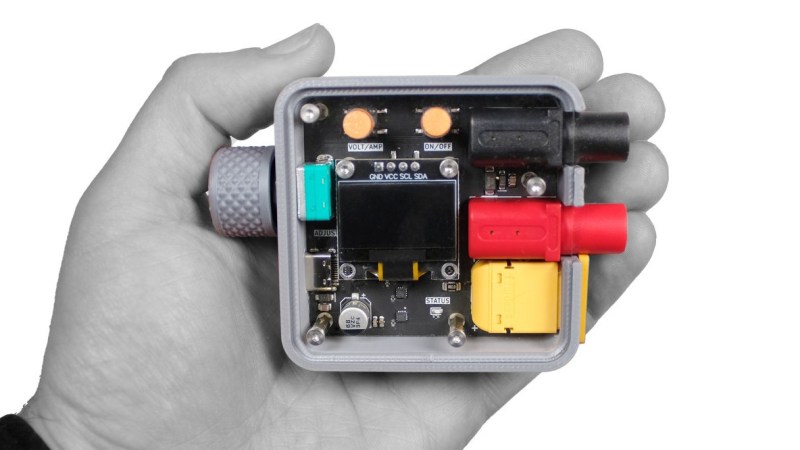
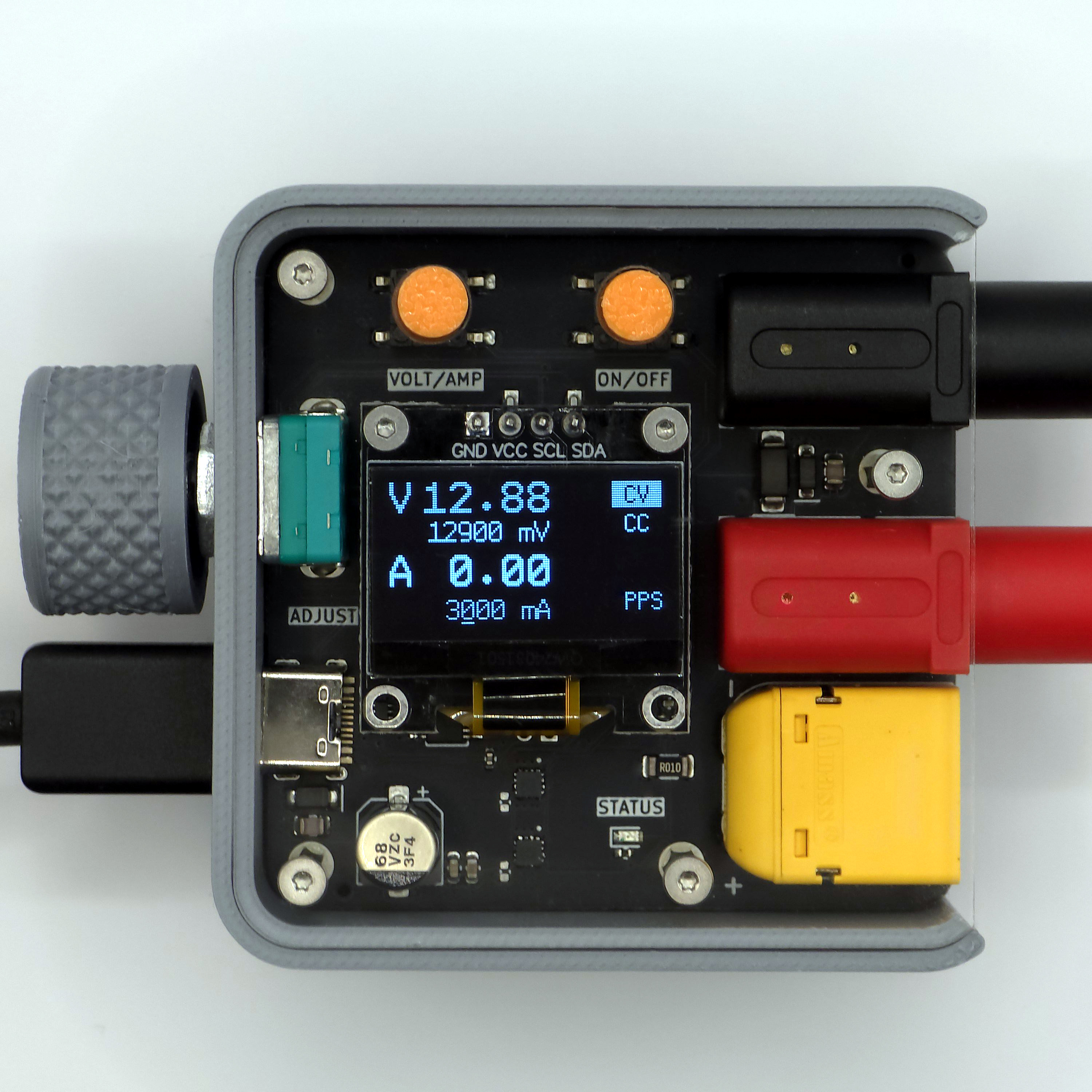
[CentyLab]’s PocketPD isn’t just adorably tiny — it also boasts some pretty useful features. It offers a lightweight way to get a precisely adjustable output of 0 to 20 V at up to 5 A with banana jack output, integrating a rotary encoder and OLED display for ease of use.

PocketPD leverages USB-C Power Delivery (PD), a technology with capabilities our own [Arya Voronova] has summarized nicely. In particular, PocketPD makes use of the Programmable Power Supply (PPS) functionality to precisely set and control voltage and current. Doing this does require a compatible USB-C charger or power bank, but that’s not too big of an ask these days.

Even if an attached charger doesn’t support PPS, PocketPD can still be useful. The device interrogates the attached charger on every bootup, and displays available options. By default PocketPD selects the first available 5 V output mode with chargers that don’t support PPS.

The latest hardware version is still in development and the GitHub repository has all the firmware, which is aimed at making it easy to modify or customize. Interested in some hardware? There’s a pre-launch crowdfunding campaign you can watch.

This Is Not A Laptop, It’s A KVM Combo

A spare monitor and keyboard are handy things to have around, but they’re a bit of a hassle. They are useful for hardware development, plugging in to headless servers, or firing up a Raspberry Pi or similar single-board computer (SBC). If that’s something you do and portability and storage space are important to you, then you may be interested in the CrowView Note.

I got an opportunity to test and provide feedback on an early version of this unusual device, which is functionally a portable spare monitor plus keyboard (and touchpad) without the bulk and extra cables. Heck, it’s even giving me ideas as the guts of a Cyberdeck build. Let’s take a look.

What It Is

It really looks like a laptop, but it’s actually a 14″ 1920 x 1280 monitor and USB keyboard in a laptop form factor.

There is also an integrated trackpad, speakers and mic, and a rechargeable battery. That makes it capable of providing its own power, and it can even function as a power bank in a pinch. There’s an HDMI input on one side, and on the other is a full-featured USB-C port that accepts video input via the DisplayPort altmode.

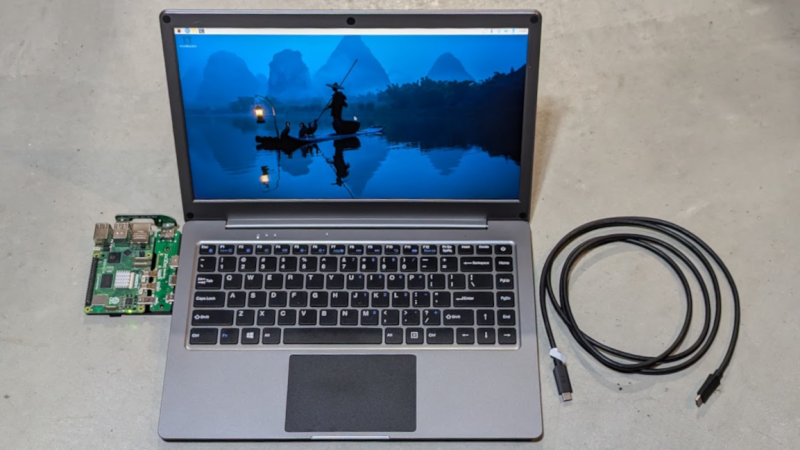
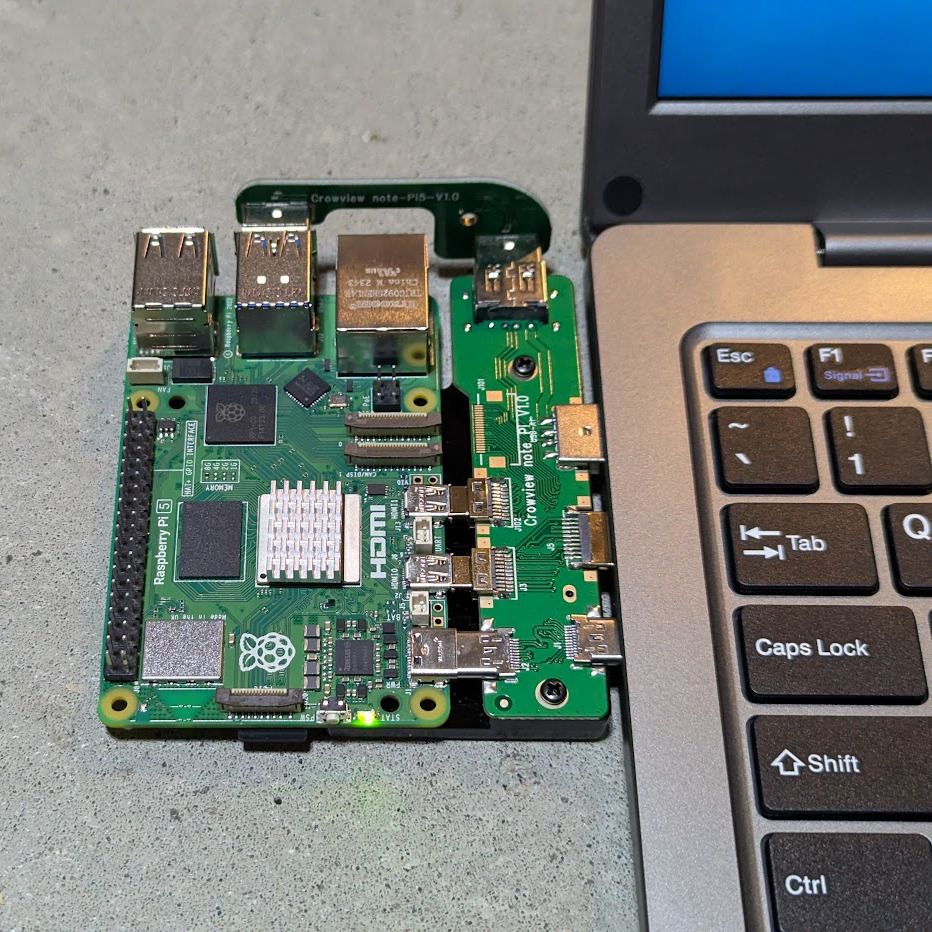
Pictured here is a Raspberry Pi 5 with optional PCB adapter to eliminate cables. The three ports (HDMI in, USB-C 5 V out, and USB-A for peripherals) provide all the board needs.

The CrowView Note is a pretty useful device for a workbench where one is often plugging hardware in for development or testing, because there’s no need to manage a separate monitor, keyboard, and mouse.

It is not a laptop, but attaching an SBC like a Raspberry Pi makes it act like one. The three ports conveniently located on the left-hand side (HDMI in, USB-C out for power to the SBC, and USB-A in for peripherals like keyboard and trackpad) are all that are needed in this case. Elecrow offers a “cable eliminator” PCB adapters to make the process of connecting a Raspberry Pi 5 or a Jetson Nano as simple as possible. The result is something that looks and works just like a laptop.

Well, almost. The SBC will still be a separate piece of hardware, whether connected by cables or by one of Elecrow’s PCB adapters. The result is OK for bench work, but especially in the case of the PCB adapter, not particularly rugged. Still, it’s a nice option and makes working on such boards convenient and cable-free.

Continue reading “This Is Not A Laptop, It’s A KVM Combo”

AI In A Box Envisions AI As A Private, Offline, Hackable Module

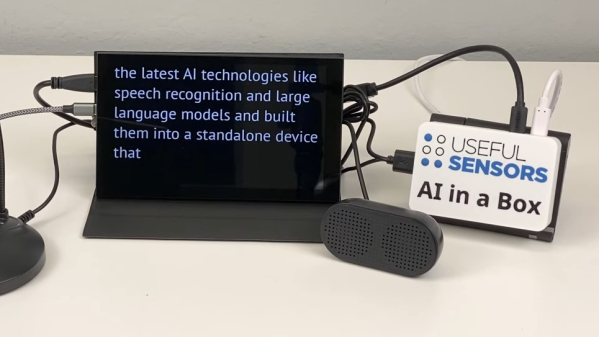
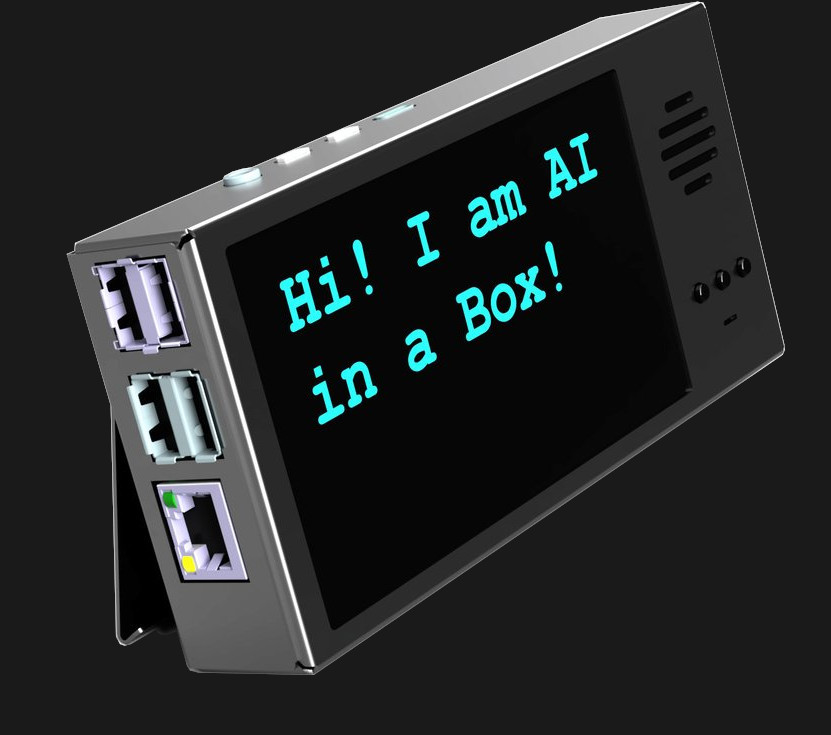
[Useful Sensors] aims to embed a variety of complementary AI tools into a small, private, self-contained module with no internet connection with AI in a Box. It can do live voice recognition and captioning, live translation, and natural language conversational interaction with a local large language model (LLM). Intriguingly, it’s specifically designed with features to make it hack-friendly, such as the ability to act as a voice keyboard by sending live transcribed audio as keystrokes over USB.

Based on the RockChip 3588S SoC, the unit aims to have an integrated speaker, display, and microphone.

Right now it’s wrapping up a pre-order phase, and aims to ship units around the end of January 2024. The project is based around the RockChip 3588S SoC and is open source (GitHub repository), but since it’s still in development, there’s not a whole lot visible in the repository yet. However, a key part of getting good performance is [Useful Sensors]’s own transformers library for the RockChip NPU (neural processing unit).

The ability to perform things like high quality local voice recognition and run locally-hosted LLMs like LLaMa have gotten a massive boost thanks to recent advances in machine learning, and it looks like this project aims to tie them together in a self-contained package.

Perhaps private digital assistants can become more useful when users can have the freedom to modify and integrate them as they see fit. Digital assistants hosted by the big tech companies are often frustrating, and others have observed that this is ultimately because they primarily exist to serve their makers more than they help users.

Continue reading AI In A Box Envisions AI As A Private, Offline, Hackable Module”

The ‘Scope Of This Kickstarter? Ten Years.

It may have taken ten years to come through on this particular Kickstarter, but a promise is a promise. In late August 2023, backers who had since likely forgotten all about the project started receiving their oscilloscope watches from creator [Gabriel Anzziani]. Whatever the reason(s) for the delay, the watch looks great, and is miles ahead of the prototype pictures.

As you may have guessed, it functions as both a watch and an oscilloscope. The watch has 12- and 24-hour modes as well as an alarm and calendar, and the ‘scope has all the features of the Xprotolab dev board, which [Gabriel] also created: ‘scope, waveform generator, logic analyzer, protocol sniffer, and frequency counter.

Internally, it has an 8-bit Xmega microcontroller which features an internal PDI, and the display is a 1.28″ E ink display. When we covered this ten years ago, the screen was the type of Sharp LCD featured in the Pebble watch. [Gabriel]’s ‘scope watch features eight buttons around the edge which are user-programmable. One of [Gabriel]’s goals was for people to make their own apps.

Of course, the Kickstarter rewards are no longer available, but if you want to build your own small, digital ‘scope, check out this DIY STM32 project.

Image via the Company Formerly Known As Twitter