
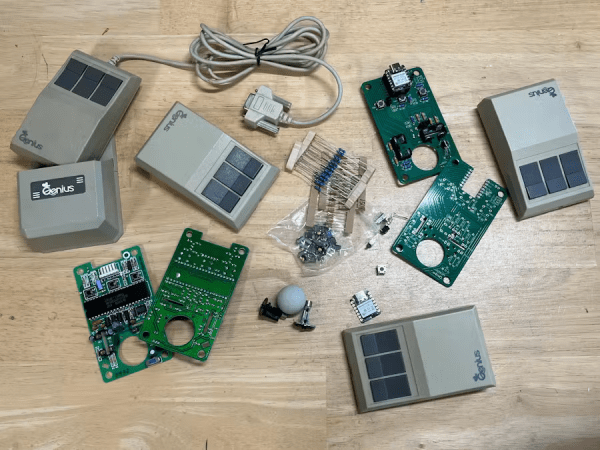
Several mice and their internal electronics

Reviving A Retro Mouse With BlueTooth Low Energy Support

One of the disadvantages to collecting retro peripherals is that they’re not necessarily easy to use anymore. [eSPee77] changes that by retrofitting a Genius GM-6000 mouse with modern hardware, all while preserving the feel.

To make this mouse without compromising on the feel of the original, means replacing the PCB with a new one while retaining the same buttons and encoders. So [eSPee77] did exactly that. At the heart of the conversion lies an nRF52840 on a custom PCB. It uses new optical sensors to read the existing quadrature encoders, and uses the same type of switch for the mouse buttons as the original.

But from there, it diverges because–powered by the BLE capabilities of the nRF–this is actually a wireless mouse! And the modern features don’t end there, either. To support scrolling on a mouse which did not originally have it, you can press the middle mouse button while moving it forward/backward. Finally, as the cherry on the cake, it features an “air mouse” mode using an inertial measurement unit, handy for use in presentations.
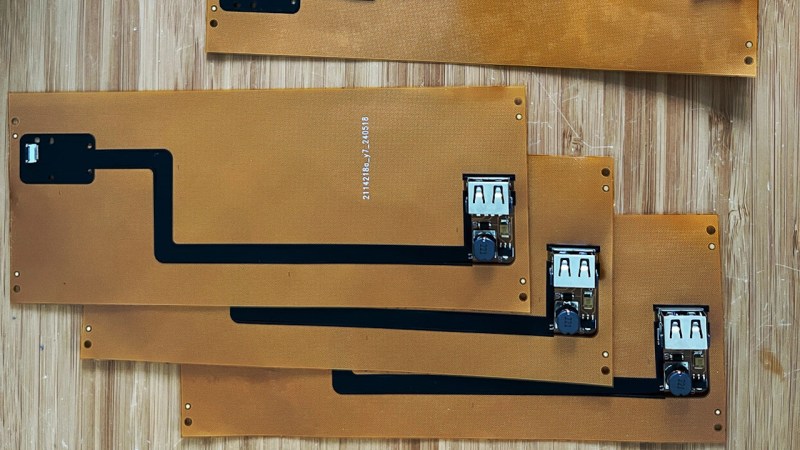

Assembled FPC PCB panels of the project

Give Your Thinkpad X1 Nano An Internal USB Port

How hard could it be to add an extra USB port inside your laptop? As [Joshua Stein] shows, it can be decently hard, but you will have fun along the way. His journey involves a Thinkpad X1 Nano, and his tech setup means it’d be most comfortable for him to have a USB port inside its case, for a Logitech mouse’s USB receiver. It wasn’t smooth sailing all throughout, but the end result is no doubt beautifully executed.

M.2 B-key, A-key and E-key slots have USB 2.0 available on them – you’d think that’s perfect for such a receiver, and there’s even plug and play adapters for this on places like eBay. Unfortunately, none of these, as Lenovo implements wireless card whitelists to this day. Tinkering with the whitelist on [Joshua]’s laptop resulted in BIOS digital signature check failures, and the USB-connected fingerprint reader was ultimately chosen as the most viable path.

Initially, he’s tested the fingerprint reader with an FPC breakout, having the USB connection work – many a hacker would stop here, pulling a few bodge wires from the breakout. [Joshua], however, raised the bar, creating a flexible PCB that would pull the fingerprint connector signals to a spot in the case where the USB receiver could fit neatly, with a 5 V step-up on the board, too.

[Joshua] tops it off by showing a 3D-printed spacer that goes into now-vacant spot where the fingerprint reader used to be. This mod is not open-source as far as we can see, but it’s definitely an inspiration. Want to put even more USB devices inside your laptop? Perhaps a tiny USB hub would help, in line with the EEE PC mods that aimed to stuff the tiny laptop with the largest amount of USB devices possible.








