
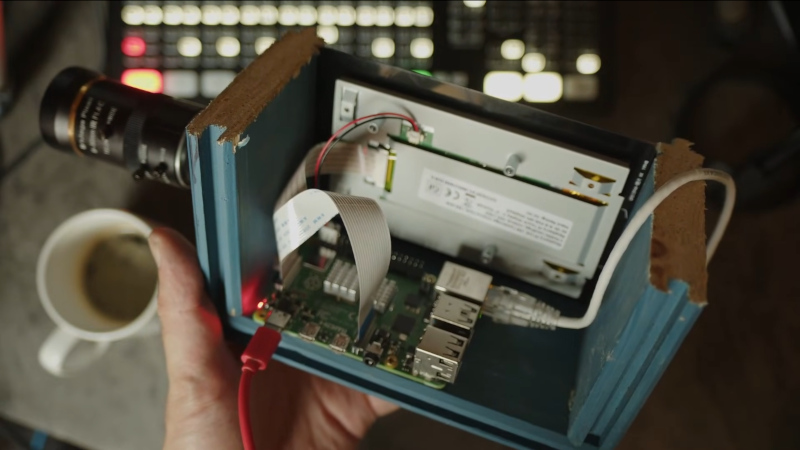
The Raspberry Pi has brought digital camera experimentation within the reach of everybody, with its combination of an accessible computing platform and some almost-decent camera sensors. If there’s a flaw in the Pi as a camera though, it lies in the software, which can be slow and frustrating to use. [Martijn Braam] is here with an interesting project that might yield some useful results in this direction, he’s making a Raspberry Pi studio camera.
His camera hardware is very straightforward, a Pi 5 and touchscreen with the HD camera module in a rough but serviceable wooden box. The interesting part comes in the software, in which he’s written a low-latency GUI over an HDMI output camera application. It’s designed to plug into video mixing hardware, and one of the HDMI outputs carries the GUI while the other carries the unadulterated video. We can see this used to great effect with for example OBS Studio. It’s for now a work in progress as you can see in the video below the break, but we expect that it can only get better.
The video below exposes the obvious flaw in many Pi camera setups, that the available lenses don’t match the quality of the sensor, in that good glass ain’t cheap. But we think it’s one to watch, and could provide competition for CinePi.












Reminded me my version: https://alinacierdem.com/raspberry-pi-film-camera/
Hey author here, It’s actually based on the Pi 4, not the Pi 5 as with the Pi 5 the DSI output is no longer connected to the linux KMS system directly so some acceleration features don’t work on it. My plan is to migrate it over to the Compute Module 4 though.
It’s also not competition for CinePi, that’s more focussed on very high quality video recording and this is purely for streaming video.
You should be able to get a C-Mount to Nikon Mount adapter and then enjoy Nikon lenses.
Surprised you are using Python. Was wondering if you have access to OpenCV libraries with C++.
Like your focus and clipping overlay features.
I think a 4K hdmi Capture capability would be nicer than any Pi Camera. Then you could use any 4K video source. Like a used Nikon Camera… Using the Pi to add your focus, clipping, and effects to the output of a Nikon Camera would be sweet.
I would never spend time trying to use a Portrait display in Landscape mode. Just pick the right display.
Running the pi without a desktop? Interesting.