
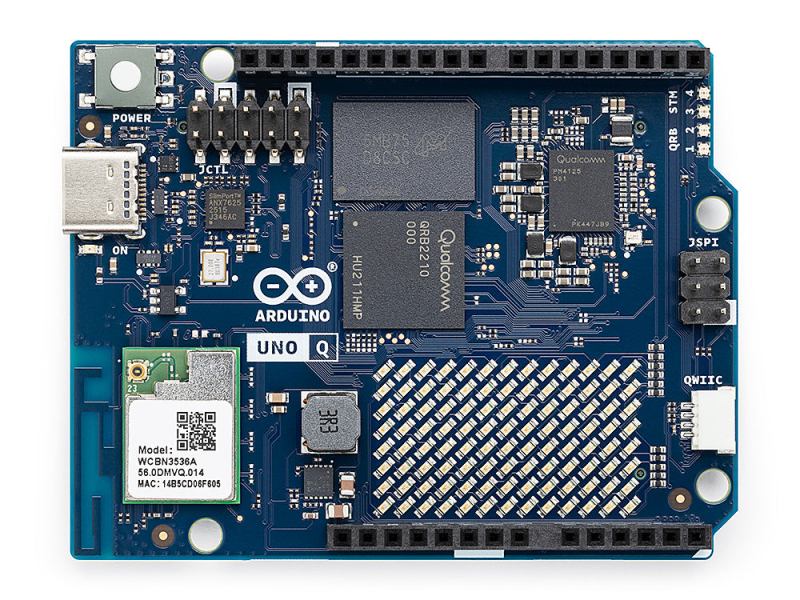
MicroPython is a well-known and easy-to-use way to program microcontrollers in Python. If you’re using an Arduino Uno Q, though, you’re stuck without it. [Natasha] saves the day by bringing us a a subset reimplementation of machine for the Arduino Uno Q.
In the past, microcontrollers were primarily programmed in C, but since MicroPython’s popularity increased over the years, it has become more and more common for introductory microcontroller programming to be in Python. Python, of course, is generally considered more beginner-friendly than C. [Natasha] presumably wanted to teach this way using an Uno Q, but the usual MicroPython APIs weren’t available. And so, in true hacker fashion, they simply made their own library to implement the most important bits of the familiar API. It currently implements a subset of the machine module: Pin, PWM, ADC, I2C, SPI and UART. While not complete, this certainly has potential to make the Uno Q easier to use for those familir with MicroPython.












Still not buying one. Qualcomm can go touch grass
Why even buy a development platform from a vendor who is legendarily against developers? It’s easier and cheaper to just punch yourself in the face!
Don’t care if it does backflips and cook me breakfast. Not touching this Qualcomm dumpster fire designed to gather users’ designs for its own purposes.
There are better boards out there now
Qualcomm is promoting software patents in the European Parliament, I saw an add yesterday.
US companies are buying EU laws.
Boycott Qualcomm, including Arduino.
I would say, yes Python or MicroPython is easy to learn, but I would never call it beginner friendly. It’s more like it’s gatekeeping to not let people know how a machine works. I would not advise anyone who wants to actually learn how program to start with python. Nevertheless, if you are using it as a tool to quickly get the job done and don’t need to care about the performance, python is very well suited and comes in pretty handy.
I would recommend it as a beginners language… and a professional language. As a professional I use it all the time in my work for many many tasks besides C/C++ projects. As a hobby language for home projects, it takes the sting out of leaning C/C++, Assembler, or Rust or whatever. Makes the hobby fun. It’s it so easy to use and forgiving. You can get started right away controlling lights, sensing things, robots/etc. without having to dig into controller datasheets. There are a lot of projects where the performance is good enough. As you said, comes in pretty handy!
As for the subject at hand I only have one Arduino UNO board. It is sitting in a box. My micro processor world revolvers around RP2040 and RP2350 based boards and Adafruit boards. I don’t see why I’d purchase any Arduino boards (no political reason, just no need) at this time.
You don’t teach a 10yo about registers and clocking.
You show them a simple line of code that watches a button to see if it is pressed, and another line that turns an LED on as a result of the first code changing from no to yes.
That’s what ‘beginner’ means.
Someone who is beginning their programming journey, without all the preexisting knowledge and understanding.
Leave stuff like memory management until later.
You mean I can run micropython on /checks notes quad-core 2.0 GHz CPU?
How many different ISAs is this frankenboard using?
Less is more!
No or even negative applause from my side!
Reminder to read the new T&Cs of Arduino since the acquisition by Qualcomm, which essentially grant them ownership of anything that crosses their default cloud IDE.
I won’t touch it with a barge pole.
Any cloud IDE, I would not touch with a 10 foot pole. Got to be an IDE that can run off-internet local. This ‘everything in the cloud’ push is ridiculous for me! But companies that want control of your data really like the concept.
‘Everything in the cloud’ is old enough to vote…
https://github.com/micropython/micropython/pull/18940
MicroPython support for the ST32 as part of the UnoQ