
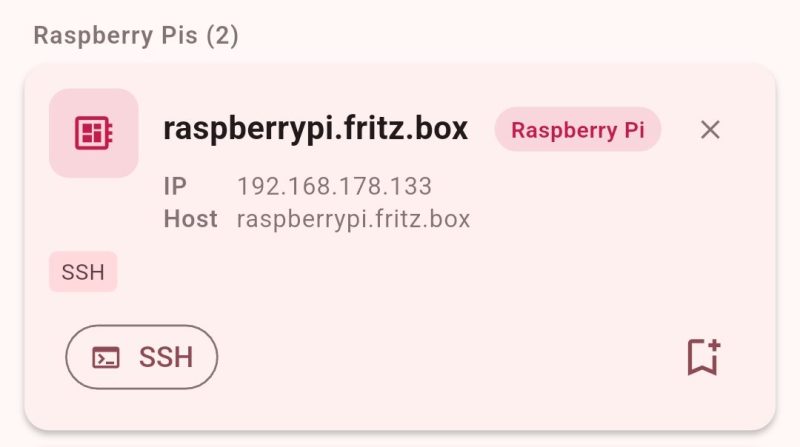
DHCP is great for getting machines on the network with a minimum of fuss. However, it can also make remote administration a pain because you never know which IP you’re supposed to be SSHing into. [Philipp] ran into this problem quite often, so decided to whip up an app to make things easier.
At it’s heart, the app is a simple network scanner—of which many already exist. However, [Philipp] had found that many options on Android were peppered with ads that made them highly undesirable to use. Thus, he whipped up his own, with a particular eye to working with the Raspberry Pi. It’s not uncommon for a hacker to have a few scattered around the home network, and it can be a real chore keeping track of where they all end up in IP land. The scanner can specifically single out the Raspberry Pi boards on the network via MAC-OUI and mDNS detection. Plus, just in case you need it, [Philipp] threw in some GPIO pinouts and electronics calculators just to make the app more useful.
If you’ve been looking for an open-source network scanner without all the ugly junk, this project might just be for you. You can also check out the source over on Github if that’s relevant to your interests. We’ve seen some interesting custom network scanners before, too. If you’re whipping up some fun packet-flinging software of your own, don’t hesitate to notify the tipsline!












Oh my god, you’re so right! Let’s shit on everything we see! I love actively making online spaces feel more hostile.
Bonjour? 🇨🇵
DOUBLE PLUS UN-GOOD
Cope and seethe
Assign a static address to the Raspi in the DHCP server. Problem solved.
But how do I find the MAC of my imaged headless Pi in the first place?
Look at the Leases handed out by the DHCP server.
Weird, I just ssh into its name on .local.
Doesn’t your network support local dynamic dns?
Anyone who doesn’t have local dynamic DNS is missing out. Being able to just use computer names is incredibly useful.
Now that I think about it what would be really good would be setting up subdomains based on rooms and other locations. However, I’m not sure that would be as easy as the setups that link into your DHCP server for auto pathing.
Wouldn’t you just check your router to see what it’s been assigned? I get a notification when a new device connects.
Why is vibe coded slop apps news worthy for hackaday? slow day?
because being able to knock out functional tools in a few minutes with cheap compute is a modern miracle, long term maintenance aside
The equivalent to a wonky schack for a private project is fine. But relaeasing a ruin by default into the wild, is something you should reconsider.
Quick solutions for non existent problems that will bring real problems in the future…
Yeah… Or why not use something well established, like NetAlertX… It’s like solving a non existing problem, or hey I vibe coded this because I didn’t do any research
He probably didn’t feel the need to do much, if any, research… because the AI he used most likely told him something like, “oh, this is a great solution that nobody has ever done before. You’re so smart!”
Last week I thought that still using ARP for ethernet LAN is obsolete.
https://github.com/defdefred/IPv2
IPv6 obsoletes ARP with link-local addressing
hard for me to imagine this problem…whenever i bring up a new host, i figure out its hardware MAC address and give it a fixed IP in my dhcpd, and a name, and forward and reverse DNS entries. It does take me a handful of seconds to think up a unique name these days but it doesn’t seem to be an excessive burden. I still some how, some way, keep thinking up funky ass names like every single day
golf clap Rollin down the street, on a war drive, sippin on gin and juice. Laid back (with my pi on my network and my network on the pi).
Yup, cool I guess.
I’ll stick with checking the Router as a few people have mentioned here, and using
Advanced IP Scanneron Windows.avahi-browse -a -r -tAlso works great if you’re in the terminal
I use something like nmap -sP 192.168.1.0/24
Me too. That is what nmap was designed for…. finding the used IPs in one’s network.
Came here for nmap.
And if nmap can’t help you, then there’s always a smart switch, port mirror, and wireshark. Wireshark niftily parses the OUI too.
Try SNMP Status or MAC Address filtering.
A new machine gets a unique name and then a depending on usage a fixed IP on my Nebula Overlay Network, the certificate installed and that’s it.
No more worries on which segment behind which router or where in the world a device is. Still does not help if the device is turned off.
oh great, HaD comment system is in random association mode again.
Why slop a network scan when you can reserve an IP for a given MAC in the router?
Easier yet to to just give them a static IP. No router involved. Tis what I do on my home network.
Maybe no DHCP involved, but you’ll still need a router if you want to talk to anyone but yourself.
I have two networks in my house, the normal Internet network with all it’s warts, and the home network (no internet access). Printers, servers, automation devices are on the home network (a class B network). Unfortunately the home network still requires a wireless router (example, for communicating to a Pico W). If a device needs access to both networks (like desktops), you need two ethernet interfaces to access simultaneously . Keep these to a minimum of course and bind ssh and other services to home network only and block with firewall on internet side.
There are ethernet switches involved to allow communications between devices.
Rclark meant there’s no router involved for IP addy distribution/management.. not that there’s no need for a router overall…