
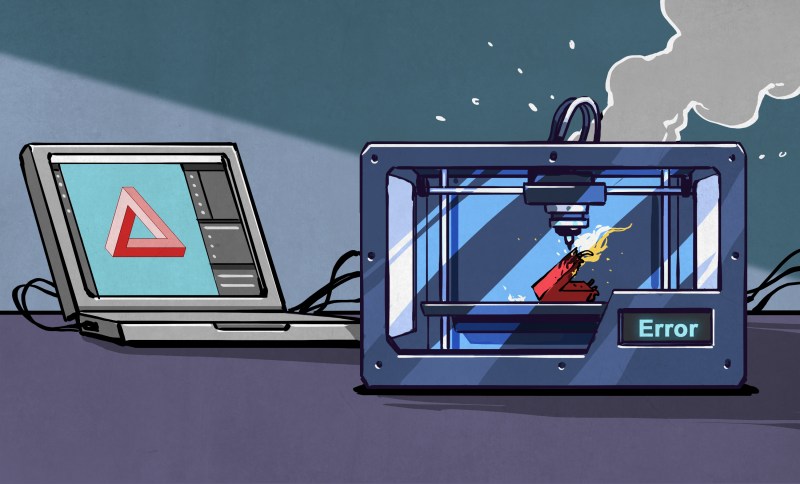
The last year or two has seen relatively affordable multi-material printers hit the market, and the question that [Tom Nardi] and I were kicking around when he was writing up the 2025 year-in-review article was what it was going to mean for our folks. I don’t think he got it wrong per se, but his heading for that section “Grandma is 3D-Printing in Color” only tells half the story.
He did get that part right, though. We’ve certainly seen a flourishing of multi-material designs out there that take advantage of the availability of (usually) four colors. The ability to print in color has given life to the purely decorative models, of course. Think full-color Pokemon desktop toys, for instance. But even functional prints have benefited from contrasting color labels printed right into the box, not to even mention the multi-material supports that pull off easier and cleaner than ever before.
Since most of these multi-filament machines are pretty much locked down as far as hardware tinkering goes, our sights were firmly locked on what the end-user would do with the new capability. But we overlooked the third axis of 3D printering: the software hackers. And it’s precisely in this area of slicer and path-planning that we’ve seen some of the coolest developments this year. Why? Because people have the hardware in their hands that they need to test out the algorithms.
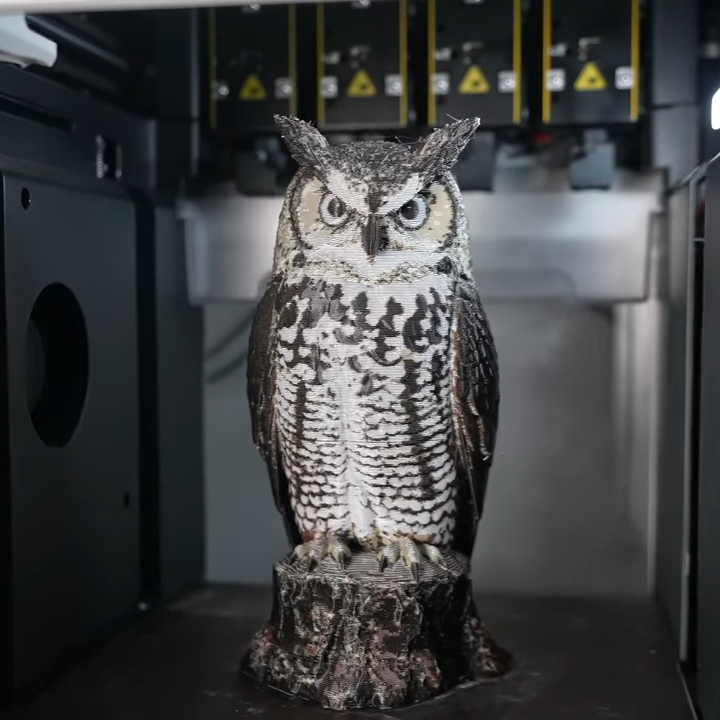 FullSpectrum and the more recent ImageMap are two techniques to get the missing in-between colors out of a four-filament printer, and in particular ImageMap tries to get the job done faster, and with fewer purges. We are amazed to see two different approaches to color blending popping up in just a few months of each other, and we have no doubt that work on this is going to continue.
At the end of the day, this really is just “put new tools in the hands of creative hackers, and they’ll find new ways to use them”, so we shouldn’t have been surprised at all. But if this is what comes out of the commercialization of the multi-material printer, what’s going to come when some of the more esoteric machine designs go mainstream? We can’t wait to find out!












I’m still not clear on why multimaterial printers don’t do the color-change purging as infill. Why does it have to be an unused external tower?
I thought Prusas did this?
Only in subscription firmware.
“ Only in subscription firmware”
Wipe to infill has been an option in PrusaSlicer for years and isn’t a firmware feature at all let alone a ‘subscription firmware’ one.
lmao, it’s a slicer option
LOL no.
They do purge into infill. The tower is used to wipe the nozzle and ensure the filament is flowing smoothly after the swap, it gets rid of oozing that’d cause zits etc, just like that line of filament most slicers place at the front of the plate before starting a print. You can also reduce the size of the tower or disable it entirely in your slicer.
Does that mean that it uses infill to wipe the nozzle, or does it use the otherwise purge waste material to create actual infill?
Have you seen the volume of material that is required to purge from one color to another? Look at the pile of Poops a bamboo printer drops when it makes an object. Its quite common for the poop volume to equal or exceed the part volume. If your part has 3 colors on a single layer you cant fit 2 purges into the infill. Its just not practical. Thats why it has to be an unused external tower. Thats also why swapping heads beats the single nozzle system by leaps and bounds.
Mainly because it isn’t purging, but priming. Lack of priming can lead to inconsistent extrusion or excessive stringing. Ideally you wouldn’t drag that into the infill of a part since it must first cross the perimeters (which are probably also better printed first).
You can do this in the slicer. In Bambu Studio (and presumably Orca and Prusaslicer) there’s a tick box for “purge into objects’ infill” and another for “purge into objects’ support”.
The issue comes with the different colors though – a light color outer wall(s) with dark infill will show through. Dark walls/more walls will reduce this.
The real driving force in the coming wave of Grandma s 3d printing in color is the rising number and dropping price of companies starting to offer printers based on EPSON UV inkjet technology. In the last few months the price of printing very high resolution full gamut 3d objects with water soluble supports at home has dropped from the unobtainable $50k entry level mimaki to approachable luxury of the $3300 kickstarted ($5400 msrp). With Specs like 420x330x130mm build area,1440 × 2400 DPI xy resolution, 10–30 μm Z layer thickness, 10M+ Colors, and Water-Soluble Supports that mean the part is clean. free of witness marks, and looking like a store bought object, They even incoporated an AI model generator that does 3d to full color printable model, as well as text prompt to model capability.
The model Inew 3d debuted just a few weeks before Heygears was more expensive with a smaller build area but otherwise was very similar down to the AI driven capabilities. Given the price of Epson UV capable printheads I dont think the price can drop too much from the $3-5K range but that hasnt really stopped UVDTF from becoming more and more common, so I doubt it will slow the 3d version down either.
This technology beats FDM in every way but initial price. Even the price of the necessary resins has dropped substantially
Printfarms running arrays of these systems and buying their resin in drums will likely be the real driver behind this technology though. Sure some of us will pay the premium to own the tech but I suspect that the pic or prompt to package the next day or next week is going to be how most people will experience 3d color models in the near future.
But until then If grandma has the dough she is REALLY going to be 3d printing in color soon.
That ink diaper is going to get filled quick.
10-30 micron surface roughness is not “store bought” quality, unless you buy stuff made out of sandpaper. If you want to compare finishes in plastic, the printer can do approximately VDI 42-45 or worse. It’s a heavily textured surface.
Reference image
https://www.plastopialtd.com/wp-content/uploads/2025/08/Sodick-VDI-3400-Ref-Steel-Plate_VDI-36-to-45-1.jpg
Perhaps a second step with a software controlled painter (on a single color print) might be a trick to try.
I mean if you know the geometry and position then theoretically you could simply paint the print.
Of course you’d need to design a painting mechanism, but there are plenty of clever people that should be able to do that part surely.
You can for instance have a delta printer hold a brush and then AI train it how to paint surfaces by letting it observe those insanely talented Chinese people and such.
Oh, uhm, am I now starting a move to destroy human artist and have a offshoot industry of machines that make fake copies of masters? Perhaps you should ignore my remarks, sorry.
Hmm, a UV resin printer with a bottle and UV-“extruder”?