
I recently found myself in the market for a few IP cameras to keep an eye on my Prusa 3D printers, and quickly found that the options on the market weren’t exactly ideal. Prusa does offer up an official camera, but the price for a pair of them was a bit more than I wanted to spend on the project. Conversely, there’s no shortage of cheap network-connected cameras available online, but they come with expenses of a different sort, namely proprietary software and cloud services I didn’t want or need.
Somewhere in the deep and dark recesses of this particular rabbit hole, I came across a Reddit post mentioning how a camera running the community-developed Thingino firmware could be plugged into Prusa’s remote printer monitoring scheme. It wasn’t a project I’d heard of previously, and sure enough, a search of the Hackaday back catalog showed we’d never come across it before.
My interest was already piqued, but the discovery that I already owned a supported camera sealed the deal. It was time to explore a new entry in one of my absolute favorite project categories: an open source replacement firmware that turns a cheap consumer device into something more than the sum of its parts.
Joining the Thingino Club
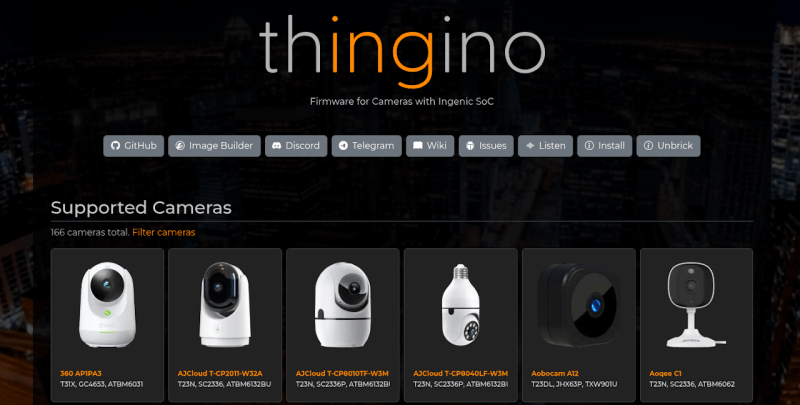
Thingino is a Linux-based firmware for cameras based on the Ingenic system on a chip (SoC), and as of this writing, boasts support for 166 cameras. There are some interesting entries in the compatibility list, but perhaps the most notable are the dozen or so cameras from Wyze, as they have enjoyed considerable commercial success and can be had cheaply on the second hand market.
If like me you happen to have a Wyze Cam 2 collecting dust, you’re in luck. As I soon found out, these devices happen to be supported by what the project calls a “No-Tool Installer.” That is, the installation mechanism for Thingino is the same as it is for official firmware updates: place a file on the micro SD card, power up the camera, and wait.
The situation is somewhat more complicated for most of the other devices on the list, however. While firmware images are provided for the devices that are officially supported by Thingino, most of them don’t have such a user-friendly installation procedure.
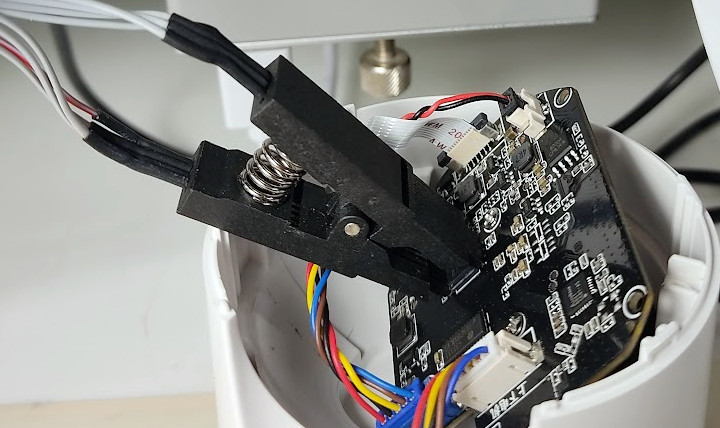
Depending on the specific camera, you may have to crack open the case and connect a USB-to-serial adapter to the board to get the image flashed. On some models, you’ll even have to pull the flash chip off the board and pop it into an external programmer. The project’s wiki covers how to perform the installation on a per-device basis, so you can get an idea of what’s involved before diving in.
Now, I have complete confidence that the average Hackaday reader is more than up to the task of installing Thingino on even the most stubborn of targets. There’s an excellent chance many of you have a USB-to-serial adapter within arm’s reach at this very moment, and a few readers probably even have their CH341A chip programmer connected and warmed up from some other project.
Still, there’s a difference between what one is capable of doing and what they actually want to spend their evening working on. So if you’re looking to get in on the action as quickly and as easily as possible, the current recommendation from the community is to pick up the Cinnado D1.
That’s what I ended up doing after kicking the tires a bit on the Wyze Cam 2. Amazon had them for $10 each, and they arrived on my doorstep the next day. Put the firmware image on the SD card, stick it in the camera, and you’ll be basking in the glory of open source in just a few minutes.
Opening the Toy Box
The first-time setup for Thingino will be familiar to anyone who’s configured a modern smart gadget: wait until a new WiFi device pops up, connect to it with your phone, and soon you’ll be presented with a configuration page where you can give the camera a name and point it towards your wireless network. To be clear this doesn’t strictly need to be done with a phone, and a laptop or other WiFi-enabled computer could technically get the job done.
Once the camera has this basic configuration information, it reboots and connects to your network. From there you’ll be doing most of the setup and operation of the device through the web interface, though more seasoned penguin wranglers can SSH in and get full access to the underlying system.
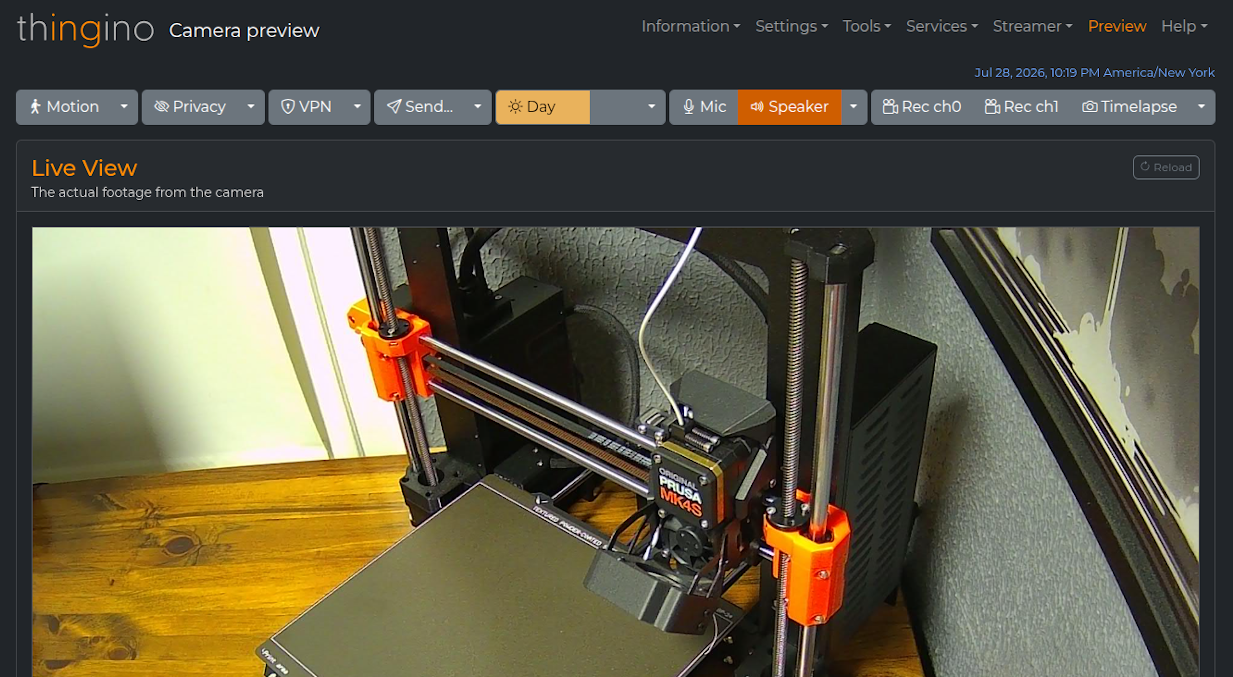
At the most basic level, Thingino offers up RTSP video streams as well periodic still snapshots to any device on the network. If that’s all you need, awesome. You can pretty much stop reading here, point vlc or mpv to the camera’s IP, and be done with it.
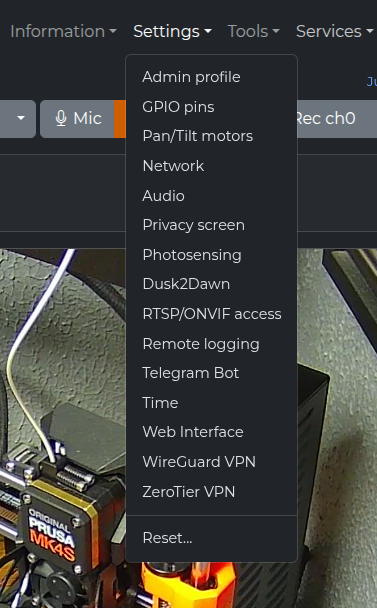 But if you want to dive a bit deeper, there’s an incredible amount of capability built into this firmware. You can enable on-device motion sensing, and configure what you want the camera to do when something triggers it. For example, you could set it to push the video clip to your FTP server and fire off an MQTT message when something passes by. It supports connecting to VPNs, multiple video streams, OSD customization, day/night detection, timelapse recording, and Home Assistant integration.
Although support is limited to just a few chipsets, Thingino even works with USB Ethernet adapters for situations where wireless won’t cut it. At the other extreme, the camera can also be setup to work independently of any network by operating as an access point for client devices to connect to directly.
For cameras with pan and tilt motors like the Cinnado D1, you can slew the camera around from the web interface and tweak the speed and acceleration settings to your liking. You can even have it remember specific camera positions and return to them later.
There’s truly a dizzying array of features and options in Thingino, and even after playing with the firmware for a week or so now, there are still menu options I haven’t fully explored. It reminds me of the first time I ran DD-WRT on the Linksys WRT54G in that the firmware elevates the device to a whole new level, introducing new capabilities that normally wouldn’t be present on a consumer-grade product.
Complete Control, If You Need It
As impressive as the web interface of Thingino is, that’s really only scratching the surface of what the firmware can do. Underneath it all there’s a full Linux operating system ready to do your bidding, and once connected over SSH you’re free to do whatever you wish. There’s even a sysupgrade tool that lets you pull down the latest firmware release and install it on the live running system, just in case things have been working too smoothly and you’re in the mood for some excitement.
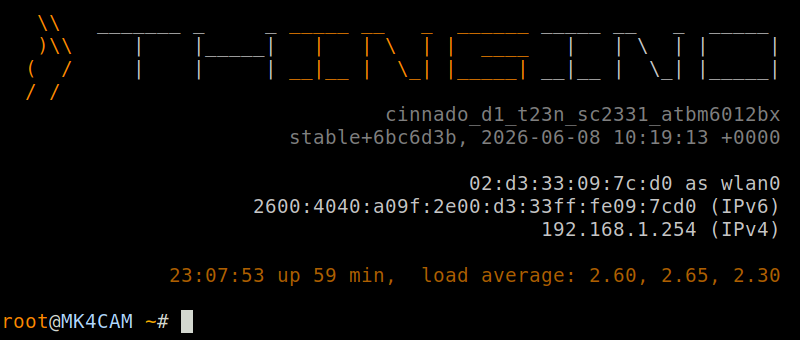
It’s this low-level access that brings the story full circle in my case. Remember that I started down this path because I wanted to push images from the camera up to Prusa Connect. While there’s actually official support for Prusa Connect in the Thingino development branch, it hasn’t yet been merged into the mainline. In the meantime, I’ve got a Bash script that runs on the camera and uses curl to push images into Prusa’s API.
While the vast majority of users will likely never have to SSH into their Thingino camera and run their own scripts and software from the terminal, the fact that the option is there is what’s important. This project is an excellent example of how you can simultaneously provide everyday usability with the freedom demanded by more advanced users.
If you’ve got an old camera that you end up installing Thingino on, or if you’ve already been running it and have thoughts and experiences you’d like to share, let us know in the comments below.












The Cinnado D1 is limited to 2.4GHz Wi-Fi. What camera is recommended for people who like RJ45 cabling with or without POE. That is supported by the current Thingino firmware.
Nevermind, I did a search using “site:thingino.com supports Ethernet” and found one hit “Jooan W3U” (T23N, SC2336P, ATBM6132BU).
FYI: “Only one sensor is supported at a time”, the Jooan W3U has two.
I built on your Google-fu, to get a few pages of cameras with Ethernet support, by looking for a slightly modified string.
site:thingino.com “Ethernet: true”
I think this is the only supported camera with a built in Ethernet jack. Any supported camera with a USB port supports USB->Ethernet adapters: https://github.com/gtxaspec/thingino-wiki/blob/master/docs/USB-Ethernet-Networking.md
Here are the 2MP+ sensors that have at least one camera config with wired Ethernet PHY:
Sensor
MP
Example Camera Config(s)
GC2053
2MP
Imou Ranger 2, Vanhua AK54
GC2083
2MP
Vanhua DJZ, H33, L34; Jienuo JN107ARD
GC4023
4MP
Vanhua H53E
GC4653
4MP
Sim Simp400T, Vanhua FJZ, Z55, Z55I
IMX307
2MP
Vanhua S37I
JXQ03
2MP
Feisda HD620
OS02G10
2MP
Wansview W6
OV2735B
2MP
Wansview W6
PS5260
2MP
Wansview W5
SC2235
2MP
Howell QJ05T
SC2332
2MP
HC 3301YMT1
SC2336P
2MP
Jooan W3U
SC4236
4MP
Jooan F2T
SC4336
4MP
ZTE K540 (v1 & v2)
SC5235
5MP
Jienuo JN107ARE
Sadly almost none of those seem to be easily available. Would love to be proven wrong here.
when we have an open source firmware for inkjet printers then we will finally be miserable and pwn everything
Well, open printer is supposed to come out soon. It’s a brand new, open source printer. But it’s not using flat paper but from a roll. At least it’s something.
The one issue there is that they say its firmware will not be FOSS, but rather be released under CC BY-NC-SA 4.0 like the rest of the printer.
Don’t get me wrong: it’s still better than fully proprietary, but using a license suitable for software for it’s firmware would have been better.
Let me guess. This paper, it’s… proprietary? And only available to purchase through an auto-renewing monthly subscription?
As open-source I think paper tray can be added easy, but other thing is more scary then your idea: it’s based on Epson cartridges with integrated printhead. How this thing can survive? I think Epson will destroy this thing. Even if there is nothing wrong with this use – they can sue to the point authors just drop the idea.
Epson cartridges don’t have integrated printheads, Epcot print heads are piezoelectric and too expensive to be throwaway. Canon and Hewlett Packard printers use bubble jet heads which are powered by sending electric current through the ink causing it to boil and spitting a droplet of ink.
Lots be of large format printers use epson printheads.
I don’t think any of the printer comp would try to prevent anyone from using their cartridges or ink. That’s how they make money. The printers themselves they sell at a loss. Someone else making printers for their carts and ink would be great for business.
It uses older HP compatible cartridges (HP 63 / 302 compatible) with the print head built-in, and where (at the moment at least) there’s a rich after-market supply and the cartridges I think have been reverse engineered for a while.
https://www.crowdsupply.com/open-tools/open-printer
The roll is just there b/c it makes the paper-feed problem a lot easier. Sheet-feeds are super complicated.
I wonder, though, if you couldn’t just cannibalize one from an existing machine…
Does someone know of a replacment for O-KAM pro ? It’s an android app to manage your security cam.
a diary of hacking an ‘EseeCloud’ camera based on the Anyka platform http://galexander.org/eseecloud/
Dafang Hacks, that runs on the Ingenic T20 (Wyze Cam 2, et al.), seems to have been overlooked, also.
Rather than overwrite the native firmware, it runs off an SD card, subsequent to an innocuous boot-loader ‘upgrade’.
Loads of features!
I actually did have Dafang Hacks on the Wyze cam originally (incidentally, replacing Dafangs with Thingino can require extra steps which are covered in the docs), but as far as I know development of that project stalled out a few years ago.
Having used both, I can tell you that Thingino offers far more features and configuration options than Dafang. But as you say, Dafang has a certain appeal as you can quickly return to the stock firmware.
Thingino is awesome, but having to build custom firmware for it so as to cram in the features you need and remove the ones you don’t to fit on tiny SOCs is a minor PITA.
Most users won’t need to customize their Thingino builds – our github builds should cover the vast majority of folks. if you do have something specific you want to add/change/do or want to participate in development, we have a super easy container-based builder and our package selection and customization capabilities are both powerful and easy to use. And we’ve got our whole team on or Discord and Telegram channels if you have any questions etc!
I did this with my Wyze 2 cam and it worked great. I used the SD card method and it was easy. BUT i have need for a IP camera now. What do I do with it?
Thanks for the inspriation, got one d1 for 15€, flashed it and will use it as high end baby monitor! Lets hope for a high waf (wife approval factor)!
I just found thingino and I am switching some Wyze V2 cameras to it. I may pick up a Cinnado D1 for monitoring the 3d printer and to see what openclaw can do with it.
WLTechBlog I just came across your channel a few days ago and saw you were working on the Wyze Cam v4. Then today or last night you got it working and uploaded to GitHub.
https://github.com/wltechblog/thingino-installers/tree/main/wyze-cam-4
I do have a Wyze Cam v4 but the reset button is broken so I’ll have to take apart at some point.
You also posted about a 2k camera that was on sale that you picked up for $15 each that I also just ordered today to try once you get that working. The Noorio 2K Indoor Security T110
with coupon code at checkout ( 6BUSJ6C7 ). Got 2 in case I messed one up. https://link.amazon/B0eWmWCRz
So obviously this interests me.
Good article by the way.
On a side note this is the reason why some people purchase your products.
Reason I got Asus routers is because of Asus Merlin 3rd parry hardware.
Now for certain Asus BE models there is a gentelmen that is taking Merlin”s work (he helped a little bit on SNB forums) and making them more secure and uploading the code to GtHb too.
https://www.snbforums.com/threads/reaper-v3-0-0-beta-starting-to-look-like-a-real-firmware.97846/
https://github.com/TheUnboundDeveloper/AM-Reaper/releases
Which I am following and might put on my BE router in like 2 months or so.