
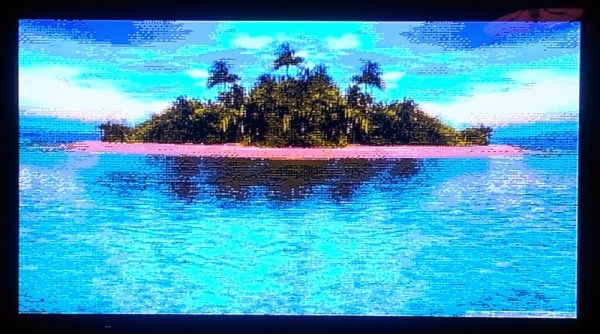
There are a few dozen classic re-imaginings of classic game consoles, using hardware ranging from the ATMegas of the Uzebox to everyone’s favorite, stuffing some ROMs on a Raspi and calling it a day. You don’t necessarily learn anything doing that, which puts [Mike]’s custom game console head and shoulders above the rest.
The build started off as a plan for a Z80 computer with a dual ATMega GPU. He progressed far enough in the design where it would have been a masterpiece, but the inability to mill double-sided boards at home killed the design. Plans then moved on to an FPGA, then to an ATMega with the Analog Device AD725 PAL/NTSC encoder chip. That idea had a similar architecture to the Uzebox, but [Mike] wanted more power. He eventually settled on a PIC32 with the AD725.
This setup was capable of pumping out some impressive graphics, but for moving bits to a screen, you need DMA. [Mike] ran into a problem where the DMA timer runs at a maximum rate of 3.7 MHz. It’s a problem documented in a few projects, leading [Mike] to change his plan once again, this time to the STM32F4.
The bugs are worked out, and now [Mike] can stream a whole lot of pixels to a screen while still having some processing power left over to play a game. It’s a project that’s more than a year and a half old at this point, and so far he’s learned a lot.
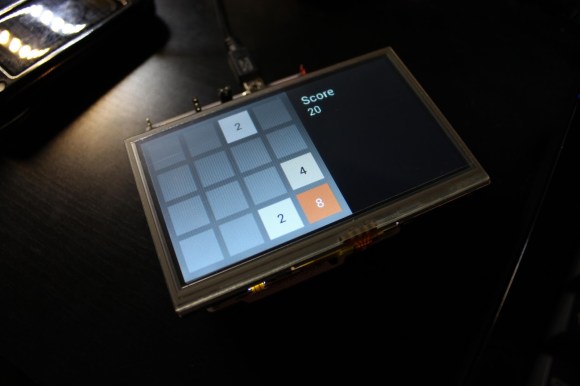 How ’bout that 2048 game? Pretty addictive, huh? Almost as addictive as embedded systems are, at least if you’re [Andrew]. Armed (pun intended) with a Nucleo F4 and a Gameduino 2 shield, he decided to have a go at making








