Game Cube Hot Tub Animation Brought Into Real World

Unlike the current era where most consumer electronics are black rectangles, or the early 90s where most consumer electronics were black rectangles, we got a brief glimmer of color, light, and hope in the 2000s. Cell phones had all kinds of shapes and sizes, laptops came in bright colors, and even video game consoles got in on the fun. The Nintendo GameCube not only featured its namesake shape but came in several vibrant colors, most famously a bright purple. In fact, its design was such a hit that it continues to inspire artists and console modders alike. An animator named [kidd.gorgeous] recently envisioned a GameCube as a hot tub, and [BigRig Creates] set out to make this animation a reality.

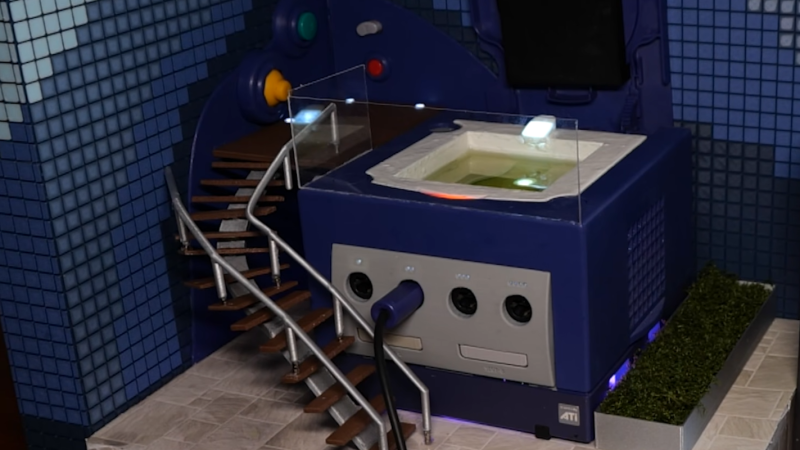
Of course, this won’t be a life-sized hot tub capable of holding a human, but [BigRig Creates] did want it to be a usable, playable Game Cube with all of the features from the animation present in the final version. Since the lid won’t be operational with a hot tub model on the top lest all of the water spill out every time a game is changed, he’s modified it with some modern tools to hold his games inside the console itself. With the case open he’s also added the LED accent lighting featured in the animation as well as added the 3D-printed hot tub to the top. The hot tub is filled with mineral oil for electronics safety, and has a small pump built in to give the appearance of a working hot tub.

The buttons around the outside are functional as well, toggling the various lighting features and hot tub operation. And of course, the console diorama is fully playable, with the staircase railing able to easily detach in order to access the leftmost controller ports. It’s a faithful adaptation of the original animation, and [BigRig Creates] has a few games on queue that are properly themed for the new hot tub addition like Wave Race 64, Super Mario Sunshine, and Pool Paradise.

Continue reading “Game Cube Hot Tub Animation Brought Into Real World”

Fidget Clicker Becomes Miniature Game Console

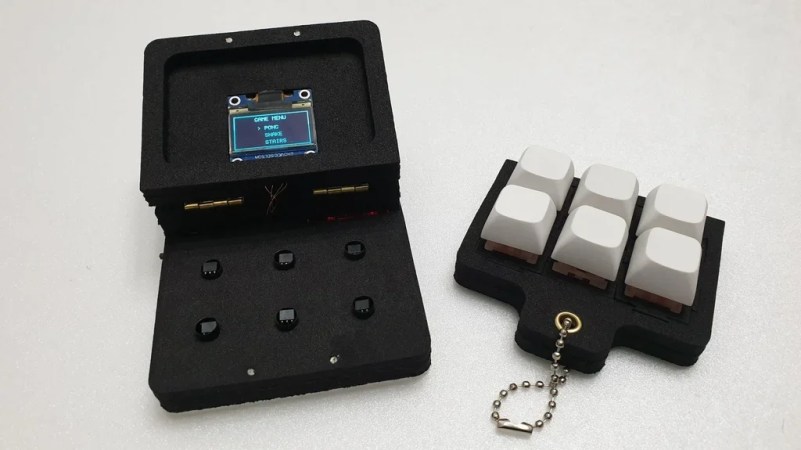
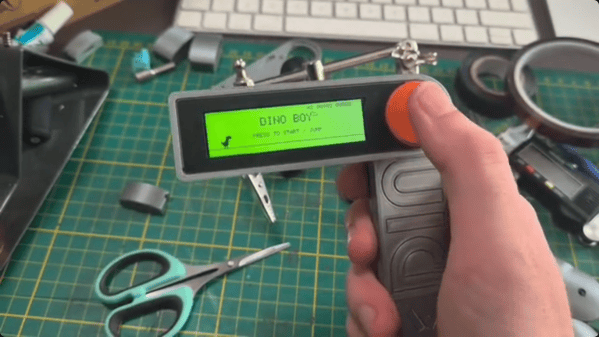
Fidget toys are everywhere these days. A particularly popular type simply puts some keyboard switches on a plate to provide a certain type of clicky satisfaction. [wjddnjsdnd] took that concept a step further, building a keychain-sized fidget toy that actually has games on it.

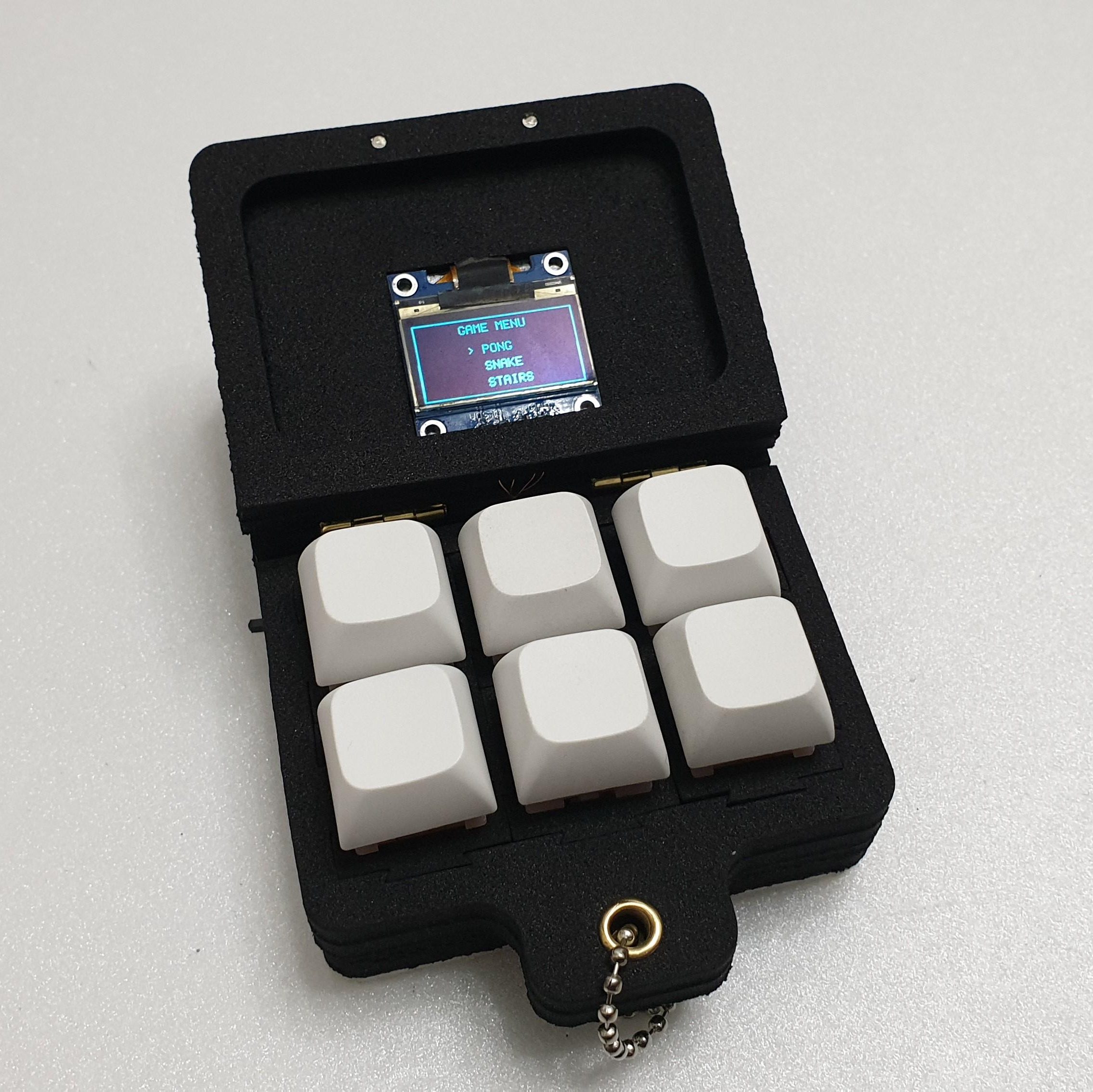
The build is based around six key switches in a 2 x 3 array. The key switches are notable in this case for being magnetic shaft keys. Rather than using a mechanical switch to indicate a keypress, the keycap instead merely moves a magnet which triggers a signal in a hall effect sensor beneath the key. In this case, the build uses A3144 hall effect sensors, which are read by the Arduino Nano running the show. The Nano is also hooked up to a small SSD1306 OLED display over I2c, which it uses for displaying the game state. There’s also a TP4056 module to handle charging the attached 380 mAh lithium-ion battery which powers the pocket-sized device.

The Arduino Nano is not a powerful platform for gaming, but it can handle the basics. The Gamebox Clicker, as it’s called, features a Pong clone, a stairs game, and a recreation of Snake. Think early mobile phone games, and you’d be on the money.

It’s an interesting build, and one that would be a great way to get used to using magnetic key switches as well as small embedded displays. We’ve seen Arduino boards turned into microconsoles many times before, too. If you’d like to sound off about magnetic vs. mechanical key switches, jump into the comments, or otherwise let us know about your best electronic fidget projects on the tipsline. Happy hacking.

Whipping Up A Quick Adapter To Hack The Xbox 360

[Androxilogin] had a problem. An Xbox 360 Slim had shown up in the post, but failed to give much more than a beep when turned on. Disassembly revealed some missing components, but replacing them failed to breathe life into the beleaguered console. Deeper repair was needed, and that would require a special adapter which [Androxilogin] was able to whip up from scratch.

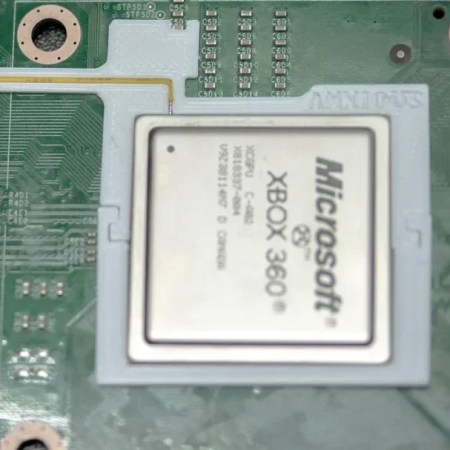
When it comes to the Corona models of the Xbox 360, it’s often necessary to use something called a “post-fix adapter” to do certain diagnostic and repair tasks. These adapters consist of a bracket which wraps around the CPU, and probes the solder ball for the POST_OUT signal which is otherwise difficult to access on the motherboard itself. Adapters are readily available online, and are usually manufactured as a PCB with a protruding contact to make a connection.

For [Androxilogin], though, time was short. Rather than wait for adapters to ship, it was quicker to whip up a custom piece to do the same job. This was achieved with a 3D print which was able to clamp around the CPU, while snugly holding a piece of tinned 30 AWG wire to poke the critical point beneath the chip. After a couple of attempts to get the sizing just right, [Androxilogin] was able to make the necessary connection which enabled installing Xell Loader on to the machine to bring it back to life.

If you’re eager to make your own post-fix adapter, files are available on Printables, with more details over on Reddit to boot. While the Xbox 360 is starting to suffer some awkward symptoms of age. we nevertheless still see a steady stream of hacks come in for this vintage machine. If you’re tackling your own retro console mods, be sure to notify the tipsline.

Internet-Connected Consoles Are Retro Now, And That Means Problems

A long time ago, there was a big difference between PC and console gaming. The former often came with headaches. You’d fight with drivers, struggle with crashes, and grow ever more frustrated dealing with CD piracy checks and endless patches and updates. Meanwhile, consoles offered the exact opposite experience—just slam in a cartridge, and go!

That beautiful feature fell away when consoles joined the Internet. Suddenly there were servers to sign in to and updates to download and a whole bunch of hoops to jump through before you even got to play a game. Now, those early generations of Internet-connected consoles are becoming retro, and that’s introduced a whole new set of problems now the infrastructure is dying or dead. Boot up and play? You must be joking!

Continue reading “Internet-Connected Consoles Are Retro Now, And That Means Problems”

Recreating A Homebrew Game System From 1987

We often take for granted how easy it is to get information in today’s modern, Internet-connected world. Especially around electronics projects, datasheets are generally a few clicks away, as are instructions for building almost anything. Not so in the late 80s where ordering physical catalogs of chips and their datasheets was generally required.

Mastering this landscape took a different skillset and far more determination than today, which is what makes the fact that a Japanese electronics hobbyist built a complete homebrew video game system from scratch in 1987 all the more impressive.[Alex] recently discovered this project and produced a replica of it with a few modern touches.

Continue reading “Recreating A Homebrew Game System From 1987”

What Happened To Running What You Wanted On Your Own Machine?

When the microcomputer first landed in homes some forty years ago, it came with a simple freedom—you could run whatever software you could get your hands on. Floppy disk from a friend? Pop it in. Shareware demo downloaded from a BBS? Go ahead! Dodgy code you wrote yourself at 2 AM? Absolutely. The computer you bought was yours. It would run whatever you told it to run, and ask no questions.

Today, that freedom is dying. What’s worse, is it’s happening so gradually that most people haven’t noticed we’re already halfway into the coffin.

Continue reading “What Happened To Running What You Wanted On Your Own Machine?”

Behind The Bally Home Computer System

Although we might all fundamentally recognize that gaming consoles are just specialized computers, we generally treat them, culturally and physically, differently than we do desktops or laptops. But there was a time in the not-too-distant past where the line between home computer and video game console was a lot more blurred than it is today. Even before Microsoft entered the scene, companies like Atari and Commodore were building both types of computer, often with overlapping hardware and capabilities. But they weren’t the only games in town. This video takes a look at the Bally Home Computer System, which was a predecessor of many of the more recognized computers and gaming systems of the 80s.

At the time, Bally as a company was much more widely known in the pinball industry, but they seemed to have a bit of foresight that the computers used in arcades would eventually transition to the home in some way. The premise of this console was to essentially start out as a video game system that could expand into a much more full-featured computer with add-ons. In addition to game cartridges it came with a BASIC interpreter cartridge which could be used for programming. It was also based on the Z80 microprocessor which was used in other popular PCs of the time, so in theory it could have been a commercial success but it was never able to find itself at the top of the PC pack.

Although it maintains a bit of a cult following, it’s a limited system even by the standards of the day, as the video’s creator [Vintage Geek] demonstrates. The controllers are fairly cumbersome, and programming in BASIC is extremely tedious without a full keyboard available. But it did make clever use of the technology at the time even if it was never a commercial success. Its graphics capabilities were ahead of other competing systems and would inspire subsequent designs in later systems. It’s also not the last time that a video game system that was a commercial failure would develop a following lasting far longer than anyone would have predicted.

Continue reading “Behind The Bally Home Computer System”