Hackaday Retro Edition: AppleTalk

retro

If you do a survey of what makes and models of classic computers manage to pull off a Retro Success by loading our Web 1.0 retro site, you’ll notice a disproportionate number of classic Macintosh computers, the cute, small all-in-one boxes with a nine-inch black or white screen. Part of this is the nigh indestructible nature of these boxes, and part of this is the networking built into every classic Mac – AppleTalk.

The physical connections for AppleTalk is just a small breakout box with two Mini-DIN connectors (or RJ11 phone jacks for PhoneNet) attached to one of the serial ports on the Mac. This isn’t just a null modem connection, though. An AppleTalk network can support up to 32 nodes, file transfer, networked printers, and in later updates booting an Apple IIGS from a networked drive. Whenever you have a few classic Macs in one room, an AppleTalk network is bound to appear at some point, especially considering the limitations of an 800kB disk drive for sneakernetting and the fact the AppleTalk software is supplied with every version of the operating system.

[Chris] had an old dual disk Macintosh SE he had brought back from the dead, but his modern expectations of Internet On Every Computer meant this cute little compy was severely lacking. Yes, SCSI to Ethernet adapters exist, but they’re surprisingly expensive. Modems are right out because of landlines. How did he solve this problem? With AppleTalk, of course.

After picking up a pair of PhoneNet adapters, [Chris] plugged one into a PowerPC mac running OS 9. MacTCP, the Apple TCP/IP control panel for classic Mac operating systems, is able to encapsulate IP traffic into AppleTalk Packets. After turning the PowerPC mac into a router, [Chris] managed to get his all-in-one SE on the internet.

The only problem with this setup is the browser. NCSA Mosaic doesn’t have the ability to send traffic to a proxy server, but another classic Mac browser, MacWeb 2.0c does. This allowed him to load up our retro site using forgotten and long unsupported technologies.


If you have an old computer sitting around, try to load our retro site with it. Take a few pictures, and we’ll put it up in one of our Retro Roundups

Hackaday 68k: Enclosure, Backplane, And Power

hero

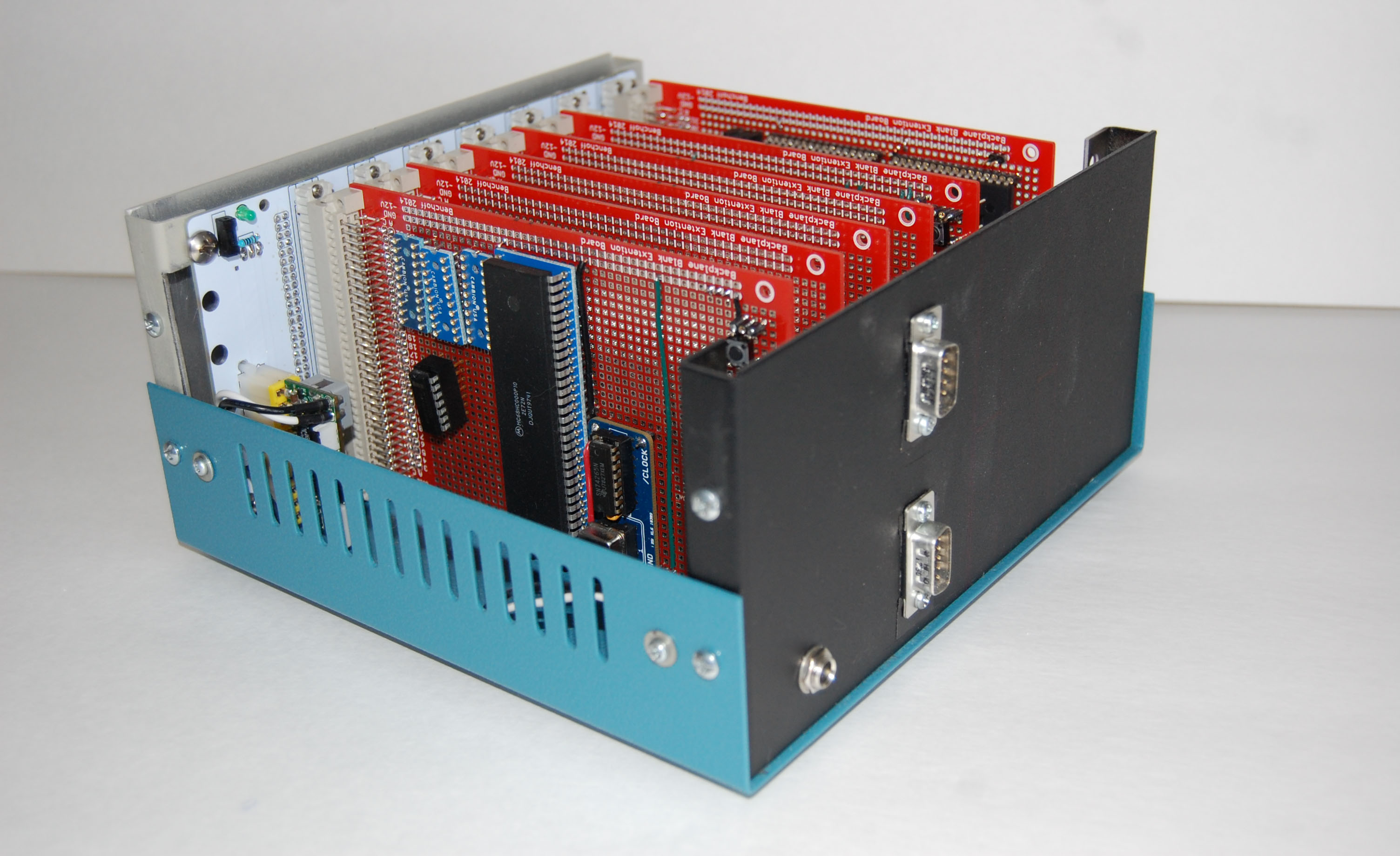
It’s about time for an update for Hackaday’s latest project – a modern retrocomputer based on the Motorola 68000 CPU. In this update, we’ll be taking a look at the enclosure, the backplane itself, and how we’re going to power this thing.

This is only an update to the project; you can check out the current status over on Hackaday Projects. It’s Hackaday’s new collaborative project hosting site where you (and your friends) can design, build, or document anything you have in mind. Request an invite for the alpha release of Hackaday Projects and you can give this project a skull! Seriously, this project is only the third ‘most skulled’ one on Hackaday Projects.

Now that the completely transparent pitch for Hackaday Projects is over with, we can get on to the update for the Hackaday 68k. Click that ‘Read More…’ link.

Continue reading “Hackaday 68k: Enclosure, Backplane, And Power”

[Dino] Brings The Waterproof Fire

firestarter

For many of our parents, grandparents, and great grandparents, the things we consider hacking, making, and doing weren’t just for fun. They were important skills that could help one survive. This week [Dino] shows us something his dad taught him: waterproof fire starters. The trick is paraffin wax. [Dino] starts by melting down some wax in a pot. He then dips strips of newspaper in the liquid wax. Several strike anywhere matches also get the wax treatment, are then placed on the newspaper. The newspaper and matches are rolled up into a tight bundle, which is itself dipped in wax several times.

The resulting small bundle of waxed newspaper and matches is safe and easy to carry in pocket or backpack. It also becomes the perfect wet fire starter. The “newspaper shell” is torn off into strips of waxed paper, which burns slowly and allows the tinder and wood to catch. [Dino] demonstrates his pioneering skills by starting a fire at the end of the video. When the inevitable zombie apocalypse hits, we definitely want [Dino] at the Hackaday compound.

Continue reading “[Dino] Brings The Waterproof Fire”

Hackaday 68k: A New Hackaday Project

It’s no secret Hackaday loves retrocomputers, classic hardware, and vintage tech. Now that we have a great way to present long-form projects, it only makes sense that we combine our loves with a new build. Over the next few months, I’ll be developing a homebrew computer based on the Motorola 68000 CPU, documenting everything along the way, and building a very capable piece of hardware that will end up hosting a few Hackaday webpages. I already have a solid start on the project and will be posting on our front page to discuss the major parts already in progress, and those yet to come.

There are a few reasons we’re taking on this project. With few exceptions, most of the homebrew projects we see are based around 8-bit micros – specifically the 6502 and Z80. 16 and 32-bit CPUs really aren’t that much more difficult to work with, and if we can spearhead a renaissance of the 68k, 65816, or even a 386 (!), we’re all for that. Also, it’s been suggested that we host the Hackaday Retro site on retro hardware, and what better way to do that by documenting a build on our new project hosting site?

That’s a very brief introduction to this project. Let’s take a closer look at what hardware we’ll be using, what software we’ll get running, and what you can do to help.

Continue reading “Hackaday 68k: A New Hackaday Project”

A Pick-And-Mix FPGA Retrocomputer

Logo

Cheap FPGA boards are readily available, as are VHDL implementations of classic CPUs like the 6502, 6809, and Z80. Up until now, we haven’t seen anyone take these two parts and combine them into a complete system that turns an FPGA board into a complete 8-bit retrocomputer. Thanks to [Grant]’s work, it’s now possible to do just that (server on fire, here’s a google cache) with a $30 FPGA board and a handful of parts.

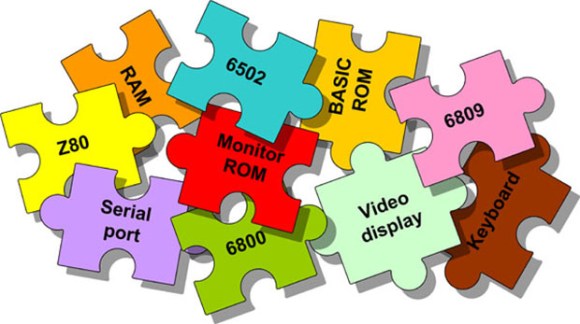
In its full configuration, the Multicomp, as [Grant] calls his project, includes either a 6502, 6809, Z80, or (in the future) a 6800 CPU. Video options include either monochrome RCA, RGB VGA, or RGB via SCART. This, along an SD card interface, a PS2 keyboard, and the ability to connect an external 128kB RAM chip (64k available) means it’s a piece of cake to build a proper and complete portable retrocomputer.

What’s extremely interesting about [Grant]’s project is the fact the data and address lines are fully exposed on the FPGA board. This means it’s possible to add whatever circuit you’d like to whatever retrocomputer you can imagine; if you want a few NES gamepads, an IDE interface, or you’d like to design your own primitive video card, it’s just a matter of designing a circuit and writing some assembly.

If you’d like to build your own, search “EP2C5T144C8N” on the usual sites, grab a few resistors and connectors, and take a look at [Grant]’s documentation and upcoming examples.

Via 6502.org forums

The Three Chip Retrocomputer

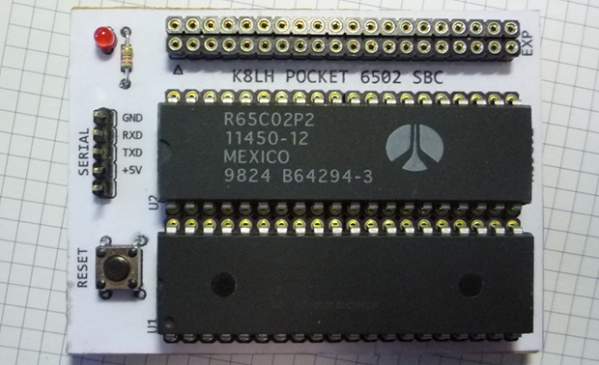
Where homebrew computers are usually complex bundles of wires and chips, [Mike]’s own single board computer is not. It’s a three-chip computer with only a CPU, RAM, and a microcontroller that is able to emulate the retrocomputers of yore.

Normally, a homebrew computer project requires some amount of ‘glue’ logic – a few NAND, OR, or inverters to combine signals and send them where they’re needed for address decoding. This tiny pocket computer doesn’t need any of that; all the address decoding is done on a 40-pin PIC microcontroller.

With 64kB on the PIC 18F46K22, there’s enough space for all the address decoding logic, space for a pseudo ACIA mapped onto the $DF page, and a ROM image that provides a monitor program and a copy of BASIC. Basically, with the addition of a USB to serial adapter, this is a three chip 6502 single board computer, and with the right ROM monitor can emulate an Apple I, Woz monitor included.

Yes, 6502 projects are a dime a dozen, but [Mike]’s work with the address decoding logic on the microcontroller is top-notch. There are a few remaining chip select lines in his schematic, and with another microcontroller it would be easy to add VGA out, a compact flash adapter, or some other really cool peripherals. Good thing there’s an expansion port on this thing.

Building A Tape Recorder In 1949

tape

After telling a few stories about how he built a tape recorder as a 16-year-old boy in post-war Germany, [Hans] was finally cajoled into retelling this story in a proper form, giving the Internet one more example of how clever old-school tinkerers could be.

In 1949, [Hans] was but a wee lad of 16 and having built a crystal and tube radio set at 13 and 14 respectively desperately wanted a tour of the local radio station in Hamburg. A kind engineer responded to a letter and a month after requesting a tour [Hans] and his friend found themselves being guided around a proper radio station. One of the most impressive pieces of technology at the time was a tape recorder, which the engineer demonstrated by recording and playing back the voices of [Hans] and his friend. This was the first time [Hans] had ever heard his voice played back and instantly knew he needed to build one of these for himself.

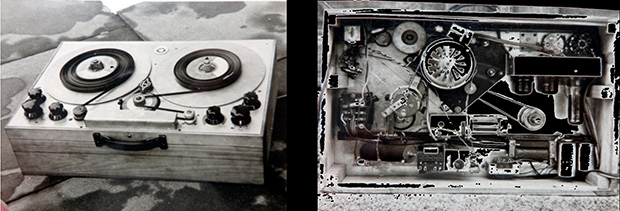
Technical details on the theory and operation of a tape recorder were sparse, but [Hans] managed to come up with an amplifier, tape transport mechanism, a recording and playback head, and homemade magnetic tape made from a reel of iron filings glued to a reel of 8mm film stock.

Testing the equipment, [Hans] and his friend found the device simply wouldn’t work; the homemade magnetic tape was simply too thick, and you couldn’t just go out and buy a reel of magnetic tape. Undeterred, they mailed BASF, the only manufacturer of magnetic tape, and after a month received a 1000m reel of tape.

With tape that worked, [Hans] set about improving his recorder with a tape transport mechanism built from a turntable and a new recording head. This time, his tape recorder worked. When word got around of this amazing machine that could record music, [Hans] was invited to record the local symphony and the speeches for a senior group.

The first commercial reel to reel recorders were released in Germany a little more than a year after [Hans] completed his project, making this one of the more impressive DIY projects we’ve seen.