Solderless Aux In For Bose Sound Dock, Etc

This little how-to was sent in by [Ed]. The sound dock posts get quite a few hits, so I figured I’d share.

There is a solderless way to hack an aux input for the Sounddock.
(1)Go to Wal-mart (or elsewhere) and buy the Griffin Dock Adapter for iPod Shuffle (~$20) and a Belkin Speaker and Headphone splitter (~$4). (The Belkin splitter is needed in order to fit properly over the Shuffle plug on the device, but other cables/adapters might work.)
(2)Remove the existing adapter plate and replace it with the Dock adapter.
(3) Set the switch to speaker. (Very Important!) (4)Plug in one end of the Belkin adapter and you are ready to go! Any input signal automatically activates the Sounddock. Now you have a fully functional female and male stereo headphone input for your Sounddock.

–>Total cost ~$25 and no soldering required.

Biopong


[Teckjunkie] was inspired by Hack-A-Day to build a bio-interfaced game. He modified a thinkgeek pong kit with an Analog Devices instrumentation amplifier and differential electrodes to create biopong. Flexing either arm actuates the inputs on the pong game. (Now you can just grab some dumbells and get a pong workout.)

Hack-A-Day inspired projects are always welcome to the tips line.

Powerglove Wiimote


How, oh how did I miss this one? (original) A japanese hacker merged a powerglove with a wiimote. Need I say more? Seriously, who didn’t want a powerglove when they came out? video of the thing in action is after the break.

Quick extra:
It turns out that the Wii Nunchuck is a great source for parts. It’s got a 3-axis accelerometer, joystick and buttons for a mere $20 [chad]’s wrote a full how-to on turning a wii controller into a bluetooth transmitter and an interface for the wii nunchuck for the Arduino.

.

Continue reading “Powerglove Wiimote”

Aux Stereo Receiver Controls


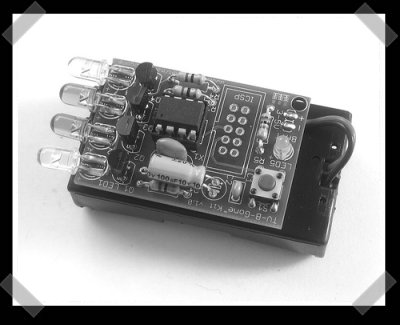
[Bob van loosen] added a remote learning circuit made from a PIC 16F84A to his Onkyo receiver – which happens to have remote buttons and a ttl control link for external devices. The PIC listens to the remote link on the receiver. By grounding a pin, it will learn the next remote command that’s received. In this case, he uses it to swap the left/right front/rear signals to gain proper speaker orientation when he switches between his TV and Computer. This would make an entertaining external dongle if you combined it with a smoke generator…

From NES Console To Dedicated Arcade Emulator


[Jesse] sent in this one. [Raphaël] decided to take NES practice to a new level by dedicating a NES console to run the arcade version full time. This is more than merely a ROM loading exercise, there are several differences between the NES and it’s dedicated arcade sibling, the Unisys VS. Memory was upgrade, several io pins are tapped and brought out for manual access via the newly added controls up front. At the very least, it’s a nice exercise in schematic reading. Given the mods and a few arcade accessories, you could reconstruct your own fully functional arcade machine.

Ben Heck’s Xbox 360 Laptop Mk II


I’ve known this was coming for a while. [Ben]’s been working hard on this for a while. He’s built his second Xbox 360 laptop. But this time he’s putting up a three part How-To series on building it for engadget. Here’s a nice gallery of hi-res project pics. As usual, I’ll let you know when they’re posted. Aside from the new color scheme, this one features six fans instead of water cooling – so it should be easier for the how-to reader to construct their own.

Divx Player + WAP = Wireless Media Player


[Jkx] sent in this great little hack. He slapped Openwrt onto a Netgear WGT634U (wireless router with USB) and used it to play host to a hard drive based divx playing Dvico 3100. Now he can update his player via his wireless network without having to drag the player back to a host pc for updates. The cost of the two is still less than an apple TV, and it’s a deal if you’ve already got one of the devices.