Hacking Automated Hand Sanitizers With Ben Heck

benheck_sanitizer

If you have visited a hospital any time recently, you probably noticed quite a few automated hand sanitizer dispensers scattered throughout the hallways and in each patient’s room. Since hospital-acquired infections are a growing problem, there has been a push for all personnel to use these hand sanitizers regularly to lessen the likelihood of spreading disease.

In the most recent episode of his web show, [Ben Heck] took on the challenge of hacking one of these dispensers to use motion sensors in order to sense when hospital personnel are near, as well as to remind them that they should sanitize their hands on the way out.

He disassembled the dispenser to see how it operated, then worked on replacing the IR sensor pair with a set of motion detectors. He hooked the motion sensors to a Propeller board, which uses a separate add-on board for keeping time. Once the motion sensors are triggered, the passer-by is given a window of time before the machine notifies them to kindly sanitize their hands. All movements and sanitizer dispensing events are logged to an SD card connected to the controller, which can be reviewed to ensure policy compliance.

If you have about 20 minutes to spare it’s worth checking out, and if you are interested in more hand washing tech, check out this DIY hand dryer we featured a while back.

Kapton Tape Aids In Drag Soldering Surface Mount Parts

Drag soldering works exactly as its name implies, by dragging a bead of solder across fine-pitch pins you can quickly solder an entire row. The method relies on clean joints, so liquid solder flux is often used to make sure there is good flow. But if you’re drag soldering on boards that you’ve etched yourself the solder can sometimes run down the trace, rather than staying where you want it. Professionally manufactured boards don’t have this problem since they have solder mask covering the copper that doesn’t need soldering. [Ahmad Tabbouch] has a method that uses Kapton tape to act as a temporary solder mask on diy boards.

The process involves several steps. First, three strips are place horizontally across the board, leaving just a portion of the upper and lower pads exposed. Those pads are then tinned with solder, and a light touch with an X-acto knife is then used to score the tape covering the vertical rows of pads. Once the waste as been removed, two more strips are added and those rows are tinned. From there the chip is placed and soldered as we’ve seen before; first tacked in place, then fluxed, and finally drag soldered to complete the connections. This achieves a crisp and clean connection, presumably without the need to clean up your solder mess with solder wick.

Kapton tape resists heat, making it perfect for this process. We’ve also seen it used on hot beds for 3D printers, and as a smoothing surface for sliding mechanisms.

[via Dangerous Prototypes]

Adjustable Prank Box Growls And Screams

growling_altoids_tin

[Brett] over at FightCube was tossing around ideas to build a screaming prank circuit that fits inside an Altoids tin. Sound familiar? We featured a story just a few days back about the construction of a very similar item by [Dino Segovis]. It seems that great minds think alike after all!

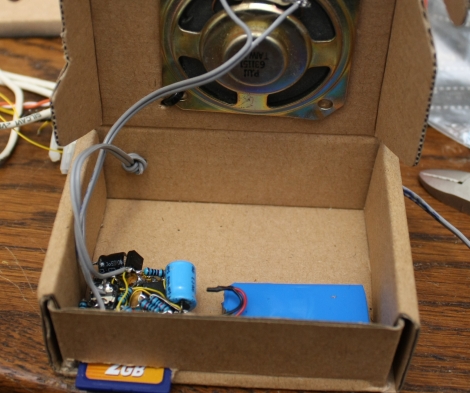
[Brett’s] version is a bit more robust than the one we featured the other day. It’s similar to [Dino’s] in that it uses a 555 timer in astable mode, triggered by a normally-closed microswitch when the tin is opened. However, this version also includes a photoresistor which is used to increase the pitch and speed of the output as more light enters the box. This creates a growling effect that builds up into a scream as the box is opened. [Brett] has also included an adjustable pot which allows the sound range to be tweaked to his liking.

Stick around for a video walkthrough of the screamer circuit as well as a demo of the Altoids tin in action.

Continue reading “Adjustable Prank Box Growls And Screams”

Simple DTMF Decoder Pulls Numbers From YouTube Videos

dtmf_decoder

While many of us have banished land line telephones from our houses, there are still quite a few people who utilize POTS lines today. These analog phone systems use Dual Tone Multi Frequency (DTMF) signals in order to audibly represent all of the keys on a telephone keypad and place calls. [Brad] over at LucidScience decided that it would be useful to have a DTMF decoder on hand, and got busy building one.

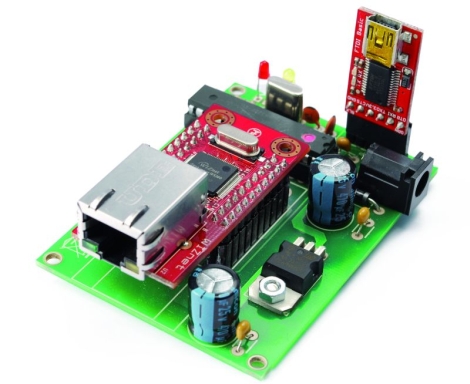
His DTMF decoder box uses a CM8870 DTMF decoder chip, which you might assume is all you need to get the job done. This chip performs its duties very well, outputting a 4-bit binary code for each button press it registers, but that doesn’t do a whole lot of good without being able to represent those codes in a meaningful fashion. He first built a breadboard decoder circuit that would light 1 of 16 LEDs depending on the detected button press. This was well and good, but he decided that an Arduino-driven LCD display would work far better.

When he was finished, he had a compact decoder box with an LCD display, which accepts input from either an RJ-11 cable or an audio jack. He says that the audio jack is particularly useful for decoding tones from computer audio, such as YouTube clips. [Brad] praises the CM8870 chip, stating that it can pull phone numbers from pretty much any audio or phone signal you throw at it, regardless of quality. We think it would make a great basis for a telephone-based security system, if that was something that appealed to you.

Be sure to stick around to see his DTMF decoder circuit in action.

Continue reading “Simple DTMF Decoder Pulls Numbers From YouTube Videos”

3D Printer Gets A Big Resolution Improvement

[Jose Carlos Veloso Junior] has been working on his 3D printer to improve the resolution. We looked in on his project back in October when he was printing the blue busts like the one seen above.

We were impressed by the resolution he was able to achieve back then, using liquid resin that is cured with visible light. The resin creates a thin layer on a glass tray, and is cured when a projector shines precisely positioned light from below. The cured resin is then lifted on the Z-axis, and the next layer in the printing process is hardened by the projector’s light.

Well, this newest rendition far outperforms the initial iteration. The bust on the right looks like it’s been hand-buffed to remove the layer lines, but it actually just came off of the printer. [Jose] made a video of the new equipment in action, which you can watch after the break. He’s keeping most of the juicy bits to himself but he did tell us that the improvement he achieved were due to multiple changes in the process. He tweaked the software to use a more precise curing time, the resin formula has been improved, the ability to isolate pixels without hardening resin around them has been stepped up, and he’s made changes to the way the printer is calibrated and how it lifts the hardened model.

This is fantastic. Kudos to you sir!

Continue reading “3D Printer Gets A Big Resolution Improvement”

Kinect Produced Autostereograms (Magic Eye Pictures)

[Kyle McDonald], working collaboratively with [Golan Levin] at the Studio for Creative Inquiry, has come up with an application that can produce autostereograms. These are pictures that appear to be three-dimensional thanks to a visual illusion created by forcing your eyes to adjust focus and vergence differently than they normally would. The program is called ofxAutostereogram and it comes with a couple of examples. Both are show in [Kyle’s] video (embedded after the break), starting with a depth image of a shark. This combines with a texture tile, then is processed through the openFrameworks software in the package to produce the final image.

If that’s all it did you might find it rather unimpressive… these images have been around for some time although they were never so easy to produce on your home computer. But the second example is a pretty fantastic one. You can use a depth image from a Kinect as the starting point. As seen above, there is a preview window where you can adjust the clipping planes in order to include the correct depth. This also allows you a preview of your pose. Once it’s just right, snap a pick and process it through the software.

Continue reading “Kinect Produced Autostereograms (Magic Eye Pictures)”

Thanks For Ruining A Good Thing, Or TRYING To!

It seems that there has been some shenanigans happening with the OSHW logo voting page as some are using scripts to game the system for their favorite design. Why? Who knows…  How? Well one of the advocates of OSHW [Bill Porter] set about figuring that out, and things should be patched up now, though that still leaves 3,122 faulty votes to weed out on the final day (April 5th).

While it is hard to imagine how someone would be so attached to a logo to write a script just to game votes,  its not that surprising considering that we can be a pretty outgoing bunch when it comes to certain topics. Organizers are asking if you’re one of the listed IP addresses, and had good intentions to fess up, and tell which logo(s) you voted for to make the process easier. If not, well, “this is not going to stop everyone’s good efforts.”

If you’re just now getting wind of the OSHW logo voting check out our previous article highlighting this event, and to get more details.