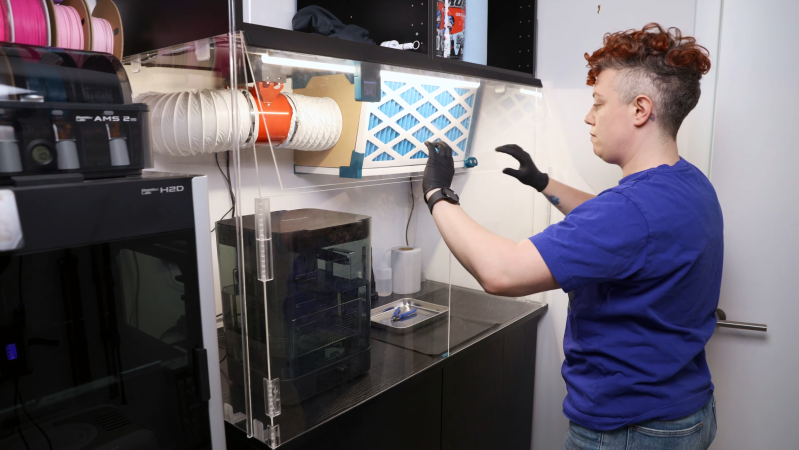
A person is standing in front of an acrylic enclosure, lowering a door on the enclosure. The enclosure contains the space between two sets of cabinets, and has three doors on the front. Inside the enclosure is an air filter and a washing station.

A Fume-Control Cabinet For Resin 3D Printing

For a certain kind of intricate, highly-detailed manufacturing, there’s really no substitute for a resin 3D printer, and it’s therefore unfortunate that they require so many poisonous chemicals. The resin itself usually contains irritating acrylates and methacrylates, it can emit a wide spectrum of volatile organic compounds (VOCs) during printing, and even the isopropyl alcohol used in cleaning is moderately toxic. [Allie Katz] accordingly built this fume-control enclosure for resin printing and other ventilation-critical processes.

The biggest constraint was space: [Allie]’s workspace had a fairly limited volume available, and the enclosure needed to hold an SLA printer, an isopropyl alcohol washing station, a UV curing chamber, and miscellaneous supplies. Most of the enclosure was made out of IKEA cabinets, using some large cabinets at the base to hold the printer and curing station, a countertop over these to hold the washing station, and more cabinets above to hold supplies. An MDF backing panel and acrylic side panels enclose the workspace between the cabinets. There was no safe way to exhaust fumes, so the enclosure recycles its air: a fan pulls air in through an activated-carbon filter mounted above the work area and into the plenum behind the chamber, from which it passes through the printer’s cabinet back into the workspace enclosure. Panel filters surround the carbon filter to catch particulate matter.

The enclosure uses four ESP32-based boards for automation: one uses a touchscreen to display data, and three are paired with BME680 sensors, primarily to report VOC concentrations. One, which also has a particulate matter sensor, senses air quality in the main chamber and plenum, one monitors air quality in the rest of the shop, and the third detects clogging from within the filter enclosure. The first real test of the chamber was to 3D print and paint some handles for the cabinets. It worked as expected, detecting the increased VOCs and ramping up the fan to keep them in check.

We’ve seen a ventilated printer enclosure before, that time for an FDM printer. Although their hazards are less blatant, they too can produce dangerous fumes, which could possibly be carcinogenic.

Thanks to [Keith Olson] for the tip!
You’ve Seen The Chip Shortage And The Memory Shortage, Now Prepare For The PCB Shortage

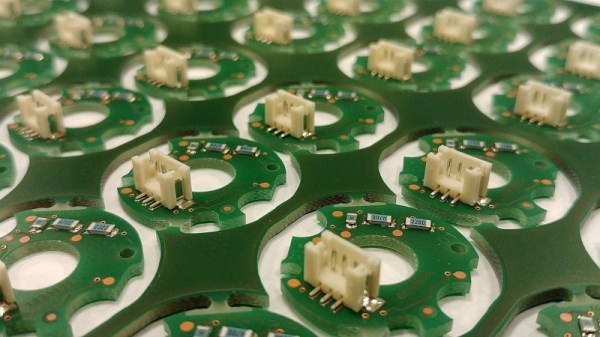
It’s nice to hide away in our little corner of the internet and talk tech, safely away from the turmoil of world events. Sometimes though, geopolitics intrude even into our space, and Reuters are here reporting on a new concern that will probably affect many Hackaday readers. Conflict in the Gulf of Arabia, and in particular raids on Saudi petrochemical plants, is threatening PCB production far away in China.

Most of us probably have a mental image of tankers sailing through the Strait of Hormuz laden with Gulf crude, off to be processed by refineries somewhere else in the world. Certainly a load of oil takes just that route, but for the Saudis and other oil-producing nations in the region, it also makes economic sense to site petrochemical industries at source. They export the much more valuable refined products, among which is the polymer resin used in PCB production. The Reuters report says that consequent to this and a rise in copper prices, the cost of a PCB in China has risen by 40%. Naturally this doesn’t sound like good news.

Here at Hackaday, when it comes to component shortages this isn’t our first rodeo. We’re in the middle of a memory shortage due to AI companies, and the COVID-era chip shortage is still fresh in our minds. Unfortunately, this type of thing as been a regular of the technology world for decades. Here we are with another one, and should we be worried? In the short term it’s certainly a concern as the Gulf conflict is still searching for an end to its uneasy stalemate, but remembering previous shortages we think that global industry will adapt and expand other sources where necessary. Just as with the similar IC encapsulation resin shortage back in the ’90s, it may eventually be the panic more than the shortage which becomes responsible for the price hikes.

We’ve taken an abstract look at global electronic supply chains before.


Header image: Gabriela P., CC BY 4.0.

Double Your Printing Fun With Dual-Light 3D Printing

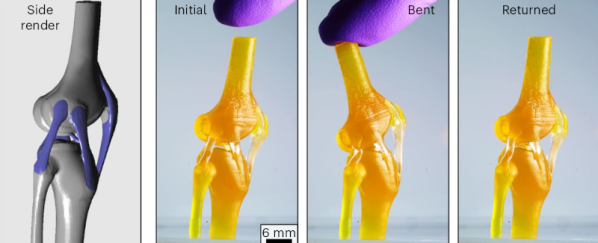
Using light to 3D print liquid resins is hardly a new idea. But researchers at the University of Texas at Austin want to double down on the idea. Specifically, they use a resin with different physical properties when cured using different wavelengths of light.

Natural constructions like bone and cartilage inspired the researchers. With violet light, the resin cures into a rubbery material. However, ultraviolet light produces a rigid cured material. Many of their test prints are bio-analogs, unsurprisingly.

Continue reading “Double Your Printing Fun With Dual-Light 3D Printing”

Spin-Casting This Telescope Mirror In Resin Didn’t Go To Plan

For most of us, mirrors are something we buy instead of build. However, [Unnecessary Automation] wanted to craft mirrors of his own for a custom telescope build. As it turns out, producing optically-useful mirrors is not exactly easy.

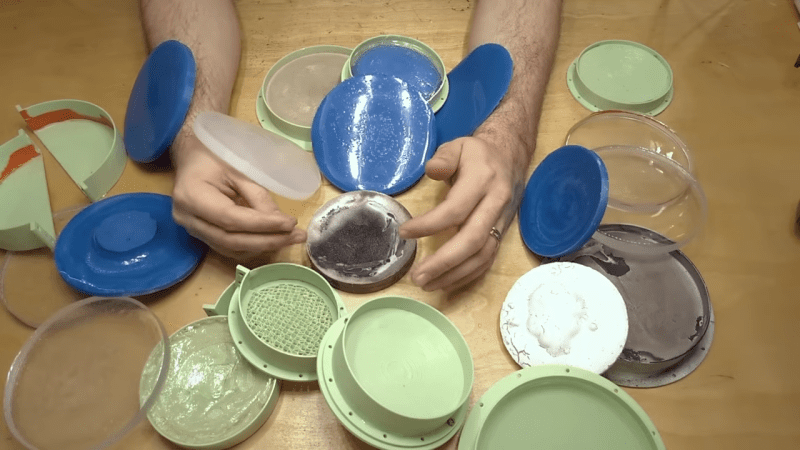
For the telescope build in question, [Unnecessary Automation] needed a concave mirror. Trying to get that sort of shape with glass can be difficult. However, there’s such a thing as a “liquid mirror” where spinning fluid forms into a parabolic-like shape. Thus came the idea to spin liquid resin during curing to try and create a mirror with the right shape.

That didn’t quite work, but it inspired a more advanced setup where a spinning bowl and dense glycerine fluid was used to craft a silicone mold with a convex shape. This could then be used to produce a resin-based mirror in a relatively stationary fashion. From there, it was just necessary to plate a shiny metal layer on to the final part to create the mirror effect. Unfortunately, the end result was too messy to use as a viable telescope mirror, but we learn a lot about what didn’t work along the way.

The video is a great journey of trial and error. Sometimes, figuring out how to do something is the fun part of a project, even if you don’t always succeed. If you’ve got ideas on how to successfully spin cast a quality mirror, drop them in the comments below. We’ve seen others explore mirror making techniques before, too.

Continue reading “Spin-Casting This Telescope Mirror In Resin Didn’t Go To Plan”

Move Over, Lithophane: 3D Printed 3D Photos With Gaussian Splats

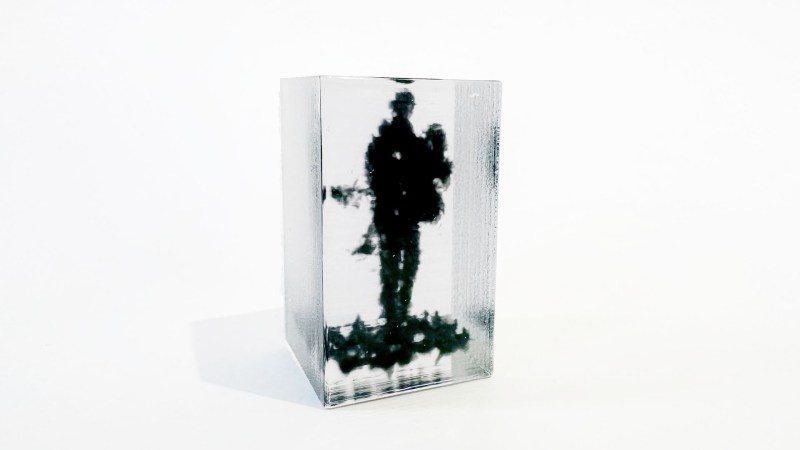
If you had asked us yesterday “How do you 3D Print a Photo”, we would have said “well, that’s easy, do a lithophane”– but artist, hacker and man with a very relaxing voice [Wyatt Roy] has a much more impressive answer: Gaussian splats, rendered in resin.

Gaussian splats are a 3D scanning technique aimed at replicating a visual rather than geometry, like the mesh-based 3D-scanning we usually see on Hackaday. Using photogrammetry, a point cloud is generated with an associated 3D Gaussian function describing the colour at that point. Blend these together, and you can get some very impressive photorealistic 3D environments. Of course, printing a Gaussian smear of colour isn’t trivial, which is where the hacking comes in.

Continue reading “Move Over, Lithophane: 3D Printed 3D Photos With Gaussian Splats”

Make Fancy Resin Printer 3D Models FDM-Friendly

Do you like high-detail 3D models intended for resin printing, but wish you could more easily print them on a filament-based FDM printer? Good news, because [Jacob] of Painted4Combat shared a tool he created to make 3D models meant for resin printers — the kind popular with tabletop gamers — easier to port to FDM. It comes in the form of a Blender add-on called Resin2FDM. Intrigued, but wary of your own lack of experience with Blender? No problem, because he also made a video that walks you through the whole thing step-by-step.

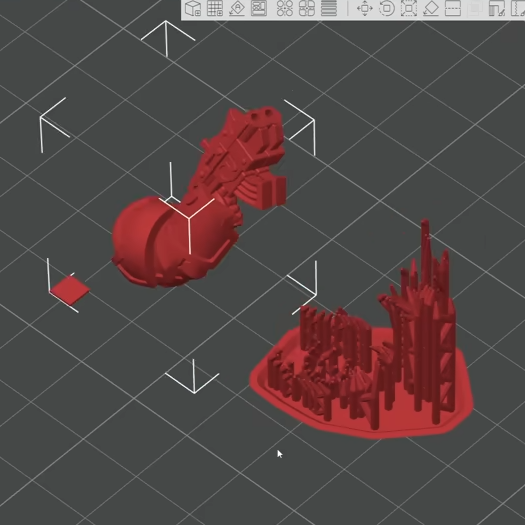
Resin2FDM separates the model from the support structure, then converts the support structure to be FDM-friendly.

3D models intended for resin printing aren’t actually any different, format-wise, from models intended for FDM printers. The differences all come down to the features of the model and how well the printer can execute them. Resin printing is very different from FDM, so printing a model on the “wrong” type of printer will often have disappointing results. Let’s look at why that is, to better understand what makes [Jacob]’s tool so useful.

Rafts and a forest of thin tree-like supports are common in resin printing. In the tabletop gaming scene, many models come pre-supported for convenience. A fair bit of work goes into optimizing the orientation of everything for best printed results, but the benefits don’t carry directly over to FDM.

For one thing, supports for resin prints are usually too small for an FDM printer to properly execute — they tend to be very thin and very tall, which is probably the least favorable shape for FDM printing. In addition, contact points where each support tapers down to a small point that connects to the model are especially troublesome; FDM slicer software will often simply consider those features too small to bother trying to print. Supports that work on a resin printer tend to be too small or too weak to be effective on FDM, even with a 0.2 mm nozzle.

To solve this, [Jacob]’s tool allows one to separate the model itself from the support structure. Once that is done, the tool further allows one to tweak the nest of supports, thickening them up just enough to successfully print on an FDM printer, while leaving the main model unchanged. The result is a support structure that prints well via FDM, allowing the model itself to come out nicely, with a minimum of alterations to the original.

Resin2FDM is available in two versions, the Lite version is free and an advanced version with more features is available to [Jacob]’s Patreon subscribers. The video (embedded below) covers everything from installation to use, and includes some general tips for best results. Check it out if you’re interested in how [Jacob] solved this problem, and keep it in mind for the next time you run across a pre-supported model intended for resin printing that you wish you could print with FDM.

Continue reading “Make Fancy Resin Printer 3D Models FDM-Friendly”

Winter-Proof (And Improve) Your Resin 3D Printing

Was your 3D printer working fine over the summer, and now it’s not? With colder temperatures comes an overall surge in print failure reports — particularly with resin-based printers that might reside in outbuildings, basements, or garages. If you think this applies to you, don’t miss [Jan Mrázek]’s tips on improving cold-weather print results. His tips target the main reasons prints fail, helping to make the process a little more resilient overall. [Jan]’s advice is the product of long experience and experimentation, so don’t miss out.

With environmental changes comes the possibility that things change just enough to interfere with layers forming properly. The most beneficial thing overall is to maintain a consistent resin temperature; between 22 and 30 degrees Celsius is optimal. A resin heater is one solution, and there are many DIY options using simple parts. Some of the newer (and more expensive) printers have heaters built in, but most existing hobbyist machines do not.

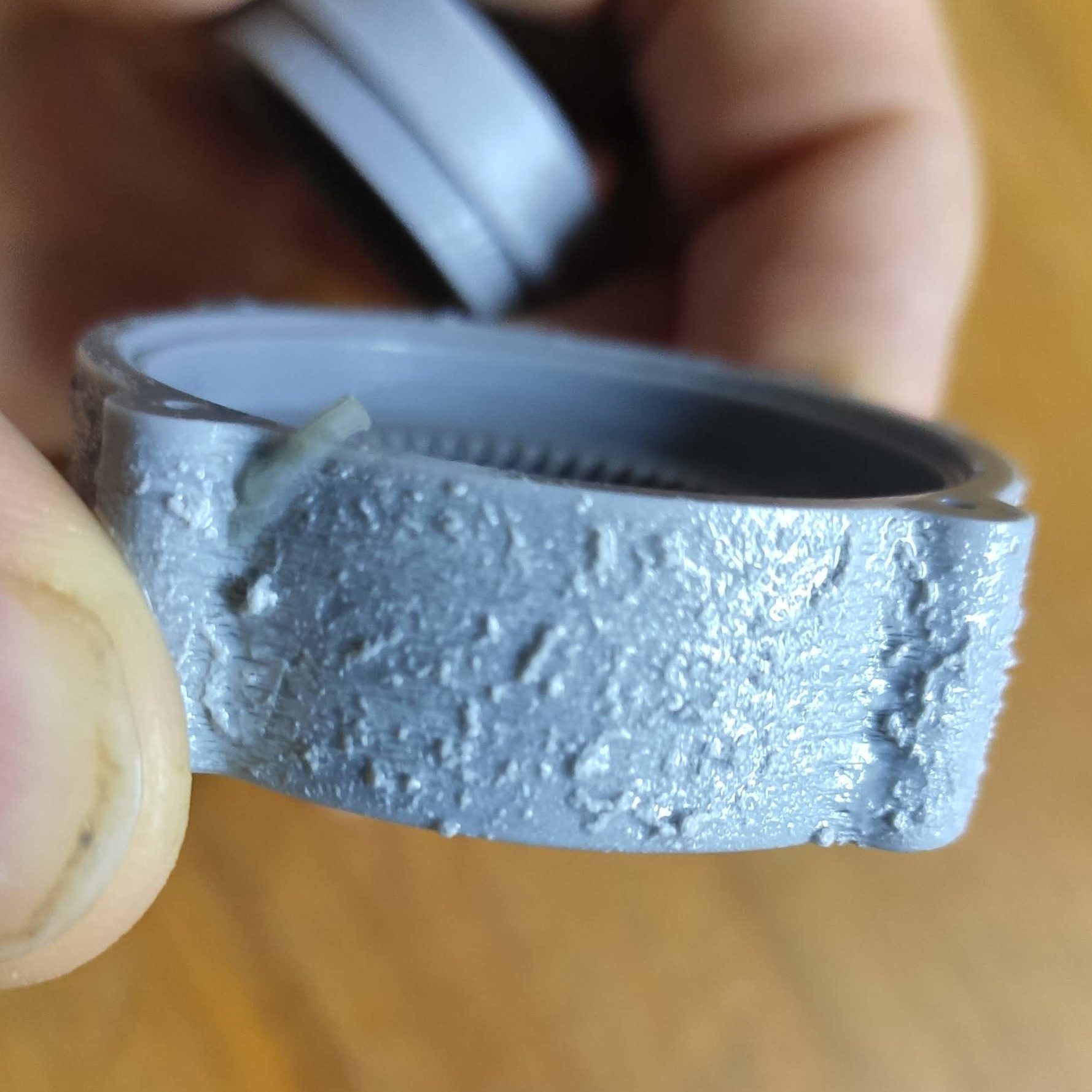
An extreme case of blooming.

Temperature control isn’t the only thing, either. Layer formation and build plate adhesion can all be improved by adding rest times between layers. Yes, this increases print time. It also allows resin to settle before the next layer, improving adhesion and preventing blooming (a rough texture caused by an imperfect cure.) Since resin flows less readily at lower temperatures, rest times can help improve results. The best setting depends heavily on your particular setup, so [Jan] gives tips on finding optimal rest times.

Most common knowledge and advice from well-meaning communities online focuses on increasing exposure time or blaming the build plate. [Jan] feels that these are ultimately the wrong way to go about addressing failures. Usually, an environmental change (like the arrival of winter) has simply pushed a printer that was not optimized in the first place outside of its narrow comfort zone. A little optimization can set things back on track, making the printer more resilient and reliable overall.