Remote Control With An XBee And A Propeller

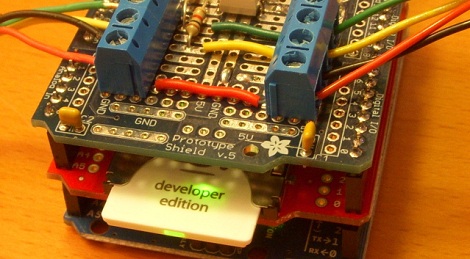
If you’ve been playing with electronics for long enough, eventually you’ll need a nice remote control transmitter to control your RC car, airplane, or any other robotics project you have lying around. With these robotics projects comes the problem remote control, and the XBee Handheld Controller may be just the ticket to remotely control any project that comes off your workbench.

This isn’t the first remote controller we’ve seen that does just about everything, but it is the first one to include an XBee wireless transceiver to easily interface to your robotics project. The controller comes in two models, the Q4, which uses four Playstation-like joysticks, and the Q2, which uses proper remote control gimbal joysticks. Both the controllers have a slew of buttons, toggle switches, four rotary pots and a 2×20 LCD display.

After the break you can check out [Paul]’s pitch explaining what these controllers can do and showing off a hexapod robot under the control of his Q4 controller. A very neat project, and we can’t wait to see this controller out in the field.

Continue reading “Remote Control With An XBee And A Propeller”

Set Your Arduino Free With Wifino

[Tod] wrote in to tell us about his latest project. It’s called wifino, and aims to set your Arduino free by offering a web-based IDE, online storage for your Arduino sketches, and even WiFi enabled hardware to upload sketches wirelessly.

The wifino was conceived with the same train of thought as the codebender IDE we saw earlier this week. Instead of only providing a web-based programming environment, the wifino works in conjunction with wifino hardware, meaning you can upload sketches over a wireless connection.

On the software side of things, the wifino IDE features code editing, compiling, and uploading right from a browser. There are plans for a github-style interface in the works, allowing for the easy sharing of Arduino sketches from makers around the world.

[Tod] is planning on getting a Kickstarter underway in the next few weeks to get the wifino boards out into the wild. We’ll be sure to keep you updated with any info or specs that come our way.

You can check out [Tod] uploading code from the Windows and iOS clients after the break.

Continue reading “Set Your Arduino Free With Wifino”

I/O Extender Board And Case For A Cheap WiFi Router

This 3d printed case houses the already small [TP-Link TL-WR703N] but also makes room for a custom expansion board. The expansion board is designed to make the device more hacker friendly, and who doesn’t need a nice case to hold it?

Since the router board already has a USB port (intended for use with USB 3G modems) the add-on acts as a USB hub. The stock USB connector is replaced by a pin header which mates with a DIL socket on the underside of the expansion board. Through the use of an FTDI chip the expander offers three USB ports and a 2×10 pin header to break out the GPIO pins from the router’s processor. Only two USB ports are visible in the image above. That’s because the third is recessed, and an opening has not been added to the enclosure. This struck us as odd until we read that the port is meant to be used with a low-profile thumb drive, essentially adding internal storage for the device.

[Thanks buZz]

Nah, You Don’t Need An Ethernet Module For Your Arduino

[Andy] needed a cheap Internet connection between a data-gathering Arduino and his home server. An Ethernet shield would suffice, but he couldn’t run CAT5 to the Arduino’s location. Wireless shields are hideously expensive, and after looking over the popular Zigbee modules, [Andy] had a few concerns about range and build complexity.

The obvious solution to this problem was getting a cheap WiFi router, flashing OpenWRT firmware on the device, and piping sensor data through the Arduino’s USB port, through the router, and over a WiFi connection to the server.

[Andy] used a TP-Link TL-WR703N wireless ‘travel router’ available on eBay £15 (~$30 USD when we checked). After flashing the router with OpenWRT, [Andy] had a wireless connection from a remote data-collecting Arduino directly to his server.

Attentive Hack a Day readers will note this is the third ‘wireless router + OpenWRT as a dev board’ build this week (first one, second one) . No, we don’t know what’s going on, or why the collective unconscious of makers around the globe decided to latch onto this type of build so suddenly. OpenWRT is available for hundreds of different routers, and anything that keeps disused routers out of the landfill (with the bonus of doing something useful) is alright in our book, so if you have another similar build, send it in and we’ll get around to it sometime.

Adding A Router And Wireless Camera To A Remote Controlled Helicopter

Last Christmas, [bonafide] received a WiFi enabled remote control helicopter from his employer. The heli is an interesting bit of kit, able to be controlled with an Android or iDevice. Being the good tinkerer he is, [bonafide] took a screwdriver to his Wi-Fli Bladerunner Helicopter and reengineered the toy to use an off-the-shelf wireless router.

The protocol used by the Wi-Fli helicopter is closed source, but a few people have had their hand at reverse engineering this cool toy. Instead of simply controlling the helicopter over WiFi, [bonafide] wanted to add a few unsupported features like sending images from a webcam. This isn’t supported in the toy’s firmware, so after a valiant attempt at flashing new firmware, [bonafide] decided to replace the electronics with a WiFi router.

In the stock configuration, the helicopter receives commands from an RT5350F-based WiFi module. This module communicates to the servos and motors with a serial connection. [bonafide] replaced the WiFi module with a very small router capable of running OpenWRT. The new router was easily configured to send commands to the motors, and allowed [bonafide] to add a small keychain webcam to stream video back to his desktop.

Interestingly, the makers of the WiFli helicopter, Interactive Toy Concepts, are putting out a streaming-video version of this toy next fall. The current version of the WiFli helicopter may hit the Toys ‘r Us clearance bin before that, so if you’d like your own unmanned aerial drone [bonafide]’s may be worth looking over.

Special thanks to [MS3FGX] for sending this one in. Also, the non-coral cache version of [bonafide]’s site is here, but try not to turn his server into a pile of molten slag.

WISP Adds Wifi To The Internet Of Things

The guys over at embdSocial sent in a project they’ve been working on for a while. It’s a small wifi module for an Arduino or other microcontroller called Wisp. Unlike the many, many other wifi breakout boards we’ve seen, the Wisp has a truly incredible amount of potential. With an API that allows an Arduino to post to Twitter, sending text messages, and even has remote admin capabilities, the embedSocial team came up with something really cool.

We’ve seen our fair share of projects that use wifi, but the Wisp is amazingly clever as to how projects can be controlled. Each Wisp is administered through the Internet. Once a Wisp is registered to your online embdSocial account you can upload new code without ever physically connecting a microcontroller to your computer.

To demonstrate the remote administration capabilities of the Wisp, the embdSocial guys put an Arduino and Wisp inside an electrical junction box. With their setup, the guys have the simplest and smallest Internet connected power outlet we’ve ever seen.

After the break, you can see a demo of a Wisp opening a garage door and a remotely operated, web enabled airsoft turret. We’re loving that the turret sends video from the gun to any device on the Internet, and it’s impressive that [Chris] and [Art] whipped up both these projects in a single weekend. There’s also a Kickstarter for the Wisp, so here’s to hoping we can pick one of these up soon.

Continue reading “WISP Adds Wifi To The Internet Of Things”

Home Automation With RC Wall Plugs And Raspberry Pi

[Jake] took some cheap hardware and figured out a way to use it as a huge home automation network. He’s chose a Raspberry Pi board to connect the radio controlled power outlets to his network. He wrote about his project in two parts, the first is hacking the RC outlet controller and the second is using the Raspberry Pi to manipulate it.

These RC outlets are a pass-through for appliances that connect to mains (lamps, consumer electronics, christmas trees, etc). Often the protocol used by the cheap-as-dirt remote is difficult to work with, but [Jake] really hit it out of the part on this one. In addition to simulating button presses for up to fifteen devices on the remote, he replaced the DIP switch package. This lets him change the encoding, essentially allowing the one device to control up to 32 sets of outlets. Theoretically this lets him command 480 devices from the Raspberry Pi. Since that board is a web server it’s just a matter of coding an interface.

Some of the inspiration for this hack came from the whistle-controlled appliance hack.