

With Latest Update, Alexa Refuses To Pass The Aux

Although the feature has been deleted from newer models, there was a time when Amazon’s Echo devices included a 3.5 mm “aux” input jack that let you connect other audio sources to the smart speaker. Alexa would even let you switch over to an external source with a voice command — or at least, it used to.

As first reported by Reddit user [n8-sd], Amazon has started informing users that voice control over the 3.5 mm jack is no longer supported. While the physical input will still function on models equipped with it, if you want to mute the audio coming from an external device you’ll have to wade through the Alexa smartphone application to do it.
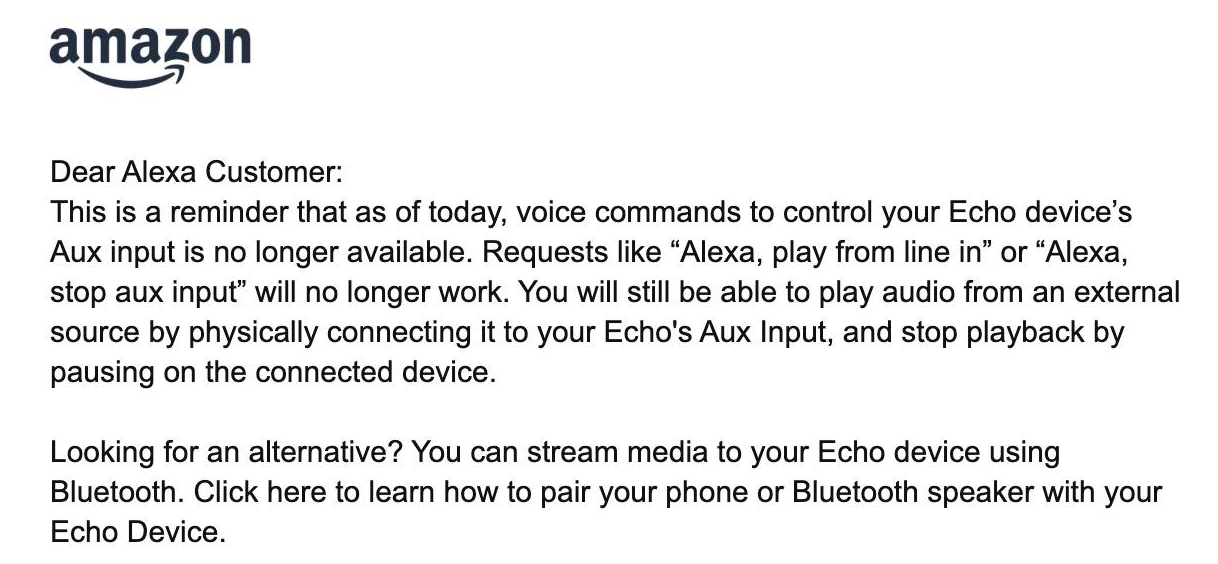
In a statement to Ars Technica, an Amazon rep confirmed that voice control over the auxiliary input has been removed as of the latest software version, and that their analytics showed not many people were using the feature in the first place. They also pointed out that no changes have been made to voice control of Bluetooth devices. While we don’t doubt that the total number of users that were physically plugging an audio source into their Echos was probably low in the grand scheme of things, that doesn’t really explain why such a simple feature needed to be actively removed.

Some commenters have theorized that the real reason behind the change is the fact that Amazon has no way of monitoring what users are playing over the auxiliary input. Since cataloging and selling the media consumption habits of users is big business these days, that’s a problem. While they might prefer to disable the feature entirely, they know that would stir up some bad press, so they’re opting to simply make it more annoying to use. We’re not saying we entirely buy this explanation, but it’s not the craziest thing we’ve ever heard either.

Although the Echo devices have never been particularly hackable, they have enjoyed a certain amount of success with tech-savvy users, making it all the more disappointing to see the ecosystem seemingly becoming less capable over time.
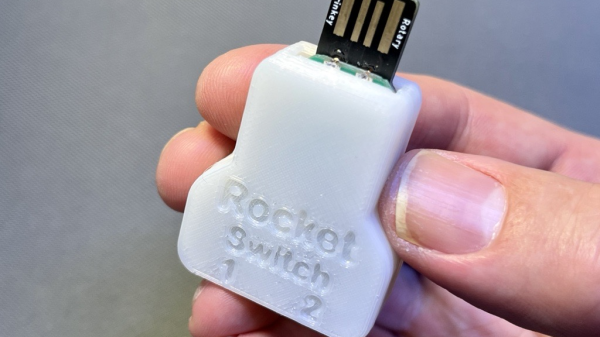
The fully assembled RocketSwitch, with a 3D printed case on it and a USB-A connector sticking out, being held in someone's hand.

Rocket Switch – Accessibility Done With Elegance

Quite a few makers try and create devices helpful to others – today’s hack, Rocket Switch, is a lovely example of that. It’s a design by [Neil Squire] of [Makers Making Change], with a PCB that plugs onto an Adafruit Rotary Trinkey, soldering onto its exposed pads, equipping it with two headphone jacks connected to GPIOs. This is a simple design – only two headphone jacks and resistors, complete with a 3D printed case. The value is not as much in its construction, but more in what the Rocket Switch provides to its users.

This is an accessibility-enabling controller, a USB HID device which interfaces to a wide variety of headphone-jack-connectable switches. With this device, someone unable to use a computer mouse can use two tactile buttons to control their computer, either by imitating mouse clicks or by sending keypresses into accessibility software equipped a control flow for such two-switch arrangements.

Everything is open-source, and there’s an impressive amount of documentation – for 3D printing, ordering, usage, design choice explanations, and of course, a picture-peppered 15-page tutorial PDF with detailed assembly instructions for anyone who might need a Rocket Switch. Plus, [Makers Making Change] created a page where both people in need and makers with some free time can sign up to exchange these devices. It’s not the first time we see a design like this – perhaps the most famous example is Microsoft’s Xbox Adaptive Controller, something that we’ve seen a dad use to build an entertainment platform for his daughter.

Continue reading “Rocket Switch – Accessibility Done With Elegance” →

Automatic Turntable Makes Photogrammetry A Cinch

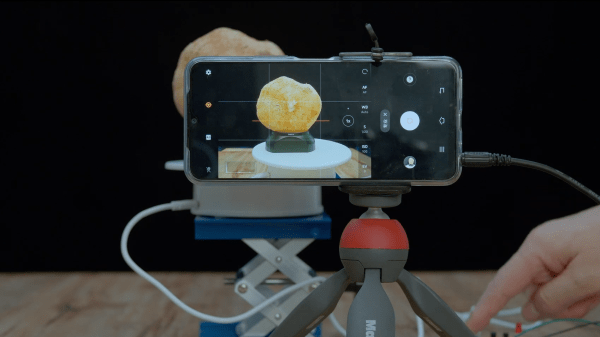
Photogrammetry is a great way to produce accurate 3D models of real objects. A turntable is often a common tool used in this work as it helps image an object from all angles. [Peter Lin] wanted a way to run the photogrammetry process with minimal human intervention, and set about building an automated turntable setup.

The build relies on a smartphone to take images of the physical object. The phone is triggered to take photos by an ESP8266, which fires the shutter via the phone’s audio socket. The microcontroller then turns the turntable on for a short period of time after each shot, rotating it by a set angle.

The build still requires objects to be repositioned in various orientations on the turntable now and then, in order to capture the top and bottom areas that would otherwise be obscured. However, the grunt work of taking the photos and rotating the objects is now entirely automated.

It’s a useful build for anyone that finds themselves regularly imaging objects to create 3D models. The results of [Peter]’s rig look great, and as a bonus come with life-like textures ready to go. We’ve seen some other great photogrammetry builds before, too. Video after the break.

Continue reading “Automatic Turntable Makes Photogrammetry A Cinch” →









