
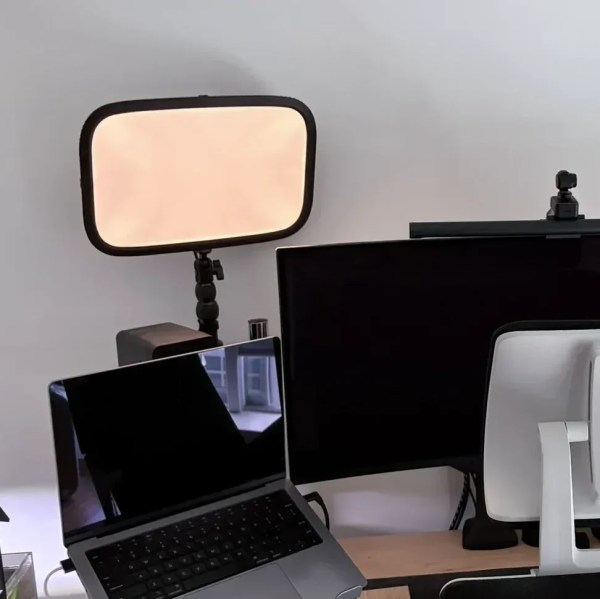
Elgato Key Lights Get Matter Upgrade

[Michael H Thiesen] had a couple of Elgato Key Lights in his home streaming setup. The only problem was that they would stop responding regularly, requiring a power cycle to get them going again. He never quite pinned down where the problem lay; instead, he set about replacing the light controllers wholesale to provide more reliable functionality.

In place of the original controllers, a pair of ESP32-C3 boards were substituted in. The original design simply had a Realtek controller chip wired into a PCA9635 LED controller, so the swap was as easy as plucking one out and wiring the new microcontroller in its place. The capable ESP32-C3 offers native Matter support, which enabled the new controllers to join [Michael’s] Apple Home setup natively. Running a firmware coded in Rust, the controllers offer power, brightness, and colour-temperature control right in Apple Home. As a bonus, there was no need to use Homebridge to get the lights hooked up to the smarthome setup anymore, eliminating a dependency and a possible source of occasional failures.

Design files are on Github for the curious. We’ve featured other great Elgato hacks before, too, like this nifty capture card firmware hack. If you’re tinkering with your own smarthome hacks, be sure to let us know on the tipsline.
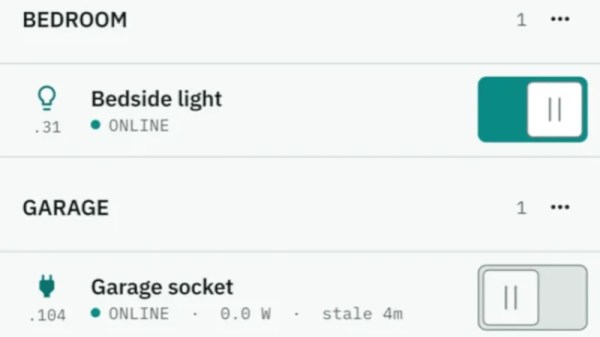

Bridging Older Tasmota Hardware Into Apple Home

The Tasmota firmware is a popular choice for flashing to a range of Espressif microcontrollers to turn them into smart home devices. If you have such devices in your house, you might wish they were easier to integrate with the Apple Home platform. As it turns out, though, there’s a convenient app for that.

[Christof Müller] built an app called Tasmoshelf for just this purpose. Its primary claim to fame is that it can easily help port a Tasmota-based setup into the Apple Home universe. It can achieve this without requiring a Home Assistant server or MQTT broker or any other workarounds. This is thanks to the fact that Apple Home is compatible with Matter technology, as are ESP32 devices running Tasmota 13 firmware or newer. They can natively jump on an Apple Home setup, and even act as a bridge for older ESP8266 devices that can’t speak Matter themselves. The device is able to run network scans to automatically discover devices and advise whether they can hook up directly to Apple Home, or whether a bridge is needed.

If you’re running Tasmota devices and want to easily integrate them, you might find Tasmoshelf a useful addition to your smart home setup. Just note that it does require a one-off purchase if you intend to use it beyond three devices, a limit which some might find somewhat restrictive.

We’ve looked at Tasmota in detail before; it’s a great way to whip up a smart home to suit your own desires. Meanwhile, if you’re whipping up your own nifty integrations, don’t hesitate to let us know on the tipsline.







