A Super Cheap Desk Toy Becomes A Hackable Desktop Notifier

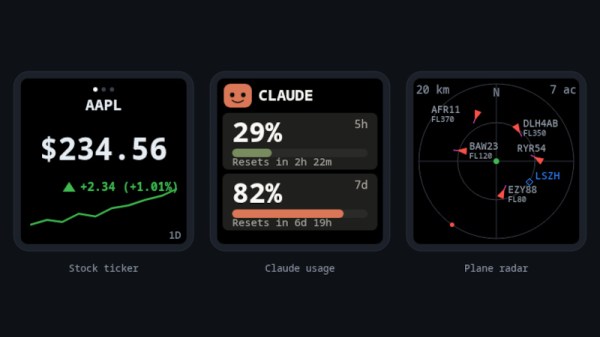
The GeekMagic SmallTV is as its name suggests, a tiny, vaguely TV-styled, device with a screen, that’s sold as a desktop notifier. Depending on the firmware running on the device it can display various pieces of information, ranging from the time and weather to the current price of Bitcoin. What makes it interesting is that it supports software updates over WiFi, so [Giovi321] has made a new firmware package for it.

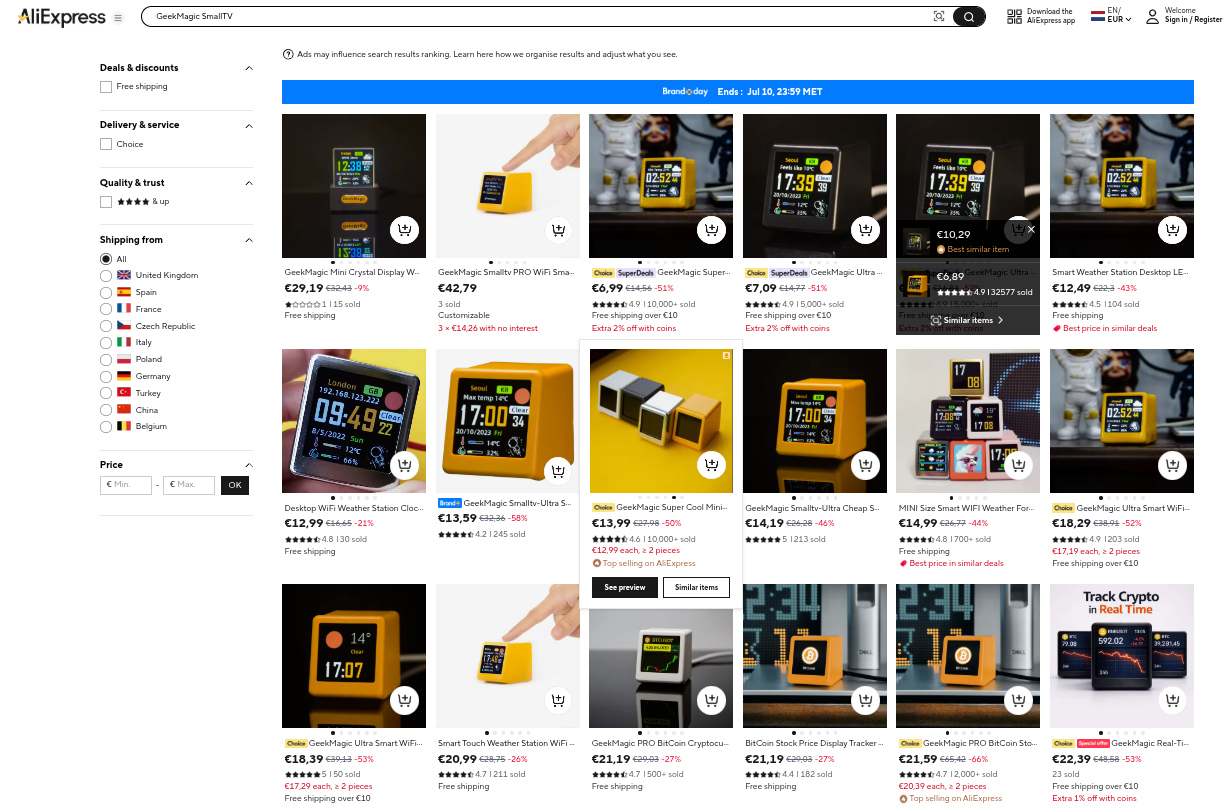
A screenshot of AliExpress showing a range of the devices for sale.
These things are readily available from AliExpress.

It seems there are several versions of this device, something which appears to be reflected in the prices they sell for on AliExpress. The older version runs on the ESP8266, and there’s also a ESP32-C2 variant in the wild. The firmware supports both flavors, providing stock and crypto tickers, an ADS-B tracker, and a Claude AI token usage gauge.

What gives this potential is that the various functions are clearly split out in the code, and there’s nothing to stop you pointing it at a data source of your choosing. This makes it more than a bit of cheap e-waste novelty, and we hope that others will take up the baton and do interesting things with it.

The ESSP8266 is a chip we don’t see too much of these days, having been surpassed by its ESP32 siblings. Still, someone recently gave it a simple OS.

Terminus Is A Text Only Phone Because Telephony Is Dead Anyway

This may say more about us than the current state of the telephone network, but unless your Grandma is still kicking, how many phone calls do you take that are actually worth picking up? Around here it’s one variety of scam or another, with the odd cold-calling salesperson to round it out.

So when we saw [Bolan Xu]’s texting-only TERMINUS cell phone project, it took but a minute to decide that, yeah, we wouldn’t miss the telephone part of the phone very much either.

The trade-offs are immense when compared to your smartphone; there’s no voice, no web browser, no social media, and no camera. But on the flip side there’s also no spyware and no annoying spam calls. Besides, he’s built a QWERTY keyboard onto this thing, and that does seem to be what most of us miss in this era of black rectangles.

In terms of electronics, its rocking a tiny OLED display for you to read your messages on, driven by an ESP8266. When WiFi is available the plan was to bridge over the internet in an SMS version of VOIP, but [Bolan Xu] ended up installing a cellular modem in it anyway.

As you can tell from the skeletal case, this is very much a prototype, but it is a promising project. We’ve seen ESP-based phones before, but they tend to be a bit smarter, and run on ESP32 instead of the more modest ESP8266.

The ESP8266 Gets An OS, And It’s Familiar

A couple weeks back we brought you news of KernelUNO, a command line shell and very simple operating system for the Arduino Uno. It’s a neat idea, so it’s hardly surprising to see someone port it to another microcontroller and add more features.

Here’s [hery-torrado], with KernelESP for the ESP8266, which takes the original idea and adds a web console, scheduled jobs, sensor rules, scripting, NTP, and a JSON API. The networking using the ESP’s built-in WiFi takes the original and makes it significantly more useful.

It’s worth suggesting that the ability to call URLs with GET data to pass things to APIs would be useful on a networked processor too, but this is already so well featured it seems rude to ask for more. Yet again though, this project has given a new life to an old chip, and we think it has a way further to go. Perhaps a port to the ESP32 would allow it to reach its full potential, or maybe for a ridiculously cheap and powerful platform, the CH32 series of chips. We look forward to see what more will come from KernelUNO.

Our original coverage can be read here.

Sega Genesis Finally Gets Long-Awaited Stock Ticker App 37 Years After Launch

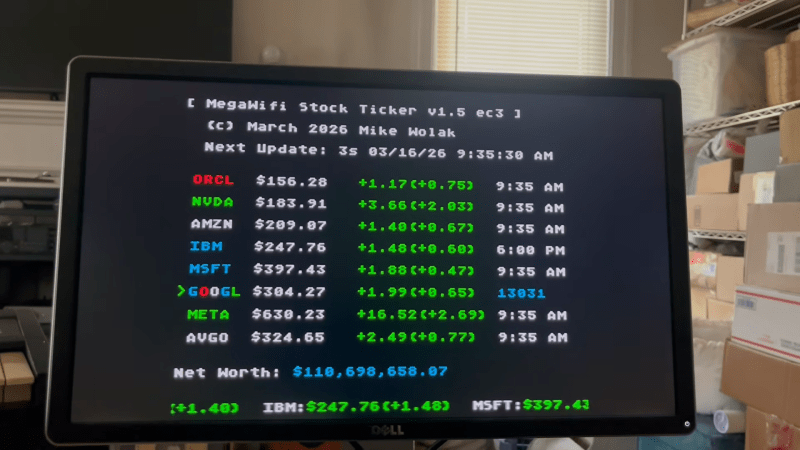
Until now, if you were seated at your Sega Genesis and wanted to check your stock portfolio, you were out of luck. You had to get a smartphone, or a computer, or maybe even a television to look up stock prices and understand your financial position. Thankfully, though, Sega’s neglect of its hero platform has finally been corrected. [Mike Wolak] has given the 16-bit console the real-time stock ticker it so desperately needed. 

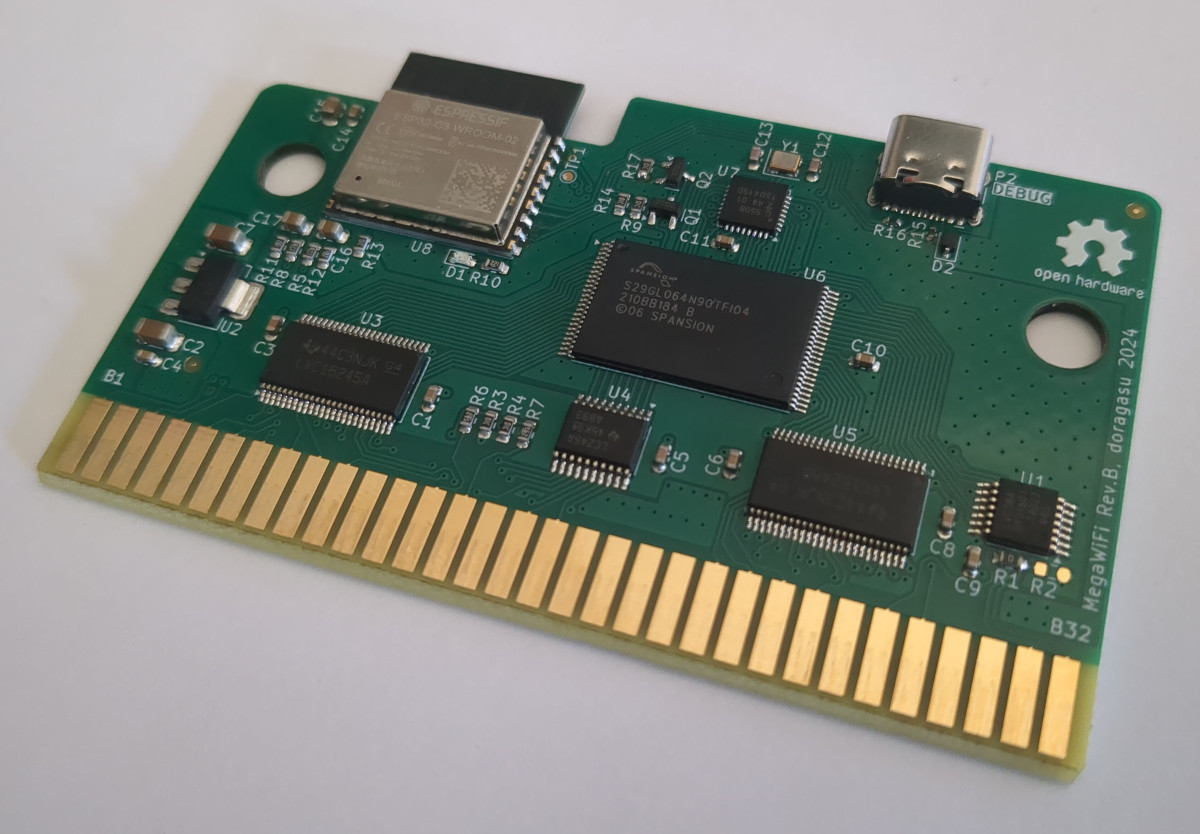
The build runs on a MegaWiFi cartridge, which uses an ESP8266 or ESP32 microcontroller to add WiFi communication to the Sega Genesis (or Mega Drive). [Mike] wrote a custom program for the platform that would query the Finnhub HTTPS API and display live stock prices via the Genesis’s Video Display Processor. It does so via a clean console-like interface that would be familiar to users of other 16-bit machines from this era, though seeing so much textual output would have been uncommon.

By default, the stock ticker is set to show prices for major tech stocks, but you can set it up to display any major symbol available in the Finnhub data stream. You can configure up to eight custom stocks and input your holdings, and the software will calculate and display your net worth in real time.

All the files are available for those eager to monitor their portfolios on a Sega, as the financial gods intended. [Mike] notes it took a little work to get this project over the line, particularly as the ESP32-C3 doesn’t support HTTPs with stock firmware. A few other hacks were needed to keep the Genesis updating the screen during HTTP queries, too.

If you have a concentrated portfolio and a spare Sega Genesis, this could be a fun retro way to keep an eye on your holdings. Alternatively, you might prefer to go the classic paper tape route.

Continue reading “Sega Genesis Finally Gets Long-Awaited Stock Ticker App 37 Years After Launch”

This LED Strip Clock Aims To Make Your Next One Easier, Too

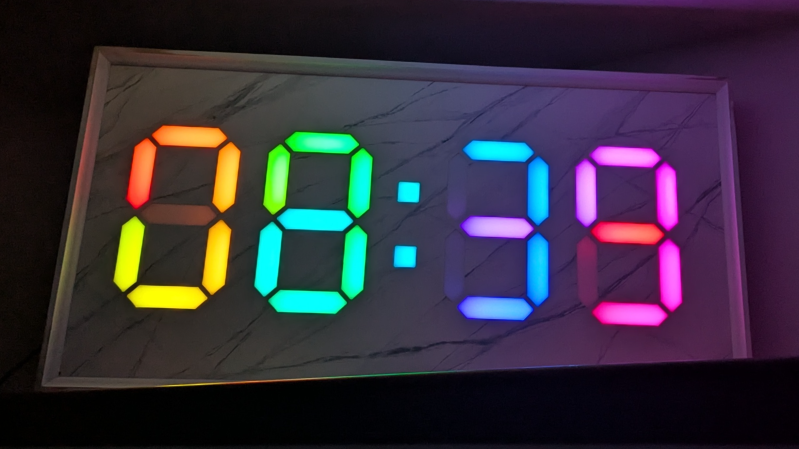
At first glance, it may look like [Rybitski]’s 7-segment RGB LED clock is something that’s been done before, but look past the beautiful mounting. It’s not just stylishly framed; the back end is just as attentively executed. It’s got a built-in web UI, MQTT automation, so Home Assistant integration is a snap, and allows remote OTA updates, so software changes don’t require taking the thing down and plugging in a cable.

Continue reading “This LED Strip Clock Aims To Make Your Next One Easier, Too”

Modded Lightbox Makes For Attractive LED Matrix Display

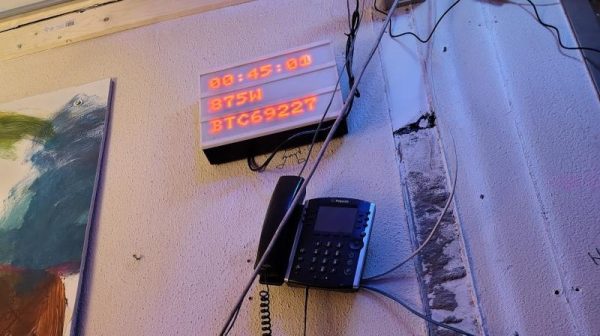
If you’ve been to a wedding or a downtown coffee shop in the last 10 years, you’ve probably seen those little lightboxes that are so popular these days. They consist of letters placed on a plastic frame in front of a dim white light, and they became twee about five minutes after your hipster friend first got one. However, they can also make a neat basis for an LED display, as [Folkert van Heusden] demonstrates. 

The build is straightforward enough, using daisy chains of 32×8 LED matrix modules, two each for the three rows of the lightbox. This provides for a 24 character textual display, or a total display resolution of 64 x 24 pixels. An ESP8266 is used to command the matrixes, which are run by MAX7219 display controllers. Thanks to the microcontroller’s onboard wireless hardware, the display can be addressed in a number of ways, such as using the LedFX DDP protocol or [Folkert’s] Pixel Yeeter python library. Files are on GitHub for the curious.

Quite a few of these exist out in the wild — [Folkert] has built a variety of modded lightboxes over the years with varying internals. The benefit of the lightbox is that it effectively acts as a handy housing for LED matrixes and supporting electronics, while also providing a neat diffuser effect. The lightboxes are also readily wall mountable and generally look more like an intentional piece of signage than most things we might homebrew in the lab.

We’ve featured similar-looking builds before, like this public transit display that was hacked for custom use. If you’re building your own public information boards or other nifty LED displays, don’t hesitate to notify the tipsline!

CardFlix: NFC Cards For Kid-Friendly Streaming Magic

For most of us, the days of having to insert a disc to play our media are increasingly behind us. But if you’d like to provide your kids with the experience, you could use CardFlix.

For the electronics, [Udi] used the readily available ESP8266 D1 Mini module connected via I2C to a PN532 NFC reader. To trigger the different movies, there are over 50 cards, each with not only its unique NFC tag but also small posters that [Udi] printed showing the show and then laminated, ensuring they will survive plenty of use. The D1 Mini and NFC reader are housed in a 3D printed case, which ends up being almost smaller than the 5V DC adapter powering it, allowing it to be mounted above an outlet out of the way. The deck of movie cards is also housed in a pair of printed boxes: the larger one for the whole collection and a small one for the most often used shows. Should you want to print your own, all the design files are provided in the write-up.

The D1 Mini was programmed using ESPHome. This firmware allows it to easily connect back to Home Assistant, which does most of the heavy lifting for this project. When a card is scanned, Home Assistant can tell which TV the scanner was near, allowing this system to be used in more than one location. It also knows which card was scanned so it can play the right movie. Home Assistant also handles ensuring the TV in question is powered on, as well as figuring out what service should be called for that particular movie to be shown.

Be sure to check out some of the other projects we’ve featured that use ESPHome to automate tasks.

Continue reading “CardFlix: NFC Cards For Kid-Friendly Streaming Magic”