Illustrated Kristina with an IBM Model M keyboard floating between her hands.

Keebin’ With Kristina: The One With The NEO With The Typewriter Shell

Isn’t this glorious? If you don’t recognize what this is right away (or from the post title), it’s an AlphaSmart NEO word processor, repackaged in a 3D-printed typewriter-esque shell, meticulously designed by the renowned [Un Kyu Lee] of Micro Journal fame.
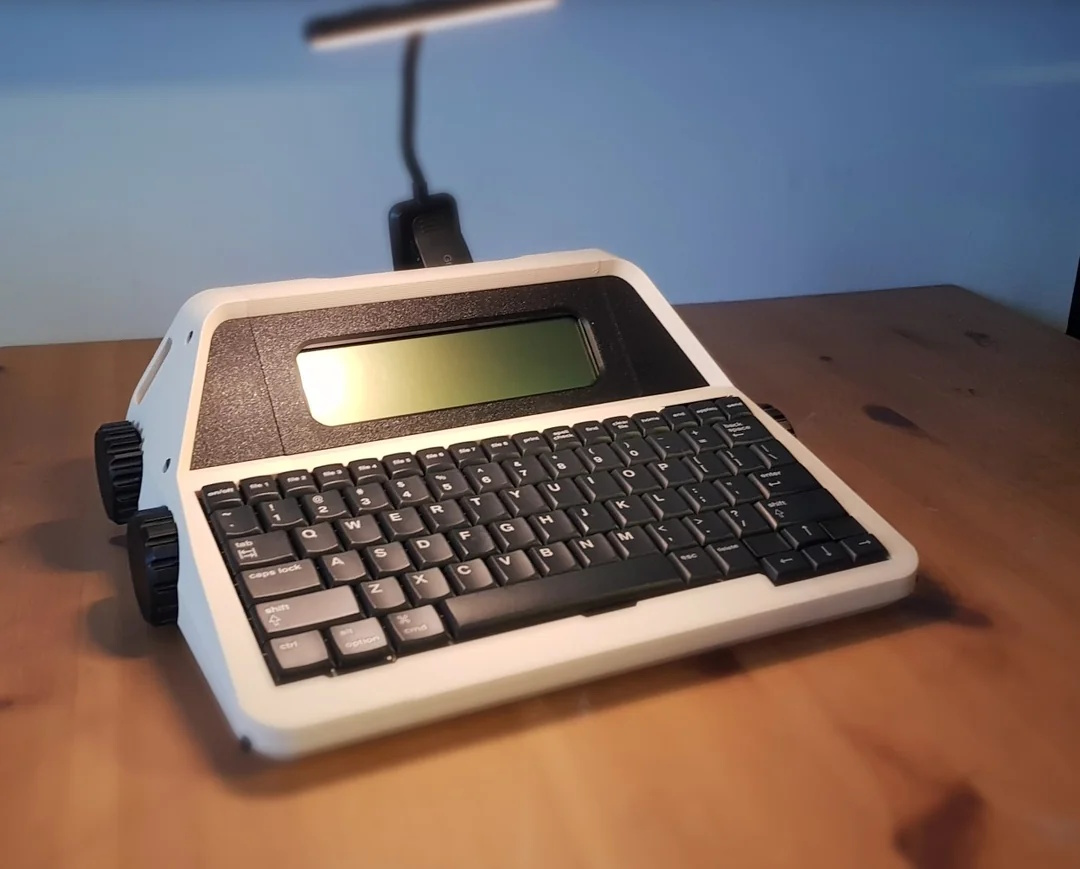
An AlphaSmart NEO in a 3D-printed, typewriter-esque enclosure, complete with big knobs.
Image by [Un Kyu Lee] via GitHub
If you don’t want to spend roughly 40 hours printing ~1 kg of filament in order to make your own, you can join the wait-list on Tindie like I did. Go here to figure out which color you want, and email [Un Kyu Lee] when you order. In the meantime, you can watch the assembly video and then check out this playlist that shows the available colors.

Assembly looks easy enough; there’s no soldering, but you do have to disconnect and reconnect the fiddly ribbon cables. After that, it’s just screws.

This design happened by accident. A friend named [Hook] who happens to manage the AlphaSmart Flickr community had given [Un Kyu Lee] a NEO2 to try out, but before he could, it fell from a shelf and the enclosure suffered a nasty hole near the screen. But the internals seemed fine, so he got the idea to design a new enclosure.

I don’t believe the knobs do anything, but they sure do look nice. There’s an area along the top where you can clip a light, since the NEO has no backlight. There are also two smaller slots on the sides if your light won’t clip to the top.

I’d really like to do this to one of my NEOs. I have two NEO regulars, but reviewers on Tindie report that it works just as well with those as the NEO2.

Continue reading “Keebin’ With Kristina: The One With The NEO With The Typewriter Shell”
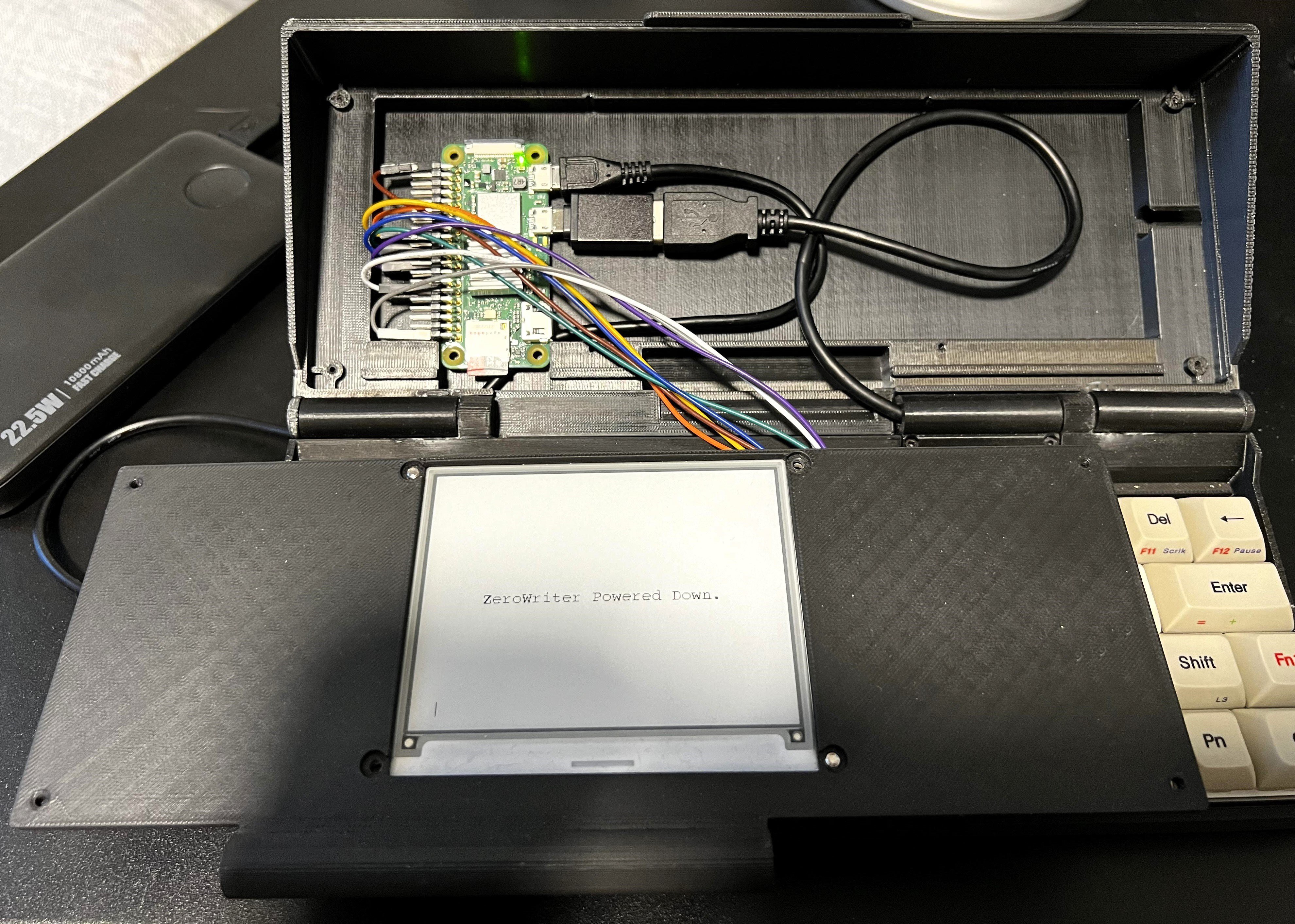
Zerowriter Promises Zero Distractions While Writing

As great as full-blown desktop computers may be for web surfing, gaming, and what have you, they are theaters of distraction when it comes time to write. And while there are machines out there purpose-built for writing, the price tags run awfully high for what they are, which is essentially a microprocessor handling a keyboard and an E-ink display.

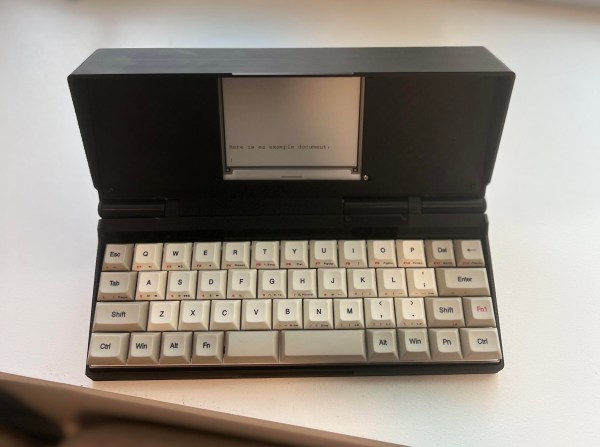
So, why not build one yourself, then? That’s the idea behind the Zerowriter, which, as you may have guessed, is based on the Raspberry Pi Zero. The Zero 2 W to be exact: [zerowriter]  says that the extra power over the original Zero is quite useful.

In addition, there’s a 4.2″ Waveshare E-ink display and the Vortex Core 40% keyboard inside the 3D-printed enclosure. The design is based on the Penkesu computer, although in the Zerowriter, the Pi sits behind the screen instead of underneath the keyboard. [zerowriter] built an application on top of the Waveshare demo program that’s easy to use and modify.

The price tag for this build comes in around $200, which is a fraction of similar commercial products. Most of the cost is in this particular keyboard, although 40%s are, broadly speaking, not cheap. We would love to see someone make a keyboard for this.

Looking to make something a bit bigger? Be sure to check out the MUSE.