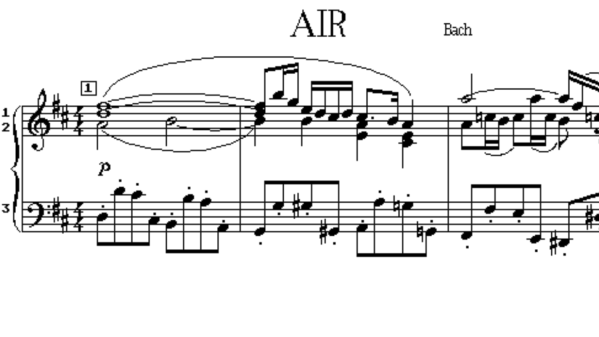
Sheet music is displayed on a screen, with the label "AIR" in the center top, and "Bach" to the right.

Reverse Engineering Score Perfect To Rescue Its Files

There are myriad challenges associated with data preservation – bit rot, loss of metadata, and hardware failures, among others – but one of the hardest is making sure that the data remains usable as software goes out of date. [Maarten Tromp]’s father, for instance, had been using the Score Perfect music notation program for years, but since development ceased in 2012, the files would eventually need to be transferred to more modern software. To do this, [Maarten] undertook a four-year project to reverse-engineer the structure of Score Perfect’s files.

Score Perfect was first released in 1990 for Atari and later ported to Windows, and after version four, it switched to a different file format. It had the option to export to MusicXML, but it only exported notes, not chords, lyrics, or other important details. [Maarten] first tried disassembling the program itself to find the file structure; he had hoped that the Visual Basic code might have been compiled to P-code, which is relatively easy to disassemble, but it had been compiled to native code. Interestingly, through version four, the program had been written for Atari and ran in Windows through a simple emulator. It wasn’t fully rewritten for Windows until later. After some investigation into the file-export function with Ghidra, he moved on to reverse-engineering the file format itself.

This consumed the majority of the project’s time. To investigate the file’s structure, [Maarten] would start by creating an empty file in the program, make one change, and compare the difference in the file written. This gradually revealed the organization of information — the file was arranged into blocks containing different kinds of information, such as measures and notes, and tags, which provided supplemental information. Once again, incremental changes revealed the function of most of these, and [Maarten] was eventually able to write a translation program to export Score Perfect files to MusicXML.

We’ve previously seen a similar effort to reverse-engineer the Altium file format. At least in these cases, though, all the necessary information is contained in the files, unlike the reverse-engineering often necessitated by STL files.
One File, Six Formats: Just Change The Extension

Normally, if you change a file’s extension in Windows, it doesn’t do anything positive. It just makes the file open in the wrong programs that can’t decode what’s inside. However, [PortalRunner] has crafted a file that can behave as six different filetypes, simply by swapping out the extension at the end of the filename.

The basic concept is simple enough. [PortalRunner] simply found a bunch of different file formats that could feasibly be crammed in together into a single file without corrupting each other or confusing software that loads these files.

It all comes down to how file formats work. File extensions are mostly meaningless to the content of a file—they’re just a shorthand guide so an operating system can figure out which program should load them. In fact, most files have headers inside that indicate to software what they are and how their content is formatted. For this reason, you can often rename a .PNG file to .JPEG and it will still load—because the operating system will still fire up an image viewer app, and that app will use headers to understand that it’s actually a PNG and not a JPEG at heart, and process it in the proper way.

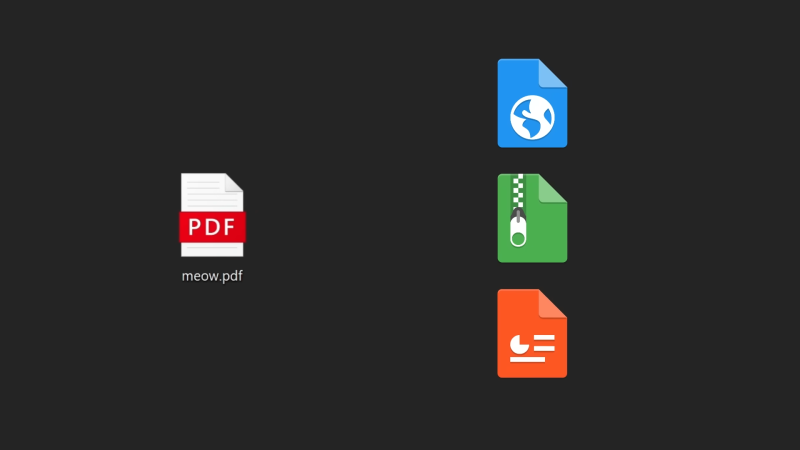
[PortalRunner] found a way to merge the headers of various formats, creating a file that could be many different types. The single file contains data for a PNG image, an MP4 video, a PDF document, a ZIP archive, a Powerpoint presentation, and an HTML webpage. The data chunks for each format are lumped into one big file, with the combined headers at the very top. The hijinx required to pull this off put some limitations on what the file can contain, and the files won’t work with all software… but it’s still one file that has six formats inside.

This doesn’t work for every format. You can’t really combine GIF or PNG for example, as each format requires a different initial set of characters that have to be at the very beginning of the file. Other formats aren’t so persnickety, though, and you can combine their headers in a way that mostly works if you do it just right.

If you love diving into the binary specifics of how file formats work, this is a great project to dive into. We’ve seen similarly mind-bending antics from [PortalRunner] before, like when they turned Portal 2 into a webserver. Video after the break.

Continue reading “One File, Six Formats: Just Change The Extension” →