
Why Can’t I 3D Print With Rubber?

A friend of mine and I both have a similar project in mind, the manufacture of custom footwear with our hackerspace’s shiny new multi-material 3D printer. It seems like a match made in heaven, a machine that can seamlessly integrate components made with widely differing materials into a complex three-dimensional structure. As is so often the case though, there are limits to what can be done with the tool in hand, and here I’ve met one of them.

I can’t get a good range of footwear for my significantly oversized feet, and I want a set of extra grippy soles for a particular sporting application. For that the best material is a rubber, yet the types of rubber that are best for the job can unfortunately not be 3D printed. In understanding why that is the case I’ve followed a fascinating path which has taught me stuff about 3D printing that I certainly didn’t know.
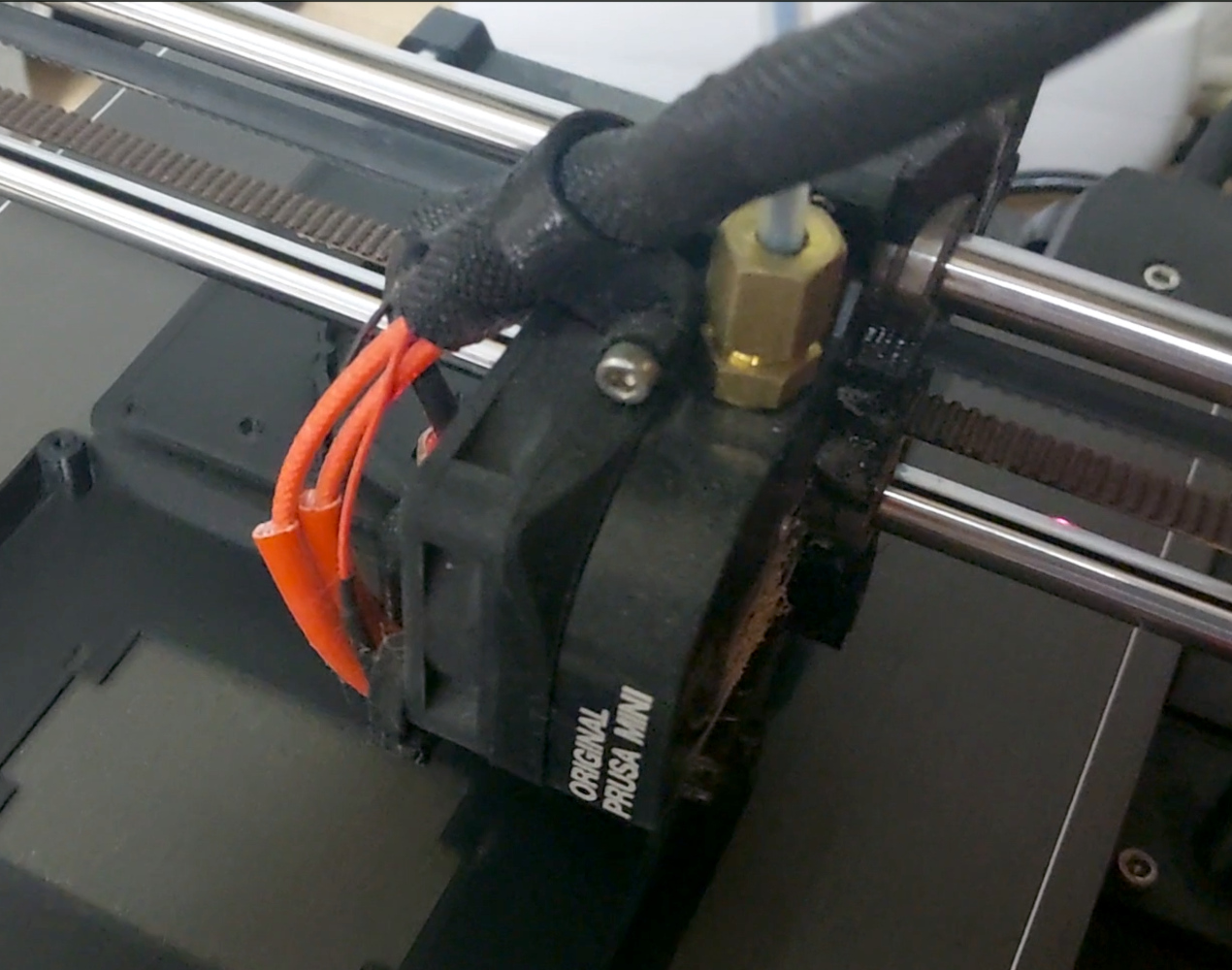
The extruder unit from a Prusa Mini 3D printer
Newton strikes back, and I can’t force rubber through this thing.

A friend of mine from way back is a petrochemist, so I asked him about the melting points of various rubbers  to see if I could find an appropriate filament His answer, predictably, was that it’s not that simple, because rubbers don’t behave in the same way as the polymers I am used to. With a conventional 3D printer filament, as the polymer is fed into the extruder and heated up, it turns to liquid and flows out of the nozzle to the print. It ‘s then hot enough to fuse with the layer below as it solidifies, which is how our 3D prints retain their shape. This property is where we get the term “plastic” from, which loosely means “Able to be moulded”.

My problem is that rubber doesn’t behave that way. As any casual glance at a motor vehicle will tell you, rubber can be moulded, but it doesn’t neatly liquefy and flow in the way my PLA or PET does. It’s a non-Newtonian fluid, a term which I was familiar with from such things as non-drip paint, tomato ketchup, or oobleck, but had never as an electronic engineer directly encountered in something I am working on. Continue reading “Why Can’t I 3D Print With Rubber?”

It’s Time To Make A Major Change To D-Bus On Linux

Although flying well under the radar of the average Linux user, D-Bus has been an integral part of Linux distributions for nearly two decades and counting. Rather than using faster point-to-point interprocess communication via a Unix socket or such, an IPC bus allows for IP communication in a bus-like manner for convenience reasons. D-Bus replaced a few existing IPC buses in the Gnome and KDE desktop environments and became since that time the de-facto standard. Which isn’t to say that D-Bus is well-designed or devoid of flaws, hence attracting the ire of people like [Vaxry] who recently wrote an article on why D-Bus should die and proposes using hyprwire instead.

The broader context is provided by [Brodie Robertson], whose video adds interesting details, such as that Arch Linux wrote its own D-Bus implementation rather than use the reference one. Then there’s CVE-2018-19358 pertaining to the security risk of using an unlocked keyring on D-Bus, as any application on said bus can read the contents. The response by the Gnome developers responsible for D-Bus was very Wayland-like in that they dismissed the CVE as ‘works as designed’.

One reason why the proposed hyperwire/hyprtavern IPC bus would be better is on account of having actual security permissions, real validation of messages and purportedly also solid documentation. Even after nearly twenty years the documentation for D-Bus consists mostly out of poorly documented code, lots of TODOs in ‘documentation’ files along with unfinished drafts. Although [Vaxry] isn’t expecting this hyprwire alternative to be picked up any time soon, it’s hoped that it’ll at least make some kind of improvement possible, rather than Linux limping on with D-Bus for another few decades.

Continue reading “It’s Time To Make A Major Change To D-Bus On Linux”

Chamber-Master

Chamber Master: Control Your 3D Printer Enclosure Like A Pro

Having an enclosed 3D printer can make a huge difference when printing certain filaments that are prone to warping. It’s easy enough to build an enclosure to stick your own printer in, but it can get tricky when you want to actively control the conditions inside the chamber. That’s where [Jayant Bhatia]’s Chamber Master project comes in.

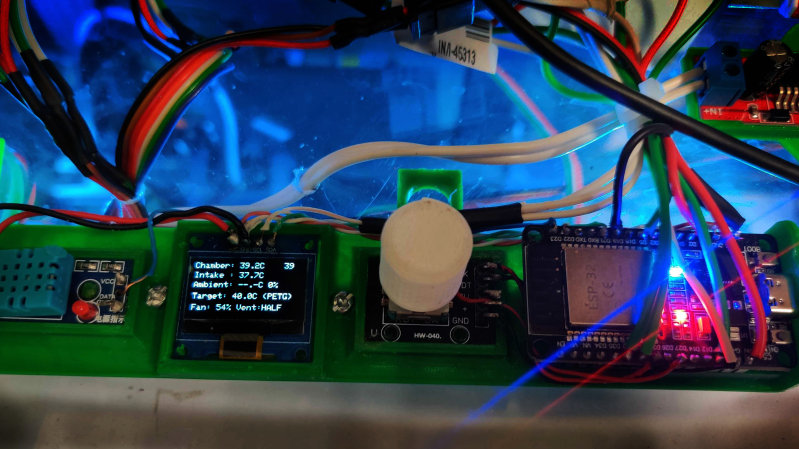
This system is built around the ESP32 microcontroller, which provides control to various elements as well as hosts a web dashboard letting you monitor the chamber status remotely. The ESP32 is connected to an SSD1306 OLED display and a rotary encoder, allowing for navigating menus and functions right at the printer, letting you select filament type presets and set custom ones of your own. A DHT11 humidity sensor and a pair of DS18B20 temperature sensors are used to sense the chamber’s environment and intake temperatures.

One of the eye-catching features of the Chamber Master is the iris-controlled 120 mm fan mounted to the side of the chamber, allowing for an adjustable-size opening for air to flow. When paired with PWM fan control, the amount of airflow can be precisely controlled.

Continue reading “Chamber Master: Control Your 3D Printer Enclosure Like A Pro”









