What would happen if you lost your memory, even partially? With so much of our lives being digital, forgetting your passwords (or the master key to your password manager) could be disastrous. Haunted by that specter after a concussion, [eljojo] created ReMemory, a tool based on Shamir’s Secret Sharing to help your friends help you.
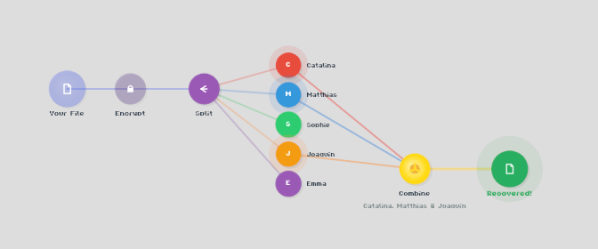
Shamir’s Secret Sharing, for the uninitiated, is a way to split up important data between parties so that the full picture is only available when a quorum comes together. The classic example is giving everyone a couple of digits out of the combination to the bank vault, but no one the full combination. Together, they can open the vault.
ReMemory works the same way. Rather than the combination to a bank vault, the locally-hosted, browser-based interface splits the encryption key to your sensitive data. If you’re old fashioned that might be a plaintext list of passwords, or for the more modern the recovery codes to your password manager. It could be literally anything, like your Aunt Edna’s famous cupcake recipe, which surely should not be lost to time.
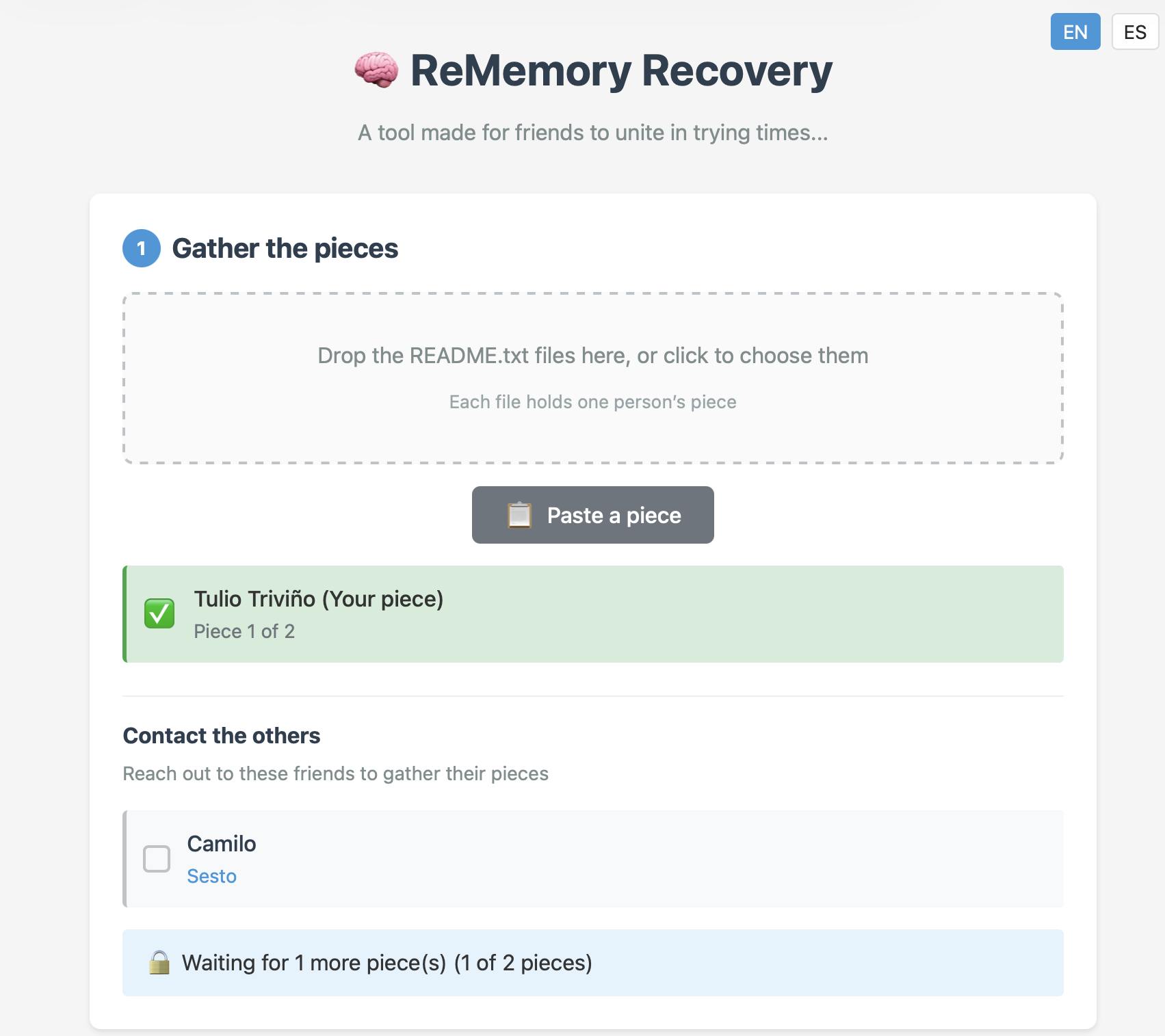
You can chose how many friends to split your data betwixt, and how many will be required to meet quorum– the minimum, of course, being two, but the suggested default is to split the data five ways, and allow decryption from any three parties. Each bundle includes the complete recovery tool, so anyone in your circle of trust can start the process of decrypting your data if they get the others on board. Since it’s self-hosted and browser based, those friends don’t have to be particularly tech-savvy, as long as they can be trusted to hold onto the files. Everything is explained in the readme included in each bundle.
This does have the downside of requiring you to have multiple close friends, at least some of whom you trust to come through in a crunch, and all of whom you trust not to collude behind your back. Still, if you’re the social type, this seems like it might be a useful tool. The code is available under an Apache 2.0 license, so you can audit it for yourself — a must for any tool you plan on entrusting your secrets to.
The best part of the sharing algorithm is that it’s not vulnerable to quantum computing. While [eljojo] was thinking of amnesia when he put the tool together, we can’t help but think this also solves the postmortem password problem.