These days wireless microcontrollers featuring built-in WiFi and Bluetooth are all the rage, with Espressif’s range of ESP32 MCUs being the default option for commercial and hobbyist projects alike. This makes Qualcomm’s recently released QCC74x MCU rather interesting, as specification-wise it would seem to be placed firmly in ESP32 territory.
On the radio side you get 1×1 WiFi 6, Bluetooth 5.4, and IEEE 802.15.4 (e.g. Thread and Zigbee), coupled with a single-core 352 MHz RISC-V CPU with FPU and DSP features and 484 kB of SRAM. The SDK for this MCU is hosted on Codelinaro, featuring the typical FreeRTOS-based stack, though confusingly Bluetooth and Zigbee support are currently marked as ‘not supported’. This might still be in progress.
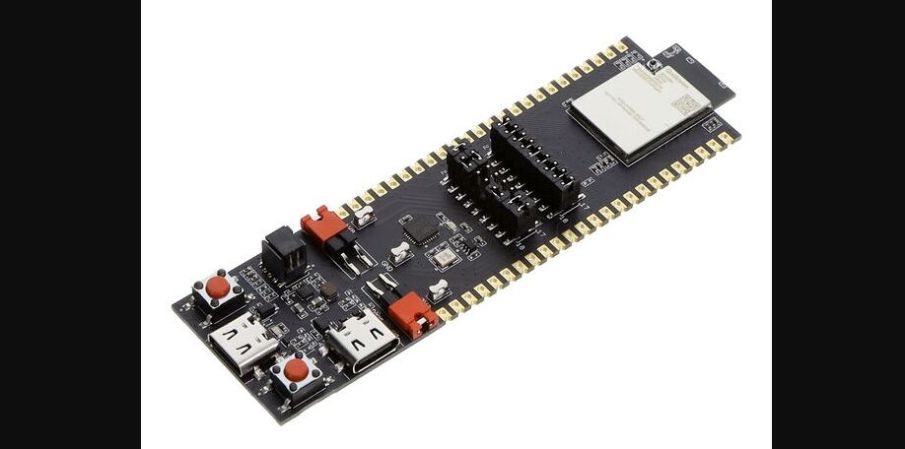
Where the competition with Espressif feels clear is in the pricing, with the highest-performance evaluation board (QCC748M EVK, pictured above) listed for $13 (before taxes/tariffs). This gets you 8 MB of PSRAM built-in with unspecified link speed, but likely the same QSPI as used for the NOR Flash. USB support is available on this higher-end tier, while absent on the QCC743. Development documentation is also available, and looks fairly complete based on first glance.
Overall the QCC74x looks to be an upgrade to the older and significantly less powerful QCC730 MCU. Depending on software support and final pricing it could make for an interesting competitor to some of Espressif’s modules like its ESP32-C series or ESP32-S2, though the upcoming ESP32-S31 would seem to have it matched or beat on all metrics.