Don’t Trust Password Managers? HIPPO May Be The Answer!

The modern web is a major pain to use without a password manager app. However, using such a service requires you to entrust your precious secrets to a third party. They could also be compromised, then you really are in trouble. You could manage passwords with local software or even a notebook, but that adds cognitive load. You could use the same password across multiple sites to reduce the load, but that would be unwise. Now, however, with the HIPPO system, there is another way.

HIPPO is implemented as a browser extension paired with a central server. The idea is not to store any password anywhere, but to compute them on the fly from a set of secrets. One secret at the server end, and one the user supplies as a passphrase. This works via an oblivious pseudorandom function (OPRF) protocol. Details from the linked site are sparse, but we think we’ve figured it out from other sources.

First, the user-supplied master password is hashed with the site identifier (i.e., the domain), blinded with a random number, and then processed using an OPRF, likely built on an elliptic-curve cryptographic scheme. This ensures the server never receives the raw password. Next, the server applies its own secret key via a Pseudorandom Function (PRF) and sends it back to the client. Obviously, its private key is also never sent raw. Next, the client removes the blinding factor (using the same random number it used when sending) from the original key, producing a site-specific high-entropy secret value that the extension passes to a Key Derivation Function (KDF), which formats it into a suitable form for use as a password. Finally, the extension auto-fills the password into the website form, ready to send to the site you want to access. This password is still unique per site and deterministic, which is how this whole scheme can replace a password database. Neat stuff!

This advantage to this whole scheme means there’s no vault to compromise, no storage requirements, and it generates a strong password for each unique site, meaning no password reuse and a low chance of brute-force cracking. The obvious flaw is that it creates a single point of failure (the HIPPO service) and shifts the risk of compromise from vault cracking the master password, infiltrating the server, or compromising its secret key. It’s an interesting idea for sure, but it doesn’t directly manage 2FA, which is a layer you’d want adding on top to ensure adequate security overall, and of course, it’s not a real, live service yet, but when (or if) it becomes one, we’ll be sure to report back.

Confused by all this? Why not dig into this article first? Or maybe you fancy a DIYable hardware solution?
ReMemory Is The Amnesia-hedging Buddy Backup You Didn’t Know You Needed

What would happen if you lost your memory, even partially? With so much of our lives being digital, forgetting your passwords (or the master key to your password manager) could be disastrous. Haunted by that specter after a concussion, [eljojo] created ReMemory, a tool based on Shamir’s Secret Sharing to help your friends help you.

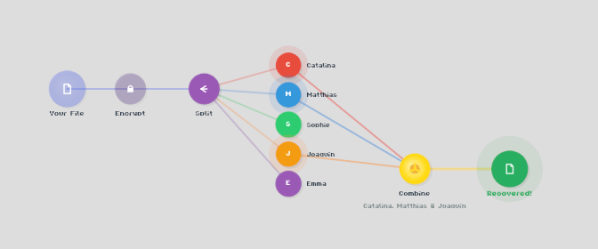
Shamir’s Secret Sharing, for the uninitiated, is a way to split up important data between parties so that the full picture is only available when a quorum comes together. The classic example is giving everyone a couple of digits out of the combination to the bank vault, but no one the full combination. Together, they can open the vault.

ReMemory works the same way. Rather than the combination to a bank vault, the locally-hosted, browser-based interface splits the encryption key to your sensitive data. If you’re old fashioned that might be a plaintext list of passwords, or for the more modern the recovery codes to your password manager. It could be literally anything, like your Aunt Edna’s famous cupcake recipe, which surely should not be lost to time.

Aunt Edna could probably handle this.

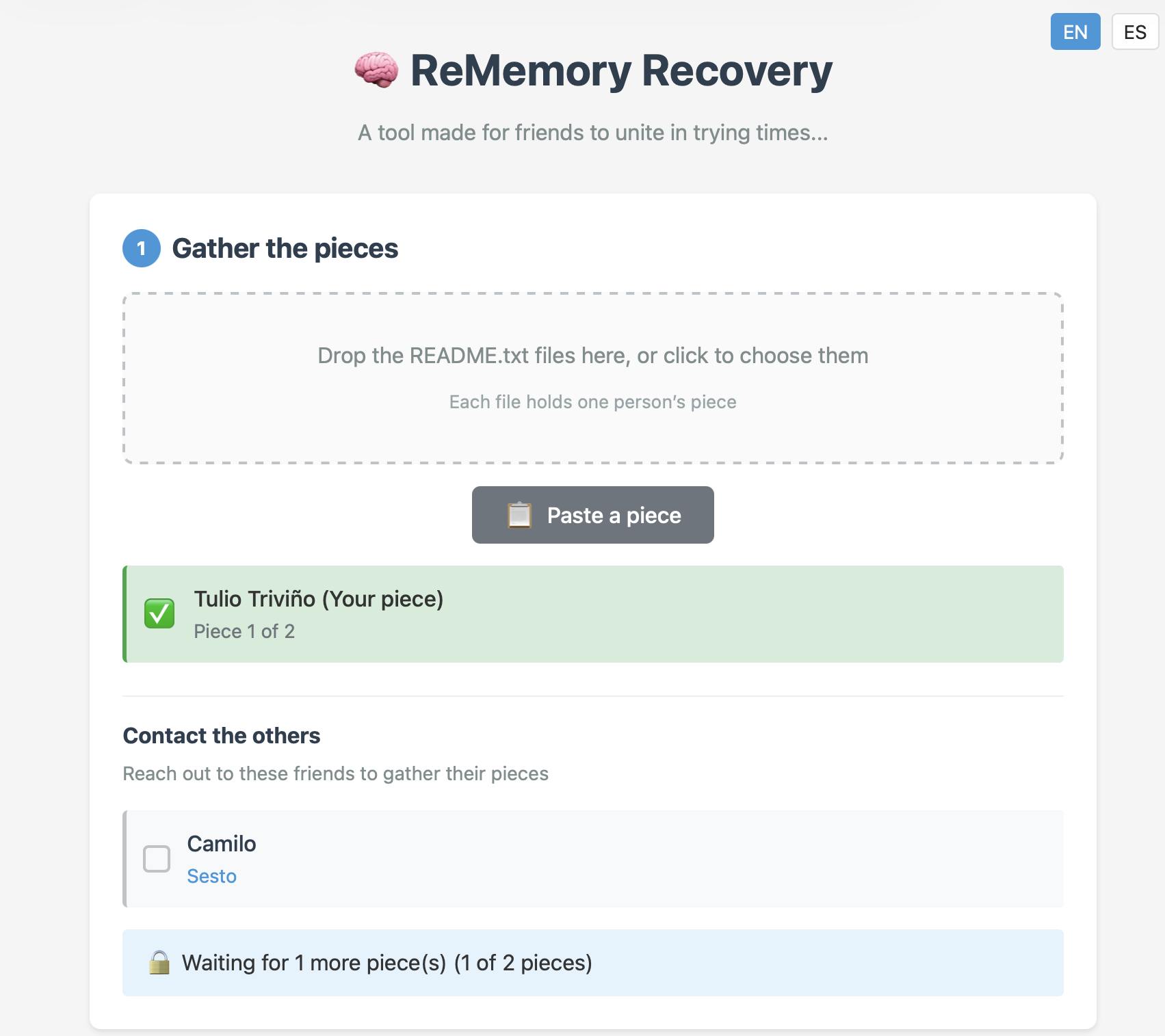
You can chose how many friends to split your data betwixt, and how many will be required to meet quorum– the minimum, of course, being two, but the suggested default is to split the data five ways, and allow decryption from any three parties. Each bundle includes the complete recovery tool, so anyone in your circle of trust can start the process of decrypting your data if they get the others on board. Since it’s self-hosted and browser based, those friends don’t have to be particularly tech-savvy, as long as they can be trusted to hold onto the files. Everything is explained in the readme included in each bundle.

This does have the downside of requiring you to have multiple close friends, at least some of whom you trust to come through in a crunch, and all of whom you trust not to collude behind your back. Still, if you’re the social type, this seems like it might be a useful tool. The code is available under an Apache 2.0 license, so you can audit it for yourself — a must for any tool you plan on entrusting your secrets to.

The best part of the sharing algorithm is that it’s not vulnerable to quantum computing. While [eljojo] was thinking of amnesia when he put the tool together, we can’t help but think this also solves the postmortem password problem.

How Wind Nearly Took Down Boulder NTP

NTP is one of the most interesting and important, but all too forgotten, protocols that makes the internet tick. Accurate clock synchronization is required for everything ranging from cryptography to business and science. NTP is closely tied around a handful of atomic clocks, some in orbit on GPS satellites, and some in laboratories. So the near-failure of one such atomic clock sparked a rather large, and nerdy, internet debate.

On December 17, 2025, the Colorado front range experience a massive wind storm. The National Center for Atmospheric Reassure in Boulder recorded gusts in excess of 100 mph (about 85 knots or 160 kph). This storm was a real doozy, but gusts this strong are not unheard of in Boulder either. That is no small reason the National Renewable Energy Laboratory (now the National Laboratory of the Rockies) has a wind turbine testing facility in the neighborhood.

Continue reading “How Wind Nearly Took Down Boulder NTP”

Tommy Flowers: How An Engineer Won The War

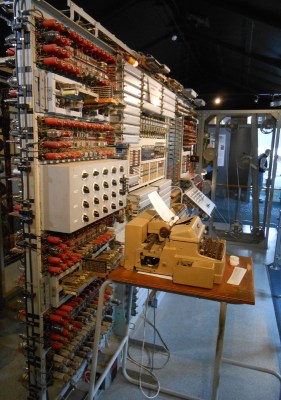
Back in 2016, we took you to a collection of slightly dilapidated prefabricated huts in the English Home Counties, and showed you a computer. The place was the National Museum of Computing, next to the famous Bletchley Park codebreaking museum, and the machine was their reconstruction of Colossus, the world’s first fully electronic digital computer. Its designer was a telephone engineer named Tommy Flowers, and the Guardian has a piece detailing his efforts in its creation.

The front of the museum's Colossus MkII.
TNMOC’s Colossus MkII.

It’s a piece written for a non-technical audience so you’ll have to forgive it glossing over some of the more interesting details, but nevertheless it sets out to right a long-held myth that the machine was instead the work of the mathematician Alan Turing. Flowers led the research department at the British Post Office, who ran the country’s telephone system, and was instrumental both in proposing the use of electronic switches in computing, and in producing a working machine. The connection is obvious when you see Colossus, as its racks are the same as those used in British telephone exchanges of the era.

All in all, the article makes for an interesting read for anyone with an interest in technology. You can take a look at Colossus as we saw it in 2016 here, and if your interest extends to the only glimpse the British public had of the technology behind it in the 1950s, we’ve also taken a look at another Tommy Flowers creation, ERNIE, the UK Premium Bond computer.

Decoding A 350 Year Old Coded Message

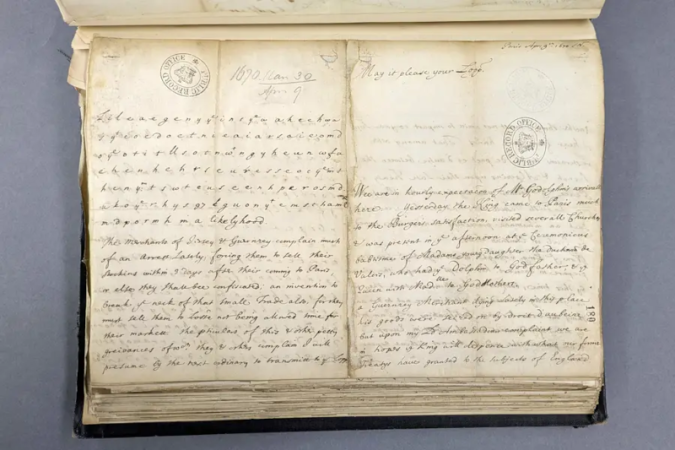
Usually, a story about hacking a coded message will have some computer element or, at least, a machine like an Enigma. But [Ruth Selman] recently posted a challenge asking if anyone could decrypt an English diplomatic message sent from France in 1670. Turns out, two teams managed it. Well, more accurately, one team of three people managed it, plus another lone cryptographer. If you want to try decoding it yourself, you might want to read [Ruth’s] first post and take a shot at it before reading on further here: there are spoilers below.

No computers or machines were likely used to create the message, although we imagine the codebreakers may have had some mechanized aids. Still, it takes human intuition to pull something like this off. One trick used by the text was the inclusion of letters meant to be thrown out. Because there were an odd number of Qs, and many of them were near the right margin, there was a suspicion that the Qs indicated a throw-away character and an end of line.

Continue reading “Decoding A 350 Year Old Coded Message”

Crowdsourcing SIGINT: Ham Radio At War

I often ask people: What’s the most important thing you need to have a successful fishing trip? I get a lot of different answers about bait, equipment, and boats. Some people tell me beer. But the best answer, in my opinion, is fish. Without fish, you are sure to come home empty-handed.

On a recent visit to Bletchley Park, I thought about this and how it relates to World War II codebreaking. All the computers and smart people in the world won’t help you decode messages if you don’t already have the messages. So while Alan Turing and the codebreakers at Bletchley are well-known, at least in our circles, fewer people know about Arkley View.

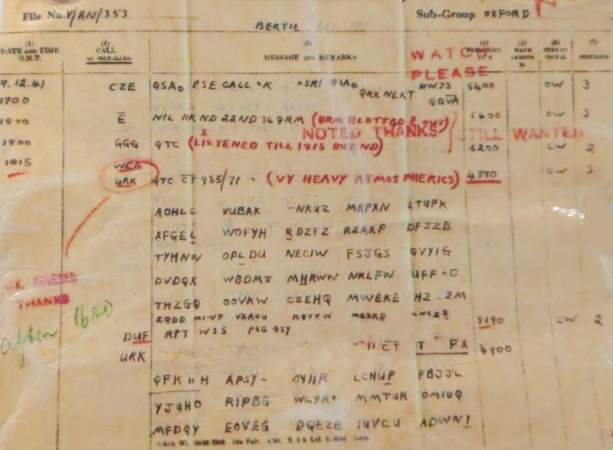
The problem was apparent to the British. The Axis powers were sending lots of radio traffic. It would take a literal army of radio operators to record it all. Colonel Adrian Simpson sent a report to the director of MI5 in 1938 explaining that the three listening stations were not enough. The proposal was to build a network of volunteers to handle radio traffic interception.

That was the start of the Radio Security Service (RSS), which started operating out of some unused cells at a prison in London. The volunteers? Experienced ham radio operators who used their own equipment, at first, with the particular goal of intercepting transmissions from enemy agents on home soil.

At the start of the war, ham operators had their transmitters impounded. However, they still had their receivers and, of course, could all read Morse code. Further, they were probably accustomed to pulling out Morse code messages under challenging radio conditions.

Over time, this volunteer army of hams would swell to about 1,500 members. The RSS also supplied some radio gear to help in the task. MI5 checked each potential member, and the local police would visit to ensure the applicant was trustworthy. Keep in mind that radio intercepts were also done by servicemen and women (especially women) although many of them were engaged in reporting on voice communication or military communications.

Continue reading “Crowdsourcing SIGINT: Ham Radio At War”

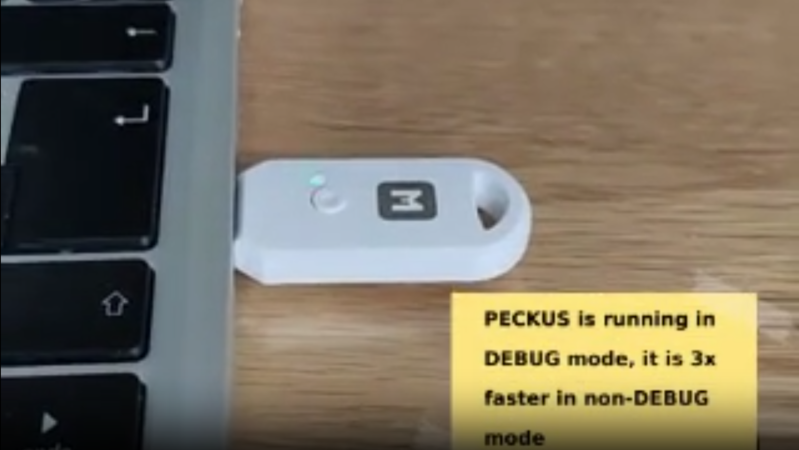
A USB dongle is shown connected to a laptop computer. A text box in the lower right corner says "PECKUS is running in DEBUG mode, it is 3x faster in non-DEBUG mode."

A Presence-sensing Drive For Securely Storing Secrets

When we hear about flash drives in the context of cybersecurity, we tend to think of them more as threats than as targets. When you’re using flash drives to store encryption keys, however, it makes sense to pay more attention to their security. [Juergen] designed the PECKUS (Presence Enforcing Crypto-Key USB-Storage) with this specifically in mind: a few-kilobyte storage device that only unlocks if the owner’s Bluetooth device is in the vicinity.

[Juergen] needed to store an infrequently-used keyfile on an air-gapped system, and commercial encrypted flash drives were rather expensive and left much to be desired in terms of usability. Instead, he designed a CircuitPython custom firmware for MakerDiary’s nRF52840 micro development kit, which provided a BLE-capable system in the form of a USB dongle.

After flashing the firmware to the board, the user sets it up with a particular Bluetooth device and a file to be stored; after writing the file during setup, it cannot be rewritten. Before reading from the device, the user must pair the previously-set device with the board and press a button on the board, and only then does the device appear to the computer.

The limited amount of storage space means that this device will probably only serve its intended purpose, but in those cases, it’ll be handy to have an open-source and inexpensive protected storage device. [Juergen] notes that attackers could theoretically defeat this system by desoldering the microcontroller from the board and extracting the memory contents from the its storage, but if you have enemies that resourceful, you probably won’t be relying on a $20 board anyways.

We’ve previously seen a few flashdrives cross these pages, including one meant to self-destruct, and one made from a rejected microSD card.