
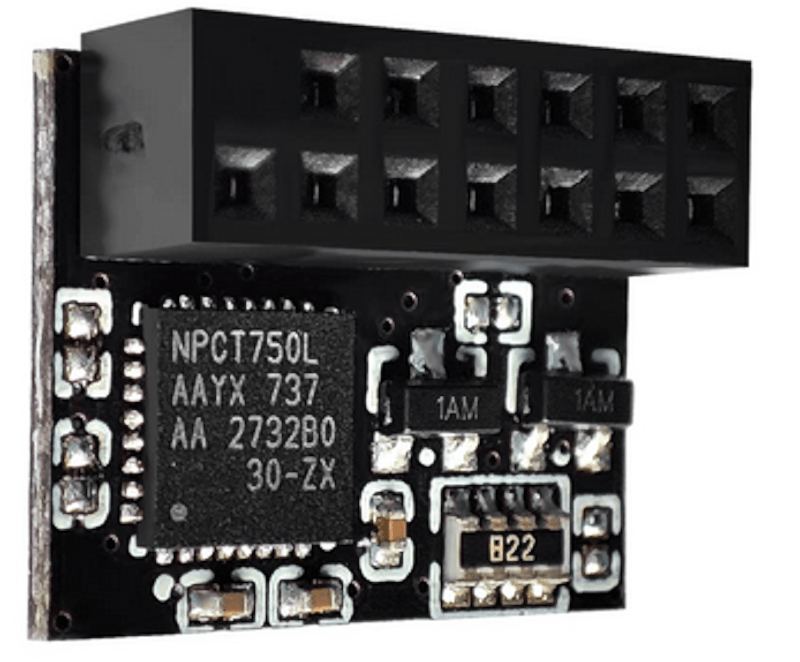
You probably don’t think about it much, but your PC probably has a TPM or Trusted Platform Module. Windows 11 requires one, and most often, it stores keys to validate your boot process. Most people use it for that, and nothing else. However, it is, in reality, a perfectly good hardware token. It can store secret data in a way that is very difficult to hack. Even you can’t export your own secrets from the TPM. [Remy] shows us how to store your SSH keys right on your TPM device.
We’ll quote [Remy] about the advantages:
The private key never leaves the device, you yourself can’t even extract it, neither can malware. It does not live on your filesystem or in an ssh-agent (in memory)…
Unlike a hardware token, the TPM is locked to your machine. In fact, in many cases, it is soldered onto the motherboard, although sometimes it is plugged in. The post notes that because of this, the TPM is not quite as secure as a hardware token that you can pull out of a USB port and lock up. But it is still more secure than just having your keys sitting on a hard drive.
One caveat: some computers wipe your TPM when you update the BIOS. The post mentions how to get around this. You’ll need some tools, of course, and it won’t work with Windows Subsystem for Linux, unsurprisingly. Once you have the tools installed, the process is pretty straightforward.
We’ll add this to our set of ssh tricks from now on.












There are quite a few free and open source HSMs you can build yourself for cheaper and that offer more safety (removable, USB form factor) that cannot be extracted either and have not 4 extra dependencies and work on stock packages of Debian and Ubuntu.
such as? sounds great in theory, but if it’s a network appliance + USB form factor…
being able to store in TPM seems to have its own advantages, despite not being appropriate for 100% of high-security scenarios. there’s always a balance of security and convenience/pragmatism.
“such as?”, you asked.
polhenarejos’s pico-hsm on a $5 Pi Pico 2.
https://github.com
polhenarejos/pico-hsm
The same author also did a FIDO2 key / Passkey and an OpenPGP dongle on Pico 2. As I recall, it works in the Pico also, but the Pico 2 has better hardware security.
Finally, a sane reason to have a TPM! Full disk encryption always struck me as a bit paranoid, signed bootloaders as DRM, but this seems more like a reasonable precaution.
Windows 11 copies protected keys into the cloud, and Intel management engine also has a access to the area. Best of luck with that…
Full disk encryption is the only protection with a stolen laptop. Definitely makes sense for enterprise, or anyone’s personal laptop if they really want to keep some things private. But it does give extra weight to having proper backups. (Off-site, pull not push, automatic, and tested).
Signed bootloader is similar – if I can boot a system from a USB stick and mount the drive, I can do whatever I want with anything on the drive.
For a personal desktop where you don’t have any particularly sensitive information, maybe not.
Ps – it also makes securely wiping the drive instantaneous. Remove / change the key and you’ve effectively wiped the drive (complying with NIST standards).
That’s a real time saver if you have thousands of machines in your organization. But again, lose the key and the drive is effectively wiped – have backups of the key if the data is important.
Curious as to how this could work on windows. Maybe adding support in to putty cac’s agent?
I just want that black plastic bit for model greebles
once again the lack of accuracy in the article, I have to play a game of malice or incompetence: the quote you have is not even remotely related to TPMs but HSMs, which a TPM is not,
the key material is loaded at run time and stored at rest encrypteed on the harddrive of the computer, only crypto functions are handled by the TPM, it’s basically a glorified crypto accelerator.
this doesn’t really provide any coverage, and you’d be better off just forking out $50USD for a yubikey or similar device
It is important to understand that the encrypted key stored on the drive is encrypted BY A KEY STORED IN THE TPM.
To use the encryption key, one would need to decrypt it using the TPM.
Which is equivalent to storing the encryption key in the TPM! Until you go quantum. For quantum-resistant key storage, you need a quantum-resistant TPM, one that meets the 2027 standard.
So, could I buy a TPM module and turn it into a hardware key?
So you can secure your SSH key in your TPM… as long as it’s an insecure SSH key. You can use the RSA or ECC256 algorithms, but not ED25519. Both RSA and ECC256 are vulnerable to quantum computing, and ECC256 uses NIST algorithms that have had concerns about their integrity for years.
Maybe your key will be a little more secure… but your communications will be a whole lot LESS secure.
They’re the hardware equivalent of the bittorrent blocklists from years ago. It sounds like a good idea, but in reality all it achieves is to give the user a false sense of security.
And yes, W11 does upload the keys to Microsoft’s ‘cloud’ servers. For your protection of course…
You can secure a ED25519 with the TPM.
It will use RSA to secure the ED25519 key. Which might be someday be vulnerable to quantum attacks from nation states, but not from the attackers hitting your box today. The ransomware gangs that are trying to break in right now.
Next year, we should see quantum-resistant TPMs available.