
Although we have many types of networking equipment with many unique names, at their core they can usually be reduced to just a computer with some specific peripherals. This is especially the case for something like a router, a device found in just about any home these days. Certain consumer-grade routers may contain something special like a VDSL modem, but most of them just have a WAN Ethernet jack on one end and one or more LAN-facing Ethernet ports.
All further functionality is implemented in software, including any firewall, routing and DHCP features. What this means is that any old PC with at least two Ethernet ports or equivalent can be a router as long as you install the appropriate software.
In this article we’ll be taking a look at what consumer-level options there exist here today, ideally something so simple that the average home user could set it up with a bit of coaching.
When Routers Were Terrible
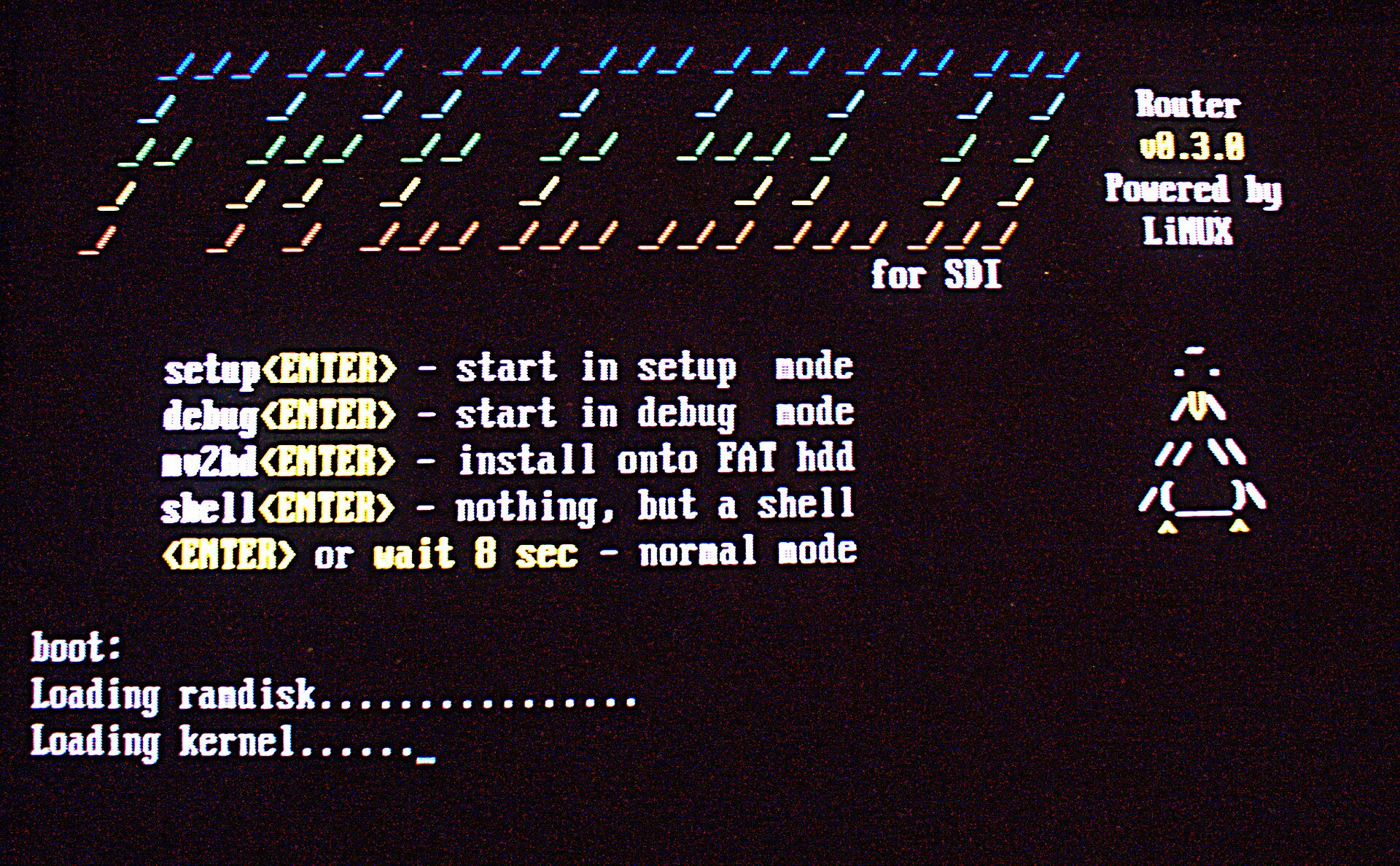
Although these days most people are probably happy to use whatever consumer router gets tossed their way by their ISP or purchased from any of the many electronics retailers, the era of home routers starting in the 90s was a rough one. Not only did many ISPs for a long time have strict rules against even thinking of installing any kind of connection-sharing router on the precious internet connection they so gracefully provided access to, the routers that were available even during the 2000s also weren’t particularly good.
Perhaps the most egregious issue that you’d run into as a somewhat internet-savvy user was that these units came with the tiniest amount of RAM and a routing table that would fill up within seconds if you so much as thought of doing anything naughty like downloading Linux ISOs with Bittorrent. Even more than the lightest internet use risked issues such as the router freezing up and requiring a reboot.
Being the nerdy type who’d hang out on various tech forums during that time, I instead opted to toss some ISA NICs into an old 486DX2-66 PC, put FreeSCO on a 1.44 MB floppy and used that instead. Even the 16 MB or so of EDO or FP RAM in that old system easily kept up with whatever internet traffic-related abuse I threw at it along with the rest of the family.
Later I’d also use Smoothwall on a trashed Pentium 166 system that I had salvaged from e-waste as a healthy upgrade. Yet over time as consumer routers stopped being terrible, I’d end up using those instead. That said, despite recent improvements there are still reasons today to put your own router together.
These reasons can vary from a simple increase in control, as well as peace of mind in an era where commercial consumer router firmware do not appear to get quite the quality assurance they should get. There is also the specter of repressive government policies, and of course less dramatic reasons such as just being into tinkering with networking gear.
Modern Options
Although we have moved on quite a few years from the 2000s, it’d be nice if we could still theoretically dig an ancient 486 PC out of a closet and use it, just to push back the minimum requirements as far as possible. Looking at the list of router and firewall distributions over at Wikipedia we can get a bit of an idea of what’s out there today. Naturally we’d like something that’s open source, recently updated and well-supported as we’ll be exposing it to the worst that the modern Internet has to offer.
Sadly, FreeSCO isn’t even in the list, and based on the project’s website it doesn’t appear to have been updated since 2014. Similarly, Smoothwall’s free version (Express) doesn’t appear to be quite supported any more, with the commercial offering being promoted instead. A promising project is something like OPNsense, which is a FreeBSD-based distribution that does basically everything networking-related and then some. It’s also rather resource-heavy, demanding 4+ GB of RAM and so on, for features that the average home user is unlikely to use.
 Ultimately only two projects really jump out: the first is the Linux Embedded Appliance Framework (LEAF), which feels like a spiritual successor to FreeSCO in targeting 486 or better hardware while running read-only off floppy discs or better.
The second project is the well-known OpenWrt, which doesn’t just provide alternative firmware images for commercial routers, but also for generic x86 and ARM hardware. This should tick all the aforementioned boxes, including the ability to run off an x86-compatible potato, while theoretically also providing driver support for just about any NIC and maybe even WNICs.
Amusingly, my current internet router is a Xiaomi device that runs OpenWrt with a custom web UI, so I’m already familiar with it in that sense. I also have no complaints about its stability, so this should be smooth sailing as a first try.
A quick sidenote here: although I did say that consumer-grade routers aren’t terrible any more today, this Xiaomi router replaced a horrid TP-Link Archer C80 with its tiny 4 MB Flash, incompatibility with OpenWrt and broken IPv6 support. Caveat emptor, as they say, for consumer-grade routers can absolutely still be terrible.
It’s Not Hoarding, I Swear
Like any self-respecting tech-enthusiast I happen to have a few drawers and boxes with relevant computer hardware, including a stash of industrial Intel Atom mini-ITX boards and some PCI Gbit NICs. Although I could have tossed this into a scruffy old case with a questionably-but-probably-fine PSU, I decided to get a new budget case and PSU, just to feel more confident about flipping on the power switch:
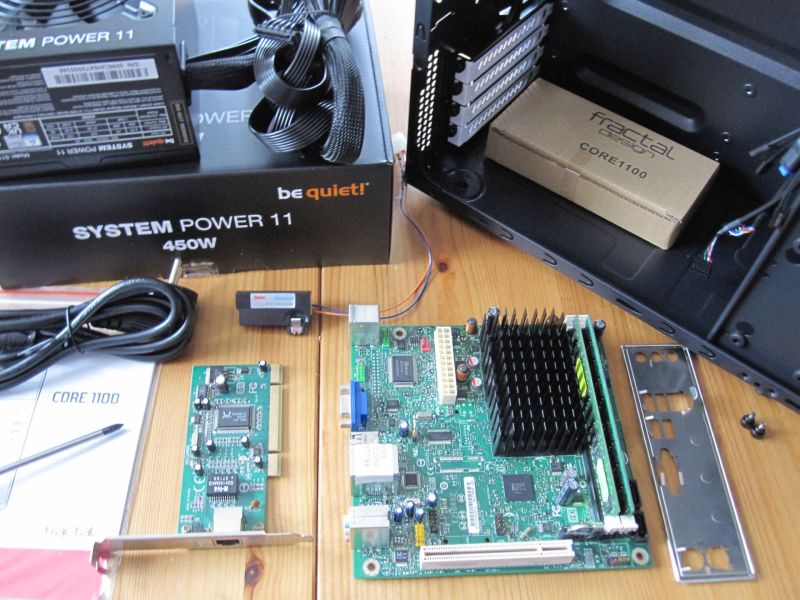
The mainboard is a 2009-era Intel Desktop Board D410PT, with two sticks of 1 GB DDR2 RAM. There’s just an onboard 10/100 Mbit Ethernet adapter in addition to the PCI 1 Gbit adapter, but this is good enough to test basic principles. Plus older Ethernet chips definitely ought to be supported.
With this whole kit built together, the OpenWrt Wiki entry on x86 installations was followed, with an Ext4-based non-EFI image written to a 512 MB microSD card. This card was inserted into the system with a USB adapter, though as the Wiki page makes clear there are many more ways to install OpenWrt, including on an internal (SATA/IDE/etc.) storage device.
Here the OpenWrt image selection process is definitely a bit more complicated than that for e.g. FreeSCO, as you have to know whether the system boots using a UEFI or traditional BIOS, as well as decide between the SquashFS and Ext4 root partition option. Even after looking at the pros and cons of both I’m still torn on which one is best.
There is also the issue of supported network cards, with the typical image supporting Intel and Realtek Ethernet chipsets. Having compatible NICs installed is even more important than back in the generic NE2000 days.
Sad Trombone
After firing up the newly built rig and briefly powering it down to replace the very much drained CMOS battery, I had hoped to see something promising on the connected screen. Yet other than the PXE boot attempts from both Ethernet cards before a sad ‘no bootable devices found’ error message nothing happened.
I did go through the BIOS to make sure that all ‘boot from USB’ options were enabled and tried multiple SD-card-to-USB adapters in multiple USB ports, but it would seem that either the provided OpenWrt image isn’t bootable or the Curse of Bootable USB Devices has struck again.
While I haven’t given up yet on DIY-ing an x86 router on older hardware in 2026 and still have to give LEAF a shot, I must say that compared to the FreeSCO method of just slapping that floppy into the FDD, running through the config and being done, things are a lot more complicated today. I’d definitely not trust the average person to run through these steps to set up their own consumer-grade router.
Perhaps for the LEAF version I’ll dig up a rig with FDD header on the mainboard and run it off a 1.44 MB floppy like in the good old days. Until then feel free to sound off in the comments about what obvious mistakes I have made with OpenWrt, how I should just use OPNsense on an old 19″ rackmounted Xeon server rig, or maybe your own experiences with FreeSCO, SmoothWall, OpenWrt, and/or LEAF on lovingly restored e-waste.
Featured image: “Ethernet Router” by [gratuit].












opnsense doesn’t require 4GB of memory. The Atom D510 with 2GB installed, next to me, is using 800MB of it while running.
It has the ‘lan’ setup with many VLAN that extend out to a 48port managed switch that turns each physical port into its own NATed class C. no one switched port can reach another logically.
It is able to push 300Mbps through the wan/lan ports that are 1Gbps.
OPNsense is great, except for the current state of it’s wifi support. I’d still recommend it, you will just need another old box to act as a wifi hotspot. Not a bad situation really and you can also make it a LoRa gateway and run a MQTT server etc. Give the second box two NICs and you get a second physically isolated LAN for your devices of questionable security, IP cams etc.
That’s good to know. I went by the listed minimum RAM requirements, which do note 4 GB. Somewhat strange that they’d not not have actual minimum requirements on the site…
Only 400 watts. Lol
You gave up awfully quick on the USB booting. For a proper router you need to boot from a CF to SATA adapter anyway.
I have some 2 GB SATA SSDs (visible in the photo) that I was thinking of installing OpenWrt onto, but I do need to somehow boot something to install from first.
Also, I spent a few hours mucking about with BIOS settings and different adapters as well as SD cards. Maybe USB sticks truly are different though it should all be the same USB mass storage protocol, but… USB booting has always been finicky in my experience, especially on older hardware.
They are, yes. It’s a while ago for me, but i think sticks too need to do the USB-modeswitch thing.
I smell the x86 bias here.
Back in 1999, i did the same on the university campus, installing old PCs with 2 cards isa or pci (ne2000 driver for realtek rtl8029 pci were the best cards, and 3com ones). I used CoyoteLinux on a 1.44mb floppy.
Otherwise, OpenWRT rocks!
It’s ‘bias’ in the sense that you’re more likely to have x86 rigs lying around that can easily accept 1+ Gb Ethernet expansion cards, I guess :)
Apparently there a few different folks writing software to do this; in a Unix shop I worked in circa 1998, we were building routers out of old 386’s with something called, IIRC “Share the Web” or ” Share the Net”, running under a stripped down Minix on a floppy, no HD required. We ran our whole 10-person office staff on this thing into a dial-up line, there being no DSL or cable ISP in our area at the time. Yup, kinda slow, but much better than nothing.
Smoothwall has at least one modern descendant: https://de.wikipedia.org/wiki/IPFire
Used it between ~2010 and 2017 – can recommend.
(and of course obligatory: OpenWRT is great)
With IPCop in between! I’m still using it with a industrial board with an Intel Celeron J1800, 4GB of DDR3 RAM (works pretty well with 2GB, too) and a 32GB mSATA SSD and the internal 4 Gbit NICs. This setup is running inside a DIY rack for almost 10 years now.
Well, not exactly saying you did it wrong, but maybe using a normal usb drive instead of the sdcard+adapter would work.
If possible, a not–so-big drive, like 4 or 8 GB max. The board is old, and may have compatibility problems.
Yeah, USB booting has in my experience always been finicky on older hardware. To my knowledge SD cards with a USB adapter speaks the same USB Mass Storage protocol as a USB stick, but I could be mistaken. I’ll definitely be trying a few more approaches, else I’ll switch to another board, I guess…
I’ve been using OpenWRT (in a VM) as my primary router in two locations for 10 years. It’s wonderful! My only advice is to take a backup image before you begin tinkering with some of the advanced features because it’s somewhat easy to break things if you aren’t careful.
Both of my OpenWRT routers are running WireGuard, which provides LAN connectivity between the two locations. I’m also using features such as muti-WAN, RFC4213 tunneling, VLANs, and providing DHCP to multiple subnets. A few years ago, I wrote scripts to track the dynamic IP addresses that each router is assigned, so the WireGuard link could operate peer-to-peer instead of needing a cloud/separate server with a static IP. This saves time (reduced latency between the sites) and money (AWS data charges).
Just as an info: HP T630 or other thin clients might be a cheap starting point for those without hording problems.
If you buy thin client, always with power brick, because some bricks are special… (f.x. HP has a three wire supply that no seller can sell despite claiming so.)
Nahh. If you are going to buy new hardware you should look towards a dual 1Gb(or 2.5Gb) ARM dev board and run OpenWRT on it.
These things use basically no power and do the job just fine without having to add extra cards in. And they are cheap enough that you can buy more than one to play with or have as backups.
Companies like FriendlyElec are pretty prominent in the space but others are available too.
It’s pretty hard to beat a $25 dual network device that can also run Debian or DietPi when you don’t need it to be a router anymore.
The only problem with these, and every other budget router now, is they fall flat doing 10Gb work.
I can get a 5Gb Internet connection for $80 now, but the router to actually use it would either cost $400+ or be cheap enterprise castoffs that cost another $25 in electricity a month.
OPNSense on an old Dell discarded by my workplace. It can’t be beat. 4GB RAM? Ok, is that hard to get? That’s the lowest I have seen in the discard pile in a while!
Is it overkill? If you are someone who would read this article then I bet you would benefit from a VPN server. Yah, sure, you can do that on OpenWRT. But it’s going to be a lot easier if you don’t!
I used an old compaq 386 running Slackware to route my dialup to my 10Mb lan. It was configured to auto dialup EarthLink when somebody on the lan browsed beyond the LAN. This was 1997. No special distribution just a few scripts.
Win98 SE ICS (Internet Connection Sharing) was my choice for homemade router back in the day.
Oh yes, ICS is how I got started too initially before DIYing that router with FreeSCO. It was mostly reliable-ish much of the time :)
i don’t really get it. why do you want a “router”? i’ve always just had one linux box that’s bigger and less laptop-y than the other ones, and i add a second ethernet card to it. voila! router. a completely regular machine that is there already to handle compute and storage loads…been doing it the same way since the late 1990s…i do most things the same since the 1990s :)
and on the OS side, same. i just use Debian (Devuan). if you don’t use gnome / kde / (systemd?), it hardly uses any RAM. iptables, wireguard, openvpn, vtund, ssh tunneling, what more could you want out of a router?
if you don’t already have a linux machine in some central location on your network, do you really care enough to set up a “router”? wouldn’t whatever came from your telco do you well enough?
If the router PC is also your firewall, then you want as little running on it as possible. More stuff means a higher chance that something will have a vulnerability.
noooooooooooooooo not true. If you know how to set up a firewall, it handles ingress to that machine just as well as pass-through traffic. If you don’t know how to set up a firewall, it won’t do you any good.
It won’t do you any good? Talk sense, man. Default settings for firewall are good enough
Do you have a point or are you just here to question people’s motivations?
CCNP/CWNA here. L.O.L.
or would kek be more appropriate?
I thought the US had already banned putting alternative firmware on routers?
The FCC didn’t ban custom firmware. They required manufacturers to lock down the radio hardware so custom firmware can’t make it do anything illegal.
There are still plenty of routers that can run OpenWRT.
Where can I buy one of those “x86-compatible potatoes”? They sound delicious!
It’s rare to find them in complete potato form; they’re normally sold as… chips.
Anyway, didn’t GLaDOS have prior art for “software running on a potato”?
I did similar with an old “not really worth anything Dell laptop”… had a program (don’t remember what it’s name was, it used WinPCap’s DLL) that told me the user-set password to a WiFi connection (nearby) (this was like 2013, after I got back from working at Chris Boden’s Geek Group), and Win7 let me configure the laptop’s ethernet port into passthrough, and my tower was able to have internet over ethernet.
“building a router” makes it sound like you’re designing it in OpenCAD and engineering circuits… repurposing a laptop or RPi or something to ‘function as a router’ isn’t building one.
idk, I don’t expect “engineering circuits” to be an article on Hackaday. Maybe you’re not a regular here? To other posts, I think the reasons for x86 bias is obvious, when you’re looking for old scrap machines where NICs can be added, ARM SBCs aren’t really competative. I also would like to know vintage PC electricity use vs commercial routers. If you have a “home lab”, maybe it’s not a big deal
Typical vintage PCs of the 8088 to 486 era had weaker PSUs (say 150W) and no CPU fans,
so power consumption under full load (non-idle) was below that of later PCs.
(386SL and later 486DX2 or 486DX4 PCs had power savings and HLT instruction AFAIK.)
The normal desktop/tower models, I mean. Not nettops, thin clients or Intel Atom systems.
PCs of the 2000s draw most power, maybe. That’s when the big, power hungry graphics cards had their heyday, too.
I guess you’re not familiar with software builds.
Anyway, the circle is now complete: first we learned how to use cheap routers as computers, now we use cheap computers as routers.
I guess I missed a few tricks slong the way; i never saw a router used a computer, but we were using “obsolete” 386’s as routers in the 90’s. Interesting.
So, is ordering and assembling a collection of parts from the housing and PS to the mouse and KB, and installing the OS, “building” a computer? Was assembling a Heathkit that someone designed building a radio? Of course! And what about all the chopper parts that you can buy to build your own motorcycle from the ground up with nothing but wrenches, no machining or welding required. Is that or is that not building? Nobody here is saying you have to design and manufacture all the pieces yourself; good luck with that, tho as and old time machinist and welder, and electronicist who cut his teeth on tubes and hand-soldered chassis, I have done just that, but you don’t see me attacking others about it.
Maybe I am over thinking this, but with networks now with 1Gb, 2.5Gb and higher bandwidth, it seems repurposing ‘old’ hardware for routing is not the right direction for a nice compact router? I know all my switches are now 2.5Gb for example and my desktops/servers have 2.5Gb cards. The new NetGear Router I bought has 2.5Gb RJ-45 plugs to keep up. Granted the internet speeds probably isn’t that high to the ISP though over fiber, but for future proofing…
Used enterprise hardware can be cheap as dirt. 10gbe has been around and in widespread use for decades. There are some solid cheap fat clients that were marketed as thin clients available in the $40 to $70 range that offer extremely low power consumption. Running those you might run into issues with lack of ports. But lots of smaller board that support perfectly capable processors that can run a 4 port 10gbe pcie card. Even something 15 years old might be good enough. Some people run the smff PCs you get in the same price range as the thin clients or basically free as e waste and support full hight cards. Then find an ewaste card or pay the $10 to $20 for a used one. For under $100 you can have a full featured 4 x 10gbe lplus a 1gbe port router plus run other services for your home network..
I agree with rclark and also don’t forget about the power consumption of these old systems running 24 hrs/day. I use a Raspberry Pi 4 and Openwrt, it draws vey little power and maxes out my 800Mb connection.
Thanks all. Speaking of SBCs, I have a RISC-V board (name escapes me, but RV2 rings a bell) with two ethernet ports (and wifi I think as it has an antenna dangling). The reason I purchased in the first place was to write (learn) some RISC-V assembly programs in a Linux (Ubuntu) environment. However lately it is just gathering dust on shelf. Wonder if OpenWrt will run on that board, just for fun. Hmmmm…
I’m still running a network that I built out of old cast-off 10baseT cards, hubs, and routers in CAT5 wiring that I built 25 years and got my level of use it works fine. 100bastT was pricey stuff back then, abd as long as it runs faster than my ISP I’m happy.
I do remember fli4l..
https://en.wikipedia.org/wiki/Fli4l
The focus of OpenWRT is for low-end embedded hardware. The focus of OpenSense is GUI-first. It is for people that are not comfortable in a CLI or with automation. That GUI demands hardware resources. In my opinion, VyOS should be included in this topic. It is much faster than OpenSense, doing more with the same hardware. It xan be an enterprise grade L3/L4 router/firewall for your home (for free minus the hardware of course).
Running opnsense at work, and on a hp mini at home – 20W typically probably due to the i7. Going to try to get down to 10W with an i5 model. Does everything I need and more. Vlans, wireguard, unbound dns, blocklists. Using a 2.5gb m.2 adapter , which i suspect the i5 may not fully utilize but no matter. I did look at the openwrt documentation and was shocked enough to be put off. Maybe I was looking in the wrong place?
I’v Been running a RHEL(CentOS) these days Fedora linux box for about 20 years as the main router/gateway, It always ran nicer for troughput vs lowish cost off the shelf routers, the only place for offtheshelf routers is as an AP with OpenWRT. this setup allows me to run Services on the edge either from VM’s or on the host itself with iptables /firewallD to sort out what is allowed on witch side of the network. currently run a mini x86 board with dual 2.5gb nic’s ( Odroid H4 ) with fiber Wan currently at 1gbit but i could go up to 8gbit (i just don’t see a need for more speed ) my internal network is a mix of 2.5gbit utp and 10gbit fiber.
I posted a few days ago and it was removed for some reason. I run a Raspberry Pi 4 with Openwrt and it maxes out my 800Mbs connection and uses way less power than a computer does especially when running 24/7.
Buy an OpenWrt One for $100ish. Good performance, easy install, uses minimal power.
edit: meaning, the bootloader needs to support more than basic driver loading or a thumbdrive wont boot.