
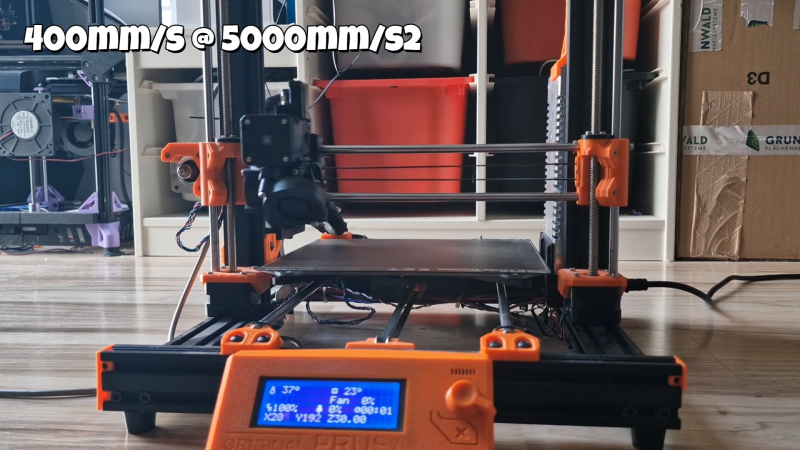
3D printers are almost never fast enough. [Cocoanix] had a Prusa MK3S with this very problem. He found it to be disappointingly tedious when completing even simple prints, and sought a way to make it faster. Thus, he grabbed a Nintendo Switch and got to work.
It might sound like an odd choice, and that’s because it is. There’s no special magic inside a Nintendo Switch that makes 3D printers faster – it’s just that the handheld console was a useful platform on which to run Klipper. As [Cocoanix] explains, Klipper is designed to run on faster general-purpose computers compared to the more limited microcontrollers used in some printers. It’s designed to off-load complex motion processing tasks to a faster CPU, while the printer’s onboard microcontrollers are freed up to simply handle the low-level tasks of driving the motors and so on. An older printer equipped with Klipper can often print faster, while implementing techniques like input shaping to further improve speed as well as print quality.
It’s worth noting that you don’t have to use a Nintendo Switch for this. It’s just a good hook for the YouTube video. Typically you’d use a Raspberry Pi or some other computer instead, but the fact it runs on a jailbroken console is amusing nonetheless. It’s also cool to see the results – in this video, [Cocoanix] got the Benchy printing time down from 90 minutes to just 8.
We’ve previously discussed the benefits of Klipper at length.












The Switch makes a surprisingly functional Linux (or even Android) device. Certainly not good, or practical, but functional. Of course it goes without saying that it needs to be jailbroken (via exploit or modchip) to do this…
People often say (disparagingly) that the Switch was just an outdated smartphone/tablet SoC shoehorned into a gaming handheld, and while that’s not exactly the case, there’s enough truth to it that it was remarkably straightforward for developers to get these other OSes running on it.
In many ways, the Switch is remarkably similar to the Jetson Nano developer kit that Nvidia released around the same time. Both use very similar stripped down versions of the Tegra X1 SOC, though the Switch has twice as many GPU cores. So comparatively little needed to be reverse engineered to accomplish all this.
That’s a good speed improvement. The benchy is ugly but I get the idea (input shaping won’t improve the cooling). I have the same printer, I really should upgrade that to use Klipper
I love that the Switch can display the Klipper UI. Maybe I’ll use an old craptop.
I went through this process a few weeks ago. It did lead me to do a few other upgrades, like printing an improved cooling shroud (free)
https://www.printables.com/model/116791-prusa-mk3s-rhd-cs-fan-shroud-mk3s-mk25s
And now that the motion is so fast, the hotend’s filament melting power is the limit for speed. A CHT nozzle ($20) eases that bottleneck by like 50%.
And update the usb-to-serial firmware to avoid frequent disconnects
https://nikolak.com/klipper-on-prusa-mk3s/#usb-to-serial-firmware
Improved duct with the stock fan. Thanks!
If you are inspired to run Klipper on the Prusa mk3(s/+): you MUST flash the USB chip firmware to fix an issue where Klipper gets randomly disconnected in the middle of prints:
https://nikolak.com/klipper-on-prusa-mk3s/#usb-to-serial-firmware
You will need a ~$7 adapter to flash the USB chip with AVRDUDE.
I lost many many hours of my life debugging this :(
Thanks for sharing your misfortune with the rest of us. Any idea if this is a strictly Prusa issue?
Maybe the Controllers could be utilized. A wake up command and “vibration” command from teh console when the print is finished would be handy for example. Or a home button and axis movements mapped to the controls of one side of the controller … idk… smart idea to reuse old stuff.
Love this idea, despite my inability to think of a good application for such a thing lol