
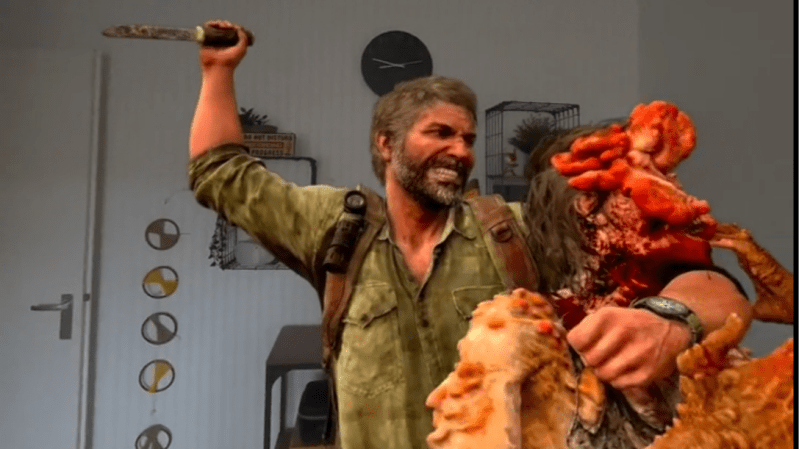
Here’s a pretty clever method [Dung3onlord] used to capture 3D scenes from a PlayStation 5 without needing any specialized software. All that’s needed is a series of high-resolution screenshots, and a few software tools.
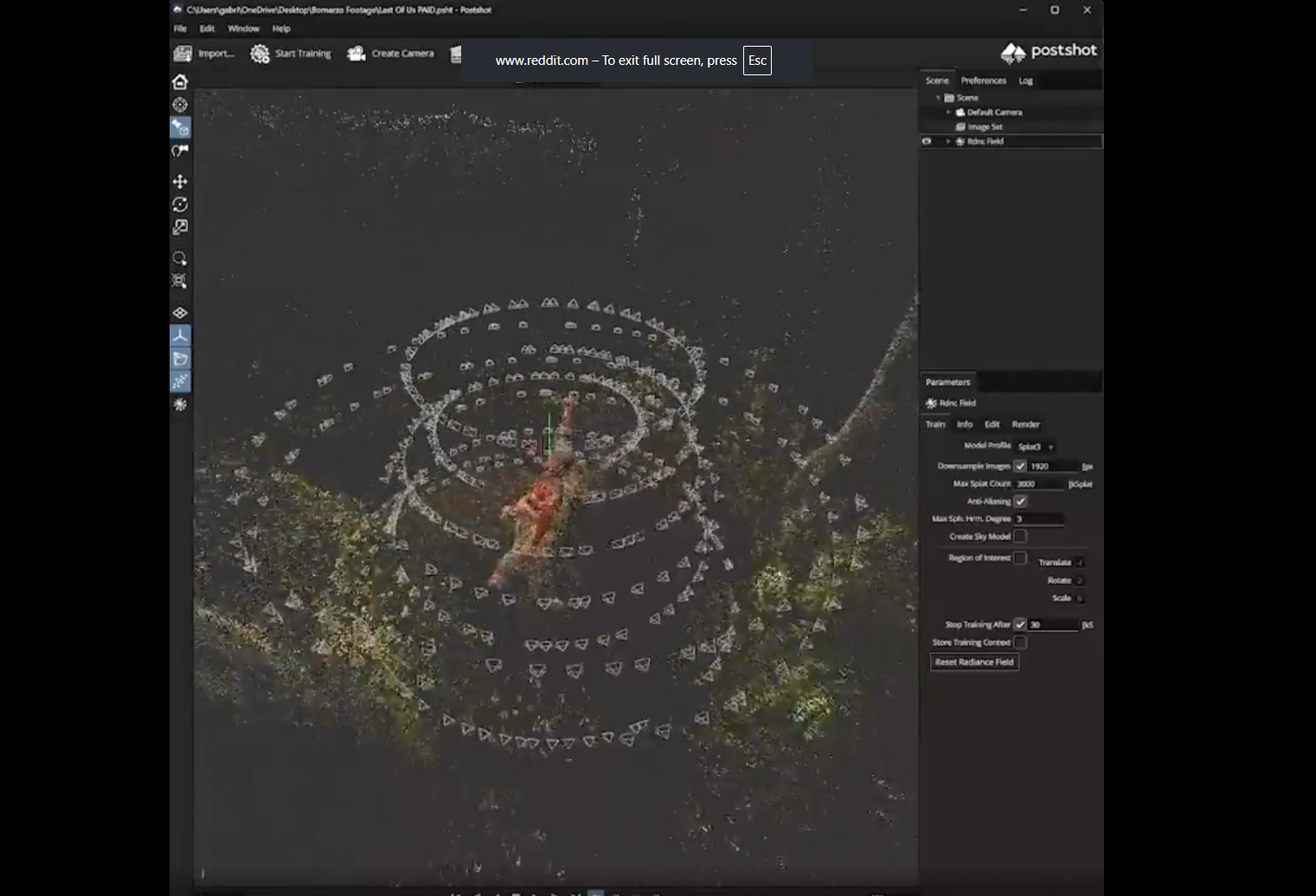
Instead of sneakily yanking 3D assets from the runtime, he fires up the game’s photo mode on his PS5. By capturing an orbiting video of a static scene (making sure to hide the game’s user interface, something photo mode in games is good for) he ends up with a video file whose content — essentially a series of screenshots — can be used to reconstruct the original 3D scene. The workflow [Dung3onlord] uses has rather more steps, but conceptually that’s all there is to it.
The whole process is remarkably similar to photogrammetry, a method of turning a bunch of photographs from different angles into a 3D point cloud. We’ve seen photogrammetry used to digitize objects because point clouds can be turned into 3D models, essentially allowing one to 3D scan an object using little more than a digital camera.
 In [Dung3onlord]’s case, once the point cloud is cleaned up and background removed, the scene is used to generate a gaussian splat which is then viewed through a VR headset.
Gaussian splats are especially well-suited to displaying colorful, organic 3D scenes that look pretty fantastic from any angle and are computationally simple to view. Want to see for yourself? [Dung3onlord]’s resulting scene is available to be viewed online.
It’s pretty cool stuff, but using photo mode as a way to capture game content, then reconstructing that content with tools intended for use with photos is an inspired solution. Be sure to check out the video overview of the process below.
Capture and view PS5 characters on a Quest (link and quick guide in the comment)
byu/Dung3onlord inOculusQuest











Games can fake 3D with things like bump mapping. That’s gonna mess up the process.
I remember popping on one of the early 3D goggles in a computer store, playing some game on a demo machine, and what looked proper on the monitor became like cardboard box village in 3D. Turns out, when you look at a bump-mapped polygon with two eyes, it becomes very apparent that the depth is just painted on.
Be interesting to see if splats help.
It depends on whether the scene scanner can correctly capture the intended geometry rather than the actual low-poly model, or some Frankenstein mish-mash between the two.
How is that going to impact photogrammetry? So long as the painting on behaves as expected the model should come out right.
It doesn’t. Suppose you model a rock as a sphere and apply a bump or a normal map – the outline of the rock and the shadow it casts would still be a perfect sphere. The silhouette of the object and how shadows land on and off the object follow the true geometry of the model instead of the texture map. This is easily ignored in a 2D view.
Displacement maps allow you to add real geometry to simpler primitives, but it takes more out of the GPU, so bump/normal maps are used to speed things up instead, especially on minor details and decorations that don’t stand out too much.
Also the fact there could be shaders or other visual processes involved that your plain old rasters ignore.
Erudite appropriate? – Worth all of it’s $23 ‘authorship’ fee.
Been doing something just like this for years, never thought anyone would find that interesting.
Same here – I experimented using 3dgs files for landscapes rather than objects. Video game screenshots and screen captures provided great scenes to scan and learn!
https://w2k.ovh/mdl/HL2_gs.html
There was a (SORA?) short called “Wrath of Khan, but ruined by A.I” that morphed the USS Enterprise into something even sleeker…showing Khan’s Reliant missing.
I’d love to see a 3D print of that.
I’m here to remind you that there is absolutely nothing preventing you from downloading mesh and image buffers from your GPU and writing them to disk.
But calculating hours on a huge data set is probably a lot more efficient.