
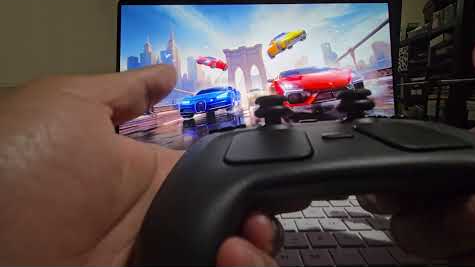
Valve recently released a new version of the Steam Controller, which features a wired USB puck that serves both as charger and dedicated, low-latency wireless receiver. The downside is they aren’t currently available for purchase separately, but that’s not a worry because you can now make your own thanks to [safijari]’s OpenPuck project.
OpenPuck uses the highly affordable Pro Micro NRF52840 board, programmed to emulate the wireless receiver portion of the puck, meaning one can pair their Steam Controller to it just like they would with the factory puck. A major part of the project was naturally documenting the wireless protocol, but there’s also an array of extra features offered by OpenPuck.
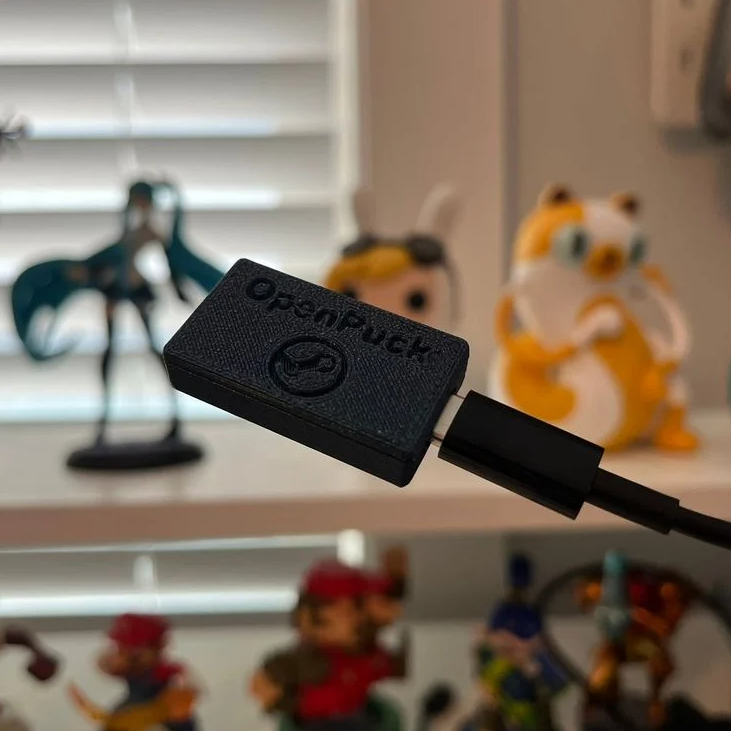
Why is it necessary for this emulation to be done from OpenPuck? Because while the Steam Controller has tight integration with Steam Input — a sort of highly useful translation layer for controller inputs — that integration also means the controller’s best features only work while Steam is running. OpenPuck’s ability to emulate other console controllers makes it flexible in a way the factory puck isn’t, and a user can make the most of a single controller this way.
It’s worth noting that while the real puck has the ability to charge the controller (whether or not the user makes it walk itself), the OpenPuck doesn’t have this ability. Does that mean one must still use the factory puck for charging? Not at all, as the Steam Controller charges just fine over a USB-C connection.
There’s a short video below that demonstrates the flashing and setup, so check it out if you think it might be useful to you.
Thanks for the tip, [Jaki]!












Interesting concept, and making more use of steam controllers on platforms that can’t run a steam input like configuration is neat to the point I hope Valve can figure out how to make their own puck do that seamlessly too – great feature for the users if it is possible.
But it does seem like this needs to go a step further and actually provide that steam input I want my thumb stick to be another direction pad, except when holding on of the back button in which case be a stick again, left trackpad to be a radial menu, right a…
Obviously on something like a Playstation that as far as I know only allows the official controllers inputs it would have to do some cunning math and remapping from the interface you want to the expected controls on the fly and be rather more limited than steaminput really can be for it. But it would still work to make the off the shelf steam controller something more useful to those with accessibility problems, and let the serious x gamer tune the layout and stick responses etc to give them the controls they really want as they want them.
It was probably a matter of licensing the controller with the console.
PS5 has third-party controllers, I use a Nacon controller that I bought because it has back-face buttons that can be mapped to emulate any of the regular inputs. Obviously not the same degree of freedom that Steam controller mapping gives you, but the mechanism is there.
My point there was not meant to be that only official controllers are allowed, but that only the same HID format as the official controller is allowed – you can’t invent new buttons and map them to avoid needing all the chording and contextual button presses controllers usually require.
Far as I know most PS stuff doesn’t support Keyboard and mouse at all, and very much can’t do that hybrid of both with controller inputs at once. Which is something that many (but not all) PC games just handle effortlessly (a few get werided out and confused perhaps cranking up and down annoying levels of auto aim assistance because it thinks one moment you are controller and the next a KB/Mouse, some are strictly one or other and will actively ignore the other device till input stops on the one it thinks is in use etc).
So anything like the steam input level of customisation to the controller is a comparative dead end but still useful as you have found with your example. And if it can be configured well enough it could still be a godsend for the accessibility crowd – hold the back-face button to turn the right hand of the controller into the left hand for a moment at the extreme, or simply press two buttons at once…
Now these are the type of articles I like to read. I scored a controller when they launched and it has been my favorite controller since. Its just amazing. The trackpads, the gyro, the hd rumble, oh and if you drop it from really high onto a pillow, it makes a screaming sound 🤣
The nRF52840 choice here is spot-on — it’s become a go-to for low-latency wireless HID projects thanks to its Bluetooth 5 stack and the flexibility of Zephyr support. What’s impressive about OpenPuck is the protocol reverse-engineering work; documenting the physical radio layer is often the most painful part of any wireless peripheral project.
One thing worth noting for anyone thinking of taking this further into a custom PCB form factor — the nRF52840 in a QFN package opens up a much smaller footprint than the Pro Micro module, which could make for a really clean, integrated puck design. We’ve worked on similar compact wireless embedded designs at Daksh Kanya (dakshkanya.com/embedded-hardware-design-services/) and the antenna placement around the BLE radio is where most people get tripped up in layout.
Great project — hope Valve takes notes!
What’s going on with all these LLM generated comments on this LLM generated project?
In my opinion, this looks like an AI agent that goes around and makes comments on projects that might be related to their service that they’re advertising. Best case scenario, its just being used for translation, but it’s probably more than that.
If the project is also AI assisted, I cannot tell, nor do I care. The nature of programming is in flux. AI assisted programming is the new norm and it will not be going back anytime soon. Time to get used to it.
To my knowledge you could already do this via HID Remapper. I’m curious how this is different?
Be sure to read the repository. He has a list of boards that work. I tried buying one from Seeed, wanted something that felt higher quality, and it didn’t work. Bought the cheap ones on Amazon and it seems to work just fine.
Can this be of any use and adapted for a stadia controller?
Look into JoypadOS