DIY Steam Controller Puck Offers Xbox, Switch, PlayStation Emulation Modes

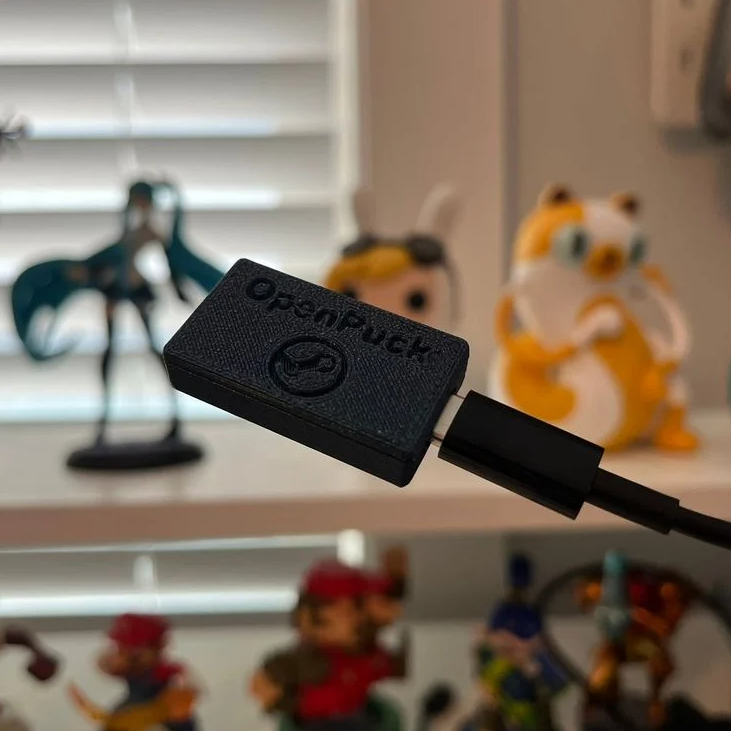
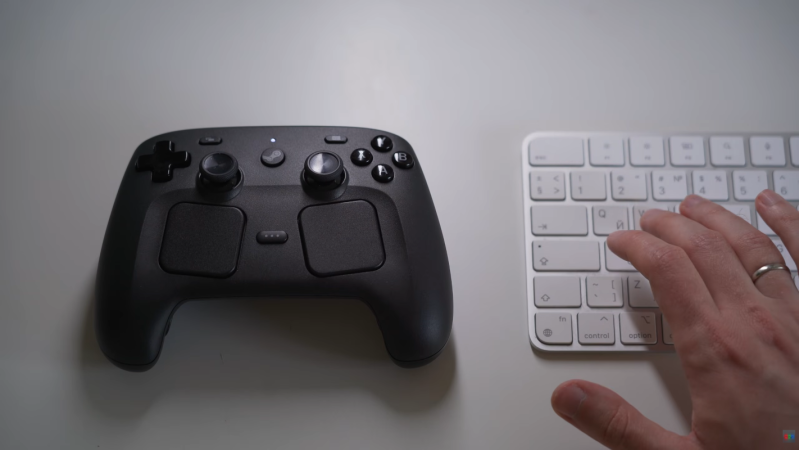
Valve recently released a new version of the Steam Controller, which features a wired USB puck that serves both as charger and dedicated, low-latency wireless receiver. The downside is they aren’t currently available for purchase separately, but that’s not a worry because you can now make your own thanks to [safijari]’s OpenPuck project.

OpenPuck uses the highly affordable Pro Micro NRF52840 board, programmed to emulate the wireless receiver portion of the puck, meaning one can pair their Steam Controller to it just like they would with the factory puck. A major part of the project was naturally documenting the wireless protocol, but there’s also an array of extra features offered by OpenPuck.

OpenPuck offers features over and above the factory offering. [image: 3d printed case by jaki-gh]
Hitting button combos lets one conveniently emulate Xbox, Nintendo Switch, or Sony PlayStation controllers. Meaning OpenPuck can for example be plugged into a Nintendo Switch and it will see OpenPuck as an official wired controller, complete with motion sensor and haptic feedback.

Why is it necessary for this emulation to be done from OpenPuck? Because while the Steam Controller has tight integration with Steam Input — a sort of highly useful translation layer for controller inputs — that integration also means the controller’s best features only work while Steam is running. OpenPuck’s ability to emulate other console controllers makes it flexible in a way the factory puck isn’t, and a user can make the most of a single controller this way.

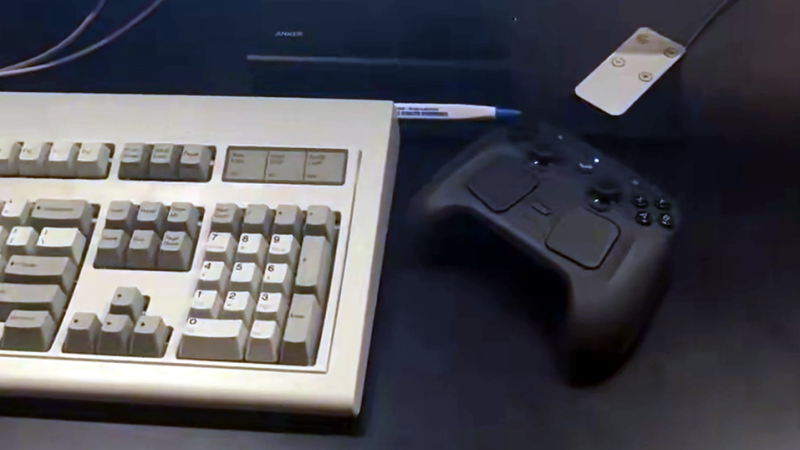
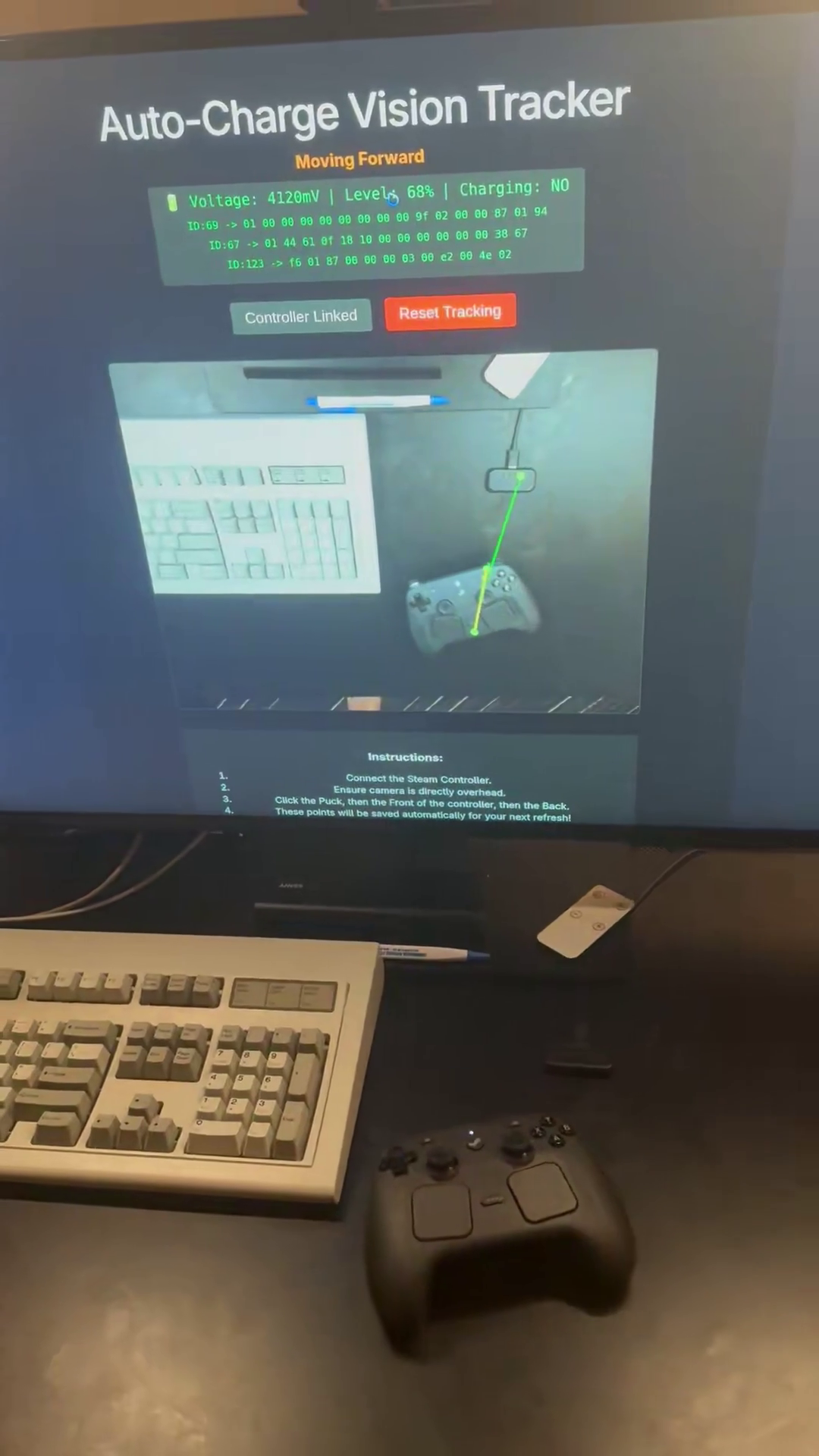
It’s worth noting that while the real puck has the ability to charge the controller (whether or not the user makes it walk itself), the OpenPuck doesn’t have this ability. Does that mean one must still use the factory puck for charging? Not at all, as the Steam Controller charges just fine over a USB-C connection.

There’s a short video below that demonstrates the flashing and setup, so check it out if you think it might be useful to you.

Continue reading “DIY Steam Controller Puck Offers Xbox, Switch, PlayStation Emulation Modes”

Web Tool Lets You Take Steam Controller For A Drive

One of the simplest robots to make is a bristlebot — a motor with an offset weight is attached to the head of a toothbrush, and the resulting vibrations will move the contraption across a flat surface. [Very Lazy Pixels] recently took this idea a bit further by turning the Steam Controller into a steerable, bristlebot-like robot.

To drive one’s Steam Controller across a desk, all that is needed is for a computer with a paired controller and a Chromium-based browser. From there, using the WASD buttons, the web interface converts traditional video game inputs into controller motion by spinning the controller’s rumble motors at a specific frequency. With precise control of these motors, the controller can move forwards and backwards and even turn, which is a great deal more advanced than the traditional bristlebots generally manage.

Part of what makes this possible is Valve’s willingness to release information about many of their products to the general public, enabling anyone to modify or upgrade those products to their liking. While not completely open source, it’s a step in the right direction and enables fun projects like these. We’ve seen other Valve products turned into surprisingly barebones single-board computers as well as custom portable workstations thanks to this philosophy.

Continue reading “Web Tool Lets You Take Steam Controller For A Drive”

Hackaday Links Column Banner

Hackaday Links: April 26, 2026

It’s been three weeks since the Artemis II crew returned to Earth, and while the mission might be over for Reid Wiseman, Victor Glover, Christina Hammock Koch, and Jeremy Hansen, the work is only just beginning for engineers back at NASA. In a blog post earlier this week, the space agency went over the preliminary post-mission assessments of the spacecraft and its ground support equipment, and detailed some of the work that’s currently taking place as preparations begin for Artemis III.

During Artemis I, higher than expected damage was noted on both the Orion’s heat shield and the Space Launch System (SLS) launch pad. But according to NASA, the changes implemented after that first mission seem to have prevented similar issues this time around. The post also explains that reusable components of the Orion spacecraft, such as the avionics and the crew seats, are already in the process of being removed from Integrity so they can be installed in the next capsule on the production line.

While watching the live stream of the Artemis mission is the closest most of us will ever get to experiencing spaceflight, that doesn’t mean you can’t explore the solar system from the comfort of your own home — or more specifically, your browser. [Sani Huttunen] has created an incredible web-based solar system simulator that lets you explore our celestial neighborhood throughout different periods of time. You can tour the moons of Jupiter, see how the planets aligned on the date of your birth, and even check in on the Voyager probes. There are some very valid reasons to be skeptical about software moving to the web, but we’ve got to admit, this is a very slick demonstration of just how far modern browsers have come.

Continue reading “Hackaday Links: April 26, 2026”

The Birdy44 Keyboard Is Something To Crow About

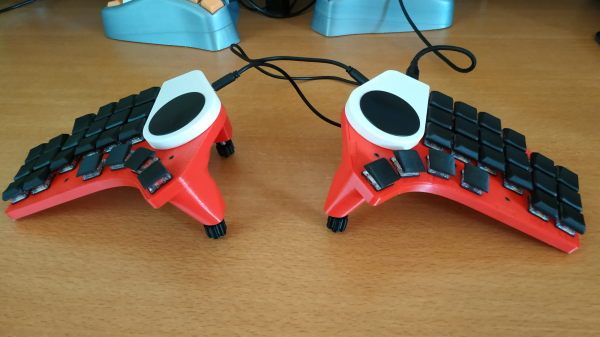
The funny thing about keyboard end game is that it usually involves more than one keyboard. Rare is the board that is great for both home and away. Having finished their dactyl build, [RalphCoder13] was looking to build something slimmer and more portable, and the Birdy44 was born.

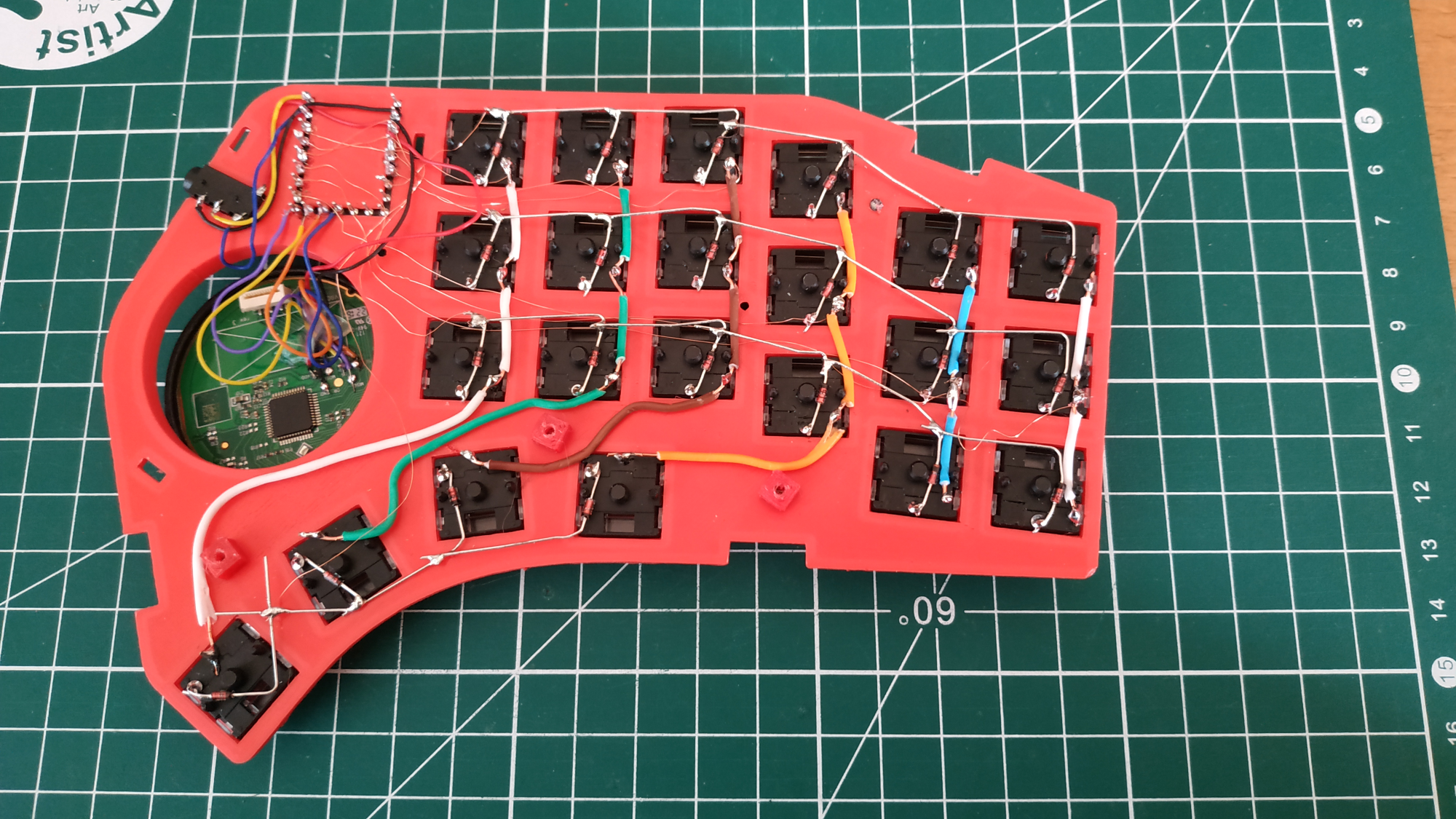
This hand-wired beauty uses a pair of Waveshare RP2040 Zeros and features a pair of 40mm Cirque track pads that were salvaged from a Steam controller.

As you may have guessed, there are 44 Kailh Chocs that sit underneath a combination of MBK and 3D-printed keycaps. Our favorite part might be the tenting legs, which are optional and connect magnetically.

Part of portability is how you decide to carry the thing. You probably don’t want it naked and loose in your backpack if you can avoid it, right? To that end, he designed a nice little case for the halves. The original plan was to use magnets to hold them in place inside the topless case, but that didn’t work out so well, so he added wide elastic bands to stretch around the case.

Is this still not portable enough for you? Check out this folding split keyboard.

Via KBD

Using The Steam Controller With LEGO Motors

While Valve’s Steam Controller was ultimately a commercial failure, there’s no denying it’s an interesting piece of hardware. With dual trackpads, a wealth of buttons, and Bluetooth capability, it could be the ideal way to control your next build. Thanks to a recent project by [geggo], now you’ve even got an example you can follow.

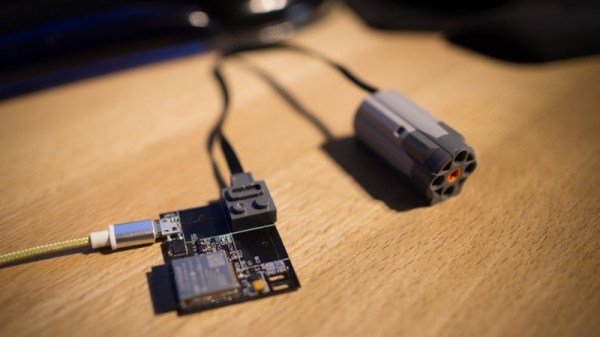
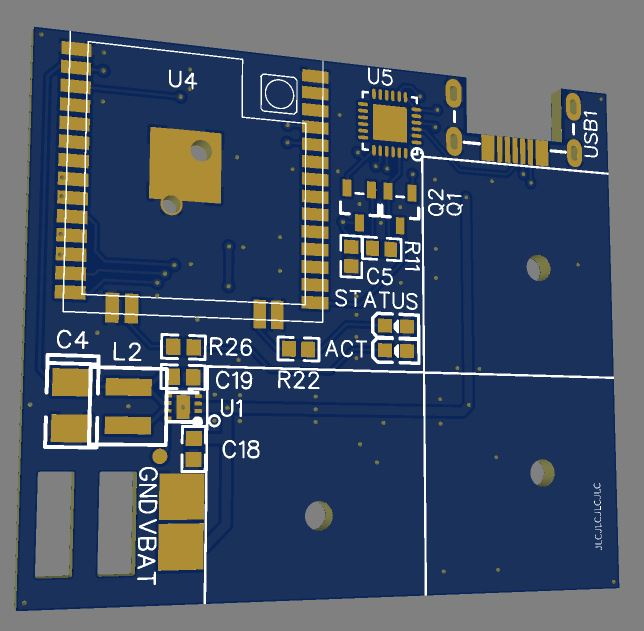
A custom PCB holding an ESP32 and DRV8833 dual H-bridge motor controller is used to interface with standard LEGO motors using their stock block-like connectors. That means the board is a drop-in upgrade for whatever motorized creation you’ve already built.

Since the ESP32 obviously has WiFi in addition to Bluetooth, that also means this little board could be used to control LEGO projects over the local network or even Internet with some changes to the firmware.

Interestingly, while Valve officially enabled Bluetooth on the Steam Controller back in 2018, it sounds like some undocumented poking and reverse engineering was necessary to get it working here. That’s great for those of us who like a good hack, but if you’re more interested in just getting things working, [geggo] has been good enough to release the source code to get you started.

If you’re not interested in Bluetooth but want to get your creation up and moving, we’ve recently covered how one hacker used the ESP8266 to bring his LEGO train to life by integrating it into his smart home.

Continue reading “Using The Steam Controller With LEGO Motors”

Industrial Automation In Action: Steam Controller Assembly

Right up front, we’ll cop to the inevitable “not a hack” comments on this one. This video of the Steam Controller assembly plant is just two minutes of pure robotics porn, plain and simple.

From injection molding of the case parts through assembly, testing and final palletizing of packaged controllers for the trip to distributors, Valve’s video is amazingly detailed and very well made. We’d wager that the crane shots and the shots following product down conveyors were done with a drone. A grin was had with the Aperture Labs logo on the SCARA arms in the assembly and testing work cell, and that inexplicable puff of “steam” from the ceiling behind the pallet in the final shot was a nice touch too. We also enjoyed the all-too-brief time-lapse segment at around 00:16 that shows the empty space in Buffalo Grove, Illinois being fitted out.

This may seem like a frivolous video, but think about it: if you’re a hardware hacker, isn’t this where you want to see your idea end up? Think of it as inspiration to get your widget into production. You’ll want to get there in stages, of course, so make sure you check out [Zach Fredin]’s 2015 Hackaday Superconference talk on pilot-scale production.

Continue reading “Industrial Automation In Action: Steam Controller Assembly”