
Having Linux on so many devices is both a blessing and a curse. Sure, it is great that you can hack on things and modify them or even totally repurpose them. But it also means you have a fleet of Linux devices you have to manage and keep track of.
My current “main” 3D printer is a Flashforge AD5X: a nice, cheap machine that does four colors with the purge/exchange method. It sort of runs Klipper. I say sort of because Flashforge has Klipper running on a Linux host in the box, but it is massively crippled and modified. I’m sure it works for most folks. I’m also sure that if you know nothing about Linux, Klipper, or 3D printing, the experience is probably better thanks to all the cloud point-and-click interfaces. But, of course, I check none of those boxes.
I’ve had the printer for probably a year or more. Almost immediately, I put a “mod” on the printer to give it a more true Klipper interface and gave me things like shell access. There are several that I think will do this, but I used Zmod, which doesn’t totally replace the printer’s firmware; it just sort of patches it and extends it. You can easily bypass or even remove it and go back to the stock printer, although I would not want to.
In my case, the issue was a printer, but the same idea might apply to any embedded Linux system, from a router to a thermostat. Sure, it runs Linux, but is it Linux you can change?
The Problem
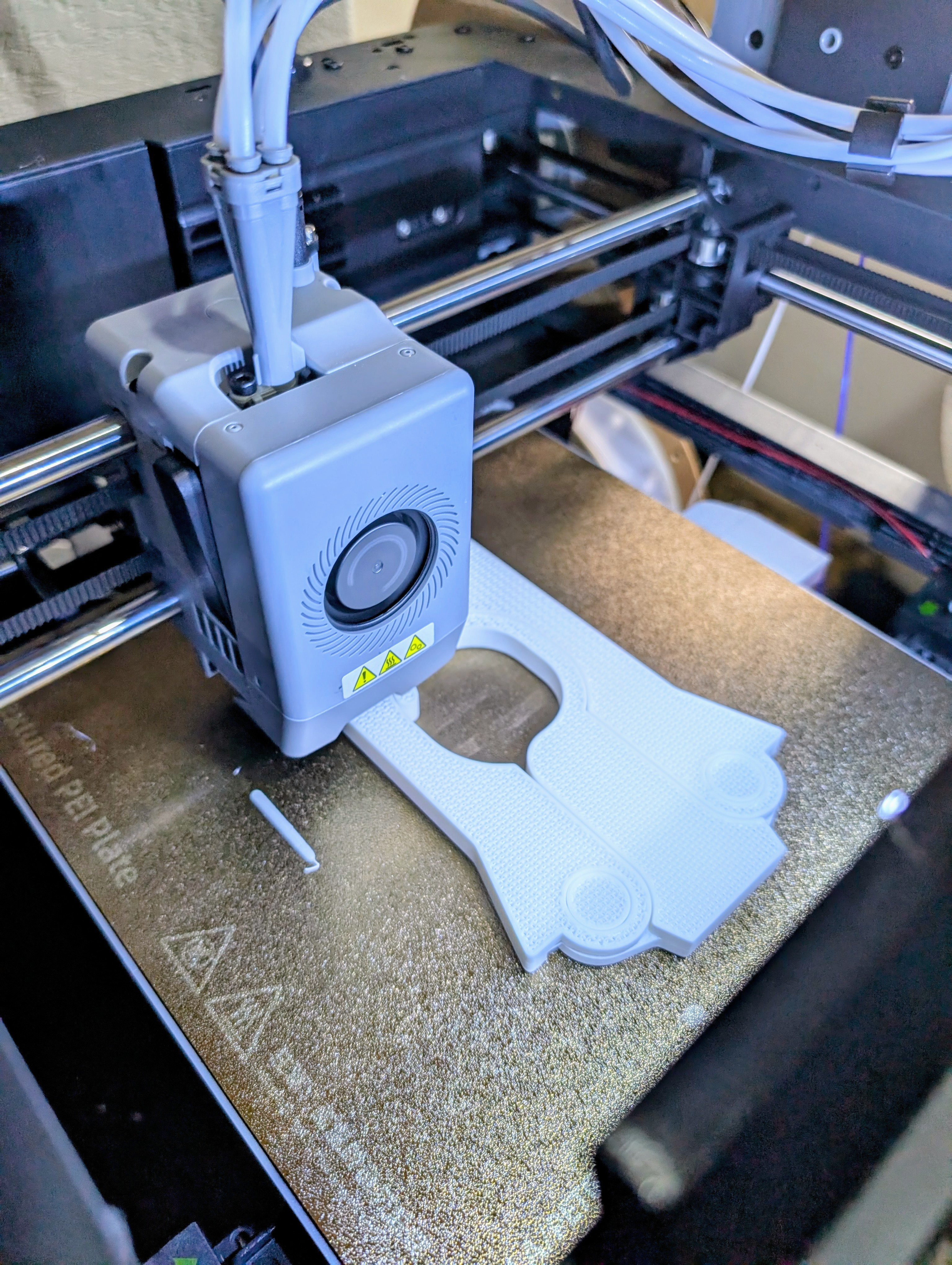
The Flashforge firmware and Zmod both will run on the AD5X’s little sister, the AD5M. However, the AD5M has a significantly less capable processor board than the AD5X. That means that Linux on the boxes is very stripped down. From Flashforge’s point of view, no one should be in the Linux OS anyway, and the author of Zmod probably figures every byte used is a byte taken away from the user or other advanced Zmod features.
It may seem like a first-world problem, but there were two things that irked me about the printer’s Linux. There was no less or more command for poking around files. There was also only vi as an editor. I did a few hacks to make myself happy. I wrote a pager in shell script, for example. I would try to remember to use my desktop emacs and tramp to edit files on the box. But it was a shame that there were some very basic tools lacking. Besides that, even the tools that were there like ls lacked help commands in case you want some strange option you can’t remember.
No Install
To save space, the printer doesn’t really have programs like ls, cat, and grep. Instead, it has a single busybox executable. This is common on small systems. You get one copy of the libraries and a single executable that will do all the work you need. You can invoke, for example, grep by running “busybox grep” or, if you make a symlink to busybox named grep, the user may never realize that you don’t really have grep installed.
However, busybox has to be built. You can’t easily install packages to it. So I couldn’t just run some package manager and install less or anything else. My plan was to produce a new busybox package myself to supply at least the missing commands and maybe some of the more basic ones, too. How hard could it be?
How Hard, Indeed
The first issue was figuring out exactly what the printer was running. The OS was a buildroot compile as shown by /etc/os-release:
NAME=Buildroot
VERSION=2020.02.1-g0b1f992-dirty
ID=buildroot
VERSION_ID=2020.02.1
PRETTY_NAME="Buildroot 2020.02.1"
In theory, you could probably try to rebuild everything from that information, but it seemed like a bad idea. Who knows what changes they’ve made or what strange dependencies were out there?
The next piece of the puzzle was the architecture. It turned out to be MIPS, which has many variations, a problem that would come back to haunt me later. To figure it all out, I grabbed busybox from the machine and copied it to my regular computer. This let me read the elf file:
# readelf -h busybox
ELF Header:
Magic:   7f 45 4c 46 01 01 01 00 03 00 00 00 00 00 00 00
Class:                             ELF32
Data:                              2's complement, little endian
Version:                           1 (current)
OS/ABI:                            UNIX - System V
ABI Version:                       3
Type:                              EXEC (Executable file)
Machine:                           MIPS R3000
Version:                           0x1
Entry point address:               0x403fa0
Start of program headers:          52 (bytes into file)
Start of section headers:          775880 (bytes into file)
Flags:                             0x70001405, noreorder, cpic, nan2008, o32, mips32r2
Size of this header:               52 (bytes)
Size of program headers:           32 (bytes)
Number of program headers:         10
Size of section headers:           40 (bytes)
Number of section headers:         30
Section header string table index: 29
Forensics
Just knowing that the CPU was MIPS was hardly enough. Note that the processor could have been big endian, but this one was little endian. What’s more, the flags show a few things, and the important ones would turn out to be mips32r2, which defines a particular set of instructions, and nan2008, which means everything is using a more modern floating point stack compared to some older MIPS setups.
The next step is to find a toolchain that can run on my Linux box and produce executables for such a machine. There were two main candidates that I thought about: zig and crosstool-ng.
Zig
You may remember that Zig is a completely different language from C. So it might not make sense that I want to compile busybox, a C program with Zig. However, Zig has an interesting feature. It can pretend to be gcc, and maybe compilers for some other languages too. The idea is that if you have a lot of C code, you could start changing over to Zig without having to convert everything today or even ever. Using CLang and LLVM, Zig purports to be able to just drop in a project as the system C compiler.
So why does that matter for this project? Zig also supports a lot of targets, including MIPS, and provides run time libraries for them. So if I just tell the build system to use Zig, everything will be fine, right?
Right…
Naturally, this didn’t work as well as I expected. It could be that I don’t understand Zig well enough, but passing --target mipsel-linux-musleabihf -mcpu=mips32r2 to zig cc couldn’t produce a working ‘hello world’ program. The reason? Zig appears not to supply a nan2008 library for MIPS. Or maybe I just didn’t know how to enable it. As far as I can tell, Zig might have done the right thing for mips32r6, but that, unsurprisingly, led to illegal instruction problems. Besides, I wanted to stick as close to the existing setup as possible.
I could have made Zig rebuild its libraries, but then I might as well build a full toolchain. However, I wondered if floating point would matter much for what I was doing, so I decided to cheat. I let Zig build an executable, and then I simply patched the output header to say it used nan2008. It worked for a simple program.
Busybox
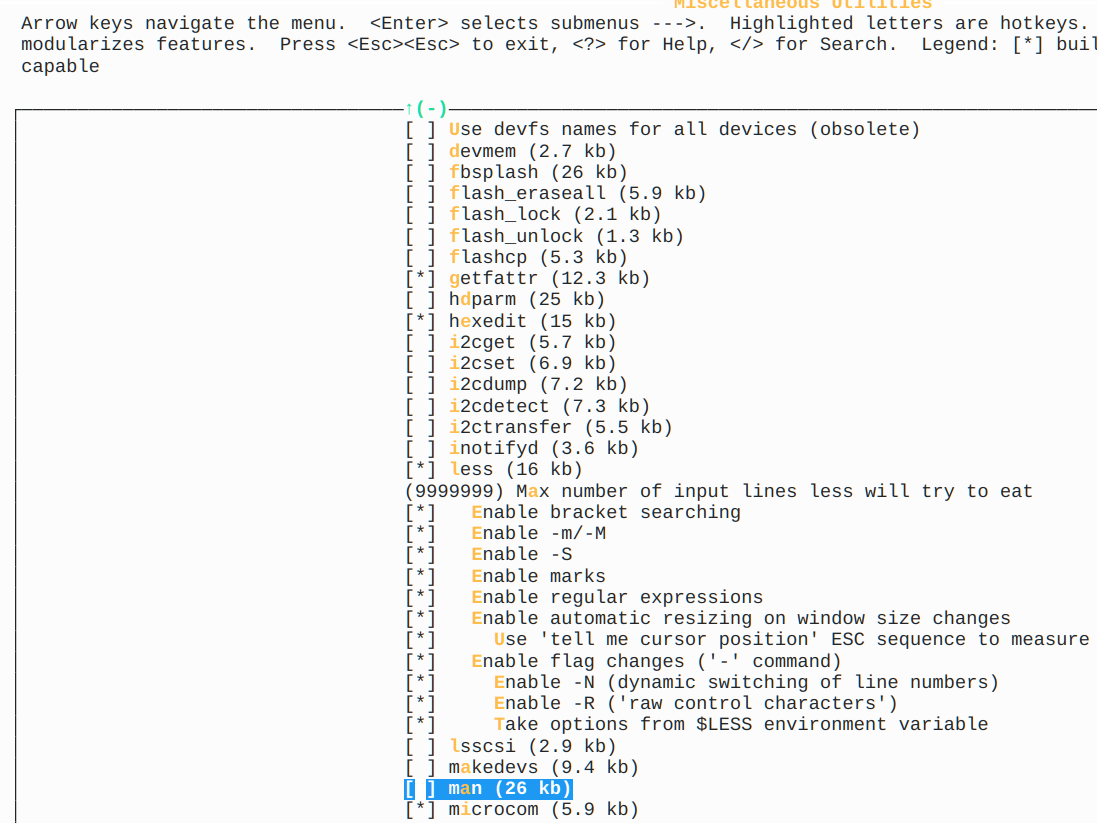
Configuring busybox is a matter of using a menuconfig system similar to building a kernel. I mainly asked it to make a static copy in options and then just picked a bunch of things I wanted, especially less and more.
Many programs, including less, have options to help you minimize the size. For example, you could disable regular expressions or make it not read $LESS for options. I left nearly everything on for most of the programs.
Once it was ready to go, I needed to run make with the Zig compilers and then do the patch to fool the printer into running it.
The command line that worked the best turned out to be: make V=1 CC="zig cc -target mipsel-linux-musleabihf -mcpu=mips32r2 -static -Os" STRIP='llvm-strip' -j6
Of course, you could adjust the -j6 to suit how many CPUs you have. I like to use about 1/2 of mine when compiling. Then the patch is as simple as:
printf '\024' | dd of=busybox bs=1 seek=37 count=1 conv=notrunc
Did it Work?
Once I transferred the file, renamed to busybox-ad5x, over to the printer, I was able to successfully run things like busybox less or even busybox ls. Everything seemed to work. You can ask busybox to install a bunch of symlinks for everything it knows how to do, but I wanted to start small, so I only made symlinks for things that didn’t already exist in the native busybox.
Once I didn’t find problems, I eventually replaced even the old busybox utilities with the new ones. I even made busybox-ad5x a symlink and renamed this version as busybox-zig because I wanted to try one more experiment: using crosstool-ng to make a proper toolchain.
Next Time
But that’s a whole other topic for another day. For now, Zig — with a little patching — got the job done. There are many ways to get things done under Linux. Turns out it is very hard for a vendor to totally lock down a system, and if there is a way in, then there is almost always some way to tune things to your liking. Busybox is a great tool for stripped-down systems. Even floppy-based boots.












I really don’t mean to come off harsh, especially for something I assume was meant to be a bit “tongue-in-cheek”, but the intro of this article really put me off. I don’t understand how having a fleet of Linux devices “you have to manage and keep track of” is the curse part. Wouldn’t a fleet of “walled garden” proprietary OS’s or Windows OS’s that you have no control over be worse, especially with the move in these closed systems to monetize everything by adding subscriptions or limiting consumables to “approved only” sources?
Being able to hack, modify and totally repurpose things (and even share that knowledge with others) without fear of reprisal is true ownership, which is rapidly fading from the consumer landscape. I truly believe that world would be a better place if many of us were lucky enough to have fleets of Linux devices to manage and keep track of.
I think you are reading too much into what I’ve said. Clearly I like having the stuff where I can poke my nose into it. But it does create more work. If my TV runs whatever it runs and I can’t get to it, it either does what I want or it doesn’t. And I either suck it up or I spend money on a new TV. That’s not my first choice, but it does mean I spend more time building software and maintaining stuff. Kind of like, say, PowerPoint. In the old days, having some one in another department do my slides was frustrating because they were never exactly what I wanted. On the other hand, I didn’t spend days working on why my bullets don’t line up on a slide. Everything is a trade off.
Circa 1999, an in-law gave me a floppy from his trip to Asia which was supposed to contain a Windows 98 keygen. Left a floppy in drive A and forgot about it. Next reboot ,Message: “Your PC is now stoned” It wasn’t too destructive, but did manage to spread itself as most viruses did.
False dichotomy. I’d rather have a fleet of things that all share a root filesystem over the network, so there’s that many hosts but only one actual installation.
is the point that it was easier for OP to configure zig as a cross compiler than to configure gcc as one? ‘apt install gcc-mipsel-linux-gnu’ wasn’t an option?
Actually, no. The normal gcc-mpsel-linux-gnu, as far as I know, only generate nan2008 code for v6 and this is v2. Yes, you can tell it to do so, but then you have to rebuild the library, too which is also a pain.
See my next article in this series for more about that.
Mips is all sorts of horrible (I once tried to hack gentoo onto a playstation 2 years ago, but then discovered I all of the very large custom patches sony had made to the glibc, kernel, binutils).
I admire the effort.
But personally I’d just replace the control board with something with a Pi attached.
so the point here is it was easier to convince zig to use / provide the runtime library you needed than gcc?
This reminds me of the old days of trying to hack routers to do all sorts of things. It’s a fun hack when a fun hack is the point. Not so much if you are eager to get to the result.
Don’t get me wrong… I get why many people would want a commercial made 3d printer appliance. That person can just get right on with the hacking they were actually interested in in the first place… perhaps the CAD.
You my friend however sound like you might be better served by building a printer from scratch. Or.. at least.. rip those electronics out and replace them with something totally open.
Imagine building from FORTH on up.
Last week I wanted some more busybox commands to explore a GPON SFP module.
It’s original firmware was also built with buildroot. So I downloaded buildroot, used it’s menuconfig to configure the correct arch and similar things, switched to static libraries only and then configured busybox. Ran make and like 10 minutes later I had a new statically linked busybox binary that I could just copy over to the target and run. Worked on the first try. No manual fuzzing with cross compilers, zig and stuff necessary.
I don’t have suitable hardware to test it but a better solution should be to have zig add the nan2008 feature flag:
CC=”zig cc -target mipsel-linux-musleabihf -mcpu=mips32r2+nan2008 -static -Os”
Yes, tried that. The problem is getting the compiler to emit code that way is one thing. Having the runtime libraries also agree they are using it is another. Sure, there is probably some way to rebuild the entire musl or glib library, but that really wasn’t what I was hoping for.
“So I could just run some package manager and install less or anything else.”
Shouldn’t that be “couldn’t”?
Oops. Fixed.
Do you like the printer as a printer? I just discovered it this weekend and am wondering if it would be a good upgrade from my Ankermake M5C.
I do! Really nice for an inexpensive printer
move zig