The past years we have been seeing screens pop up in many new places, but seeing them in USB-C cables is still a bit of a novel thing. Out of sheer curiosity [Aaron Christophel] recently took apart one of these, to see what’s inside and what else you can do with them beyond fondling its single touch control and watch reported voltages and current.
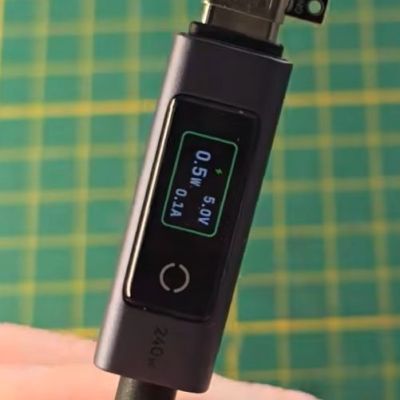
Naturally, these devices aren’t exactly meant to be serviced by anyone, so the biggest challenge is to get into them without too much violence. Risking a blood sacrifice to the Hardware Gods, [Aaron] first attacks the display cover of this €15, 240 Watt-rated UGreen cable with sharp utensils before just taking apart the aluminium case, which ultimately gets him inside.
After this it’s clear that attacking the display cover was the right way, just requiring knowing where to apply pressure in order to invert the assembly process. Following that it’s less clear how it was assembled, though it may have involved liberal amounts of glue after sliding in the components. Rather than bothering with applying heat, instead some side-cutters quickly take care of that pesky aluminium shell.
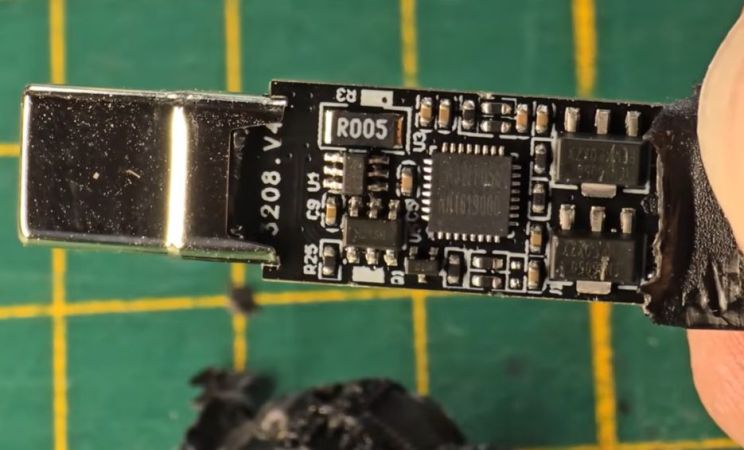
The tiny IPS LC display is attached via a flat flex cable to the PCB with a connector, with the PCB featuring multiple voltage regulators, a MOSFET for the backlight and other parts in addition to the EN32LF056 marked MCU. After some prodding on the exposed SWD interface, it was confirmed to be a Cortex-M0+-based MCU with 64 kB of Flash and 4 kB of SRAM, which made it easy enough to use the little display to display some video frames of everyone’s favorite artist.
Since this MCU is only wired up to measure currents and voltages it cannot use the USB interface, but with some knowledge of how to non-destructively disassemble one of these connectors at least to the point of accessing the SWD pads underneath the display it could be a fun party trick to reflash the firmware with something custom.
Continue reading “Teardown Of A USB-C Cable With Integrated LCD”