This Week In Security:Malicious Previews, VNC Vulnerabilities, Powerwall, And The 5th Amendment

Malware embedded in office documents has been a popular attack for years. Many of those attacks have been fixed, and essentially all the current attacks are unworkable when a document is opened in protected view. There are ways around this, like putting a notice at the top of a document, requesting that the user turn off protected view. [Curtis Brazzell] has been researching phishing, and how attacks can work around mitigations like protected view. He noticed that one of his booby-trapped documents phoned home before it was opened. How exactly? The preview pane.

The Windows Explorer interface has a built-in preview pane, and it helpfully supports Microsoft Office formats. The problem is that the preview isn’t generated using protected view, at least when previewing Word documents. Generating the preview is enough to trigger loading of remote content, and could feasibly be used to trigger other vulnerabilities. [Curtis] notified Microsoft about the issue, and the response was slightly disappointing. His discovery is officially considered a bug, but not a vulnerability.

VNC Vulnerabilities

Researchers at Kaspersky took a hard look at several VNC implementations, and uncovered a total of 37 CVEs so far. It seems that several VNC projects share a rather old code-base, and it contains a plethora of potential bugs. VNC should be treated similarly to RDP — don’t expose it to the internet, and don’t connect to unknown servers. The protocol wasn’t written with security in mind, and none of the implementations have been sufficiently security hardened.

Examples of flaws include: Checking that a message doesn’t overflow the buffer after having copied it into said buffer. Another code snippet reads a variable length message into a fixed length buffer without any length checks. That particular function was originally written at AT&T labs back in the late 90s, and has been copied into multiple projects since then.

There is a potential downside to open source that is highlighted here. Open source allows poorly written code to spread. This isn’t a knock against open source, but rather a warning to the reader. Just because code or a project uses an OSS license doesn’t mean it’s secure or high quality code. There are more vulnerabilities still in the process of being fixed, so watch out for the rest of this story. Continue reading “This Week In Security:Malicious Previews, VNC Vulnerabilities, Powerwall, And The 5th Amendment”

Tales From The Sysadmin: Dumped Into The Grub Command Line

Today I have a tale of mystery, of horror, and of hope. The allure of a newer kernel and packages was too much to resist, so I found myself upgrading to Fedora 30. All the packages had downloaded, all that was left was to let DNF reboot the machine and install all the new packages. I started the process and meandered off to find a cup of coffee: black, and darker than the stain this line of work leaves on the soul. After enough time had elapsed, I returned, expecting the warming light of a newly upgraded desktop. Instead, all that greeted me was the harsh darkness of a grub command line. Something was amiss, and it was bad.

(An aside to the reader, I had this experience on two different machines, stemming from two different root problems. One was a wayward setting, and the other an unusual permissions problem.)

How does the fledgling Linux sysadmin recover from such a problem? The grub command line is an inscrutable mystery to the uninitiated, but once you understand the basics, it’s not terribly difficult to boot your system and try to restore the normal boot process. This depends on what has broken, of course. If the disk containing your root partition has crashed, then sorry, this article won’t help.

In order to get a system booting, what exactly needs to happen? How does booting Linux work, even? Two components need to be loaded into memory: the kernel, and the initramfs. Once these two elements are loaded into memory, grub performs a jump into the kernel code, which takes over and finishes the machine’s boot. There is one more important detail that we care about — the kernel needs to know where to find the root partition. This is typically part of the kernel parameters, specified on the kernel boot line.

When working with an unfamiliar shell, the help command is a good starting point. grub runs in a very limited environment, and running the help command scrolls most of the text off the screen. There is an environment variable that helps out here, enabling output paging:set pager=1.
Continue reading “Tales From The Sysadmin: Dumped Into The Grub Command Line”

This Week In Security: More WhatsApp, Nextcry, Hover To Crash, And Android Permissions Bypass

There is another WhatsApp flaw, but instead of malicious GIFs, this time it’s malicious mp4 files. Facebook announced the vulnerability late last week. An update has been released, so first go make sure WhatsApp is updated. Facebook’s advisory is a bit light on the details, simply saying that a “stack-based buffer overflow” was possible as a result of “parsing the elementary stream metadata of an mp4 file”.

Shortly after the bug was announced, a GitHub repository popped up, with a claimed proof-of-concept mp4 file for CVE-2019-11931. (Thanks to [justtransit] on Reddit for the link.) I can’t easily test the PoC file, but we can take a look at it to see what the vulnerability is. What tools do we need to take a look? A hex editor is a good start. I’m using GHex, simply because it was available and easily installed on Fedora. Continue reading “This Week In Security: More WhatsApp, Nextcry, Hover To Crash, And Android Permissions Bypass”

This Week In Security: Fuzzing Fixes, Foul Fonts, TPM Timing Attacks, And More!

An issue was discovered in libarchive through Google’s ClusterFuzz project. Libarchive is a compression and decompression library, widely used in utilities. The issue here is how the library recovers from a malformed archive. Hitting an invalid header causes the memory in use to be freed. The problem is that it’s possible for file processing to continue even after that working memory has been freed, leading to all kinds of problems. So far an actual exploit hasn’t been revealed, but it’s likely that one is possible. The problem was fixed back in May, but the issue was just announced to give time for that update to percolate down to users.

Of note is the fact that this issue was found through Google’s fuzzing efforts. Google runs the oss-fuzz project, which automatically ingests nightly builds from around 200 open source projects and runs ClusterFuzz against them. This process of throwing random data at programs and functions has revealed over 14,000 bugs.
Continue reading “This Week In Security: Fuzzing Fixes, Foul Fonts, TPM Timing Attacks, And More!”

Penny Diode

A Radio For The Apocalypse

There’s been a spate of apocalypse related articles over the last few weeks, but when I saw an AM radio made from a hand-wound coil and an oxidized British penny, I couldn’t help but be impressed. We’ve covered foxhole radios, stereotypical radios that are cobbled together from found parts during wartime.

This example uses a variable capacitor for tuning, but that’s technically optional. All that’s really needed is a coil and something to work as a diode. Surprisingly, copper oxide is a semiconductor, and the surface oxidation on a penny is enough to form a rudimentary diode. Though, note, not all pennies have that necessary coating of copper. If a penny has green oxide, it’s likely a candidate.

Need a quickly cobbled together AM radio? Have some wire and a penny? Yeah, watch the video below the break, and you’ll know how to make it happen. When the apocalypse comes, you’ll thank us.

Continue reading “A Radio For The Apocalypse”

Network Booting The Pi 4

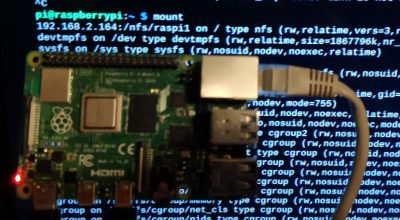
We’ve talked about PXE booting the Raspberry Pi 3B+, and then looked at the Raspberry Pi 4 as a desktop replacement. But there’s more! The Pi 4 sports a very useful new feature, the flashable bootloader. Just recently a beta version of that bootloader was released that supports PXE  — booting up over the network — which has become a must-have for those of us who have had consistently bad experiences with root filesystems on SD cards.

Pi with no SD CardWhat are the downsides, I hear you ask? You might see slower speeds going across the network compared to a high quality SD card, particularly with the Pi 4 and its improved SD card slot. PXE does require an Ethernet cable; WiFi is not enough, so you have that restriction to contend with. And finally, this isn’t a portable option — you are tethered to that network cable while running, and tethered to your network to boot at all.



On the other hand, if you’re doing a permanent or semi-permanent install of a Pi, PXE is absolutely a winner. There are few things worse than dragging a ladder out to access a Pi that’s cooked its SD card, not to mention the possibility that you firewalled yourself out of it. Need to start over with a fresh Raspbian image? Easy, just rebuild it on the PXE server and reboot the Pi remotely.

Convinced PXE is for you? Let’s get started! Continue reading “Network Booting The Pi 4”

This Week In Security: BGP Bogons, Chrome Zero Day, And Save Game Attacks

Our own [Pat Whetman] wrote about a clever technique published by the University of Michigan, where lasers can be used to trigger a home assistant device. It’s an interesting hack, and you should go read it.

Borrowing IP Addresses

We’ve lived through several IPv4 exhaustion milestones, and the lack of available addresses is really beginning to show, even for trolls and scammers. A new approach takes advantage of the weak security of the Border Gateway Protocol, and allows bad actors to temporarily take over reserved address blocks. These particular providers operate out of Russia, operating network services they advertise as “bulletproof”, or immune to takedown requests. What better way to sidestep takedowns than to use IP addresses that aren’t really yours to begin with?

BGP spoofing has been at the center of other types of attacks and incidents, like in 2018 when a misconfiguration in a Nigerian ISP’s BGP tables routed traffic intended for Google’s servers through Chinese and Russian infrastructure. In that case it appeared to be a genuine mistake, but little prevents malicious BGP table poisoning.

Chrome Zero-day

Google released an update to Chrome on the 31st that addresses two CVEs, one of which is being actively exploited. That vulnerability, CVE-2019-13720, is a race condition resulting in a potential use-after-free. Kaspersky Labs found this one being actively used on a Korean news site. The attack runs entirely from Javascript, and simply visiting a malicious site is enough for compromise, so update Chrome if it’s installed.

Anti-anti-doping

What do you do when you feel you’ve been unfairly targeted by an anti-doping investigation? Apparently hacking the investigating agency and releasing stolen information is an option. It seems like this approach is more effective when there are shenanigans revealed in the data dump. In this case, the data being released seems rather mundane.

Firefox Blocking Sideload Extensions

Mozilla made a controversial announcement on the 31st. They intend to block “sideload” browser extensions. Until this change, it was possible to install browser extensions by copying them to a particular folder on the computer. Some legitimate extensions used this installation method, but so did malware, adware, and other unwanted software. While this change will block some malicious add-ons, it does present a bit of a challenge to a user installing an extension that isn’t on the official Mozilla store or signed by Mozilla.

As you might imagine, the response has been… less than positive. While making malware harder to install is certainly welcome, this makes some use cases very difficult. An example that comes to mind is a Linux package that includes a browser extension. It remains to be seen exactly how this change will shake out.

Save Games as Attack Vector

An oddball vulnerability caught my eye, published by [Denis Andzakovic] over at Pulse Security. He discovered that a recent indy game, Untitled Goose Game, can be manipulated into running arbitrary code as a result of loading a maliciously modified save file. The vulnerability is rooted in a naive deserialization routine.

If you’re interested in a deeper dive into .net deserialization bugs, a great paper was submitted to Blackhat 2012 discussing the topic. The short version is that if a programmer isn’t careful, the deserialization routine can overwrite variables in unexpected ways, potentially leading to code execution.

At first glance, a vulnerability triggered by a malicious save file seems relatively harmless. The level of access needed to modify a save file on a hard drive is enough to compromise that computer in a multitude of better ways. Enter cloud save synchronization. Steam, for instance, will automatically sync save games across a user’s install locations. This is a very useful feature for those of us that might play the same game on a laptop and a desktop. Having the save game automatically synced to all your devices is quite useful, but if an attacker compromised your Steam account, your save games could be manipulated. This leads to the very real possibility that an attacker could use a save game vulnerability to turn a Steam account compromise into an attack on all your machines with Steam installs.