We’re Going To The Midwest RepRap Fest

One month from now, Goshen, Indiana – deep in the land of Dairy Queens – will become one of the premier sites for RepRapping, 3D printing and everything involving open source manufacturing. It’s the 2nd annual Midwest RepRap Festival to be held March 14-16. Oh, Hackaday will also be there, cavorting around, distributing some swag, and doing some live videos and posts of the event.

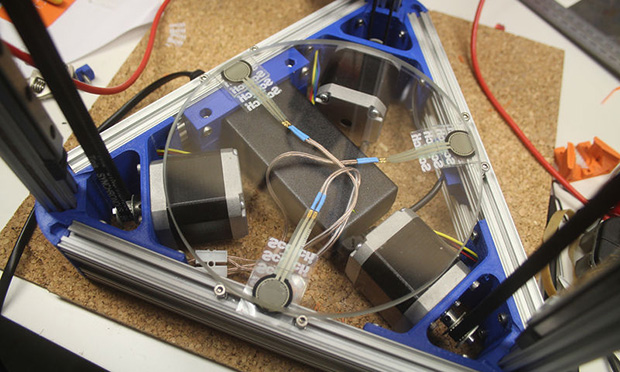
Highlights of the Festival include [Prusa] giving a talk on the state of open source printing, [Sonny Monicou] discussing the challenges of his RepRap workshops, a roundtable discussion of the RepRap project, [Nicholas Seward] and his creations – the Wally, Simpson, and Lisa, along with a few folks from Lulzbot and UltiMachine. Basically, the only way to go to a bigger RepRap convention would be to visit a Maker Faire, and even that would only add a few hundred 9-year-olds astounded by printed Minecraft figurines.

If you’re willing to make the drive, there’s no fee to attend; just register, show up, and you’ll get a table for all that up-til-midnight RepRapping. There’s also a waffle breakfast on Sunday, along with me walking around makin’ it rain Hackaday stickers.

3D Printering: Making A Thing With Solidworks, Part I

printering1

Brian has graciously allowed me to hop on the 3D Printering bandwagon to write a brief intro to the wonderful world of Solidworks. We’ll be making the same ‘thing’ as done in the previous ‘Making a Thing’ tutorials:

engineeringdrawingblack1

Admittedly, most Hackaday readers probably don’t have Solidworks as it is a very expensive program. The main reason we are posting this tutorial is so that you can understand the work flow and compare it to some of the free/open packages out there.

Continue reading “3D Printering: Making A Thing With Solidworks, Part I”

3D Printering: Making A Thing In FreeCAD, Part II

printering

It’s time once again for another installment of a Making A Thing tutorial, where I design the same part, over and over again, in multiple 3D design software packages.

Last week we took a look at FreeCAD, a free, open source parametric modeller. It’s an amazingly powerful tool, and not it’s finally time to complete our model of a strange object ripped from the pages of an 80-year-old drafting textbook.

Here’s some links to previous Making A Thing tutorials, doe:

Read on for the second part of our FreeCAD tutorial

Continue reading “3D Printering: Making A Thing In FreeCAD, Part II”

Update: Tetris Handheld Get PCB And Case

update-handheld-tetris

Check out this sweet-piece of homemade handheld gaming! [Jianan Li] has been hard at work on the project and published the updates in two parts, one that shows off the PCB he had fabbed for the project, and another which details the 3D printed case. This is, of course, is the culmination of the Tetris project we first saw as an incredbily packed, yet thouroughly tidy breadboarded circuit.

We really enjoy the 8-sided PCB design which hosts all the parts and gives you a place to hold and control the unit, all without seeming to waste much real estate. The case itself is quite impressive. The openings for the square-pixel LED matrices (the original design had round pixels) and the bar graphs all have nice bevel features around them. The control area has a pleasant swooping cutout, with blue buttons which stand out nicely against the red. Check out the slider switch by his left thumb. He printed matching covers for this slider, and the two that stick out the bottom. Also on the bottom are female pin headers so that you don’t need to disassemble the case to interface with the electronics.

All of this and more are shown off in the clip after the break.

Continue reading “Update: Tetris Handheld Get PCB And Case”

TARDIS Alarm Doesn’t Go VWORRRRRP VWRORRRP VWORRRP

tardis alarm

Motion sensors are pretty useful — but they’re just so darn ugly! Well — if you’re a Whovian — maybe this hack is for you. A 3D printed TARDIS Motion Sensor Alarm!

[Malcolm] has a home security system that uses a series of motion sensors to detect movement in the house. When movement is detected an indicator LED turns on, and a wireless signal is sent to the main control system. So after discovering a nice 3D model of the TARDIS (Time and Relative Dimension in Space) on Thingiverse, he decided to see if he could hack one of his motion sensors to fit inside of it instead.

As it turns out, it was as simple as removing the sensor’s external shell, 3D printing a few support pieces inside of the TARDIS, and soldering on a bright blue LED to replace the dinky indicator light. Simple, but effective!

Don’t forget to check out the following video. Allons-y!

Continue reading “TARDIS Alarm Doesn’t Go VWORRRRRP VWRORRRP VWORRRP”

Two-Wheel Balancing Robot Revived From The Dead

Capture

[Jouni] built a pretty nice little two-wheeled robot a while back — but he never got it working quite right. Taking inspiration and a bit of opensource code from another hacker featured here, he’s finished the bot, and it works great!

After seeing [Jose’s] 3D printed Air Hockey bot, he poked around the creator’s blog and discovered the B-Robot, a 3D printed, two-wheeled, stepper driven, balancing robot. As it turned out, it was incredibly similar to a robot [Jouni] had made himself previously!

[Jouni’s] robot features two NEMA-17 steppers, a 12v 2200mAh battery pack, an Arduino Pro Mini, a MPU6050 gyro and a FrSky receiver. Lucky for him, [Jose’s] B-Robot made use of the same steppers and gyro! Using some of [Jose’s] code from his GitHub, [Jouni] was able to bring new life into his little robot!

We’ve included videos of both the original project, and [Jouni’s] version. Aren’t opensource projects awesome?

Continue reading “Two-Wheel Balancing Robot Revived From The Dead”

3D Printering: Making A Thing In FreeCAD, Part I

printering

I’ve been writing these tutorials on making an object in popular 3D modeling programs for a while now, and each week I’ve put out a call for what software I should do next. There is one constant in all those comment threads: FreeCAD. I don’t know if these suggestions reflect the popularity or difficulty of FreeCAD nevermind, it’s totally the difficulty.

FreeCAD is an amazing tool that, if used correctly, can be used to make just about any part, and do it in a manufacturing context. If you need a bauble that’s three times the size of the original, FreeCAD’s parametric modeling makes it easy to scale it up. If you’re designing a thumbscrew and want the head larger while keeping the threads the same, FreeCAD is for you. Basically, you can think of this as a graphical extension of the Thingiverse Customizer. Very powerful, very cool, and unlike a lot of CAD packages out there, free.

Our in-house, overpaid SEO expert (he’s really just a monkey someone trained to use a bullwhip) demands I link to the previous ‘Making a Thing’ tutorials:

The tutorial for FreeCAD continues below.

Continue reading “3D Printering: Making A Thing In FreeCAD, Part I”