Controlling Raspberry Pi Expansion Pins With A Web Interface

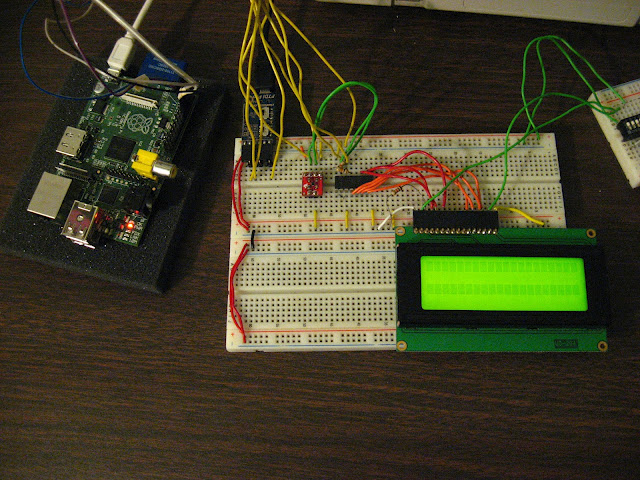
For the lucky few who have a Raspberry Pi board in their hands, you can now use the GPIO pins as a web interface (German, google translation). [Chris] is turning this magical board is turning a small device that can play 1080p video into something that can blink LEDs via the web.

The build started with an example of driving GPIO pins under Linux. [Chris] cobbled together a bit of PHP and Javascript on the Raspberry pi. Whenever he goes to the website hosted on the Pi, he’s greeted with the status and direction of a couple of expansion IO pins.

On a semi-related note, [Tony] is building a GPIO MIDI interface for his Pi. Yes, he could just get a USB to MIDI adapter and call it a day, but this is a far more professional looking solution to all the MIDI goodness the RasPi will deliver. If you’ve got any info on other RasPi breakout boards you’ve seen, send them in on the tip line.

The First Raspberry Pi Build Is A MAME Machine

The Raspberry Pi was launched nearly a month ago, but these wonderful cheap single-board computers are still on their way from China to the workbenches of hackers and builders around the globe. Although they haven’t shipped yet, plenty of people are chomping at the bit to do something useful with the Raspi. [Nicholas] figured he should hit the ground running, so he emulated a Raspberry Pi to get everything ready for the MAME machine he’ll build when his new toy arrives.

[Nick] found a Raspi VirtualBox image on the official Raspberry Pi forums. After getting a web browser up and running with a few console keystrokes, he turned his attention to a MAME emulator. It’s a relatively simple install (although it did take six hours to compile), but we’re sure the Raspi will be featured in quite a few MAME builds so it was time well spent.

Sure, the Raspberry Pi you ordered a month ago is probably on a container ship in the middle of the ocean right now, but that doesn’t mean you can’t start planning your build. Just load up a VirtualBox image, check out a few of the tutorials, and you’re ready to go.