Jenny’s Daily Drivers: Raspberry Pi Desktop

One of the more exciting prospects upon receiving one of the earliest Raspberry Pi boards back in 2012 was that it was a fully-functional desktop computer in the palm of your hand. In those far-off days, the Debian OS distro for the board wasn’t even yet called Raspbian, but it would run a full-on desktop on your TV and you could use it after a fashion to browse the web or do wordprocessing. It wasn’t in any way fast, but it was usable enough to be more than a novelty. I’ve said before on these pages that the Raspberry Pi folks’ key product is their OS rather than their computers. While they rarely have the fastest or highest spec hardware, you can depend on Raspberry Pi OS being updated and supported through the life of the board unlike many of their competitors. I can download their latest OS image and still run it on that 2012 board, which to me ranks as a very laudable achievement.

The OS They Don’t Really Tell You About
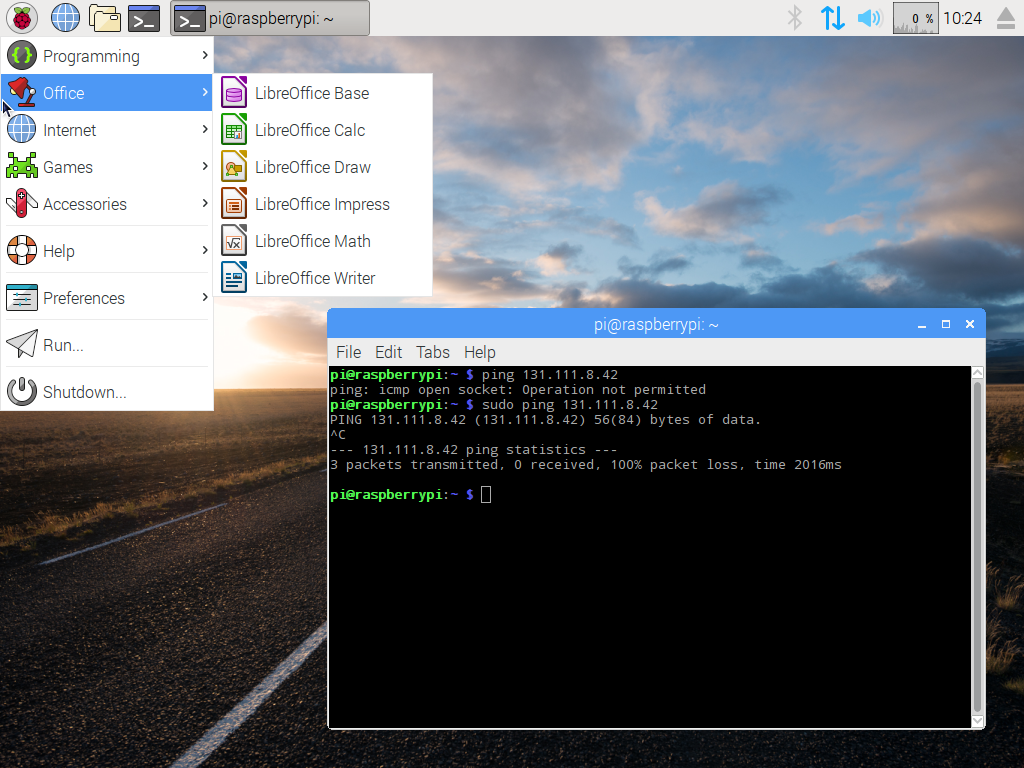
Screenshot of the first i386 Pi desktop
The background image may have changed since the first release back in 2016, but the UI hasn’t.

Raspberry Pi OS doesn’t run on any other ARM single board computers but their own, but it’s not quite accurate to say that it only runs on Raspberry Pi hardware. Since 2016 when it was launched as PIXEL, the folks in Cambridge have also maintained a PC version for 32-bit i386 computers, now called Raspberry Pi Desktop. It may be the Pi product they don’t talk about much, but  you can still find it on their downloads page.

Like the ARM version, it’s based on Debian and presents as close as possible to the environment you’d find on your Pi. I’m interested to see whether it still lives up to the claim of being usable on older hardware, so I’ve downloaded a copy and installed it on my trusty 2007 Dell Inspiron 640. It rocks a 1.6 GHz Core Duo with 4 GB of memory and a SATA SSD so it’s not the lowest spec hardware on the block, but by 2023’s standard it represents a giveaway-spec old laptop. Can I use it as a daily driver? Let’s find out! Continue reading “Jenny’s Daily Drivers: Raspberry Pi Desktop”
Jenny’s Daily Drivers: FreeBSD 13.2

Last month I started a series in which I try out different operating systems with the aim of using them for my everyday work, and my pick was Slackware 15, the latest version of the first Linux distro I tried back in the mid 1990s. I’ll be back with more Linux-based operating systems in due course, but the whole point of this series is to roam as far and wide as possible and try every reasonable OS I can. Thus today I’m making the obvious first sideways step and trying a BSD-based operating system. These are uncharted waters for me and there was a substantial choice to be made as to which one, so after reading around the subject I settled on FreeBSD as it seemed the most accessible.

First, A Bit Of Context

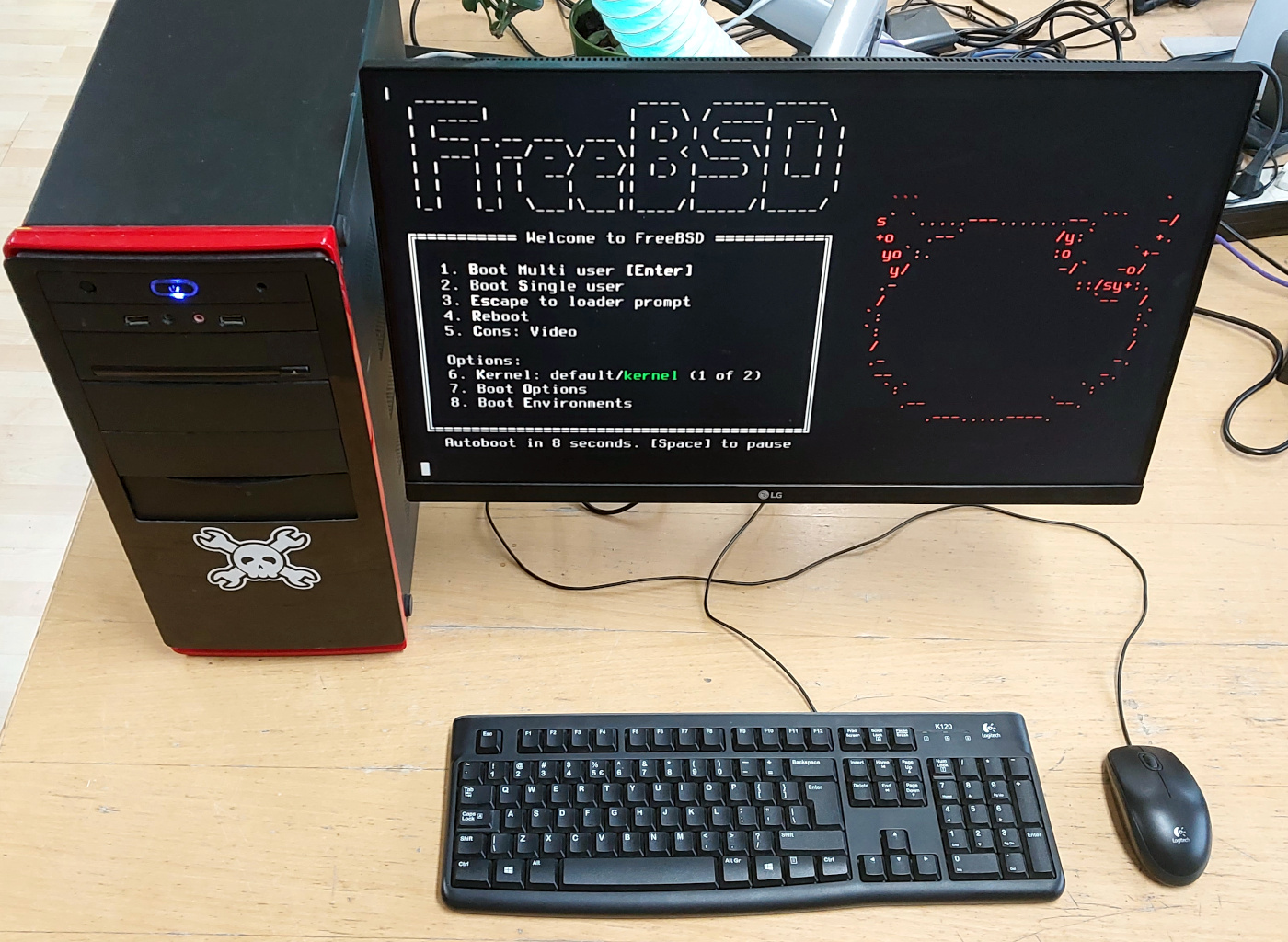
A PC with the FreeBSD boot screen
Success! My first sight of a working FreeBSD installation.

Most readers will be aware that the BSD operating systems trace their heritage in a direct line back to the original AT&T UNIX, while GNU/Linux is a pretty good UNIX clone originating with Linus Torvalds in the early 1990s and Richard Stallman’s GNU project from the 1980s onwards. This means that for Linux users there’s a difference in language to get used to.

Where Linux is a kernel around which distributions are built with different implementations of the userland components, the various BSD operating systems are different operating systems in their own right. Thus we talk about for example Slackware and Debian as different Linux distributions, but by contrast NetBSD and FreeBSD are different operating systems even if they have a shared history. There are BSD distributions such as GhostBSD which use FreeBSD as its core, but it’s a far less common word in this context. So I snagged the FreeBSD 13.2 USB stick file from the torrent, and wrote it to a USB Flash drive. Out with the Hackaday test PC, and on with the show. Continue reading “Jenny’s Daily Drivers: FreeBSD 13.2”

Jenny’s Daily Drivers: Slackware 15

As a recent emigre from the Ubuntu Linux distribution to Manjaro, I’ve had the chance to survey the field as I chose a new distro, and I realised that there’s a whole world of operating systems out there that we all know about, but which few of us really know. Hence this is the start of what I hope will be a long-running series, in which I try different operating systems in my everyday life as a Hackaday writer, to find out about them and then to see whether they can deliver on the promise of giving me a stable platform on which to earn a living.

For that they need an internet connection and a web browser up-to-date enough to author Hackaday stories, as well as a decent graphics package. In addition to using the OS every day though, I’ll also be taking a look at what makes it different from all the others, what its direction and history is, and how user-friendly it is as an experience. Historical systems such as CP/M are probably out of the question as are extremely esoteric ones such as the famous TempleOS, but this still leaves plenty of choice for an operating system tourist. Join me then, as I try all the operating systems.

A Distro From The 1990s, Today

A desktop mini tower PC with monitor showing the Slackware boot screen
The Hackaday test PC gets its first outing.

When deciding where to start on this road, there was an obvious choice. Slackware was the first Linux-based distribution I tried back in 1995, I’m not sure which version it was , but it came to me via a magazine coverdisk. It was by no means the first OS that captured my attention as I’d been an Amiga user for quite a few years at that point, but at the moment I can’t start with AmigaOS as I don’t have nay up-to-date Amiga-compatible hardware.

July 2023 also marks the 30th anniversary for the distro making it the oldest one still in active development, so this seems the perfect month to start this series with the descendant of my first Linux distro. Slackware 15 comes as a 3.8 GB ISO file download for 64-bit computers, and my target for the distro was an old desktop PC with an AMD processor and a big-enough spinning rust hard disk which had been a high-end gaming system a little over ten years ago. Not the powerhouse it once was, but it cost me nothing and it’s adequate for my needs. Installed on a USB Flash drive the Slackware installer booted, and I was ready to go. Continue reading “Jenny’s Daily Drivers: Slackware 15”