Minibloq Arduino IDE Is In Beta And In Need Of Testers

minibloq_beta

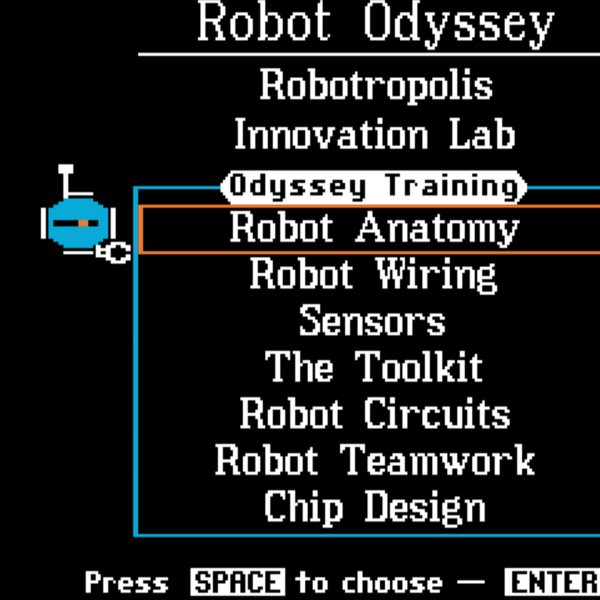
If you have been chomping at the bit to give drag and drop Arduino programming a try, Minibloq is finally in Beta and ready for you to test!

We mentioned the application back in April of this year, when [Julián da Silva] was still in the early stages of developing the software. His graphical programming environment is meant to put the power of the Arduino and its derivatives into the hands of children in an easy fashion, with a gentle learning curve.

A lot has transpired since we first wrote about Minibloq, including a very successful Kickstarter campaign, along with many hours of programming and testing. The current Beta release includes a ton of features and programming “blocks” beyond what we saw earlier this year, so be sure to check out the video below for a quick tour of what’s new.

[Julián] says that the application’s source code will be released after they add a few key features, so keep an eye out for that if you’re interested in taking a peek under the hood.

Continue reading “Minibloq Arduino IDE Is In Beta And In Need Of Testers”

Millivolt Meter Nixie Clock

Surprisingly, up until a year ago, [Jimmy] hadn’t seen a Nixie tube. Awful we know, but he has come around to the beauty of glowing numbers in a tube. He recently found an old millivolt meter in a junk pile that used Nixie tubes. The wondrous orange glow beckoned him, so [Jimmy] decided to build a clock.

Just about all of the Nixie clocks we’ve seen (including non-clock builds) rely on building a controller for the Nixie tubes. The controllers range from Nixie Arduino shields to the good ‘ol 74141 IC. [Jimmy] realized he didn’t need to bother with controlling the tubes in an already functional millivolt meter – he only needed to send the right voltage.

For his clock build, [Jimmy] used an Arduino to output a voltage through a bunch of resistor dividers. For example, if the time is 12:30, the output voltage will be 12.30mV. Using this technique, the values for the needed resistors don’t exist, so a little bit of PWM means the Arduino keeps fairly good time.

There’s one added bonus of [Jimmy]’s clock – because the voltage varies around 0.01mV, the finished project acts like a digital version of Lord Vetinari’s clock. It may not be perfect, but at least a nice piece of equipment was saved from the trash.

Giving Siri The Keys To Your House

We haven’t really covered many hacks having to do with Apple’s newest iPhone feature Siri. We’d bet you’ve already heard a bunch about the voice-activated AI assistant and here’s your chance to give it the keys to your house. This project uses Siri to actuate the deadbolt on an entry door in a roundabout sort of way.

This is really just a Siri frontend for an SMS entry system seen in several other hacks. The inside of the door (pictured above) has a servo motor mounted next to, and attached via connecting rod with, the lever-style deadbolt. An Arduino equipped with a WiFly shield controls that servo and is waiting for instructions from the Google app engine. But wait, they’re not done yet. The app engine connects to a Twilio account which gives it the ability to receive SMS messages. Long story short; Siri is sending a text message that opens the door… eventually. You can seen in the demo after the break that the whole process takes over twenty seconds from the time you first access Siri to the point the bolt is unlocked. Still, it’s a fine first prototype.

There’s a fair amount of expensive hardware on that door which we’d like to see converted to extra feaures. [CC Laan] has already added one other entry method, using a piezo element to listen for a secret knock. But we think there’s room for improvement. Since it’s Internet connected we’d love to see a sensor to monitor how often the door is opened, and perhaps a PIR sensor that would act as a motion-sensing burglar alert system.

Don’t need something this complicated? How about implementing just the secret knock portion of the hack?

Continue reading “Giving Siri The Keys To Your House”

Creepy Delta Bot Follows Your Every Move

tim_tracking_interactive_mechanism

The creation you see above is the work of art student [Daniel Bertner] who is wrapping up his Bachelor of Fine Arts degree at the School of the Art Institute of Chicago. He calls the incredibly intriguing, yet somewhat disturbing device “TIM”, which is short for Tracking Interactive Mechanism.

A culmination of different projects he has tinkered with over the last year or so, TIM is an interactive delta bot with an attitude. Mounted on the wall of the Art Institute’s Sullivan Galleries, TIM is as interested in you as you are in it. While passers by investigate the curious device, it watches them back, following their every movement.

The robot’s motors are controlled using an Arduino, and its ability to track people standing nearby is provided via a video stream processed with Open CV.

It really is a cool project, and we think it would make for an awesome prop in some sci-fi horror flick. Check out the video below to see TIM’s personality in action – he doesn’t like it when people stand too close!

Continue reading “Creepy Delta Bot Follows Your Every Move”

Small Tabletop Telepresence Robot

iphone_tabletop_telepresence

When [Peter] saw the Sparkfun Magician robot chassis in a recent new product post, he knew instantly that he had to have one for a telepresence project that had been kicking around in his head for a while.

Onto the robot chassis, he added an Arduino to provide the brains of the bot, an Adafruit motor shield for controlling the wheels, and a Pololu Wixel for wireless communications. An iPhone is mounted on the top of the robot, which communicates with his laptop using Apple’s Facetime app. The robot is controlled from his laptop as well using the Wixel, which enables him to direct the Magician chassis as if it was attached via USB.

While he thinks the robot is pretty neat and that it works well, [Peter] already has improvements in mind. The robot chassis is a bit weak on anything but smooth surfaces, so a new set of motors and wheels are likely the first changes he’ll make. He wants to add a servo-based aiming mechanism for the phone’s camera, as well as some sensors to prevent the bot from taking a nosedive off his table.

iPhone aside, this is probably one of the cheaper mobile telepresence setups we’ve seen, so we can’t wait to hear how the improvements work out, and how much they add to the robot’s cost.

Join The Pen15 Club With A Vibrator Shield

For all you teledildonics enthusiasts, there’s a new Vibrator shield for the Arduino. It gets better: you can use the Pen15 shield with a Kinect for wholesome and natural fun at home.

Decency and a ‘safe for work’ style prevents us from putting everything we know on the front page, so keep reading after the break.

Continue reading “Join The Pen15 Club With A Vibrator Shield”

Christmasqualizer Is The Next Light Switch Rave

[youtube=http://www.youtube.com/watch?v=la1OuczS_wM&w=470]

[Kyle] was looking for a way to spice up his boring brick-wall dorm room. The Christmasqualizer he came up with brightens up his room and would make an awesome place for a rave.

The strings of lights in [Kyle]’s Christmasqualizer are off-the-shelf Christmas lights. A simple circuit for the 7-band equalizer was built following this article. The build uses an MSGEQ7 equalizer chip takes audio from any source. The volume level of the seven EQ bands are output to an Arduino over a serial connection.

After the EQ chip was connected to the Arduino, [Kyle] needed a way to switch the strings of Christmas lights on and off. A few solid state relays later, and he was in business.

All the code for the Christmasqualizer is up on github. The sketch is pretty simple – connect the EQ chip as per the article, then connect the relays to the output pins on the Arduino. It’s a fun and easy project that really livens up a dorm room.