Haiku Isn’t Just For X86 Anymore, Boots On ARM In QEMU

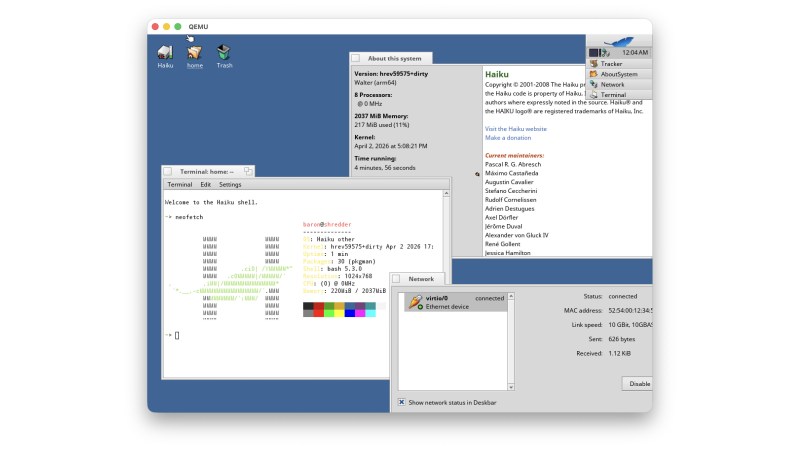
Ever since it was called OpenBeOS, Haiku has targeted the x86 platform. That makes good sense: it’s hard enough maintaining a niche system on ubiquitous hardware. But x86 isn’t the only game in town anymore. Apple’s doing very well on ARM, Linux runs on oodles of ARM SBCs, and even Windows uh, exists, on that architecture, so why not Haiku? That’s what [smrobtzz] figured, and thanks to his work you can now run Haiku on ARM, in QEMU.

There’s no image available as yet — you still need to bootstrap your own from a working system, and ironically that system cannot be Haiku. [smrobtzz] apparently used MacOS, which makes sense as his ultimate goal is apparently to go where only Aishi Linux has gone before and boot Haiku on his M1 MacBook. There had been previous efforts to get Haiku going on Raspberry Pi hardware, which seems logical considering how lightweight the operating system is, but they’re apparently nowhere near booting either. QEMU is a good start.

Interestingly, according to the ports page, Haiku is “functional” on both RISC V QEMU and the now-discontinued HiFive Unmatched SBC. We don’t seem to have covered it, but that milestone happened five year ago. Given how most RISC V boards currently available are a bit slow for modern desktop Linux, Haiku would likely be a breath of fresh air. The BeOS-descended system might be single user, but it’s snappy.

We reported a couple of years back that Haiku was daily-drivable on x86 ,it’s only gotten better since then, assuming you choose the right hardware. Hardware support is always the hard part about alternative OSes, but Haiku users are absolutely spoiled compared to fans of MorphOS, which still only runs on G4 or G5 PowerPC, and even then not only some hardware.
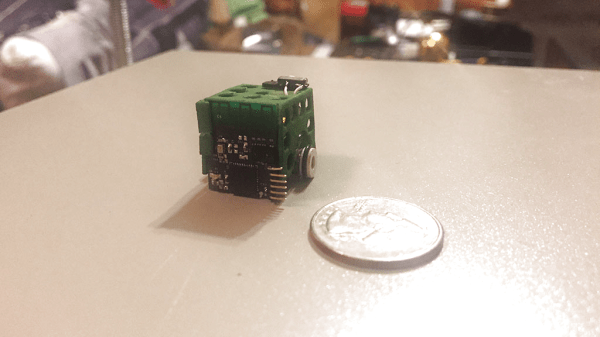

A Well-Chronicled Adventure In Tiny Robotics

Some of us get into robotics dreaming of big heavy metal, some of us go in the opposite direction to build tiny robots scurrying around our tabletops. Our Hackaday.io community has no shortage of robots both big and small, each an expression of its maker’s ideals. For 2018 Hackaday Prize, [Bill Weiler] entered his vision in the form of Project Johnson Tiny Robot.

[Bill] is well aware of the challenges presented by working at a scale this small. (If he wasn’t before, he certainly is now…) Forging ahead with his ideas on how to build a tiny robot, and it’ll be interesting to see how they pan out. Though no matter the results, he has already earned our praise for setting aside the time to document his progress in detail and share his experience with the community. We can all follow along with his discoveries, disappointments, and triumphs. Learning about durometer scale in the context of rubber-band tires. Exploring features and limitations of Bluetooth hardware and writing code for said hardware. Debugging problems in the circuit board. And of course the best part – seeing prototypes assembled and running around!

As of this writing, [Bill] had just completed assembly of his V2 prototype which highlighted some issues for further development. Given his trend of documenting and sharing, soon we’ll be able to read about diagnosing the problems and how they’ll be addressed. It’s great to have a thoroughly documented project and we warmly welcome his robot to the ranks of cool tiny robots of Hackaday.io.

An Improvised Synthetic Aperture Radar

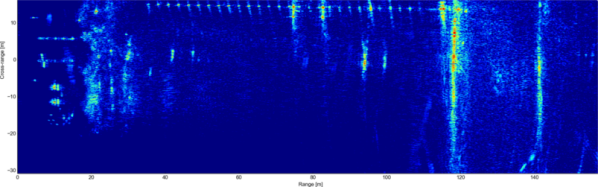
[Henrik] is at it again. Another thoroughly detailed radar project has shown up on his blog. This time [Henrik] is making some significant improvements to his previous homemade radar with the addition of Synthetic Aperture Radar (SAR) to his previous Frequency Modulated Continuous Wave (FMCW) system.

[Henrik’s] new design uses an NXP LPC4320 which uniquely combines an ARM Cortex-M4 MCU along with a Cortex-M0 co-processor. The HackRF also uses this micro as it has some specific features that can be taken advantage of here like the Serial GPIO (SGPIO) which can be tediously configured and high-speed USB all for ~$8 in single quantity. The mixed signal design is done in two boards, a 4 layer RF board and 2 layer digital board.

Like the gentleman he is, [Henrik] has included schematics, board files, and his modified source from the HackRF project in his github repo. There is simply too much information in his post to attempt to summarize here, if you need instant gratification check out the pictures after the break.

The write-up on his personal blog is impressive and worth look if you didn’t catch our coverage of his single board Linux computer, or his previous radar design.

Continue reading “An Improvised Synthetic Aperture Radar”

Raspberry Pi Halt And Catch… Well, Halt

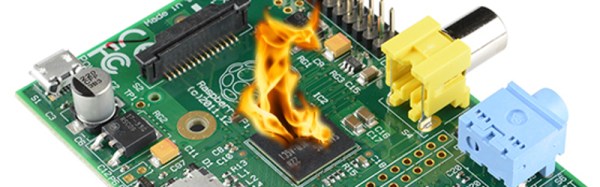
As far back as we can remember, there have always been hacks, exploits, and just curiosity about undocumented CPU instructions. The Z80 had them. Even the HP41C calculator had some undocumented codes. The HCF (Halt and Catch Fire) instruction was apocryphal, but we always heard the old video controller chips could be coaxed into blowing up certain monitors. You don’t hear too much about things like that lately, perhaps because fewer people are working in assembly language.

[Sergi Àlvarez i Capilla] not only works in assembly language, he was writing an ARM assembler when he noticed something funny. Instructions are built in a regular pattern and some of the patterns were missing. What to do? [Sergi] lost no time trying them out.

Continue reading “Raspberry Pi Halt And Catch… Well, Halt”

Explaining The Low Level Stuff You Don’t Know About ARM Programming

Most of us don’t realize how spoiled we are with the different development environments available on the internet. If someone wants to start a blank project on a new [ARM/DSP/…] platform, he usually fires up the dedicated Integrated Development Environment (IDE) and starts coding a C/C++ program. However, there are many initialization routines and scripts required with your program before it can run correctly. In his great article, [Andrew] explains to us what these are by starting a blank project without using any IDE.

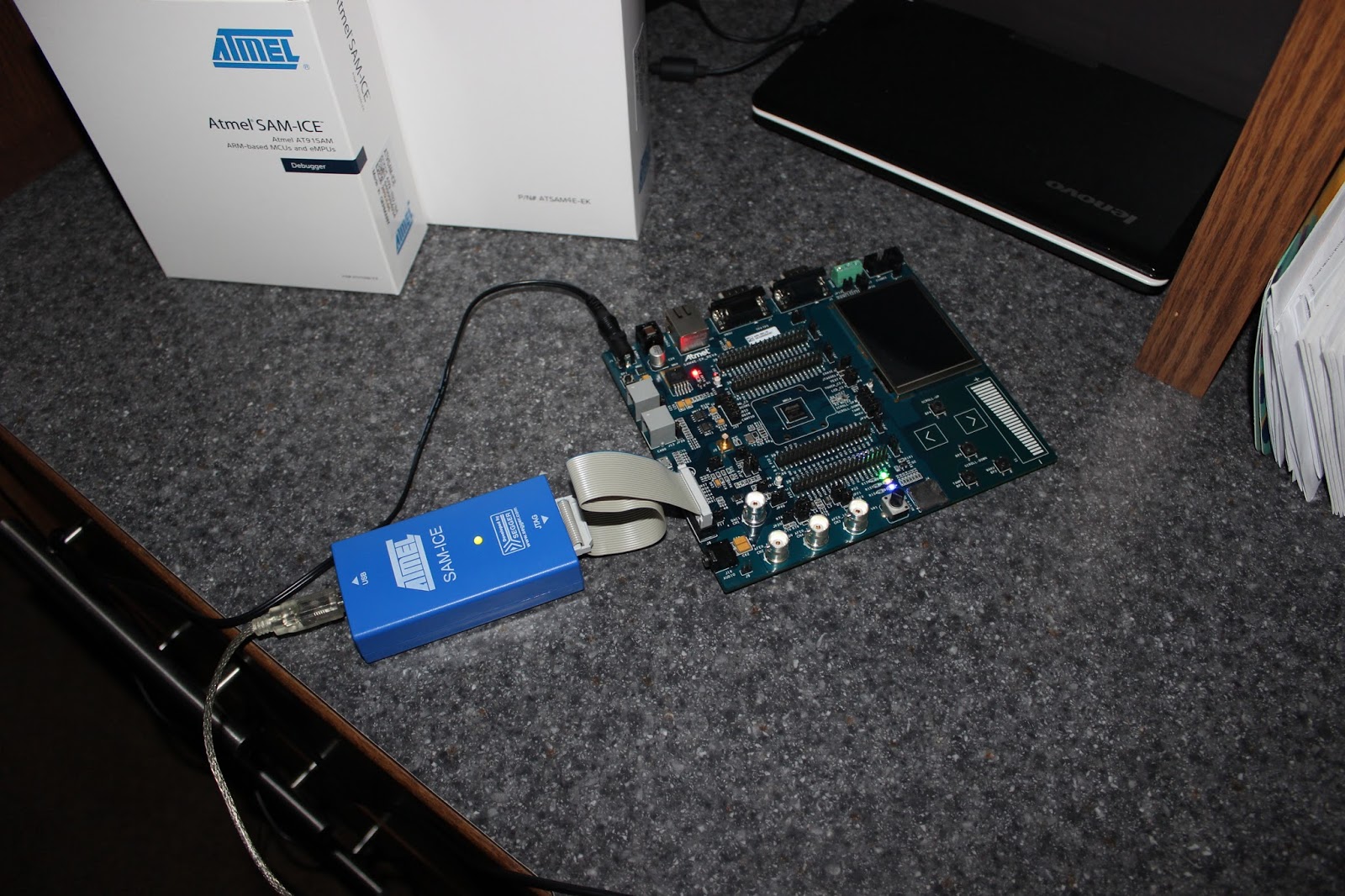
As you can see in the above picture, [Andrew]’s project is made around an Atmel SAM4E microcontroller. The chosen toolchain is the arm-none-eabi-gcc from GNU Tools for ARM Embedded Processors. The first part of the article starts with a simplified explanation on how/why your code and variables are split into different memory sections (.bss, .data, .rodata, .text), then [Andrew] details how the linker script will put these sections at different physical addresses depending on your microcontroller’s memory layout. He also shows us how to take care of the stack placement, vector table, variable (non)initialization, and C Runtime. For information, the latter is executed when your processor starts, it is in charge of setting up the stack pointer, initializing the RAM, setting up the standard library and calling the main().

A very nice introduction on the very low level routines running on most processors out there.