A Look At Full Spectrum 3D Printing

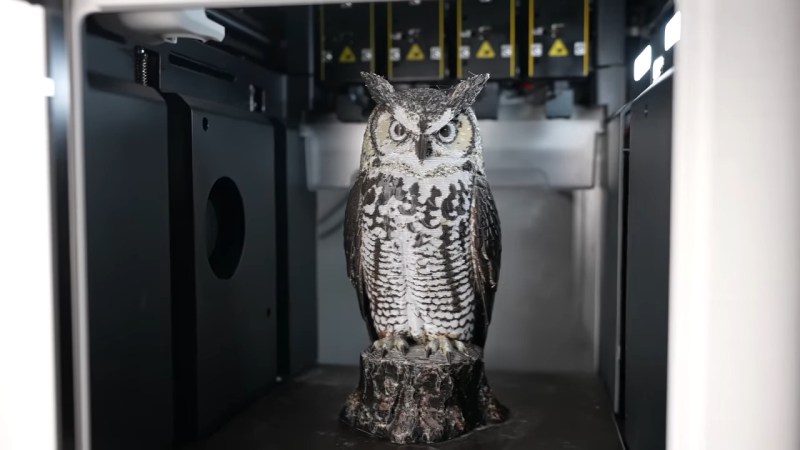
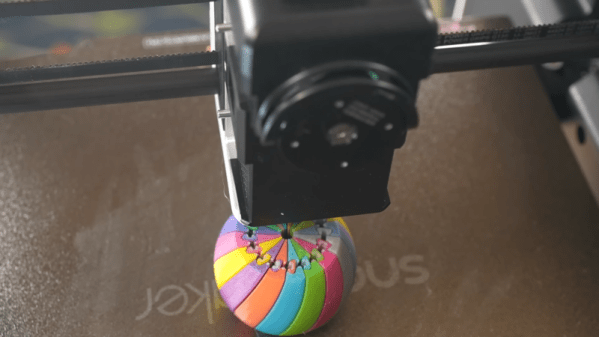
Many modern desktop 3D printers include the ability to print in multiple colors. However, this typically only works with a few colors at a time, and the more colors you can use, the higher the machine’s cost and complexity. However, a recent technique allows printers to mix new colors by overlaying thin sheets of different filaments. [YGK3D] looks at how it works in a recent video.

In the early days of 3D printing, there were several competing approaches. You could have separate extruders, each with a different color. Some designs used a single extruder and switched between different filaments on demand. Others melted different filaments together in the hot end.
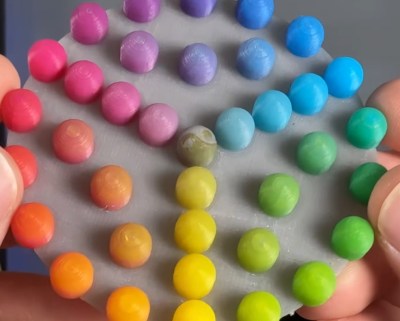
One advantage of the hotends that melted different materials is that you could make different colors by adjusting the feed rates of the plastics. However, that has its own problems with maintaining flow rate, and you can’t really use multiple material types. But using single or multiple hotends that take one filament at a time means you can only handle as many colors as you have filaments. You can’t mix, say, white and black to get gray.

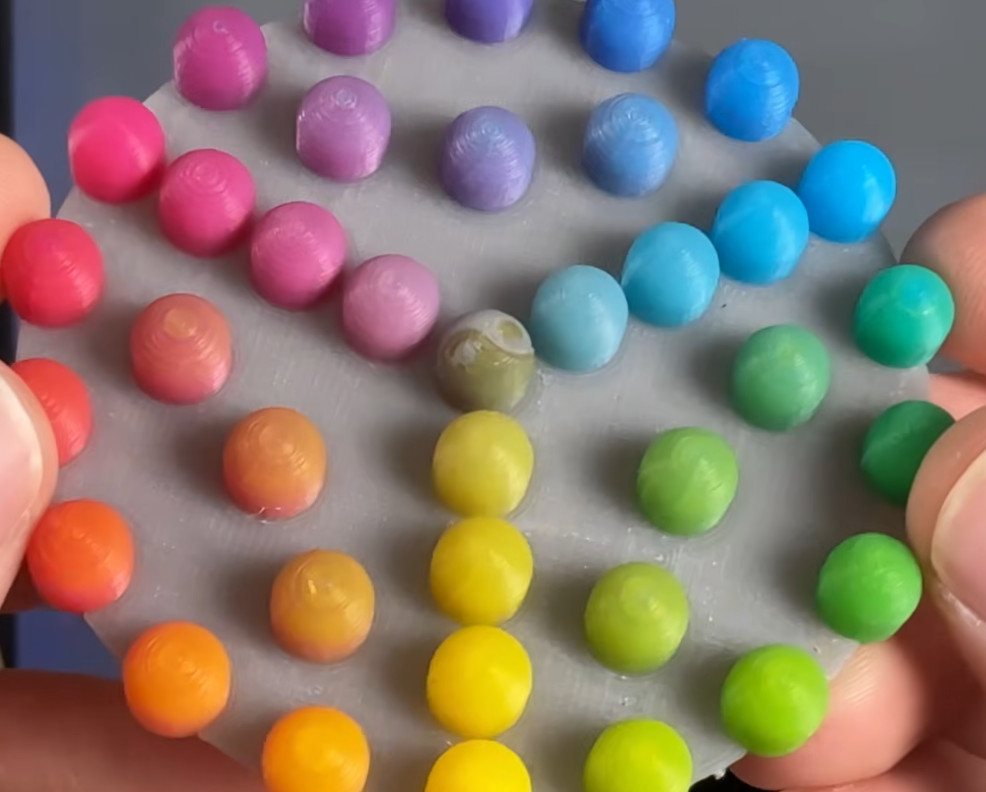
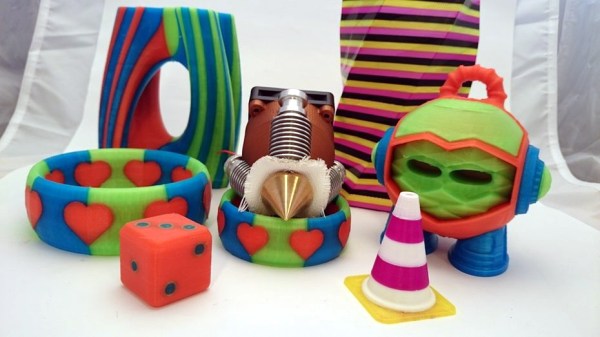
Using Full Spectrum, you can define virtual filaments, and the software figures out how to approximate the color you want by using thin layers of different colors. The results are amazing. While this technically could work on any printer, in reality, a filament-switching printer will create a ton of waste to mix colors, and a single-filament machine will drive you batty manually swapping filament.

So you probably really need a tool changer and translucent plastic. You can see the difference in the test article when using opaque filament vs translucent ones. At low layer heights, four filament colors can give you 39 different colors. At more common layer heights, you may have to settle for 24 different colors.

One issue is that the top and bottom surfaces don’t color well. However, a new plugin that adds texture to the surfaces may help overcome that problem.

We looked at Full Spectrum earlier, but development continues. If you are still trying to get a handle on your filament-switching printer, we can help.

Continue reading “A Look At Full Spectrum 3D Printing”

Full Color 3D Printing With The Help Of An Inkjet Head

3D printing is a popular process, though one of the hangups is that parts are typically produced in just one flat color. [Aad] has been working on a simple modification to his Prusa i3 printer, however, that enables the production of full-color parts.

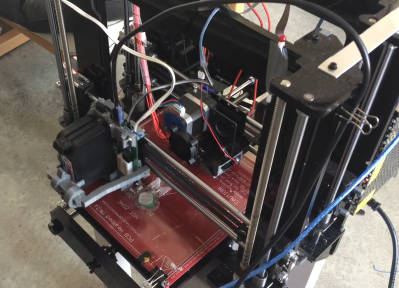
Note the dual vertical assemblies – one carrying the extruder, the other carrying an inkjet print head.

The hack is simple, consisting of a second vertical frame added on to the printer. Rather than mounting a second extruder, however, there’s a inkjet printer head delivering CMYK water-based inks. After the main extruder lays down each layer of clear PLA plastic, the print is then moved under the inkjet head, which lays down colored inks before the next layer is printed, as seen in this print video.

[Aad] notes the results are presently imperfect. The ink seems to bleed between layers, mixing with the plastic after it is laid down. Further testing with different inks and filaments is in the pipeline, however, aiming to improve quality and contrast of the results.

We’ve seen other approaches to the color 3D printing issue before, too. Video after the break.

Continue reading “Full Color 3D Printing With The Help Of An Inkjet Head”

3D Printer Add On Makes Sharp(ie) Colors

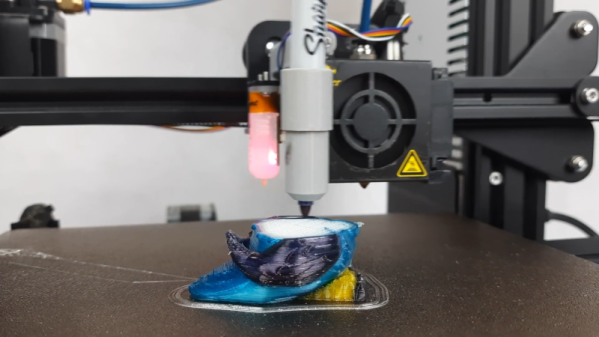
We’ve all seen 3D printed jigs that use a permanent marker to color filament as it goes into the hot end. [Sakati84] has a completely different idea. A holder on the print head can pick up one of several pens and use it to color the layer the hot end just laid down. In the video below, it looks like it works well and, although we imagine it will be a bear to calibrate on height, it seems like something you could replicate with nearly any conventional printer.

Logically, you print a layer with no pen in the holder and when you do pick up a pen, it will need to be somewhat lower than the print nozzle or else you’ll drag around in the fresh plastic.

Continue reading “3D Printer Add On Makes Sharp(ie) Colors”

Diamond Hotend Opens The Color Gamut For 3D Printing

It’s safe to say we’ve hit a bit of a plateau with hobby based 3D printers using FDM technology. Print quality is pretty high, they’re about as fast as they’re going to get, and compared to commercial machines they’re a pretty good bang for your buck. So what’s next? What about printing in color?

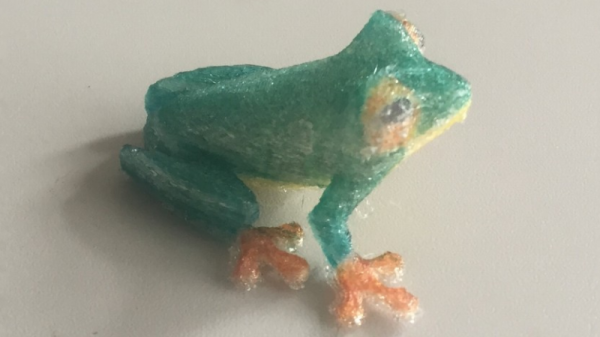
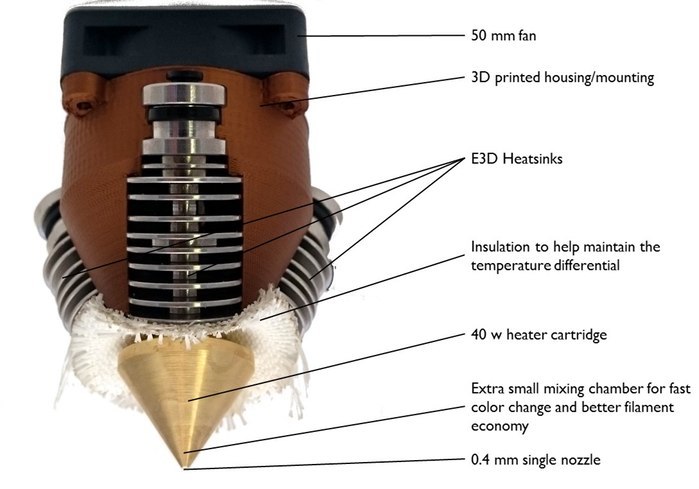
diamondhotend-1It is possible to print in color using a regular 3D printer and a bit of patience, but it’s really not economical or efficient. We’ve seen multiple extruder heads for 3D printing as well, but there are many problems with that due to calibration and trailing plastic from one head to another. So what if you could feed multiple color filaments into a single mixing head?

Well, it turns out you can. Earlier this year RepRap ran a Kickstarter for the development of the Diamond Hotend —  a single nozzle multi-color extruder. It’s in production now and appears to work quite well. It’s also compatible with many 3D printers as long as the motherboard has triple extruder support.

However, the big question remains — how do you program a colored print? Using Repetier Host actually. You’ll need to export your 3D model in the .AMF file format, but once you do, you’ll be able to configure it for a color print job inside Repetier Host.

Continue reading “Diamond Hotend Opens The Color Gamut For 3D Printing”